Am IMA Studio × Kestos Ad Challenge In Los Angeles wurden Kreative eingeladen, einen echten Werbespot zu produzieren für Kestos — eine Sport- und Activewear-Marke — die KI-Tools einsetzt. Ein Kreativdirektor mit Filmerfahrung nahm einen Preis mit nach Hause. 2. Platz. Dies ist sein vollständiger Arbeitsablauf.
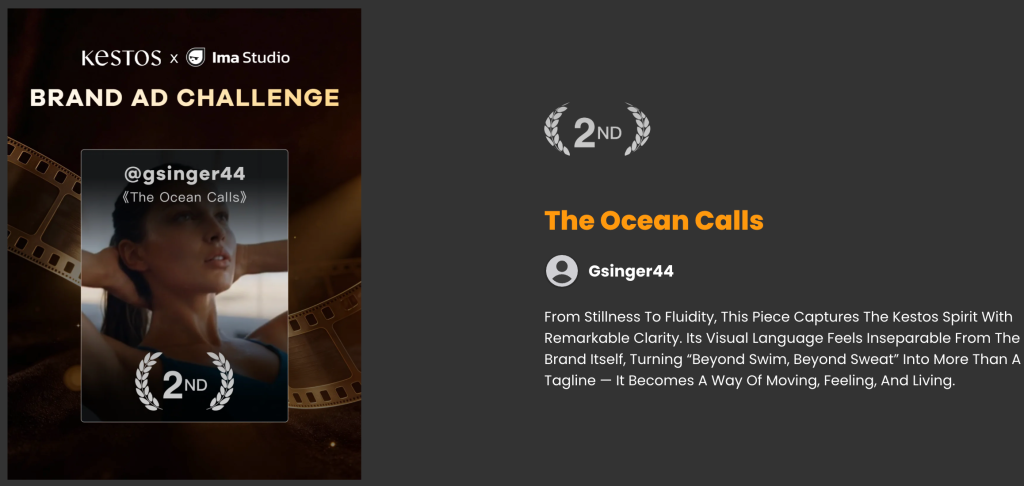
📺 Sehen Sie sich das Profil des Entwicklers auf IMA Studio an. | Sehen Sie sich den fertigen Film an | Über die LA Meetup-Veranstaltung →
Über den Schöpfer
Der Schöpfer dieses Workflows ist ein Absolventin der USC School of Cinematic Arts Ich arbeite derzeit als Creative Director bei einem KI-Unternehmen namens Hotline. Hauptberuflich produziert er Werbeinhalte mithilfe von KI-Tools – er experimentiert nicht, sondern liefert professionelle Ergebnisse auf Basis realer Briefings. Außerdem arbeitet er an einem eigenen Spielfilmprojekt.
Sein Hauptinstrument war bisher Higgsfield, aber für diese Herausforderung ging er aufs Ganze. Ima Studio — und die Ergebnisse sprechen für sich.
👉 Sieh dir sein Profil an LinkedIn-Profil um mehr über sein Werk und seinen Hintergrund zu erfahren.
Die Herausforderungsbeschreibung
Produziere ein 34-sekündiger Lifestyle-Werbespot für Kestos — Eine Sportbekleidungsmarke mit visuellen Themen rund um Trockenheit, Feuchtigkeit, urbanes Leben und das Meer. Offizielle Marke Referenz Bilder und visuelles Material wurden von der Marke zur Verfügung gestellt.
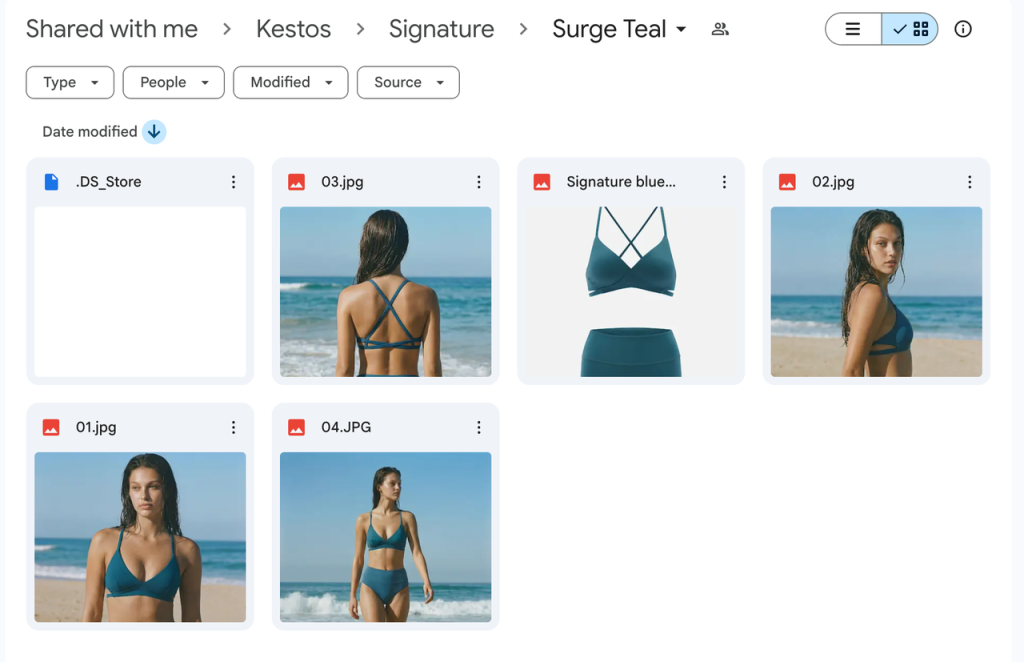
Alle Videoausgaben: 1080p, 16:9, 4–8 Sekunden pro Clip.
Verwendete Werkzeuge: Veo 3.1 · Kling · Nano Banana Pro · Suno · ElevenLabs
Gesamtzeit: 6,5 Stunden • Gesamtguthaben: 2,665 • Generierte Aufgaben: 34
Schritt 1: Beginnen Sie mit dem Gehirn des Regisseurs, nicht mit der Aufgabenstellung.
Bevor er irgendein Werkzeug öffnete, schloss er die Erzählung ab. Sein kreativer Rechercheprozess:
- Studie Lifestyle- und Duftwerbung — das Genre, das am besten darin ist, Empfindungen, Gerüche und Gefühle visuell zu vermitteln
- Den emotionalen Kern herausarbeiten: frische Luft · Freiheit · Erlösung
- Schreiben Sie die Idee handschriftlich auf., Anschließend wird eine Erzählstruktur mit sechs Einstellungen finalisiert.
- Erzählbogen: Land → Meer · drinnen → draußen
“Das filmische Denken ist am wichtigsten. Ich suche nach Ideen in Lifestyle- und Duftwerbung – also nach Werbung, die Duft, Empfindung und Gefühl durch Bilder vermittelt.”
Der Subtext des Films: Egal in welcher Umgebung Sie sich befinden – ob auf dem Weg zur Arbeit in der Stadt, am Strand oder im Fitnessstudio – die Marke sorgt dafür, dass Sie sich wohl, selbstbewusst und frei fühlen.
Wegbringen: Die Eingabeaufforderungen sind lediglich Anweisungen. Wenn Sie nicht entschieden haben, was Sie steuern möchten, wird kein KI-Modell das für Sie herausfinden.
Schritt 2: Erstellen Sie ein 3×3-Storyboard-Raster.
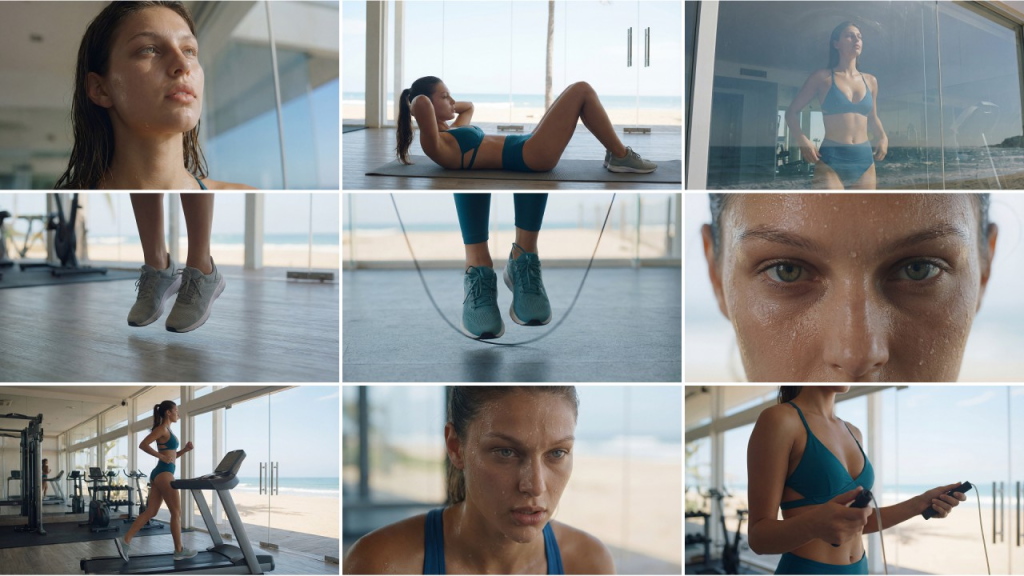
Nachdem die Erzählung feststand, schuf er ~10 Storyboard-Referenzframes in einem 3×3-Gitter mit Nano Banana Pro zur Bildgenerierung. Jedes Einzelbild wurde so erstellt, dass es als Referenz für das “erste Einzelbild” bei der Bild-zu-Video-Generierung dient.
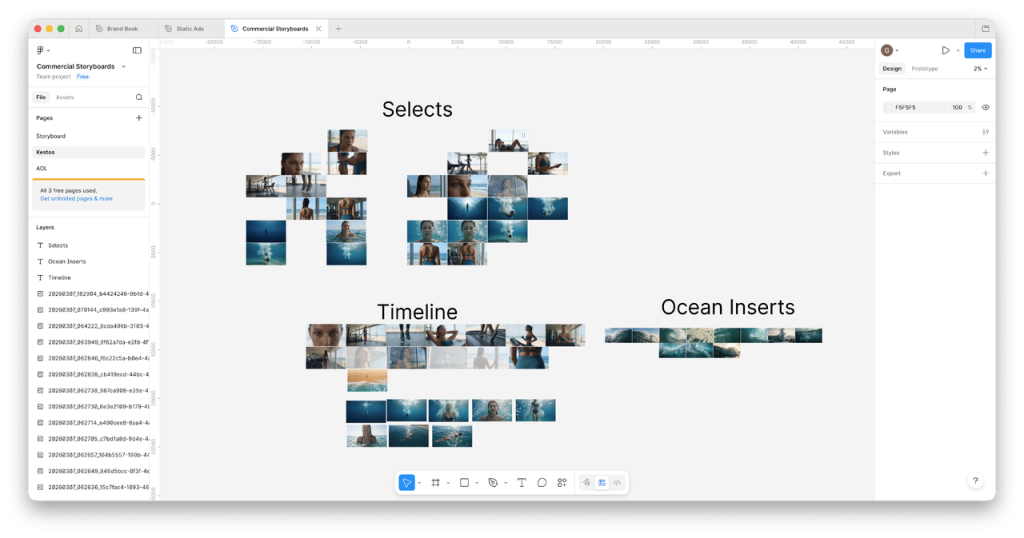
Layout-Tool: Figma. Er verschob Storyboard-Panels hin und her, verglich Kompositionen und erstellte eine vollständige Zeitleistenlogik – bevor er überhaupt einen einzigen Videoclip generierte.
“9-Panel-Raster, visuelle Konsistenz im 3×3-Format. Raster erstellen und ins Storyboard ziehen. Ein Bild herausnehmen und in 4K umwandeln.”
Schlüsseltechnik: Das beste Storyboard-Bild auswählen → auf 4K hochskalieren → als erstes Videobild verwenden. Dadurch wird die Ausgabequalität im weiteren Verlauf deutlich verbessert.
Schritt 3: Videoclips in IMA Studio generieren
Primärmodell: Veo 3.1 (Schnell für hohe Iterationsgeschwindigkeit, Standard für Heldenaufnahmen). Kling wird selektiv für spezifische Bewegungsanforderungen eingesetzt.
Seine prompte Struktur
Jeder Clip wurde mit einem strukturierten JSON-Format übermittelt:
{ "scene_description": "Die Frau in Blau trainiert im Fitnessstudio", "visual_style": "Kinoreif, moderner Werbespot", "camera_movement": "Langsame seitliche Kamerafahrt von links nach rechts um die Frau herum", "lighting": "Moderner Werbespot, kinoreif", "main_subject": "Frau in Blau", "action": "Die Frau springt schnell Seil", "negative_prompt": "Untertitel, Text auf dem Bildschirm, Sprechen, Rede, Dialog" }Immer zu negative_prompt hinzufügen: Untertitel, Text auf dem Bildschirm, Sprechen, Sprache, Dialog — beseitigt die häufigsten Erzeugungsartefakte in kommerziellen Videos.
Generationsansatz
- Zunächst einfache Eingabeaufforderungen. Prüfen Sie, ob das Modell Ihre emotionale Zielgruppe erreicht. Optimieren Sie es anschließend.
- Mehrere Variationen pro Aufnahme. Gleiche Szene, unterschiedliche Kamerabewegungen oder Aktionen – jeweils 3 bis 6 Versuche.
- Einzelbildauswahl statt Beurteilung des gesamten Clips. Schau dir jeden Clip an und wähle das beste Einzelbild aus. Verwende dieses als Referenzbild für dein nächstes Video.
Tatsächliche Erfolgsquote: ~30%. Professionelle KI-Videoproduktion bedeutet, mehrere Versionen zu erstellen und auszuwählen. Planen Sie Ihr Budget und Ihren Zeitplan entsprechend ein.
Szenenübersicht
| Szene | Modell | Versuche | Anmerkungen |
|---|---|---|---|
| Nahaufnahmen vom Fitnessstudio-Training | Veo 3.1 Fast | 4+ | Seilspringen, Bauchmuskelübungen, Laufband – je nach Aktivität variiert. |
| Ozeanwellen brechen | Veo 3.1 | 3 | Die Eingabeaufforderung wurde nach der Überprüfung der ersten Charge verfeinert. |
| Frau schwebt unter Wasser | Veo 3.1 Vorschau | 6 | Komplexeste Szene – die meisten Versuche nötig |
| Urbaner Lifestyle / Innenaufnahmen | Veo 3.1 Fast | Mehrere | Zentrale Szenen des Handlungsbogens |
Schritt 4: Musik über Suno auf Ima Studio
Drei Stimmungsaufforderungen, die jeweils zweimal zur Abwechslung durchgeführt werden:
Workout-Musik, schnell. Ambient-Klänge, entspannend. Entspannende Ambient-Klänge, inspiriert von den 80ern, sinnlich und verführerisch. Wohltuend. Moderates Tempo.
Tipp: Generieren Sie stets mindestens zwei Varianten pro Eingabeaufforderung. Der Unterschied zwischen der ersten und zweiten Variante bei identischen Eingabeaufforderungen kann erheblich sein – geben Sie sich niemals mit dem ersten Ergebnis zufrieden.
Schritt 5: Sprachausgabe über ElevenLabs
Die weibliche Voice-Over-Stimme wurde mit ElevenLabs generiert und basiert auf dem Markentext von Kestos. Sie fungiert als innerer Monolog – die Protagonistin erzählt von ihrem eigenen Lebensstil im Verlauf des Films.
Tipp: Wählen Sie Ihren Musiktitel vor der Sprachaufnahme. Das Tempo der Ambient-Musik aus den 80er Jahren beeinflusste direkt den Sprechrhythmus der Sprachaufnahme.
Schritt 6: Abschließende Bearbeitung in DaVinci Resolve
- Sequenzclips im Abstand von ca. 3 Sekunden (üblicher Rhythmus für Lifestyle-Werbespots)
- Musik- und Sprachaufnahmen übereinanderlegen
- Farbkorrektur für einheitliche Clips von verschiedenen Modellen
- Fügen Sie am Ende der Karte einen Markentext hinzu.
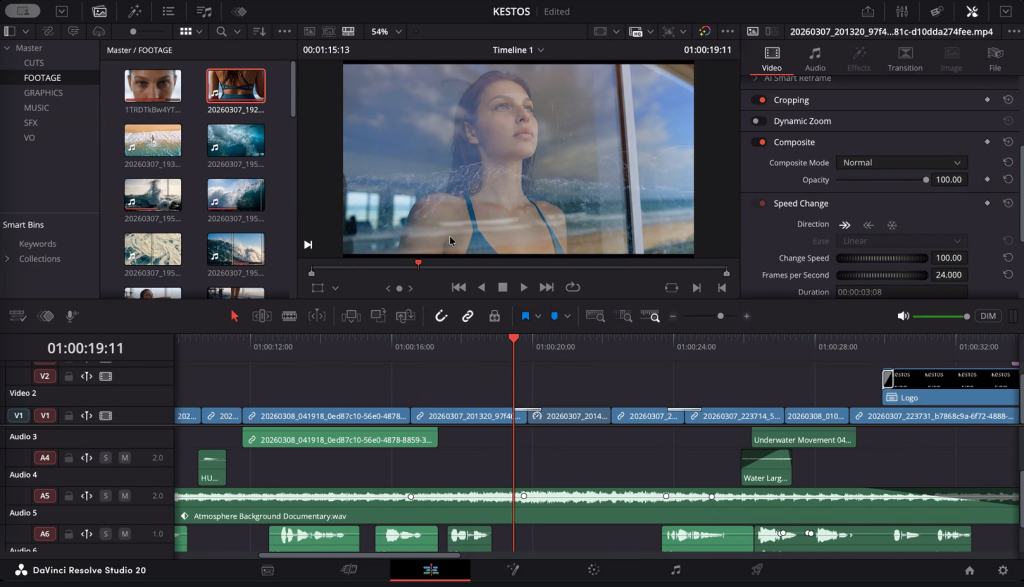
Figma → DaVinci Übergabe: Wenn die gesamte Zeitleiste vor der Bearbeitung in Figma abgebildet ist, reduziert sich DaVinci auf reine Montage – und nicht auf kreative Problemlösung. Dies ist die größte Zeitersparnis im gesamten Workflow.
Produktionszahlen
| Metrisch | Wert |
|---|---|
| Gesamtzeit | 6,5 Stunden (03:03 – 09:29, eine Sitzung) |
| Gesamtaufgaben | 34 |
| Gesamtguthaben | 2,665 |
| Endgültige Schnittlänge | 34 Sekunden |
| Generationserfolgsrate | ~30% |
| Primäres Videomodell | Veo 3.1 (Schnell + Standard) |
| Storyboard-Frames | ~10 (Nano Banana Pro) |
| Musiktitel generiert | 6 (3 Eingabeaufforderungen × 2) |
| Ergebnis | 🥈 2. Platz, IMA Studio × Kestos Ad Challenge |
6 Regeln für einen zweiten Platz
- Zuerst die Denkweise des Regisseurs. Kenne deine Geschichte, bevor du irgendein Tool öffnest.
- 3×3 Storyboard-Raster. Die visuelle Konsistenz wird bereits im Storyboard-Stadium gelöst, nicht erst bei der Generierung.
- Einfache Hinweise zu Beginn. Finde zuerst das emotionale Ziel. Komplexität kommt später.
- Erwarten Sie eine Erfolgsrate von ca. 30%. Erstellen Sie mehrere Exemplare. Wählen Sie das beste aus. Planen Sie ein Budget dafür ein.
- Figma als Produktionsfläche. Erstellen Sie einen Zeitplan, bevor Sie mit der Bearbeitung beginnen – DaVinci sollte ein Montageprozess sein, keine Entdeckungsreise.
- Für jeden Job das passende Modell. Veo 3.1 für filmische Videos · Kling für Bewegtbilder · Nano Banana Pro für Storyboards · Suno für Musik · ElevenLabs für Sprachaufnahmen.
Probieren Sie es auf IMA Studio aus
Alle Tools in diesem Workflow – Veo 3.1, Kling, Suno und weitere – sind verfügbar auf Ima Studio mit einem einzigen Konto.
Möchten Sie an der nächsten KI-Produktionsherausforderung für echte Marken teilnehmen? Folgen Sie uns! LA Meetup & AI Production-Events für zukünftige Möglichkeiten.
Dies ist Teil unserer Tutorials für Entwickler Serie – Reale Arbeitsabläufe von Profis, die KI für Produktionsaufgaben einsetzen.
Über den Autor