Gemini Omni AI Video Generator on ImaStudio

Create and edit AI videos from text, images, and video references with Gemini Omni-style multimodal generation. Build short social clips, product videos, avatar concepts, and campaign-ready videos in one creative workspace.

छवि से वीडियो 🔇
Fashion Clip 🔇
उत्पाद प्रदर्शन 🔇
Social Ad 🔇
Creator Clip 🔇
AI Campaign 🔇
छवि से वीडियो 🔇
Fashion Clip 🔇
उत्पाद प्रदर्शन 🔇
Social Ad 🔇
Creator Clip 🔇
AI Campaign 🔇

How to Use Gemini Omni AI Video Generator on ImaStudio

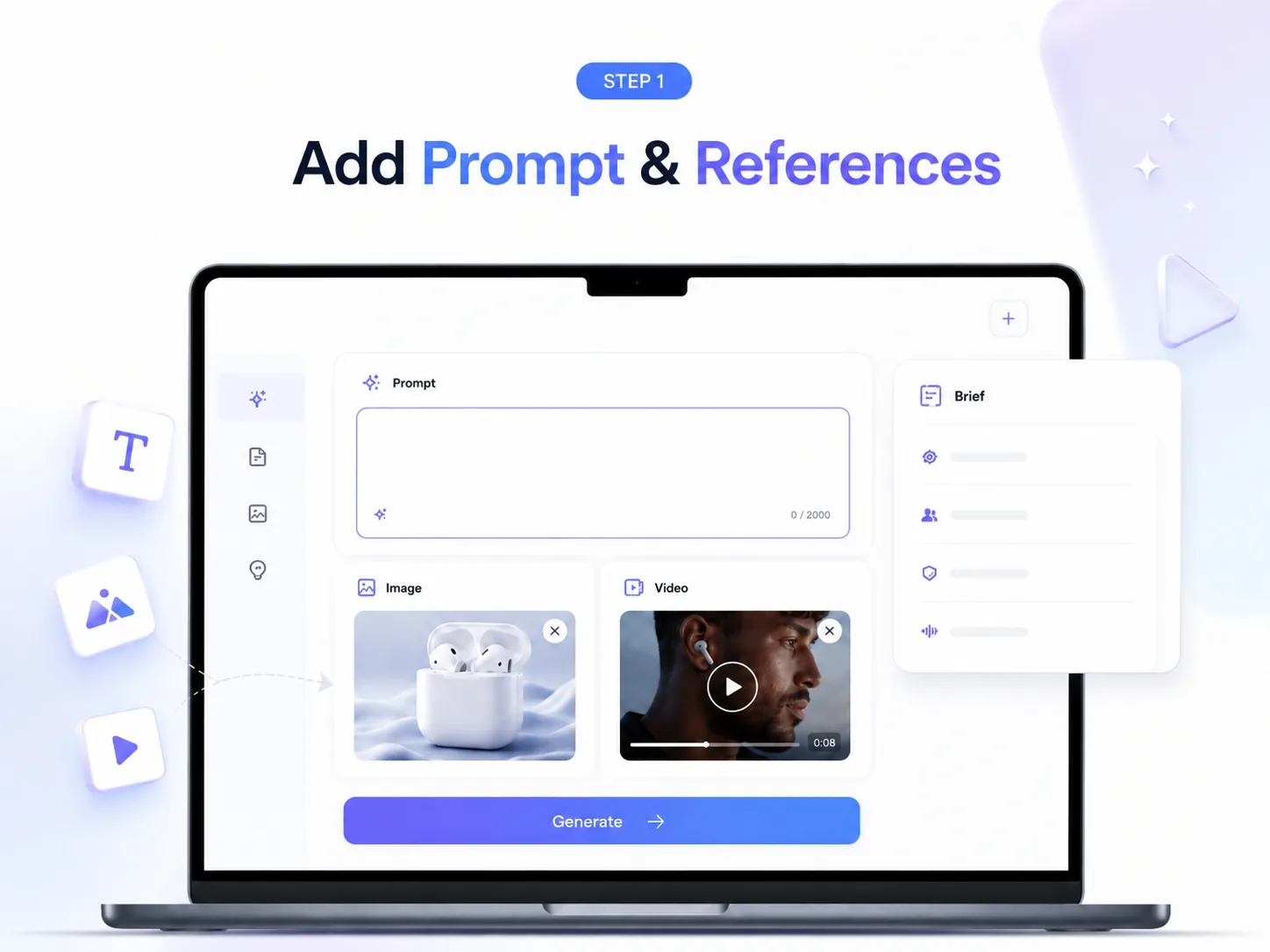
Start with Text, Images, or Video References

Open ImaStudio, choose a Gemini Omni video workflow, and start with a prompt, product image, reference video, or creative brief. Use it for text-to-video, image-to-video, and video-to-video concepts.

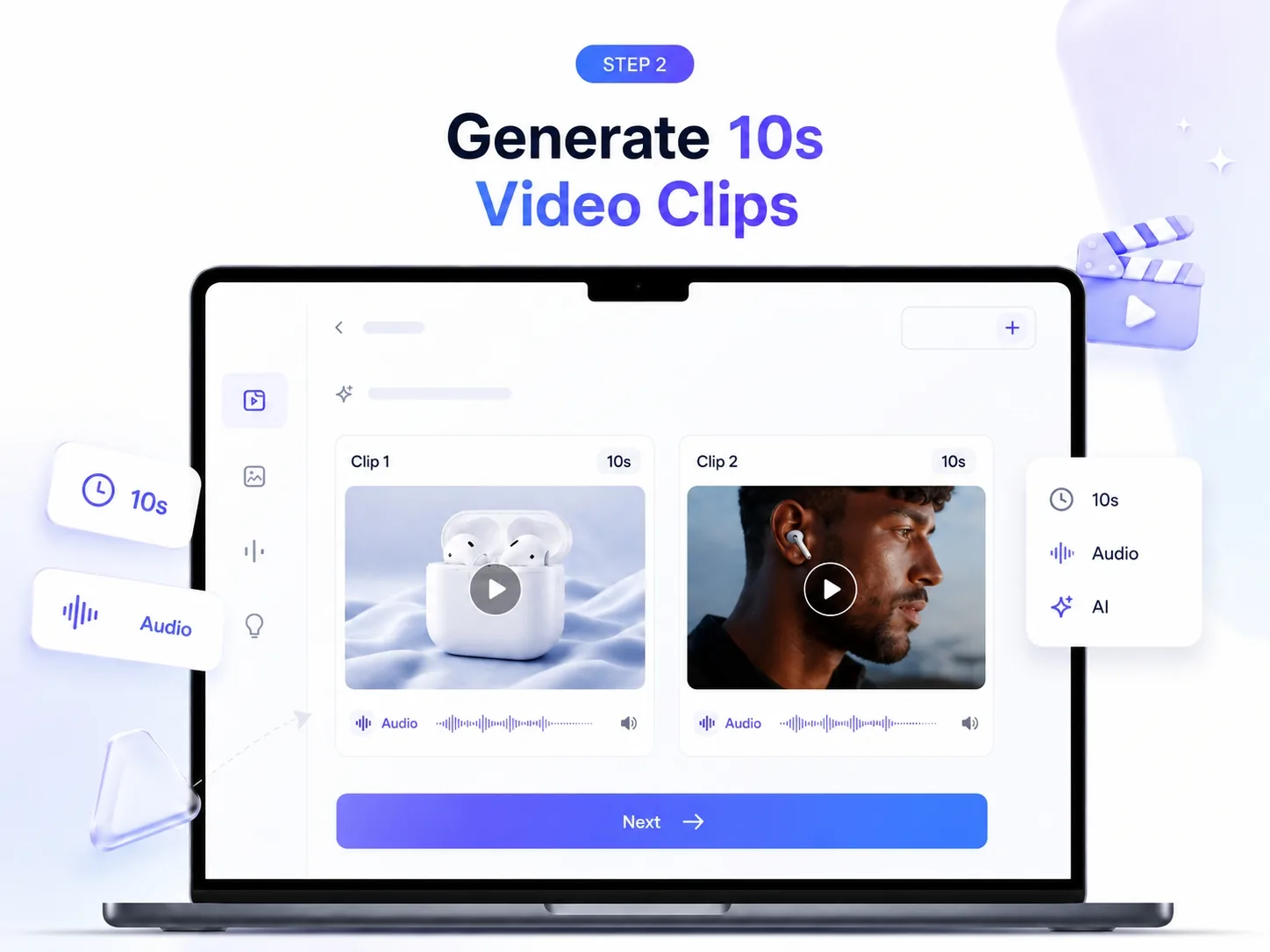
Generate 10-Second Video Clips with Native Audio

Generate short AI video clips from multimodal inputs. Create product demos, social clips, creator videos, and campaign concepts with native audio-ready video direction.

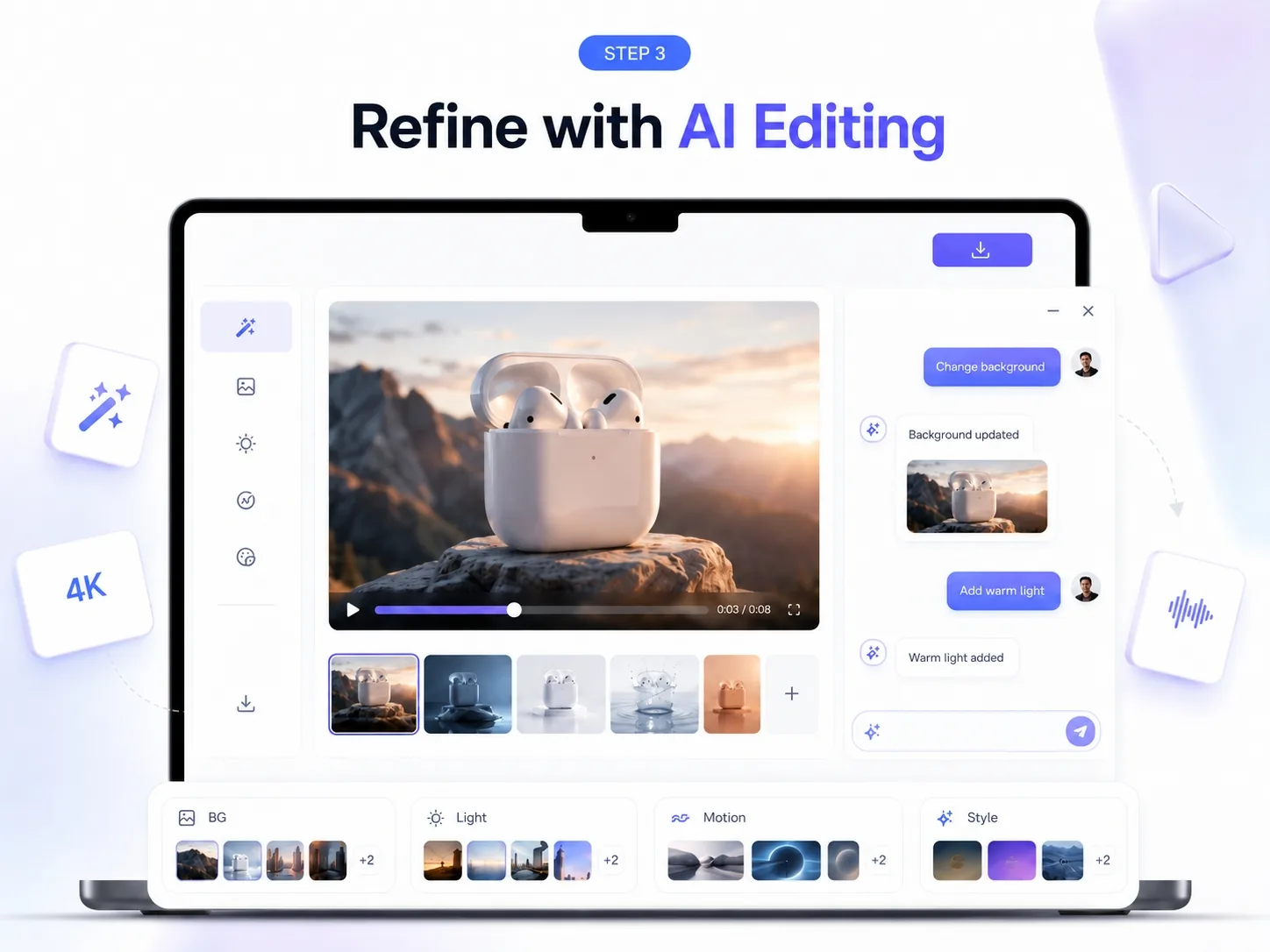
Refine with Multi-Turn Video Editing

Refine outputs with natural-language instructions. Adjust lighting, background, motion, style, characters, or scene details, then export for social, ads, product pages, or creator content.

Why Choose Gemini Omni Video Generation on ImaStudio

Multimodal Video Creation

Start from text, images, or video references. Turn different creative inputs into editable AI video concepts without rebuilding the workflow from scratch.

Image-to-Video and Video-to-Video

Animate product images, remix existing clips, and explore video-to-video editing for product demos, creator content, and short-form campaign assets.

Conversational Editing Control

Shape videos step by step through natural language: change backgrounds, refine motion, adjust lighting, swap visual details, or iterate on style.

Social and Campaign-Ready Outputs

Create clips for TikTok, Reels, Shorts, product pages, ecommerce ads, and creator campaigns, then continue polishing inside ImaStudio.

Gemini Omni AI Video Creation Suite

Text-to-Video Generation

Type a scene, product idea, or campaign brief and turn it into a short AI video concept. Use text-to-video for social posts, explainer clips, product scenes, and creative experiments.

Image-to-Video Generation

Animate product photos, portraits, lifestyle images, or reference visuals. Turn static assets into moving clips while preserving the core subject and visual direction.

Video-to-Video Editing

Use an existing clip as the starting point. Remix the style, adjust the scene, change the background, or refine motion without starting from a blank prompt.

Native Audio, Avatars, and Enhancements

Explore native audio-ready generation, AI avatar video concepts, style transfer, background edits, and multi-turn improvements for more complete video production.

Gemini Omni AI Video Generator FAQs

जी हां। नए उपयोगकर्ता अपग्रेड करने से पहले Ima Studio को एक्सप्लोर कर सकते हैं और AI विज्ञापन जनरेशन का परीक्षण कर सकते हैं। मुफ़्त एक्सेस से वर्कफ़्लो की समीक्षा करना, टेम्प्लेट आज़माना और यह देखना आसान हो जाता है कि आउटपुट आपके कैंपेन की ज़रूरतों के हिसाब से कितना उपयुक्त है।.

जी हां। इमा स्टूडियो आपको टिकटॉक, इंस्टाग्राम, मेटा, यूट्यूब, गूगल, एक्स और अन्य प्रमुख सोशल प्लेटफॉर्म के लिए विज्ञापन क्रिएटिव बनाने में मदद करता है। आप पेड सोशल कैंपेन में सबसे ज़्यादा इस्तेमाल होने वाले फॉर्मेट में प्लेटफॉर्म के लिए तैयार आउटपुट बना सकते हैं।.

जी हां। आप Ima Studio का उपयोग करके उत्पादों, प्रचारों, लॉन्च और मौसमी अभियानों के लिए ई-कॉमर्स विज्ञापन बना सकते हैं। यह विशेष रूप से उत्पाद विज़ुअल और अभियान विचारों को पारंपरिक उत्पादन प्रक्रियाओं की तुलना में तेज़ी से विज्ञापन-तैयार क्रिएटिव में बदलने के लिए उपयोगी है।.

जी हां। इमा स्टूडियो आपको यूजीसी-शैली के विज्ञापन बनाने में मदद कर सकता है जो शॉर्ट-फॉर्म प्लेटफॉर्म के लिए अधिक स्वाभाविक लगते हैं। यह उन ब्रांडों के लिए उपयोगी है जो अधिक प्रामाणिक क्रिएटर-शैली के लुक और फील के साथ प्रदर्शन-उन्मुख विज्ञापन सामग्री चाहते हैं।.

जी हां। आप विज्ञापन वीडियो बनाने के लिए उत्पाद की तस्वीरें, ब्रांड से जुड़ी सामग्री और अन्य दृश्य संदर्भ अपलोड कर सकते हैं। इससे मौजूदा उत्पाद छवियों को भुगतान अभियानों के लिए मोशन-आधारित क्रिएटिव में बदलना आसान हो जाता है।.

जी हां। आप अपने उत्पाद की तस्वीरें, वीडियो, यूआरएल और ब्रांड से जुड़ी सामग्री इमा स्टूडियो में ला सकते हैं। इससे आपको ऐसे विज्ञापन बनाने में मदद मिलती है जो आपकी ब्रांड पहचान, संदेश और अभियान के लक्ष्यों के अनुरूप हों।.

जी हां। इमा स्टूडियो इमेज और वीडियो दोनों तरह के विज्ञापन बनाने में मदद करता है, इसलिए आप एक ही वर्कफ़्लो में अलग-अलग चैनलों और कैंपेन की ज़रूरतों के लिए कई क्रिएटिव फॉर्मेट बना सकते हैं।.

आपके वर्कफ़्लो और आउटपुट प्रकार के आधार पर, आप ऐसे विज्ञापन क्रिएटिव बना सकते हैं जिनमें ऑन-स्क्रीन टेक्स्ट, कैप्शन-शैली के संदेश और वॉइस-ड्रिवन स्टोरीटेलिंग तत्व शामिल हों, जो आमतौर पर सशुल्क सोशल मीडिया और लघु-रूप वीडियो विज्ञापनों में उपयोग किए जाते हैं।.

जी हां। तैयार किए गए क्रिएटिव को अलग-अलग दर्शकों, ऑफ़र और प्लेटफ़ॉर्म के लिए परिष्कृत और संशोधित किया जा सकता है। इससे हर बार नए सिरे से शुरुआत करने के बजाय नए वेरिएशन का परीक्षण करना आसान हो जाता है।.

Ima Studio कई विज्ञापन प्रारूपों और आस्पेक्ट रेशियो को सपोर्ट करता है, जिनमें वर्टिकल, स्क्वायर और लैंडस्केप आउटपुट शामिल हैं। इससे आपको TikTok, Instagram Reels, YouTube Shorts, मेटा विज्ञापन, Google विज्ञापन और अन्य के लिए क्रिएटिव बनाने में मदद मिलती है।.

जी हां। Ima Studio पर बनाए गए विज्ञापनों का उपयोग वाणिज्यिक अभियानों के लिए किया जा सकता है, बशर्ते आपके पास निर्माण प्रक्रिया में उपयोग किए गए किसी भी अपलोड किए गए लोगो, उत्पाद छवियों, वीडियो या अन्य संदर्भ सामग्री के अधिकार हों।.

इमा स्टूडियो लचीले एसेट इनपुट, टेम्प्लेट, मल्टी-फॉर्मेट आउटपुट और एआई-संचालित जनरेशन को एक ही वर्कफ़्लो में मिलाकर टीमों को विज्ञापन के लिए तैयार इमेज और वीडियो क्रिएटिव्स को तेज़ी से बनाने में मदद करता है। इसे गति, रचनात्मक विविधता और कम उत्पादन लागत को ध्यान में रखकर डिज़ाइन किया गया है।.

Create with Gemini Omni AI Video Generator on ImaStudio

Create AI videos from prompts, images, and video references in one creative workspace. Use Gemini Omni-style generation with ImaStudio tools for product videos, social clips, and campaign assets.
अब इसे आजमाओ