Create and edit AI videos from text, images, and video references with Gemini Omni-style multimodal generation. Build short social clips, product videos, avatar concepts, and campaign-ready videos in one creative workspace.

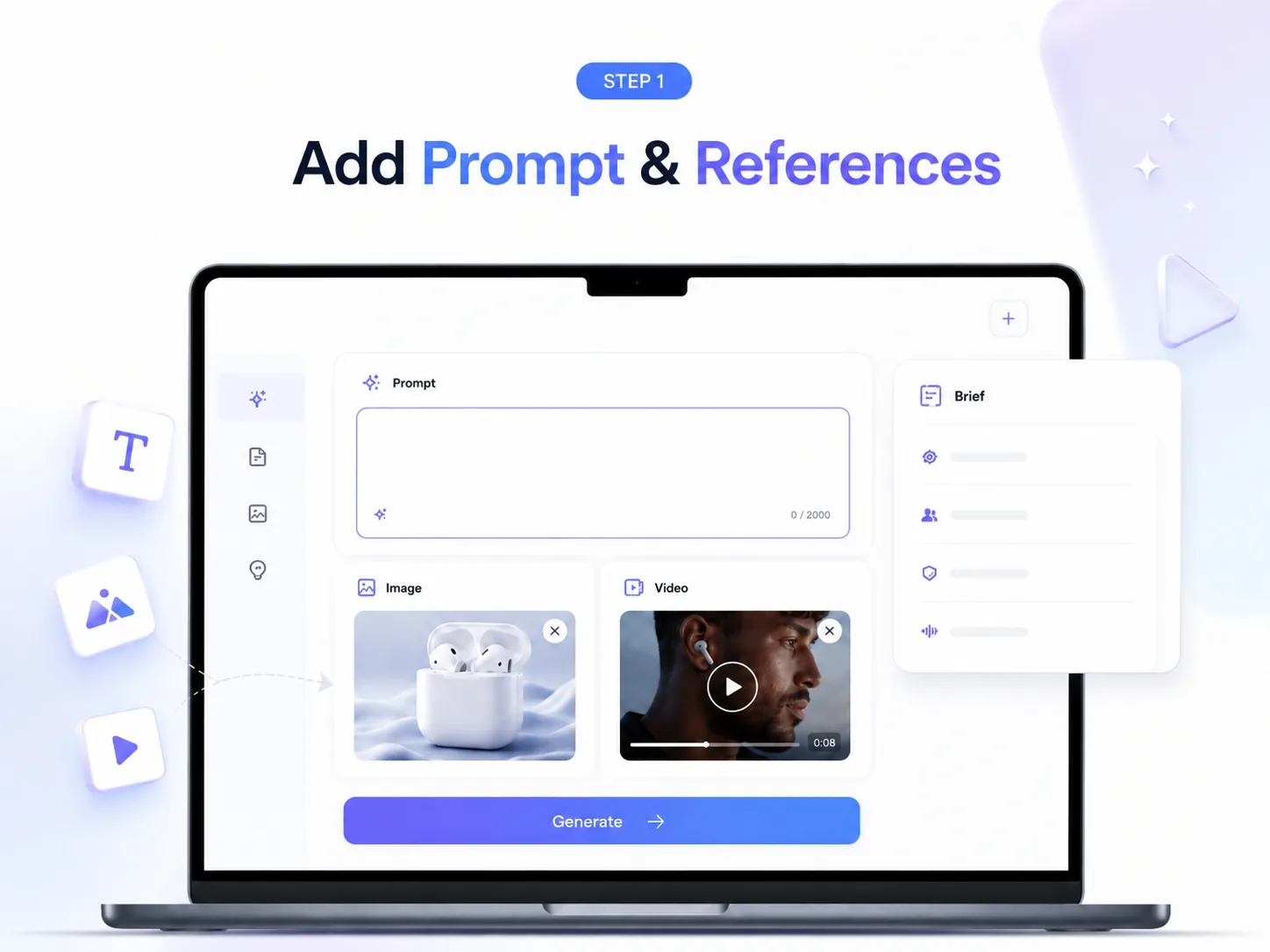
Open ImaStudio, choose a Gemini Omni video workflow, and start with a prompt, product image, reference video, or creative brief. Use it for text-to-video, image-to-video, and video-to-video concepts.
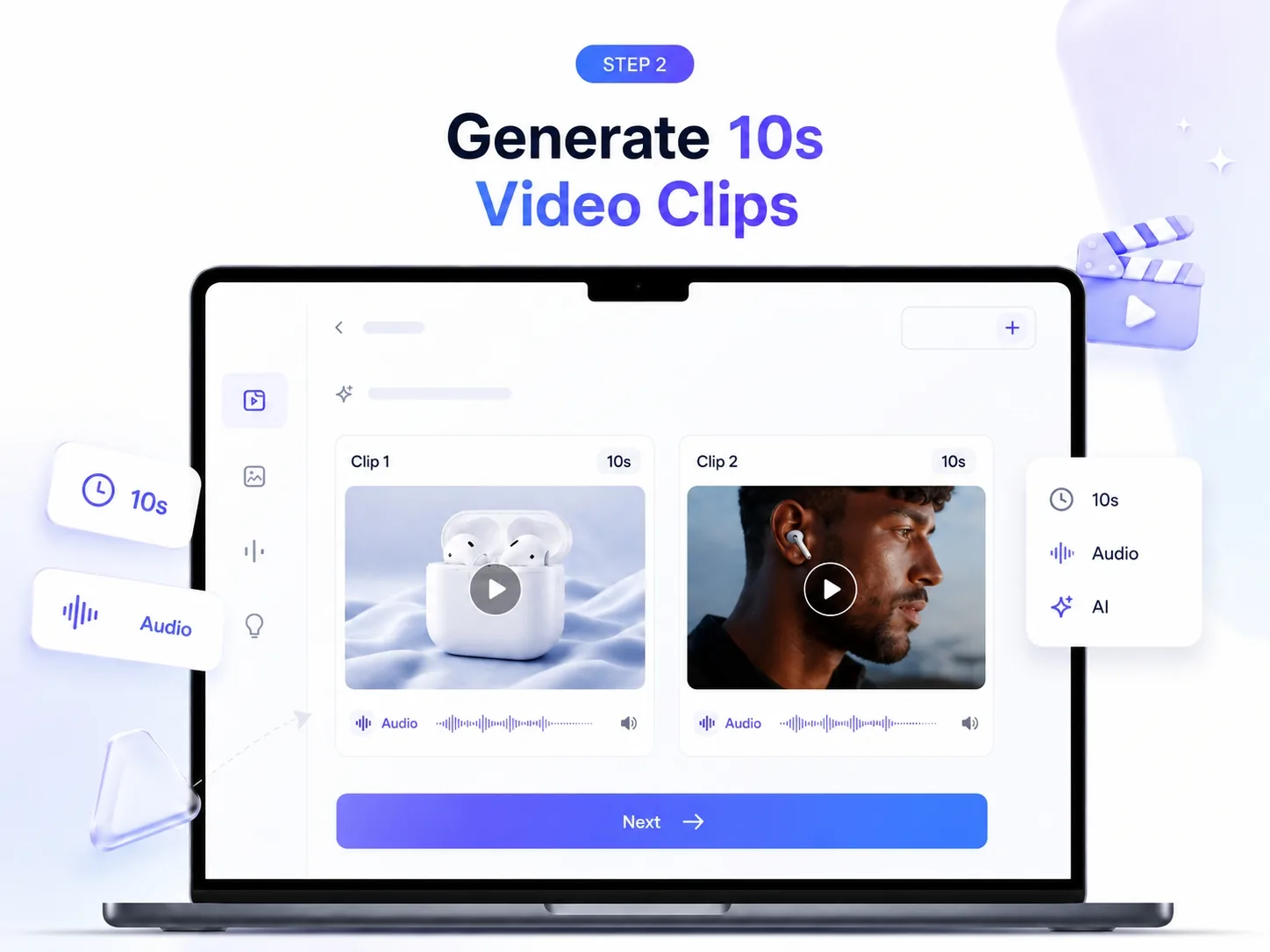
Generate short AI video clips from multimodal inputs. Create product demos, social clips, creator videos, and campaign concepts with native audio-ready video direction.
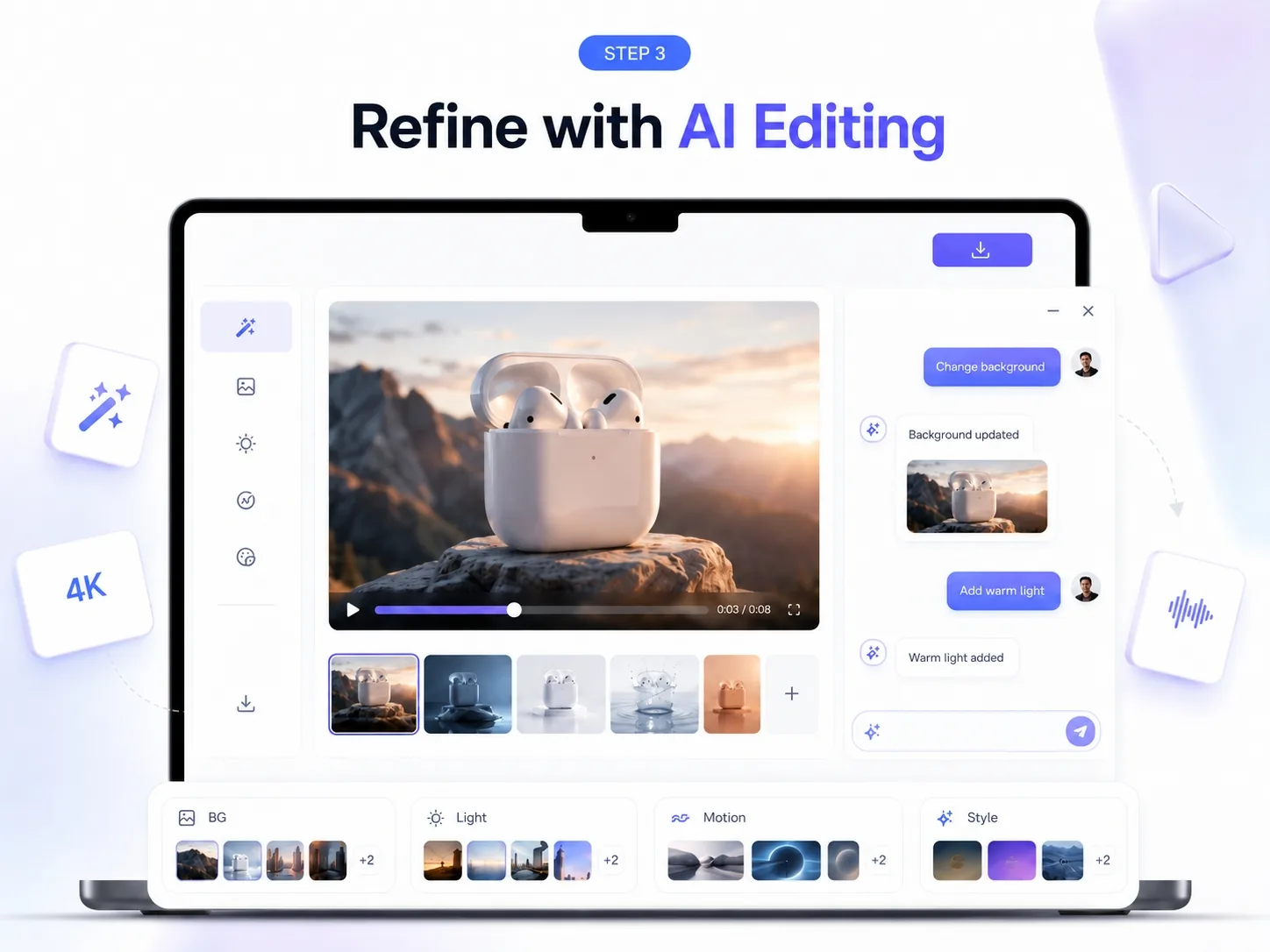
Refine outputs with natural-language instructions. Adjust lighting, background, motion, style, characters, or scene details, then export for social, ads, product pages, or creator content.
Start from text, images, or video references. Turn different creative inputs into editable AI video concepts without rebuilding the workflow from scratch.
Animate product images, remix existing clips, and explore video-to-video editing for product demos, creator content, and short-form campaign assets.
Shape videos step by step through natural language: change backgrounds, refine motion, adjust lighting, swap visual details, or iterate on style.
Create clips for TikTok, Reels, Shorts, product pages, ecommerce ads, and creator campaigns, then continue polishing inside ImaStudio.
Yes. New users can explore Ima Studio and test AI ad generation before upgrading. Free access makes it easier to review the workflow, try templates, and see how the output fits your campaign needs.
Yes. Ima Studio helps you create ad creatives for major social platforms, including TikTok, Instagram, Meta, YouTube, Google, X, and more. You can produce platform-ready outputs in the formats most commonly used across paid social campaigns.
Yes. You can use Ima Studio to create ecommerce ads for products, promotions, launches, and seasonal campaigns. It is especially useful for turning product visuals and campaign ideas into ad-ready creatives faster than traditional production workflows.
Yes. Ima Studio can help you create UGC-style ad creatives that feel more native to short-form platforms. This is useful for brands that want performance-oriented ad content with a more authentic creator-style look and feel.
Yes. You can upload product photos, brand assets, and other visual references to generate ad videos. This makes it easier to turn existing product images into motion-based creatives for paid campaigns.
Yes. You can bring your own product images, videos, URLs, and brand assets into Ima Studio. This helps you create ads that stay closer to your brand identity, messaging, and campaign goals.
Yes. Ima Studio supports both image and video ad generation, so you can create multiple creative formats for different channels and campaign needs in one workflow.
Depending on your workflow and output type, you can create ad creatives that include on-screen text, caption-style messaging, and voice-driven storytelling elements that are commonly used in paid social and short-form video ads.
Yes. Generated creatives can be refined and iterated on for different audiences, offers, and platforms. This makes it easier to test new variations instead of starting from scratch each time.
Ima Studio supports multiple ad formats and aspect ratios, including vertical, square, and landscape outputs. This helps you create creatives for TikTok, Instagram Reels, YouTube Shorts, Meta ads, Google ads, and more.
Yes. Ads created on Ima Studio can be used for commercial campaigns, provided you have the rights to any uploaded logos, product images, videos, or other reference materials used in the creation process.
Ima Studio helps teams create ad-ready image and video creatives faster by combining flexible asset input, templates, multi-format outputs, and AI-powered generation in one workflow. It is designed for speed, creative variation, and lower production overhead.




