Edit Text in Images with AI
Upload a poster, product image, ad creative, screenshot, social graphic, banner, or marketing asset. Replace, correct, translate, or refresh text while keeping the original layout, background, and visual direction.
Update campaign copy · Fix product labels · Change dates and prices · Localize visuals · Edit screenshots and social graphics
How to Edit Text in an Image Online

Upload the Image with Text
Start with a poster, product image, ad creative, screenshot, social graphic, banner, label, slide, or marketing asset that contains text you need to update.
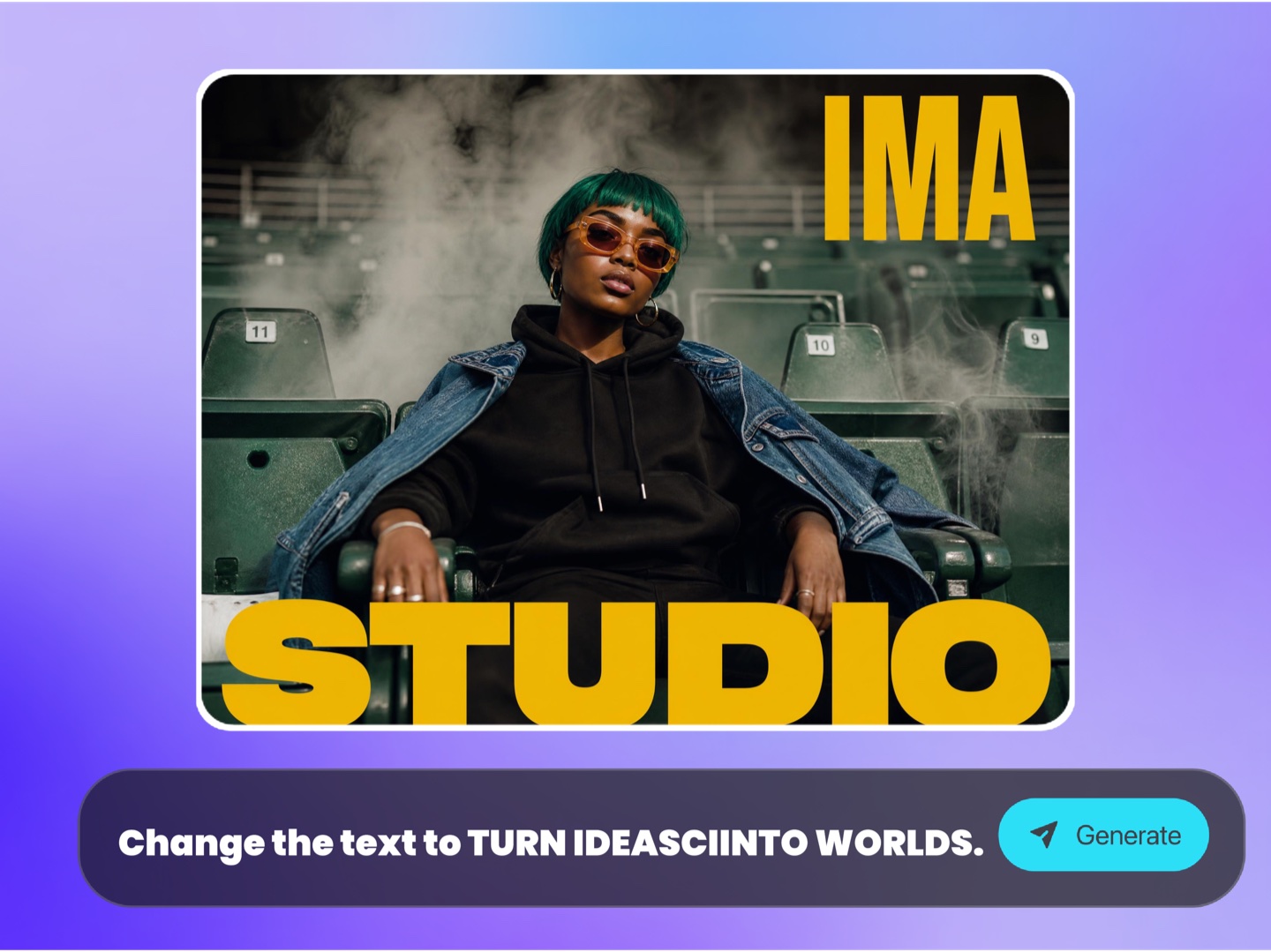
Describe the Text Change
Tell the AI which text to replace, correct, translate, or refresh, and provide the new words. Ask it to preserve the original layout, background, font direction, and visual style where possible.

Export the Updated Image
Download a cleaner updated image for ecommerce pages, paid ads, marketplace listings, social posts, landing pages, presentations, websites, client reviews, or campaign testing.
Why Choose Ima Studio’s Edit Text in Image Tool?
Update Image Text Without Rebuilding the Whole Design
Campaign visuals often become outdated because of one small text issue: an old date, wrong price, outdated offer, misspelled word, incorrect product name, unavailable feature, or copy that needs localization.
Ima Studio’s Edit Text in Image tool is built for teams who need to fix or adapt visual copy without recreating the full design file. Use it when you no longer have the original PSD, Figma, Canva, or source file — or when you need a faster way to create variations.
Update posters, product photos, ad creatives, screenshots, banners, social graphics, tutorial images, slides, marketplace visuals, and campaign assets while keeping the original layout and visual direction as much as possible.

Edit Text Without Source Files
Fix or update images even when you no longer have the original PSD, Figma, Canva, PowerPoint, or design file.
Move Faster on Campaign Changes
Adapt offer copy, sale dates, product names, prices, labels, CTAs, and localized text without waiting for a full design rebuild.
Preserve the Visual Layout
Keep the background, composition, brand style, and design direction while replacing the requested text where possible.
Best Use Cases for Editing Text in Images
Use AI text editing when an image is visually strong but the words are outdated, wrong, localized for the wrong market, or need a campaign-specific variation. Instead of recreating the full design, update the text directly inside the image.

Posters, Events & Campaign Images
Replace event dates, venue names, campaign headlines, discount numbers, seasonal messages, CTA buttons, and promotional text inside posters, flyers, banners, launch graphics, and announcement images without rebuilding the full design.
Product Photos & Marketplace Graphics
Correct product names, feature callouts, labels, packaging copy, size notes, price text, offer badges, and embedded descriptions in product visuals for Shopify, Amazon, TikTok Shop, Etsy, ads, catalogs, and marketplace listings.


Localized Ads & Multi-Market Creatives
Create localized or market-specific versions of ad creatives, landing page graphics, social posts, thumbnails, email banners, and campaign images while keeping the same layout, product visuals, and brand style.
Social Posts, Thumbnails & Creator Visuals
Refresh captions, titles, hooks, subtitles, hashtags, announcement text, YouTube thumbnail words, Instagram post copy, TikTok cover text, and creator graphics without redesigning the visual from scratch.

Screenshots, Tutorials & Presentation Assets
Update screenshots, software UI examples, tutorial steps, help center images, slide titles, callouts, annotations, release notes, hero images, and client-facing marketing visuals when the text has changed.
FAQs About Editing Text in Images with AI
Edit Text in Image means replacing, correcting, translating, or refreshing text that is already embedded inside an image, while keeping the original layout, background, and visual direction as much as possible.
Yes. You can replace event dates, venue names, campaign headlines, discount numbers, seasonal messages, CTA buttons, and promotional text inside posters, flyers, banners, and launch graphics.
Yes. You can correct product names, feature callouts, labels, packaging copy, price text, offer badges, size notes, and embedded descriptions in ecommerce visuals for Shopify, Amazon, TikTok Shop, Etsy, catalogs, and ads.
Yes. You can create localized versions of ads, social posts, product graphics, landing page images, thumbnails, and banners by replacing text while keeping the original design direction.
Yes. You can update UI labels, captions, annotations, step names, release notes, help doc screenshots, presentation screenshots, and tutorial images when the wording has changed.
No. The tool is useful when you only have a flat image and no longer have access to the original source file. Upload the image and describe what text should be replaced.
The AI attempts to preserve the original visual direction, layout, background, and style where possible. Results may vary depending on the image quality, text size, background complexity, and how clearly the requested change is described.
Yes. You can update old prices, sale dates, discount numbers, offer copy, CTA buttons, and campaign messages in ad creatives, banners, landing page graphics, email images, and social posts.
Images usually work best when the text is clear, the replacement is specific, and the surrounding background is not too complex. Posters, product graphics, ads, screenshots, banners, and social visuals are common use cases.
Yes. Removing text erases words from an image. Editing text replaces old words with new words while trying to preserve the design. Use Edit Text in Image when you want updated copy, not just a blank area.