











Turn Any URL into a Video That’s Ready to Post
Paste a product page, blog post, or landing page and get a scroll-stopping video in minutes. Create TikTok videos, Reels, YouTube Shorts, and ad creatives with captions, voiceover, and visuals—no editing skills needed.
How to Use URL to Video on Ima Studio for Free
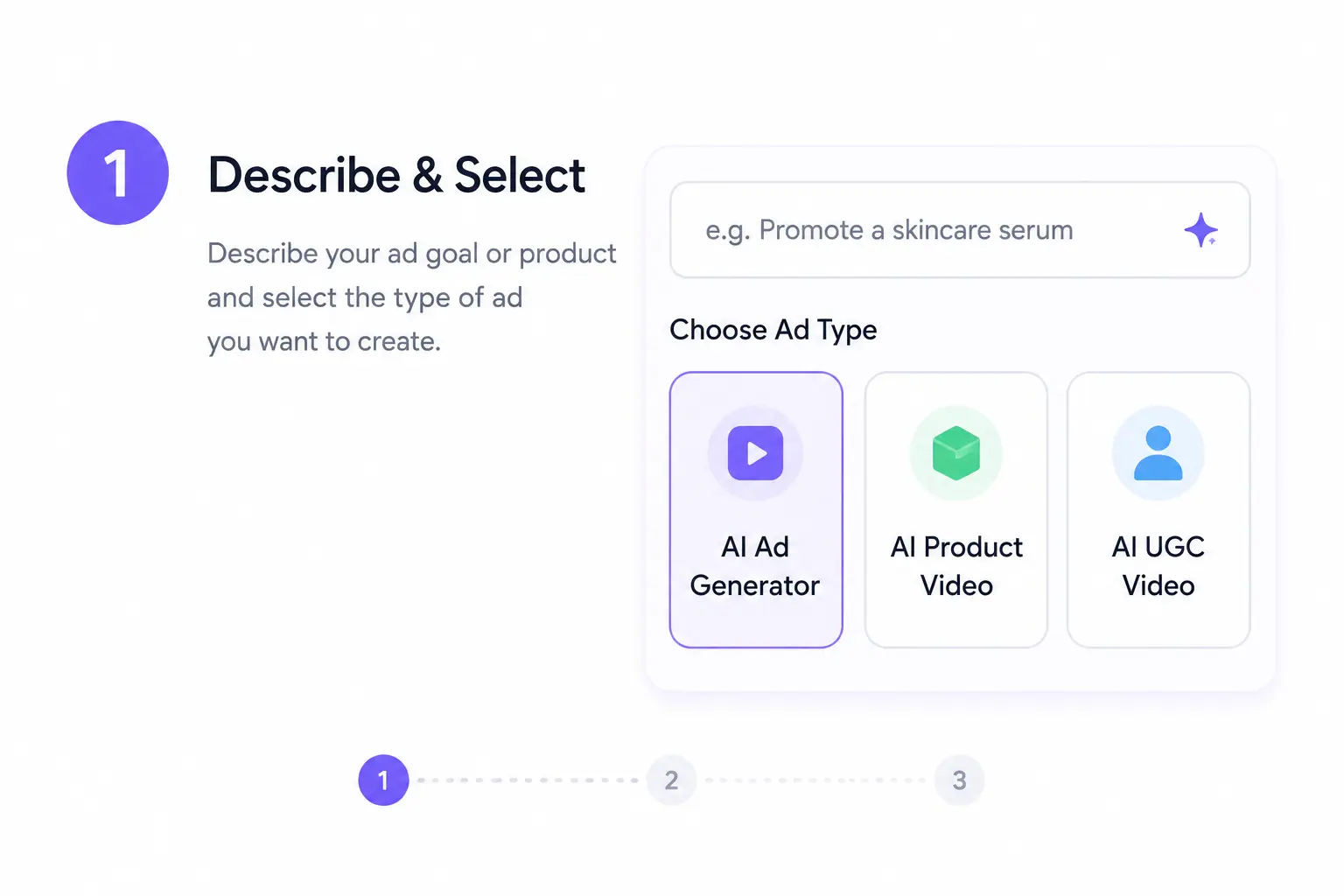
Paste Your Link and Pick a Goal
Open Ima Studio’s URL to Video workspace, paste your URL, and let Agents detect its type. Choose your target outcome—UGC ad, recap, tutorial—or start from a proven community template that fits your channel.
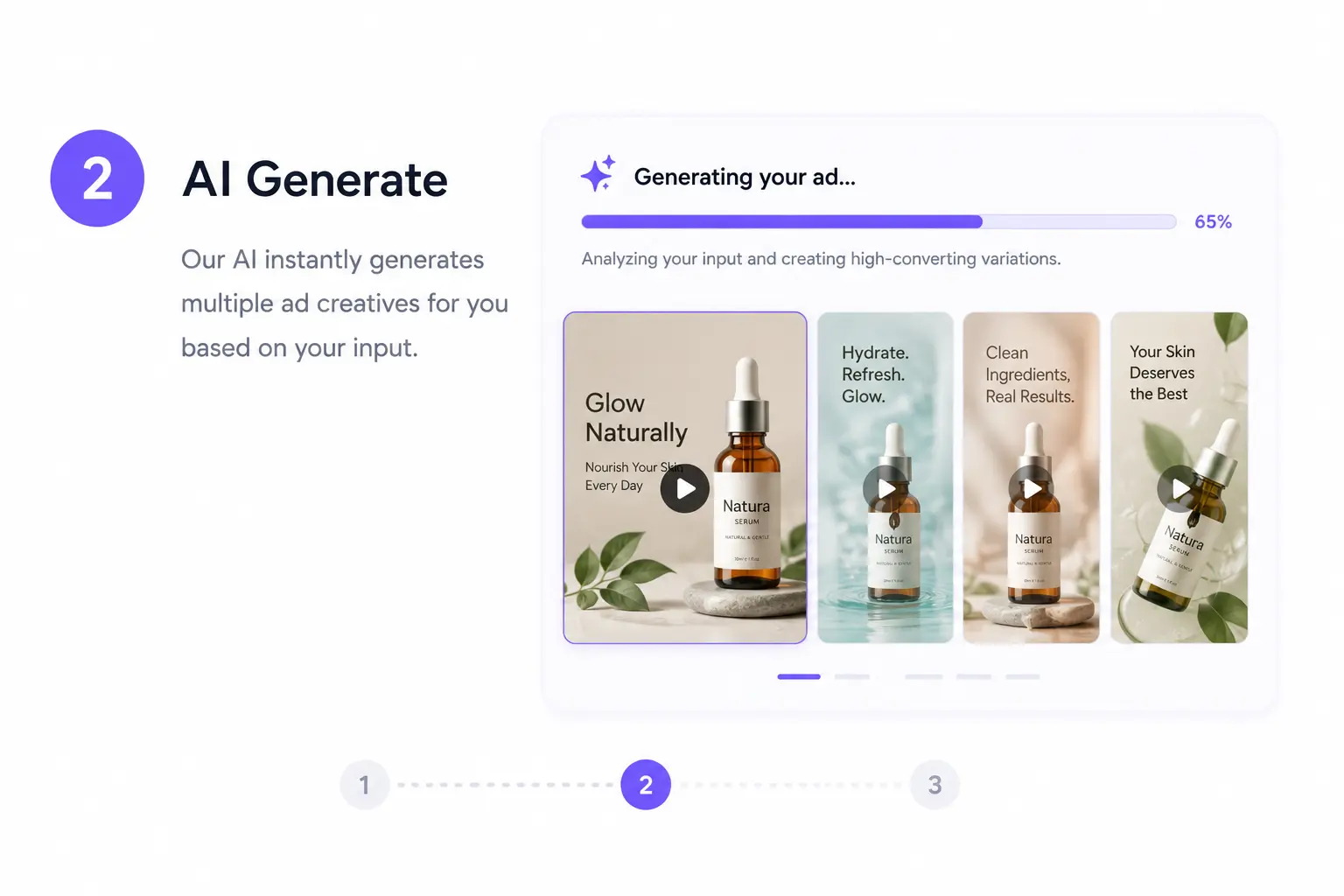
Agents Draft Script, Visuals, and Narration
Agents analyse your source and:
Summarise, write scripts, and storyboards
Let Arena select the best models for visuals and narration
Apply your brand kit styling automatically for consistency
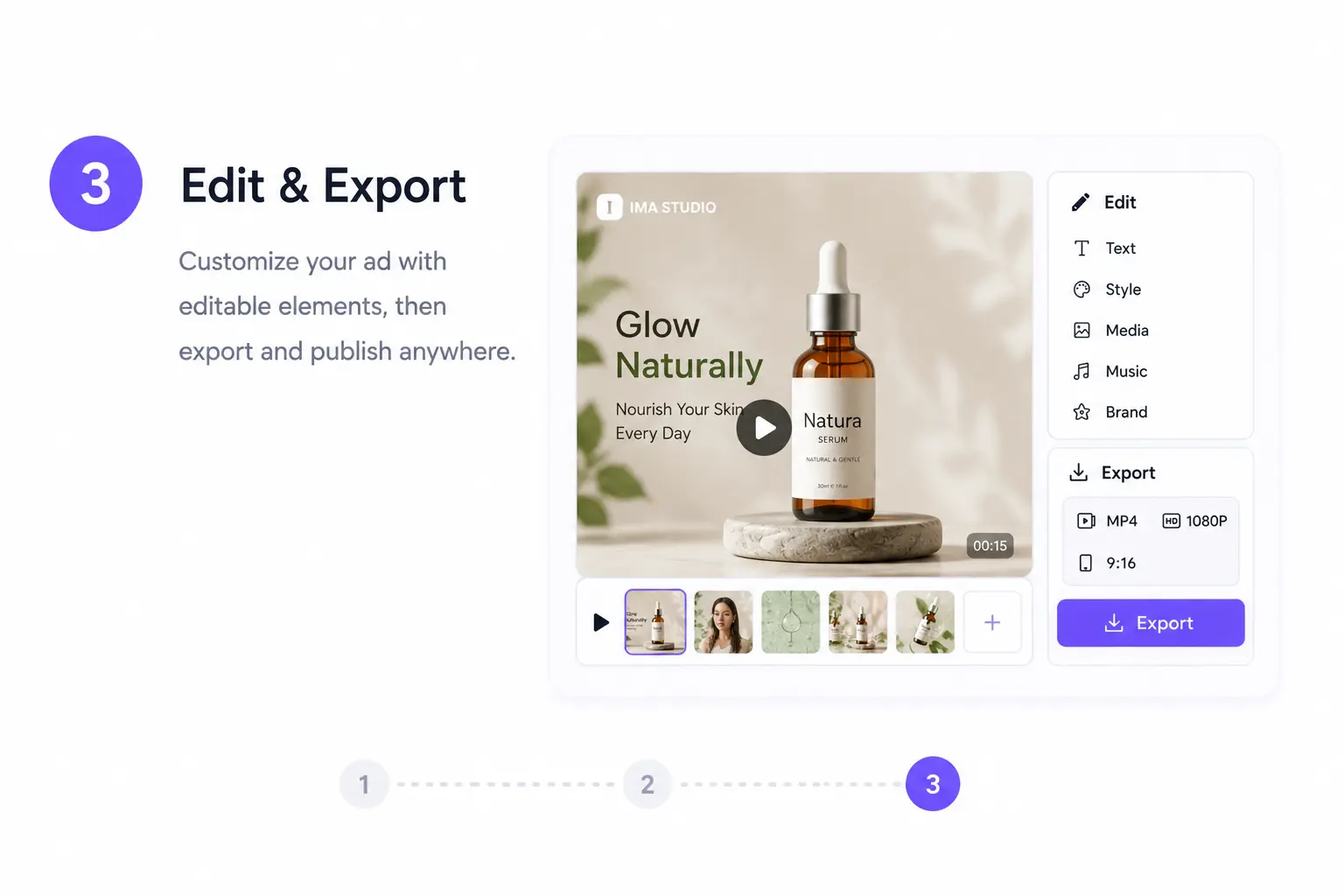
Preview, Edit, and Export
Watch a playable preview in minutes, tweak captions and visuals, apply your brand kit, and export in optimised formats for TikTok, Instagram Reels, YouTube, ads, or internal presentations.
Why Choose URL to Video on Ima Studio
Ready‑to‑Publish Videos in Minutes
No heavy editing, no manual resizing. Just link → storyboard → polished output.
Get cohesive, high‑quality videos with multiple styles to match your brand.
Arena‑Validated Model Routing
Arena benchmarks models on real URL‑to‑video prompts, routing your workflow to the top performer—keeping style consistent and narration accurate.
Brand Kit Consistency
Upload your logos, fonts, and colors once; Agents apply them automatically across all variations, preserving your identity in every output.
Seamless Multi‑Platform Export
Export in exact sizes and ratios for TikTok, Instagram Reels, YouTube Shorts, Meta ads, Google ads—no manual cropping, no quality loss.
All‑in‑One URL to Video Creation Suite
Link‑to‑Video Generation
Image‑Enhanced Video Creation
StoryFrames: Build Cohesive Multi‑Link Campaigns
Voiceovers & Enhancements
URL to Video FAQs
Yes. New users can explore Ima Studio’s URL to Video generator before upgrading. Free access lets you test workflows, use templates, and evaluate how outputs fit your content needs.
Yes. Ima Studio generates platform‑ready videos for TikTok, Instagram, Meta, YouTube, Google, X, and more, optimised to formats used widely across social campaigns.
Yes. Paste a product page link and Agents will produce videos for demos, launches, or seasonal promotions—ideal for scaling ecommerce content quickly.
Yes. Ima Studio can produce UGC‑style videos that feel native to short‑form platforms, delivering authentic, creator‑style visuals and narration.
Yes. Paste links from blogs, product pages, docs, or threads; Agents transform them into polished videos, adding motion and captions for rich storytelling.
Yes. You can merge product images, brand clips, or supplementary visuals with your link’s content, creating outputs that align with your brand and message.
Yes. Ima Studio supports both short‑form and longer video outputs in one workflow, matching different channel strategies from a single link.
Yes. Outputs can include on‑screen captions, quote overlays, and narration, essential for tutorials, news recaps, and dynamic social media clips.
Yes. Generated videos can be refined for tone, pacing, or visuals—making it easy to create variations without starting over.
Ima Studio supports vertical, square, and landscape outputs for TikTok, Instagram Reels, YouTube Shorts, Meta ads, and more.
Yes. Videos from Ima Studio can be used commercially, provided you have rights to any included assets or source materials.
Ima Studio combines flexible link input, community templates, platform‑optimised outputs, and AI creation in one space—built for speed, quality, and consistent branding.