











Seedream 4.5 Image Generator for Bold, High-Freedom AI Creation
Create expressive, realistic, and high-impact AI images with Seedream 4.5 on Ima Studio. Explore bold portraits, fashion visuals, character concepts, and commercial-ready images with fewer creative interruptions and better cost performance than Nano Banana Pro.
How to Use Seedream 4.5 on Ima Studio for Free
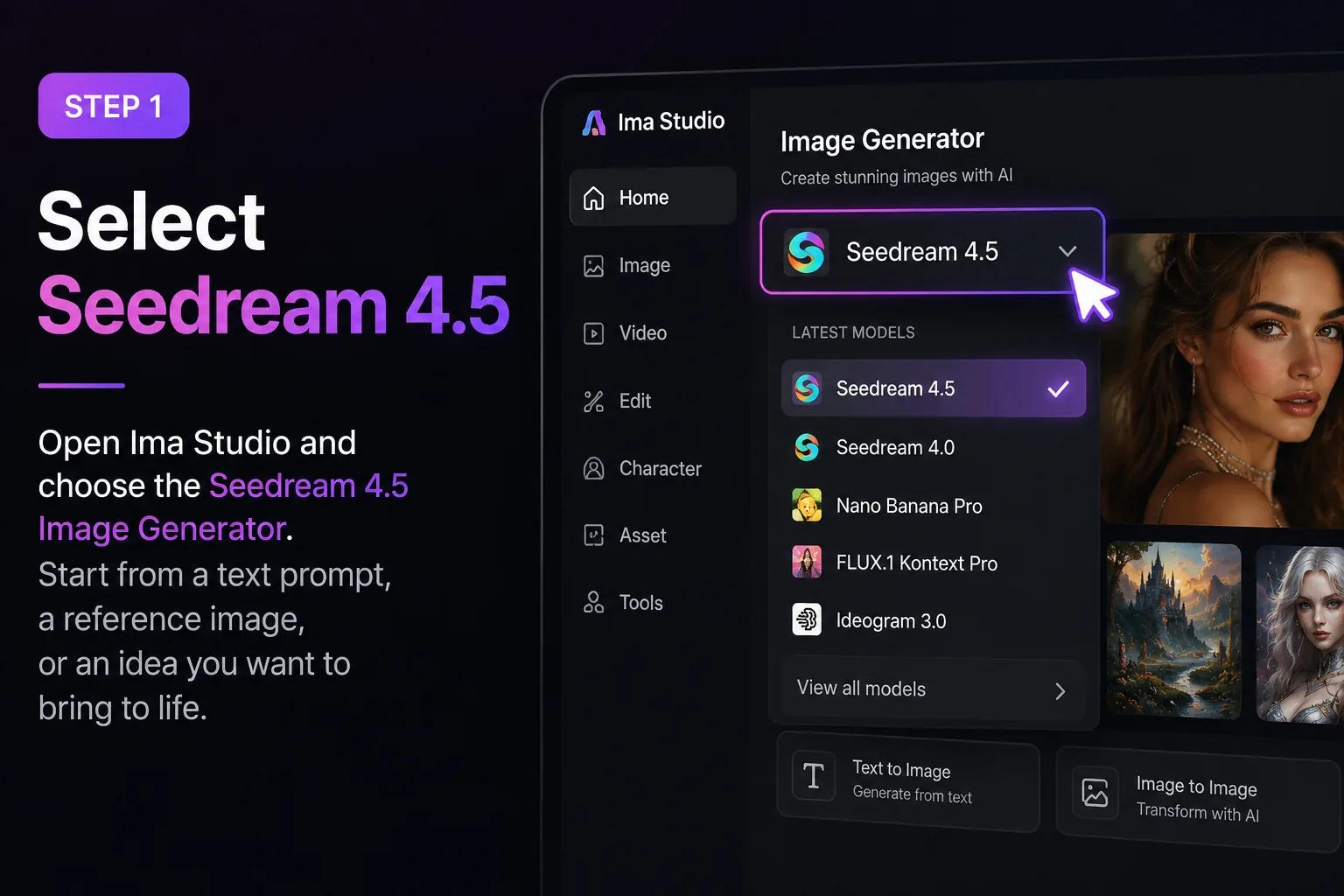
Select Seedream 4.5
Open Ima Studio and choose the Seedream 4.5 Image Generator. Start from a text prompt, a reference image, or an existing creative idea you want to develop.
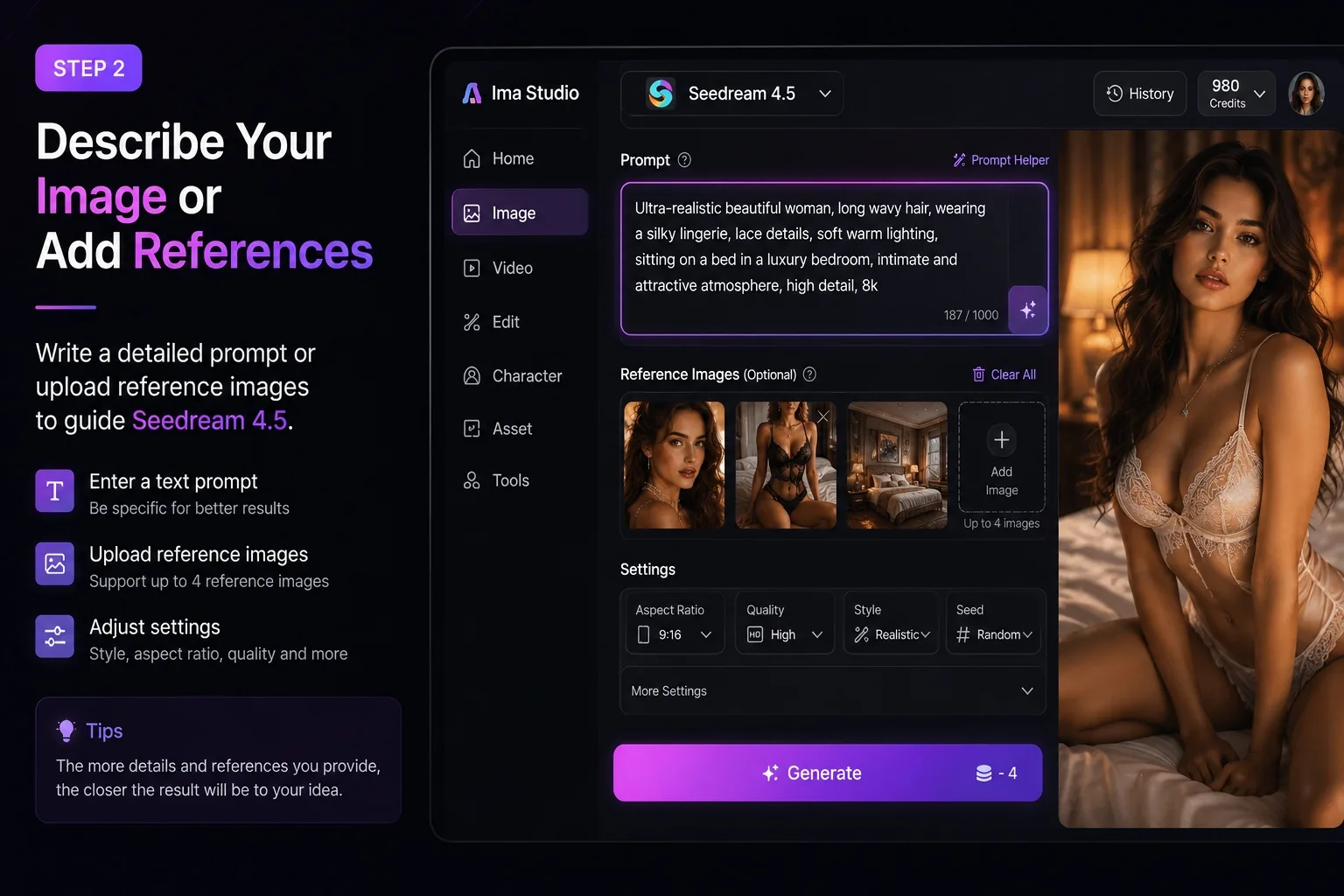
Describe or Add References
Enter a detailed prompt or upload reference images to guide the model. You can use Seedream 4.5 to create:Bold portrait images Fashion and beauty visuals Character concepts Product campaign images Cinematic scenes Social media creatives Consistent image setsYou can also control style, lighting, material, camera angle, composition, and visual mood.
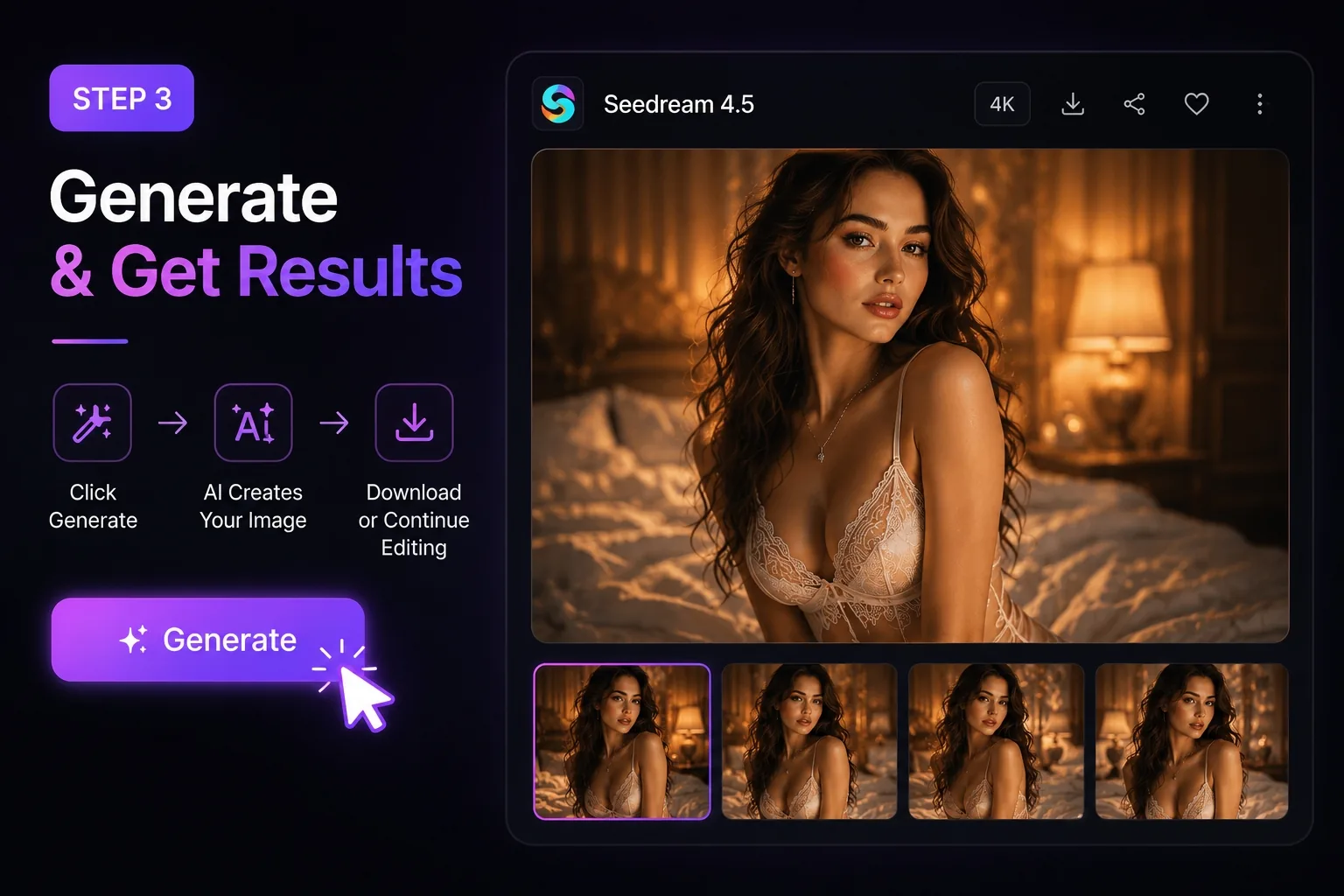
Generate and Refine
Click Generate to create high-quality, 4K-ready images. Then continue refining inside Ima Studio with editing, upscaling, variation generation, and image-to-video handoff when needed.No complicated setup. No heavy plugins. Just a smoother way to create bold AI visuals from idea to final asset.
Why Choose Seedream 4.5 on Ima Studio
4K‑Ready Images with Realism and Depth
No heavy setup, no plugins. Just text + reference → visuals. Generate studio‑grade renders with consistent lighting and texture accuracy in minutes.
More Creative Freedom, Fewer Blocks
Many AI image tools interrupt your workflow when your prompt becomes slightly bold, expressive, or visually edgy. Seedream 4.5 on Ima Studio gives creators more flexibility to explore fashion, beauty, lifestyle, character, and commercial visuals without constantly breaking the creative flow.
Better Value Than Nano Banana Pro
For high-frequency creators, cost matters. Seedream 4.5 on Ima Studio gives you strong image quality and a smoother generation experience at a more creator-friendly cost than Nano Banana Pro. It is ideal for users who need to test more ideas, generate more variations, and produce more usable visuals.
Dynamic Presets & Prompt Controls
Choose from cinematic, studio, macro, or branded presets — or craft your own. Ima Studio lets you fine‑tune style, seed, and aspect ratio effortlessly.
Integrated Editing & Upscaling
Refine results directly inside Ima Studio — use inpainting, outpainting, or one‑click 4K upscaling. Every output is version‑tracked and export‑ready.
All‑in‑One Seedream 4.5 Creation Suite
Text‑to‑Image with Seedream 4.5
Turn a simple prompt into a detailed, realistic image. Seedream 4.5 understands lighting, texture, mood, and composition, helping you create visuals for ads, concept art, portraits, product images, and cinematic scenes.
Multi‑Reference Image Generation
Upload multiple references to guide character identity, outfit, product appearance, pose, or visual style. This helps you create consistent image sets without losing the core look.
Bold Portrait and Fashion Visuals
Create expressive portraits, editorial-style fashion images, beauty visuals, AI influencer shots, and lifestyle scenes with stronger creative flexibility. Perfect for creators who want more visual impact and less interruption.
Auto Routing & Creation Agents
Let Ima’s Creation Agent analyze your prompt and automatically choose Seedream 4.5 or another optimal model.
You can also chain tasks, like image → video handoff, for a seamless production flow.
Seedream 4.5 FAQs
You can start using Seedream 4.5 on Ima Studio with free trial credits. It is a great way to test the model, compare results, and explore different creative styles before scaling your workflow.
It means you do not have to simplify your ideas just to make the model understand them. Seedream 4.5 on Ima Studio is built for creators who want to explore detailed prompts, bold concepts, layered scenes, and more expressive visual direction without limiting their imagination.
Seedream 4.5 on Ima Studio offers strong image quality, more creative flexibility, and better cost performance for frequent image generation. It is especially useful for creators who want more room to explore complex prompts, test different visual directions, and produce more distinctive results.
Yes. You can upload reference images to guide character identity, product appearance, style, outfit, pose, lighting, or composition. This is useful for creating consistent visuals across multiple generations.
Seedream 4.5 works well for realistic portraits, fashion images, beauty visuals, character concepts, product shots, ecommerce creatives, cinematic scenes, and social media content.
Yes, Seedream 4.5 on Ima Studio is suitable for commercial creative workflows such as ads, ecommerce visuals, product campaigns, social media content, concept art, and branded image production.
Yes. After generating images, you can continue editing, refining, and upscaling inside Ima Studio. This makes it easier to move from first draft to final visual without switching tools.
No. Ima Studio supports multiple AI image and video models, so you can generate with Seedream 4.5 and continue your workflow with other models when needed.