Os lançamentos de produtos acontecem rapidamente. Assim que o produto está pronto, a equipe precisa de explicações sobre o produto, anúncios pagos em redes sociais, peças criativas para a semana de lançamento, recursos visuais para a página de destino, variações de remarketing e testes de mensagens suficientes para entender o que realmente impulsiona a demanda. É por isso que cada vez mais equipes de e-commerce e startups estão buscando Como criar anúncios com IA para lançamentos de produtos.
O objetivo não é criar visuais aleatórios com IA. Um fluxo de trabalho de lançamento eficiente deve ajudá-lo a transformar os recursos que você já possui — imagens de produtos, renderizações, vídeos de demonstração, textos da página de destino, linguagem da oferta e notas de posicionamento — em anúncios claros o suficiente para serem testados e rápidos o bastante para cumprir o prazo de lançamento.
Este guia se concentra na execução prática do lançamento: como planejar conceitos de anúncios com IA, criar variantes, adaptá-los para canais como TikTok e Meta e avaliar se o resultado está pronto para uso. Se o seu lançamento for voltado para o e-commerce, Fluxo de trabalho da campanha de e-commerce da ImaStudio é o ponto de partida mais relevante. Se você precisa organizar vários layouts, formatos e direções criativas em um só lugar, Editor de tela Pode servir como um centro criativo de lançamento mais amplo.
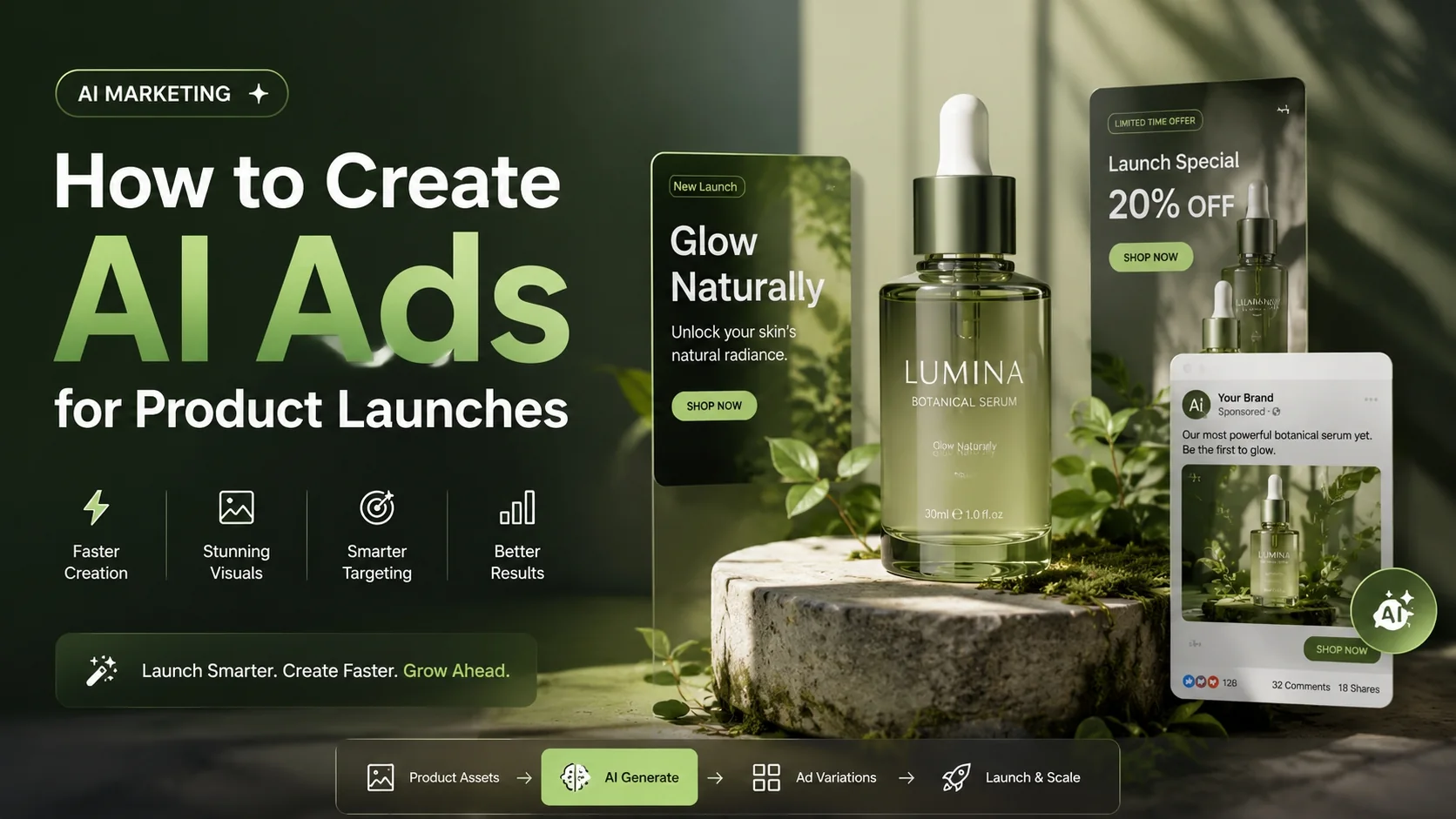
Por que os lançamentos de produtos precisam de sistemas criativos mais rápidos?
O lançamento de um produto geralmente tem um curto período para gerar reconhecimento da marca, explicar o produto, capturar a demanda inicial e descobrir qual mensagem merece mais investimento. A produção criativa tradicional muitas vezes enfrenta dificuldades com esse ritmo. As equipes aguardam novas fotografias, edições de vídeo, disponibilidade do designer, feedback das partes interessadas ou filmagens adicionais antes de poderem testar ângulos suficientes.
A IA transforma o fluxo de trabalho de lançamento porque acelera a iteração criativa. Em vez de apostar em um único elemento principal ou em uma única mensagem de lançamento, as equipes podem produzir e comparar várias versões logo no início do ciclo de vida da campanha.
Isso é importante porque o desempenho de um lançamento raramente depende de uma única mensagem. Públicos diferentes podem responder a abordagens diferentes:
- mensagens de problema-solução
- explicação do produto focada em funcionalidades
- posicionamento com foco nos benefícios
- oferta, urgência ou enquadramento da janela de lançamento
- prova social, transformação ou narrativa de casos de uso
Quanto mais rápido você testar esses frames, mais rápido a equipe de lançamento aprenderá o que dimensionar.
O que a IA realmente muda em um fluxo de trabalho de anúncio de lançamento
1. Produção de ativos mais rápida
A IA pode ajudar as equipes a transformar imagens de produtos, textos de produtos e posicionamento inicial em conceitos de anúncios utilizáveis muito mais rapidamente do que um ciclo de produção do zero. Isso é especialmente útil quando o cronograma de lançamento é fixo, mas os recursos criativos são limitados.
2. Mais variedade para testes iniciais
O lançamento de um produto não deve depender de uma única manchete, uma única direção visual ou um único gancho inicial. Fluxos de trabalho com suporte de IA facilitam a geração de múltiplas variantes para o mesmo produto e a comparação de qual abordagem é a mais eficaz.
3. Melhor aproveitamento de recursos limitados.
Muitas equipes lançam seus produtos antes de possuírem um grande acervo de imagens. Elas podem ter apenas renderizações de produtos, imagens de fornecedores, fotos de embalagens, telas de aplicativos, demonstrações internas ou textos de landing pages. A IA pode transformar esses dados em ativos mais úteis comercialmente.
4. Ciclos de feedback mais curtos
As equipes de lançamento frequentemente precisam ajustar o conteúdo criativo com base no feedback dos fundadores, em sinais iniciais dos anúncios, em comentários ou em mudanças nas ofertas. Quando o conteúdo criativo pode ser refeito rapidamente, a equipe consegue responder sem precisar reiniciar todo o processo de produção.
5. Dimensionamento mais fácil dos ângulos vencedores
Uma vez que um ângulo de lançamento começa a apresentar bons resultados, o próximo passo não é continuar usando o mesmo recurso indefinidamente. Você precisa de variações para diferentes posicionamentos, públicos, formatos e para renovar a mensagem conforme a necessidade. A IA facilita essa expansão.
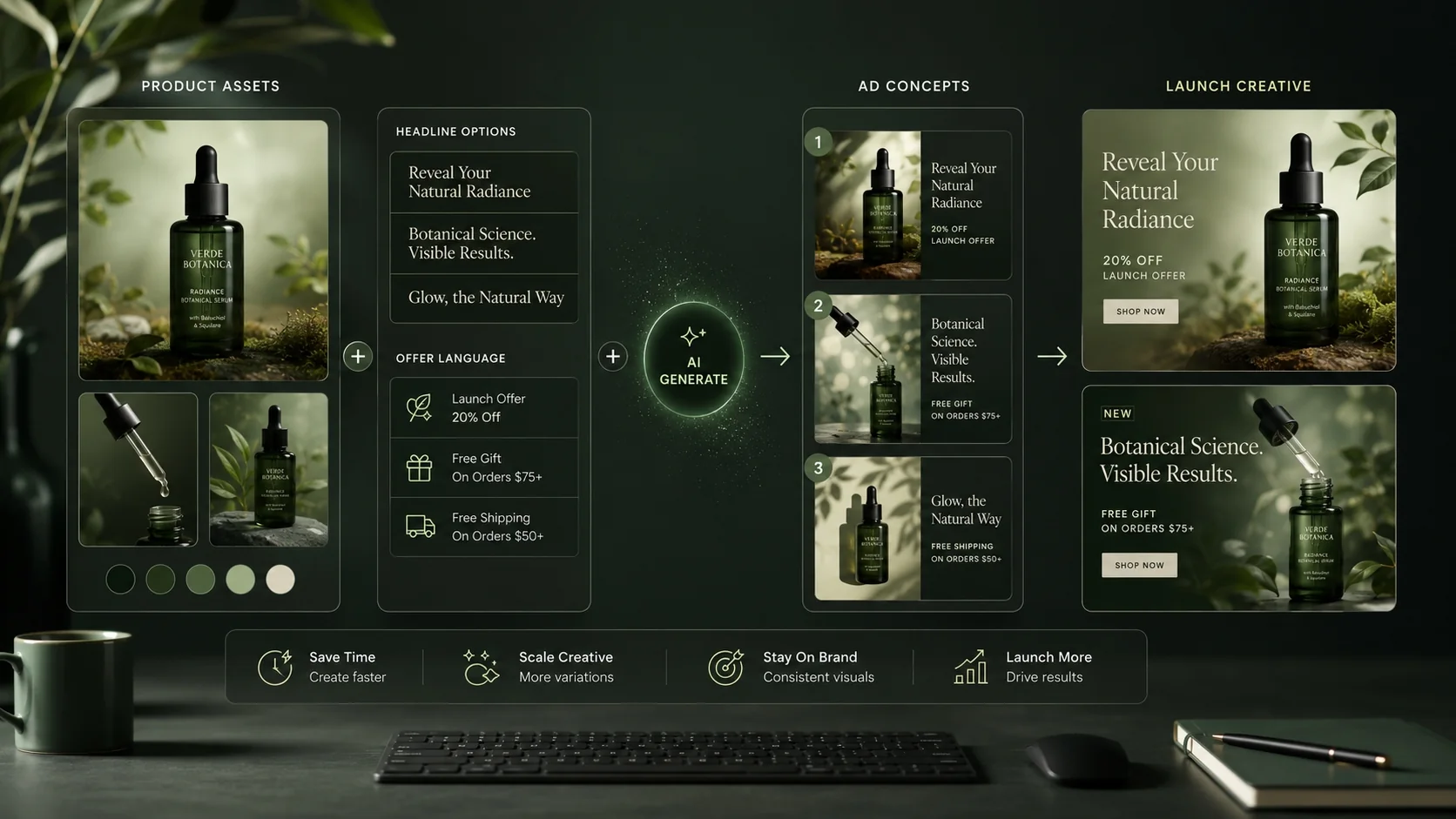
Como criar anúncios com IA para lançamentos de produtos
Passo 1: Defina o objetivo do lançamento antes de escolher a ferramenta.
Antes de criar qualquer coisa, defina qual é a função do anúncio. É apresentar uma nova categoria de produto? Explicar uma funcionalidade? Impulsionar pré-vendas? Anunciar a disponibilidade? Promover um desconto de lançamento? Um objetivo claro evita que a peça criativa se torne visualmente interessante, mas comercialmente vaga.
Passo 2: Reúna os materiais de origem que você já possui.
Os inputs úteis para o lançamento geralmente incluem fotos do produto, renderizações do produto, vídeos de demonstração, texto da página do produto, declarações de benefícios, listas de recursos, informações sobre preços, principais dificuldades enfrentadas pelos clientes e objeções da concorrência. A IA funciona melhor quando esses inputs são estruturados e específicos.
Etapa 3: Transforme um produto em várias mensagens diferentes
As equipes de lançamento mais eficazes preparam diversos ganchos desde o primeiro dia. Por exemplo, um anúncio pode explicar o que é o produto, outro pode focar no problema central, outro pode mostrar o caso de uso e outro pode deixar a oferta de lançamento bem clara. O objetivo não é gerar mais conteúdo apenas por volume. O objetivo é descobrir qual mensagem torna o produto mais fácil de entender.
Passo 4: Adeque o formato criativo ao canal.
Os anúncios de lançamento não devem ter a mesma aparência no TikTok, Meta, YouTube Shorts, páginas de destino e e-mail. Cada canal tem uma expectativa de ritmo diferente. O TikTok pode precisar de uma abordagem mais dinâmica e um enquadramento mais natural. O Meta pode precisar de uma comunicação mais clara sobre os benefícios do produto. Os loops das páginas de destino podem precisar de visuais mais limpos e um ritmo menos agressivo.
Etapa 5: Revise cada saída para verificar se está pronta para anúncios.
Não considere todos os recursos gerados como prontos para uso. Verifique se o produto é claro, se o benefício é evidente rapidamente, se a cena parece crível, se o visual não desvia a atenção da mensagem e se o resultado final corresponde ao local de exibição pretendido. A velocidade só é útil se a clareza for mantida.
Como as mudanças criativas de lançamento se adaptam ao longo da janela da campanha
Pré-lançamento
Antes do lançamento, o objetivo geralmente é despertar a curiosidade e captar a intenção de compra. Os anúncios com IA podem complementar conteúdo teaser, anúncios para listas de espera, testes antecipados das promessas do produto e diferentes explicações sobre a importância do produto.
Semana de lançamento
Durante a semana de lançamento, a prioridade passa a ser a clareza. Os anúncios devem explicar o que o produto faz, para quem ele é destinado, o que o diferencia e por que o público deve agir agora. É aqui que as mensagens focadas nos benefícios e a comunicação da oferta se tornam mais importantes.
Otimização pós-lançamento
Após o pico inicial de engajamento, o trabalho passa a ser aprendizado e escalonamento. As equipes podem atualizar as estratégias vencedoras, adaptá-las para públicos menos receptivos, criar variantes de remarketing e transformar as mensagens de lançamento mais impactantes em conteúdo criativo de aquisição perene.
O que procurar em uma ferramenta de IA para campanhas de lançamento
Saída realista e clara do produto
Os anúncios de lançamento precisam construir confiança. O produto deve permanecer reconhecível, o caso de uso deve ser claro e o visual deve reforçar a proposta de valor, em vez de sobrecarregá-la.
Velocidade com controle de edição
A geração rápida é útil, mas as equipes de lançamento também precisam ter controle sobre a mensagem, a ordem, o layout e o formato. Um bom fluxo de trabalho deve suportar tanto velocidade quanto iteração.
Apoio a múltiplas abordagens de campanha
Uma ferramenta de lançamento deve ajudar você a criar diversas versões de um mesmo produto. Se todas as versões forem iguais, seguindo o mesmo modelo, a equipe não aprenderá o suficiente durante o período de lançamento.
Exportações prontas para o canal de distribuição
O resultado deve ser útil para mídias sociais pagas, páginas de produtos, vídeos curtos, e-mails e conteúdo de apoio ao lançamento. Quanto mais formatos a equipe puder produzir a partir de um único fluxo de trabalho, mais fácil se torna o lançamento.
Onde a ImaStudio se encaixa
O ImaStudio é ideal para lançamentos de produtos porque se adapta à maneira como o material criativo de lançamento é produzido na prática. As equipes podem começar com os recursos da campanha de e-commerce, desenvolver múltiplas perspectivas sobre o produto e, em seguida, adaptar as melhores versões para criar peças criativas específicas para cada canal.
Para lançamentos de e-commerce focados em conversão, comece com fluxos de trabalho de campanhas de comércio eletrônico. Essa é a opção que melhor se adapta à sequência de lançamento, comunicação da oferta, variação em mídias sociais pagas e testes criativos focados no produto.
Se o lançamento exigir uma organização criativa mais ampla — vários layouts, variações de imagem, conceitos de vídeo, camadas de mensagem e materiais finais — use Editor de tela como espaço de trabalho central. Se o lançamento precisar especificamente transformar os visuais do produto em recursos no estilo de demonstração, o fluxo de trabalho de demonstração do produto Também pode ser útil.
Lista de verificação para anúncios de lançamento de IA
Antes de veicular um anúncio de lançamento gerado por IA em mídia paga ou conteúdo de lançamento público, revise-o considerando estas questões:
- O produto fica transparente nos primeiros segundos?
- O principal benefício ou diferencial é fácil de entender?
- O conteúdo criativo está alinhado com o canal pretendido?
- O conceito pode ser adaptado em múltiplas variantes?
- O visual transmite confiança em vez de parecer artificial?
- O anúncio ajuda a equipe a aprender mais rápido durante o período de lançamento?
Se a resposta for sim, o fluxo de trabalho está fazendo o que uma campanha criativa de lançamento deve fazer: explicar mais rapidamente, testar de forma mais inteligente e ajudar a equipe a explorar a melhor abordagem antes que a janela de lançamento se feche.
Erros comuns a evitar
Fazendo o anúncio parecer impressionante, mas pouco claro.
Um anúncio de lançamento não é apenas um recurso visual. É uma explicação do produto. Se os espectadores não conseguirem entender rapidamente o que é o produto ou por que ele é importante, a peça criativa ainda não está pronta.
Geração de muitas variações aleatórias
A variação só é útil quando cada versão testa uma hipótese clara. Volume aleatório gera ruído. Testes de lançamento mais eficazes comparam elementos específicos, benefícios, públicos-alvo ou formatos.
Ignorando o contexto do canal
Um vídeo que fica bom em uma landing page pode parecer lento demais para o TikTok. Um vídeo curto e dinâmico pode não funcionar bem em um loop na página do produto. Sempre adapte o ritmo e o enquadramento ao contexto.
Conclusão
Aprendizado Como criar anúncios com IA para lançamentos de produtos Na verdade, trata-se de construir um mecanismo de lançamento mais rápido. A IA ajuda as marcas a transformar ativos de produtos existentes em peças criativas de campanha testáveis, reduzir gargalos de produção e criar mais variações de mensagens antes do fim da janela de lançamento.
Para marcas de e-commerce, startups, vendedores da Shopify e equipes de crescimento enxutas, isso é importante porque a velocidade de lançamento e o aprendizado durante o lançamento estão intimamente ligados. Quanto mais rápido você testar diferentes ângulos do produto, mais rápido descobrirá o que realmente impulsiona a demanda. Um bom ponto de partida é... fluxos de trabalho de campanhas de comércio eletrônico, e então moldar variantes de lançamento mais amplas internamente Editor de tela.
Perguntas frequentes
Será que a IA realmente pode ajudar a criar anúncios para lançamentos de produtos?
Sim. A IA é especialmente útil em cenários de lançamento porque ajuda as equipes a criar recursos mais rapidamente, testar mais elementos antecipadamente e gerar mais variantes de campanha a partir de materiais de origem limitados.
De que recursos preciso antes de criar anúncios de lançamento de IA?
Imagens do produto, renderizações, vídeos de demonstração, textos da página inicial, descrições de recursos, fotos da embalagem, informações sobre preços e detalhes da oferta geralmente são suficientes para começar a criar o material de lançamento.
Quem se beneficia mais com esse fluxo de trabalho?
Os vendedores da Shopify, marcas de comércio eletrônico, startups e equipes de crescimento enxutas são os que mais se beneficiam, pois geralmente precisam de velocidade, variedade e melhor aproveitamento de recursos criativos limitados.
Qual é o maior erro nos anúncios de lançamento de IA?
O maior erro é priorizar a novidade visual em vez da clareza do produto. Um anúncio de lançamento deve explicar o produto e sua proposta de valor rapidamente, antes de tentar impressionar criativamente.
Qual fluxo de trabalho do ImaStudio devo usar primeiro?
Para lançamentos de e-commerce, comece com o fluxo de trabalho da campanha de e-commerce. Se precisar gerenciar diretrizes criativas mais amplas, formatos e arquivos finais, use o Editor de Tela como espaço de trabalho central.
Sobre o autor