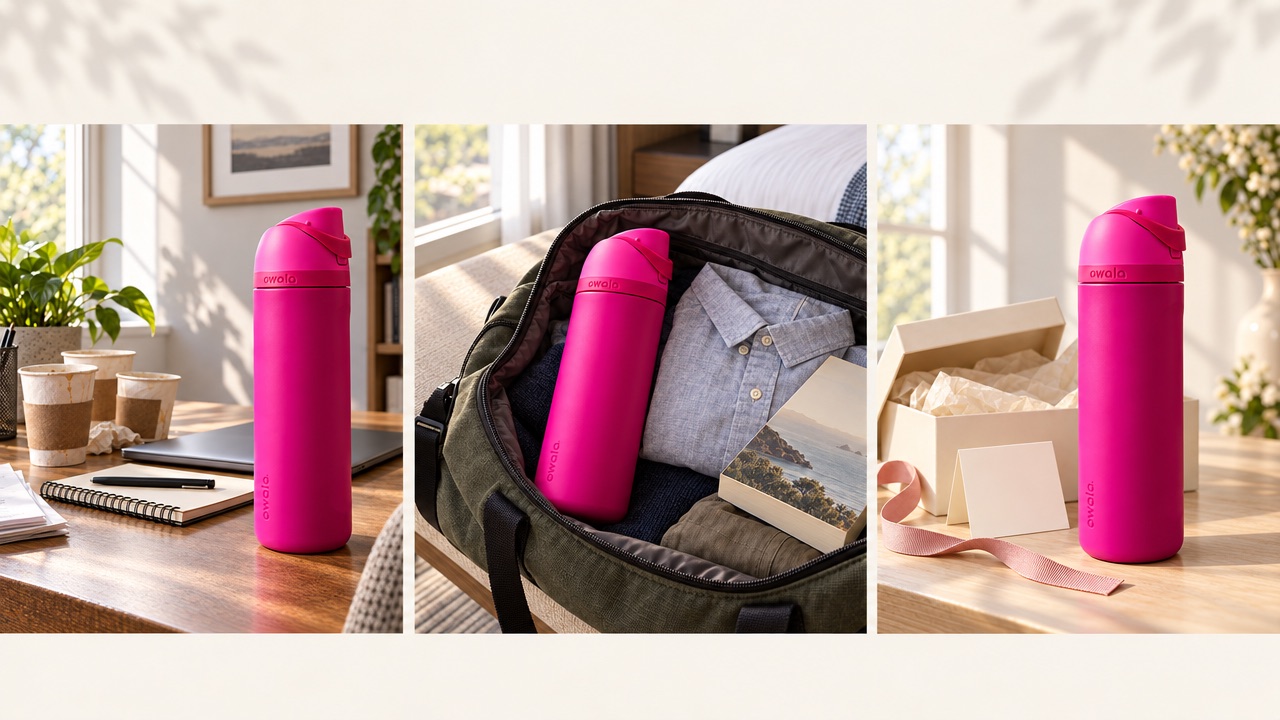
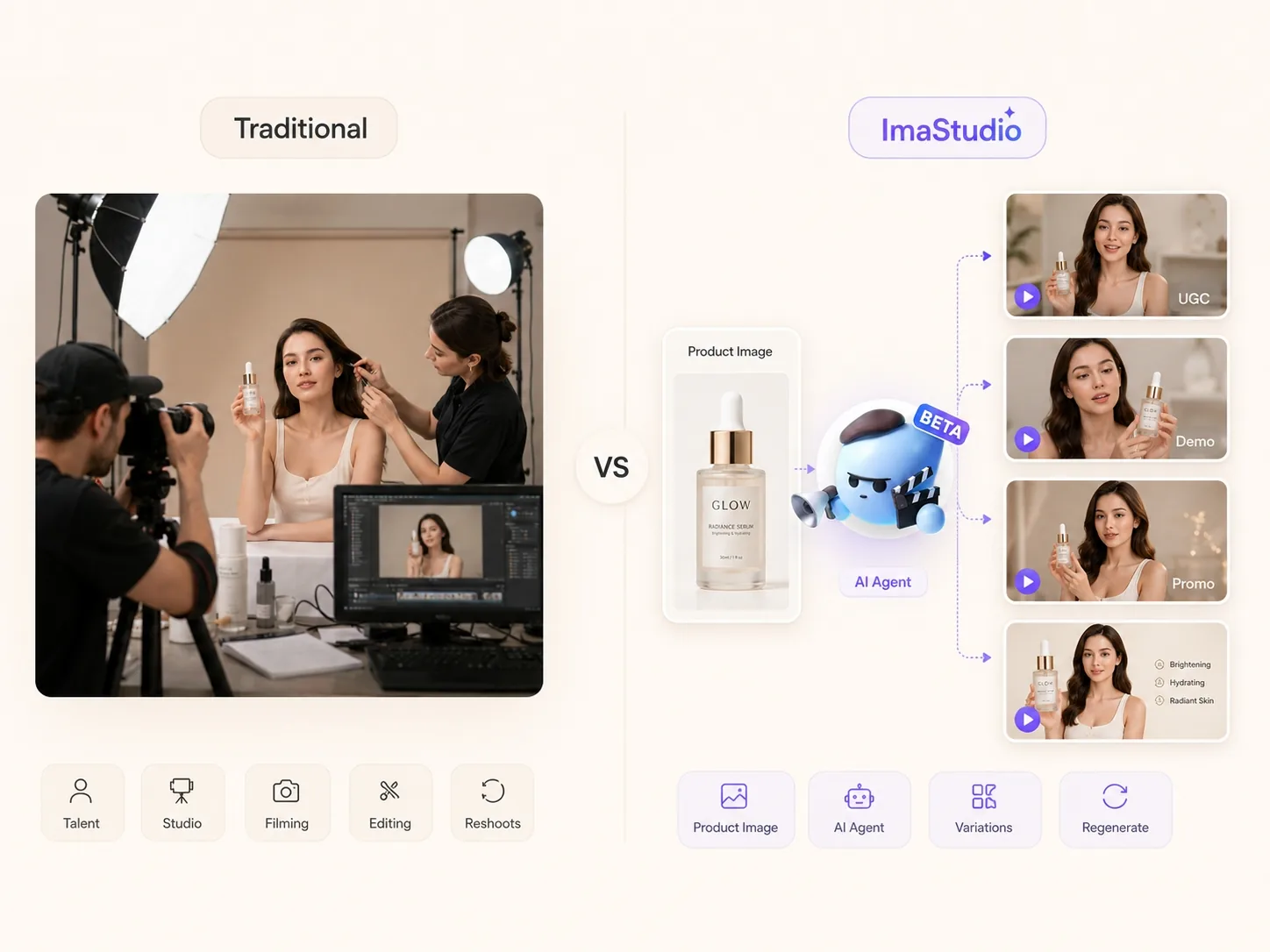
Transformar uma única imagem de produto em um anúncio com avatar de IA é uma das maneiras mais rápidas de criar peças publicitárias focadas no produto, sem precisar planejar uma sessão de fotos completa em estúdio. Em vez de começar do zero, você utiliza o recurso mais importante que já possui: a foto do produto.
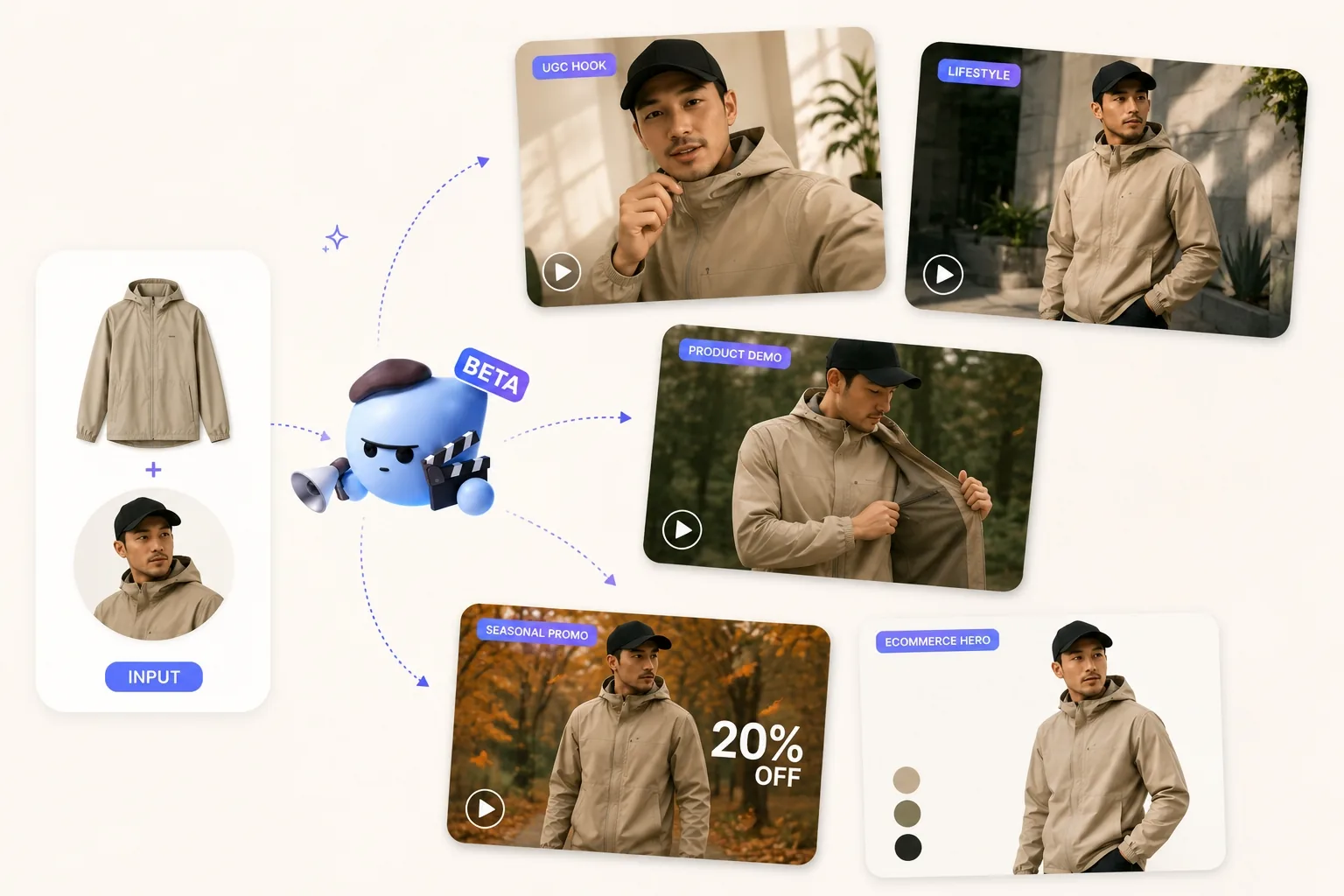
Com Gerador de Vídeo de Avatar com IA da ImaStudio, Uma imagem de produto pode se transformar em um vídeo no estilo UGC (conteúdo gerado pelo usuário), um anúncio com porta-voz, uma demonstração do produto, uma peça visual para uma campanha sazonal ou um conjunto de variações criativas de formato curto para mídias sociais pagas. O importante é manter a fidelidade ao produto, utilizando o avatar para adicionar contexto, confiança, movimento e uma mensagem clara.
O que é um anúncio de produto com avatar de IA?
Um anúncio de produto com avatar de IA é um vídeo ou imagem criativa onde um apresentador virtual aparece com o seu produto e comunica uma mensagem clara da campanha. O avatar pode apresentar um novo lançamento, explicar um benefício, demonstrar como usar o produto ou fornecer um breve depoimento no estilo de conteúdo gerado pelo usuário.
Os melhores anúncios com avatares de IA não tratam o produto como um mero acessório de fundo. O produto continua sendo o protagonista. O papel do avatar é tornar a mensagem mais humana, mais atraente e mais fácil de adaptar a diferentes plataformas.
Passo 1: Carregue a imagem do seu produto
Comece com uma foto nítida do produto. Quanto melhor a imagem inicial, mais fácil será para a peça criativa final preservar a embalagem, o logotipo, o material, a cor, a estrutura e a escala.
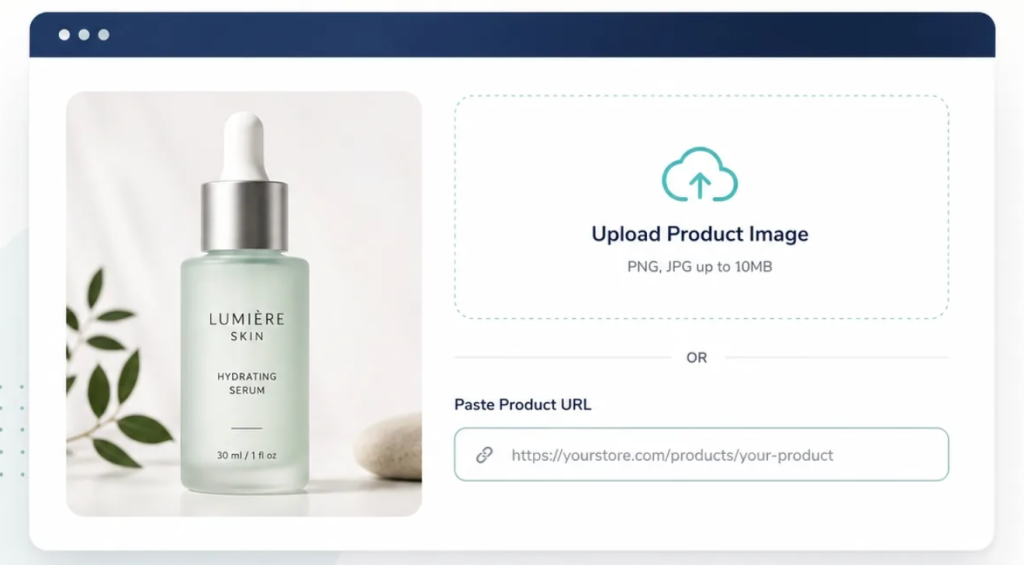
Para comércio eletrônico e anúncios pagos, a precisão do produto é mais importante do que a fantasia visual. Antes de fazer o upload, verifique se a imagem atende a estes padrões:
- O produto completo está visível, incluindo o rótulo ou logotipo.
- O produto não foi recortado em excesso, não está desfocado nem distorcido.
- A cor e o material da embalagem são fáceis de identificar.
- O ângulo do produto corresponde à forma como você deseja que ele apareça no anúncio.
- Não há objetos que distraiam a atenção e cubram o produto.
Se você trabalha com produtos para cuidados com a pele, suplementos, moda, equipamentos de ginástica, embalagens de alimentos ou eletrônicos de consumo, envie a versão da imagem que melhor represente o produto que os clientes realmente receberão. O anúncio pode ser refinado e estilizado, mas o produto em si deve permanecer reconhecível.
Passo 2: Escolha o estilo do seu avatar
Em seguida, escolha um estilo de avatar que corresponda ao seu público-alvo, categoria de produto e tom de voz da marca. Essa decisão afeta a impressão que o anúncio causa antes mesmo de alguém ler a legenda ou ouvir o texto.
Aqui estão quatro instruções úteis para avatares em publicidade de produtos:
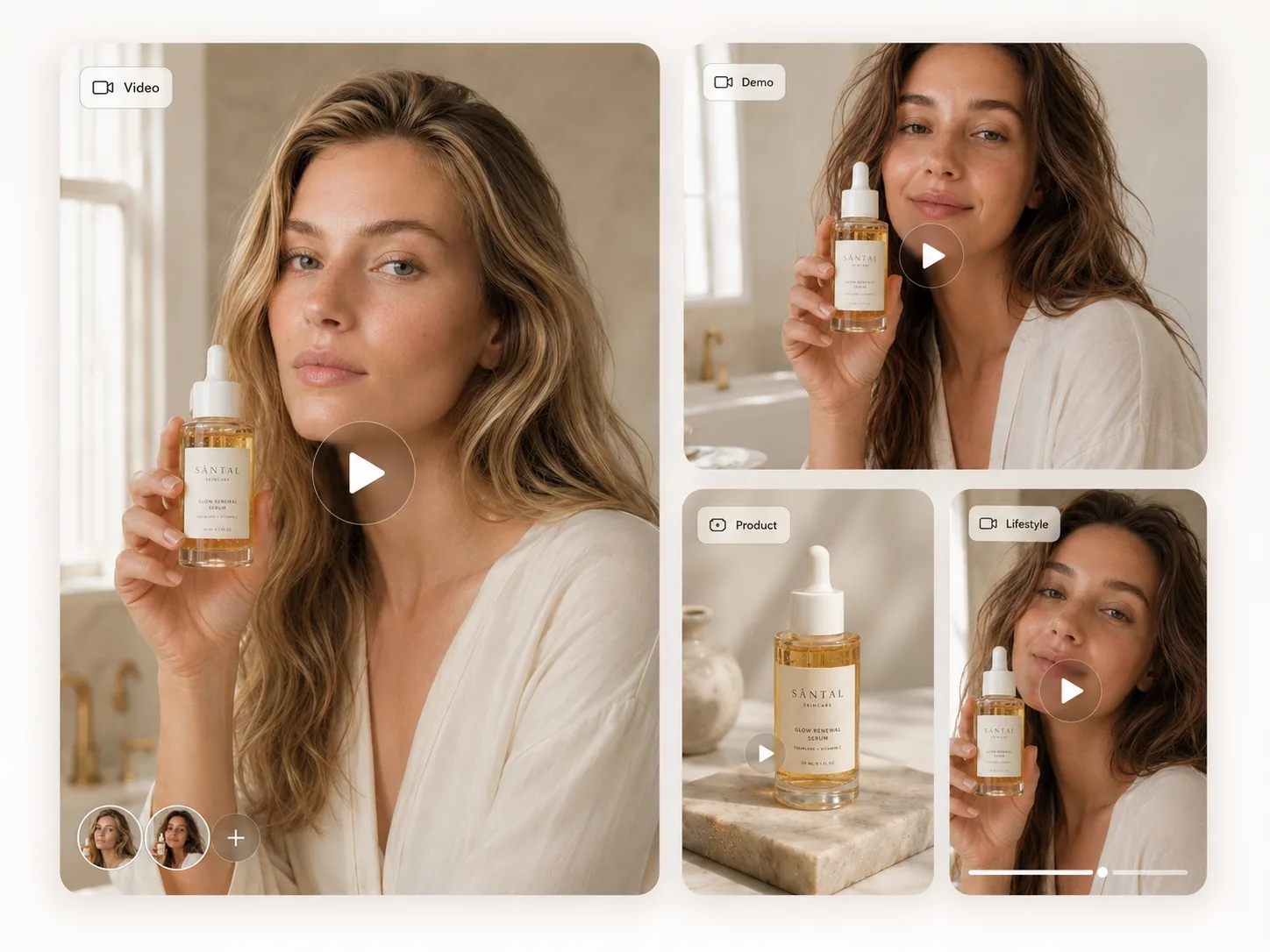
Porta-voz da Beleza Limpa
Use esse estilo para produtos de cuidados com a pele, cosméticos, bem-estar e cuidados pessoais. A arte deve transmitir calma, confiança e foco nos benefícios. O avatar pode segurar o produto, apontar para a textura ou detalhes da embalagem e explicar por que o produto se encaixa na rotina diária.
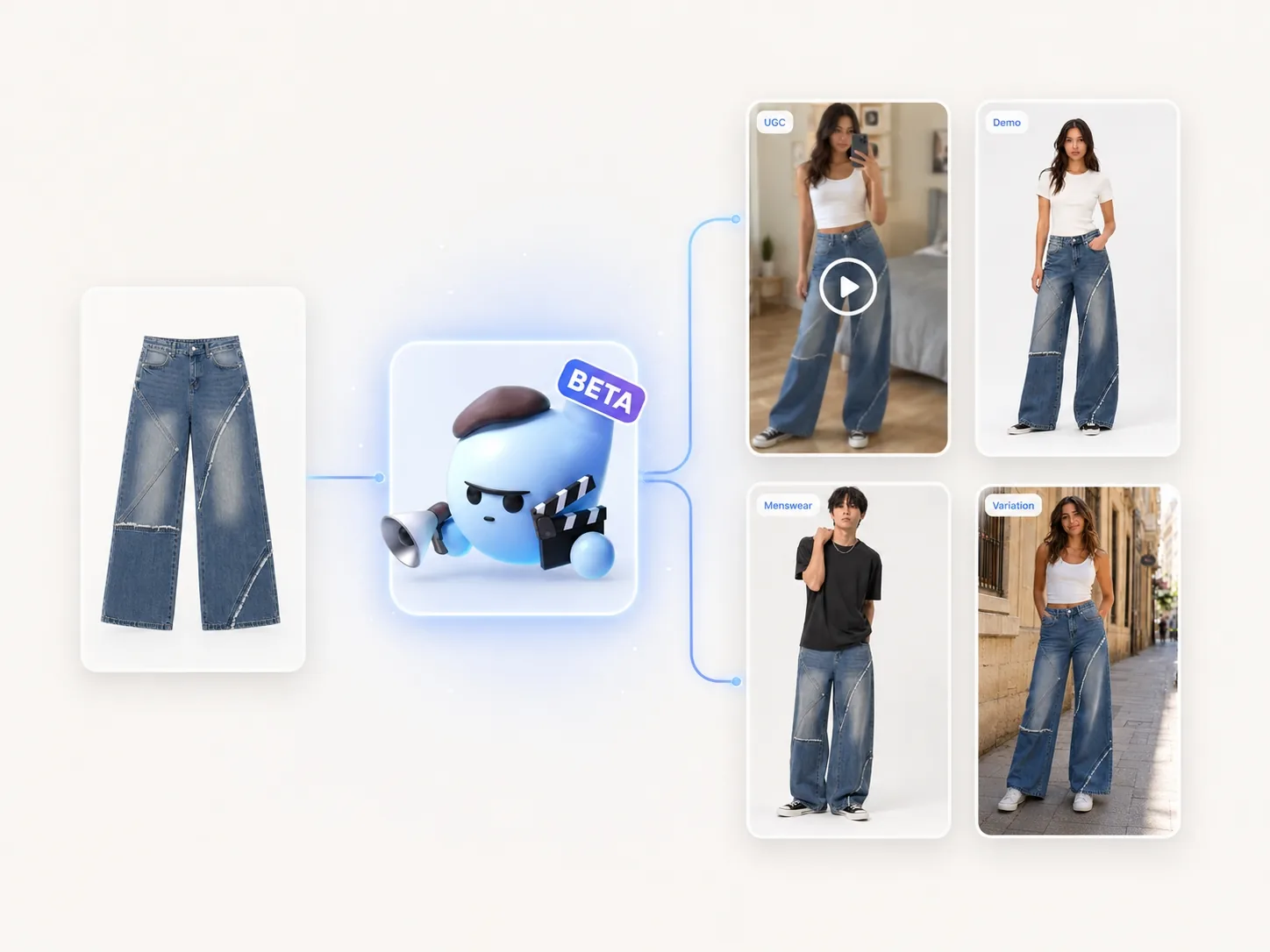
Modelo de Moda Premium
Use esse estilo para roupas, acessórios, calçados e produtos de estilo de vida onde a aspiração visual é importante. Mantenha o produto visível e evite cenas em que o estilo ofusque o produto. O avatar deve facilitar a visualização do item em uso.
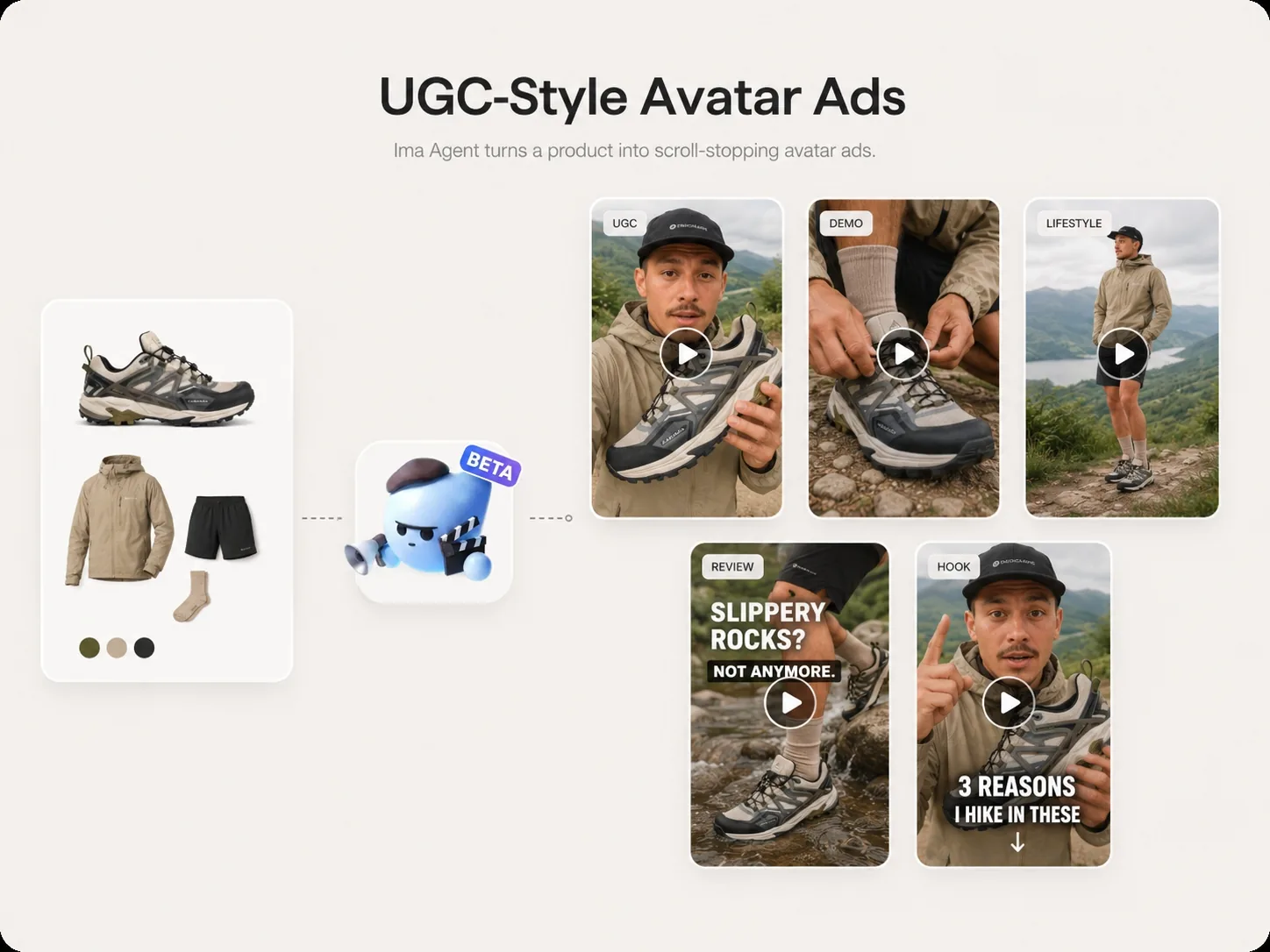
Demonstrador(a) de Produtos Fitness
Use esse estilo para roupas esportivas, suplementos, equipamentos e produtos de alta performance. Um demonstrador de fitness pode mostrar casos de uso, explicar um benefício ou criar ganchos dinâmicos para anúncios em vídeo de curta duração.
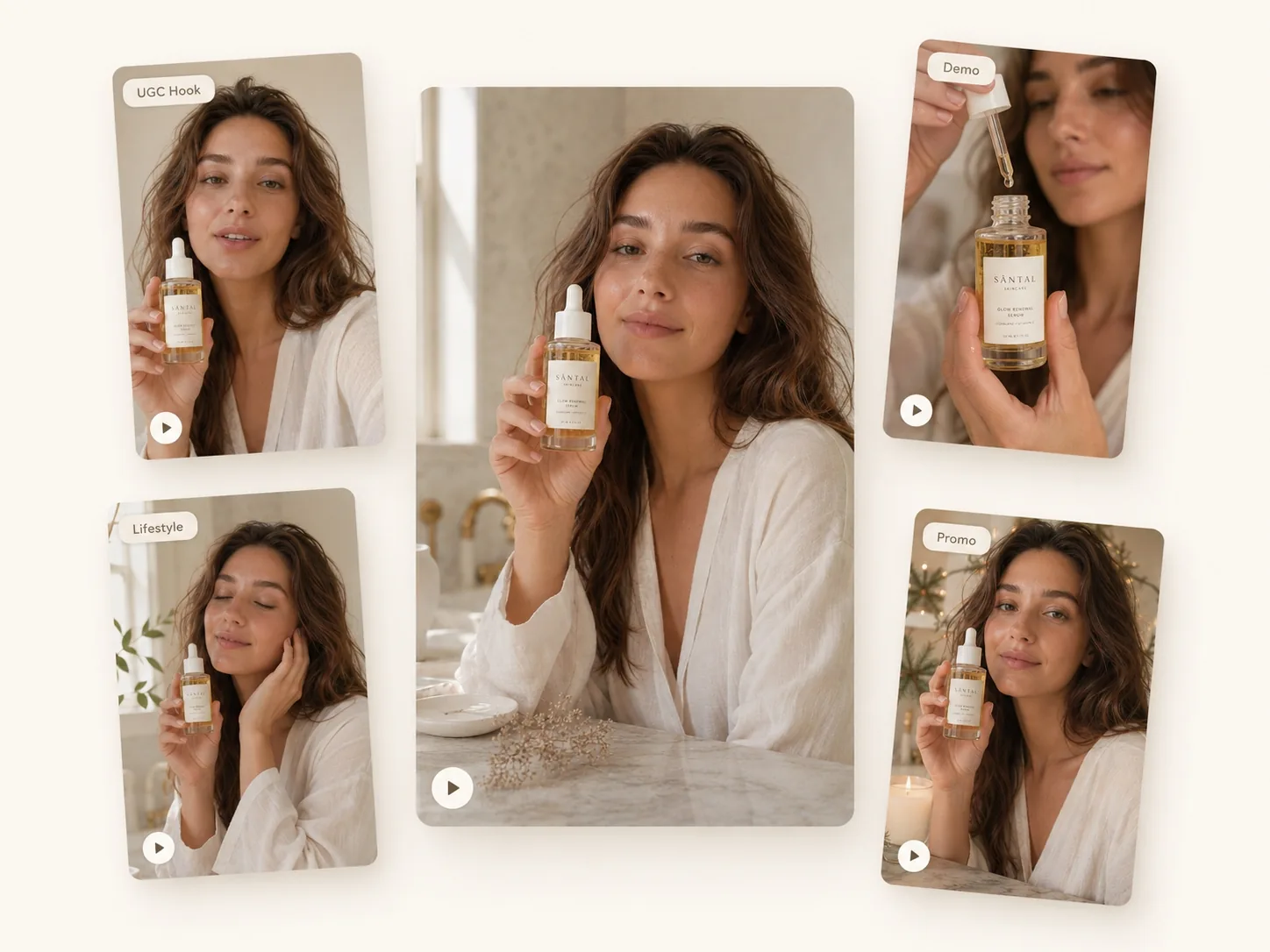
Apresentadora de Estilo de Vida Amigável
Use esse estilo para uma ampla gama de produtos de e-commerce, artigos para casa, presentes, ofertas sazonais e anúncios com prova social. O objetivo é a acessibilidade. O avatar pode falar em um tom informal, típico de conteúdo gerado pelo usuário, e fazer com que o produto pareça fácil de entender.
Etapa 3: Defina o objetivo da sua campanha
Antes de criar o anúncio, defina qual é o seu objetivo. Anúncios com avatares de IA têm melhor desempenho quando o objetivo é específico. Uma mensagem genérica geralmente resulta em um anúncio genérico.
Os objetivos comuns da campanha incluem:
- Apresentar um novo produto.
- Mostre como o produto funciona.
- Promova um desconto ou uma oferta por tempo limitado.
- Crie prova social com uma abordagem no estilo de depoimento.
- Explique um dos principais benefícios.
- Crie visuais para campanhas sazonais, como para feriados ou lançamentos.
Por exemplo, um produto para cuidados com a pele pode precisar de um anúncio educativo e tranquilo sobre um ingrediente principal. Uma peça de roupa pode precisar de um conceito de experimentação premium. Um suplemento para fitness pode precisar de um apelo rápido e criativo gerado pelo usuário que mostre energia, rotina e praticidade.
Etapa 4: Gere elementos visuais focados no produto
Ao gerar a primeira versão, deixe os requisitos do produto bem claros. Informe à ferramenta que a embalagem, o logotipo, a estrutura, a cor, o material e o tamanho relativo do produto devem permanecer consistentes. Isso é especialmente importante para comércio eletrônico, anúncios em marketplaces e anúncios pagos, onde a inconsistência visual pode reduzir a confiança.
Uma estrutura de prompt útil se parece com isto:
Crie um anúncio de produto com avatar de IA no formato 9:16 usando a imagem do produto enviada. Mantenha a embalagem, o logotipo, a cor, o formato, o material e o tamanho do produto fiéis à realidade. Estilo do avatar: [porta-voz de beleza natural / modelo de moda premium / demonstrador(a) de fitness / apresentador(a) de estilo de vida amigável]. Objetivo da campanha: [apresentar o produto / mostrar como ele funciona / promover uma oferta / explicar um benefício]. Cenário: [balcão de banheiro simples / fundo de estúdio / ambiente de academia / sala de estilo de vida]. Tom: [calmo e confiável / premium e sofisticado / enérgico / amigável e informal]. Chamada para ação (CTA): [compre agora / saiba mais / experimente hoje].Mantenha o foco na primeira pergunta. Se você pedir muitos efeitos, adereços, movimentos de câmera e afirmações de uma só vez, o anúncio final pode ficar confuso. Comece com um produto claro, um tipo de avatar, uma cena e uma mensagem.
Etapa 5: Crie variações de vídeo no estilo UGC
Após ter uma versão robusta focada no produto, crie variações. Não se limite a uma única peça criativa. A vantagem da publicidade com avatares de IA é que você pode testar rapidamente diferentes ganchos, cenários, tipos de apresentadores e estilos de fala.
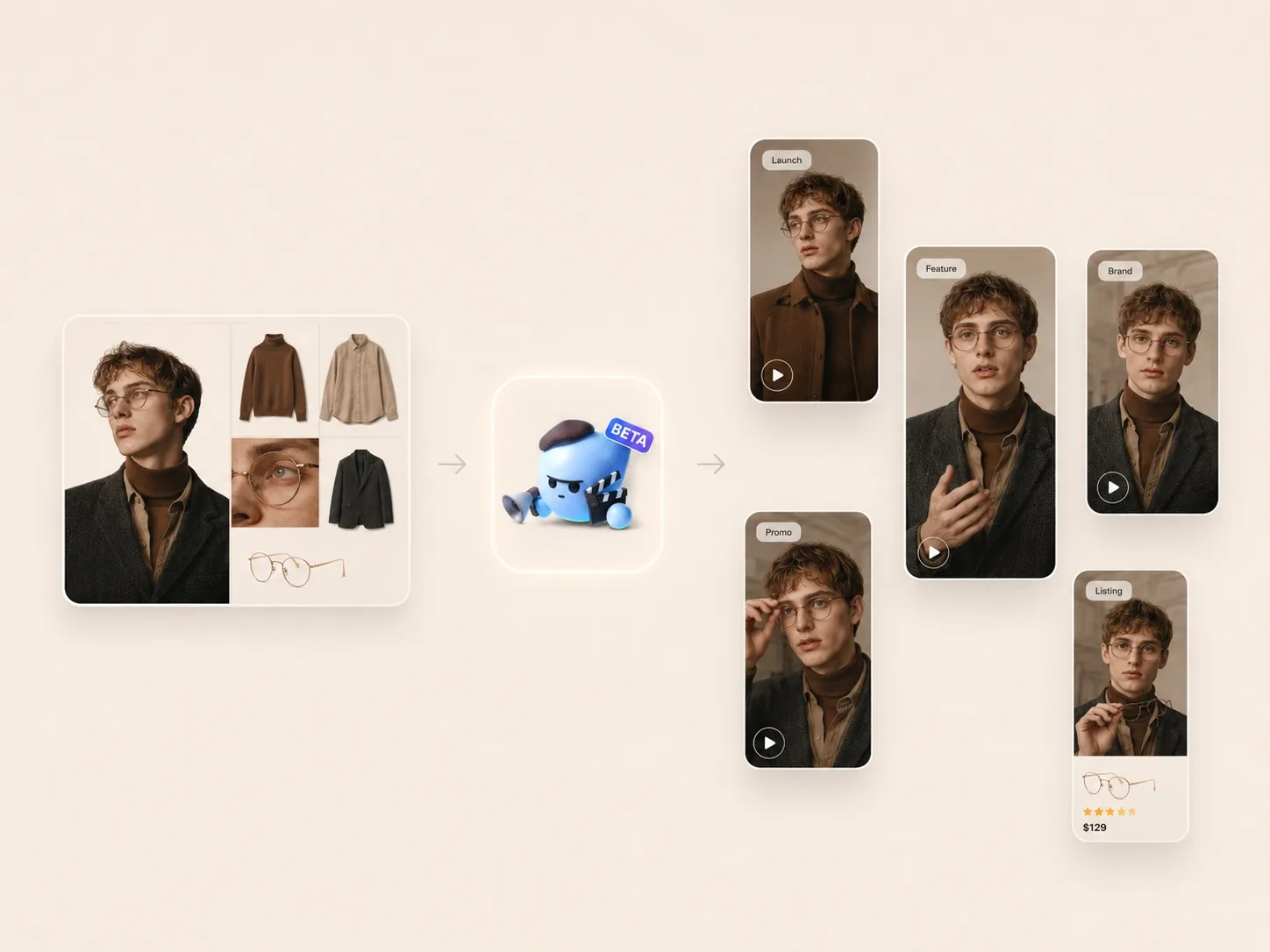
Aqui estão cinco exemplos de ganchos que você pode adaptar:
- “Não esperava que isso funcionasse tão bem.”
- “Este é o produto que eu sempre acabo usando.”
- “Se você está procurando por [categoria], vale a pena dar uma olhada.”
- “Eis o motivo pelo qual este produto está em todo o meu feed.”
- “Testei isso durante uma semana. Eis o que mais me chamou a atenção.”
Para cada gancho, altere apenas uma ou duas variáveis por vez. Por exemplo, mantenha o mesmo foco no produto e a mesma chamada para ação (CTA), mas teste um tipo diferente de avatar. Ou mantenha o mesmo avatar, mas teste uma frase de abertura diferente. Isso facilita a compreensão do que realmente melhora o desempenho.
Etapa 6: Editar e redimensionar para cada plataforma
Assim que a direção criativa estiver definida, adapte o anúncio para as plataformas em que será veiculado. Um vídeo impactante no TikTok pode precisar de um enquadramento diferente de um anúncio no feed Meta ou de um banner na página de um produto de e-commerce.
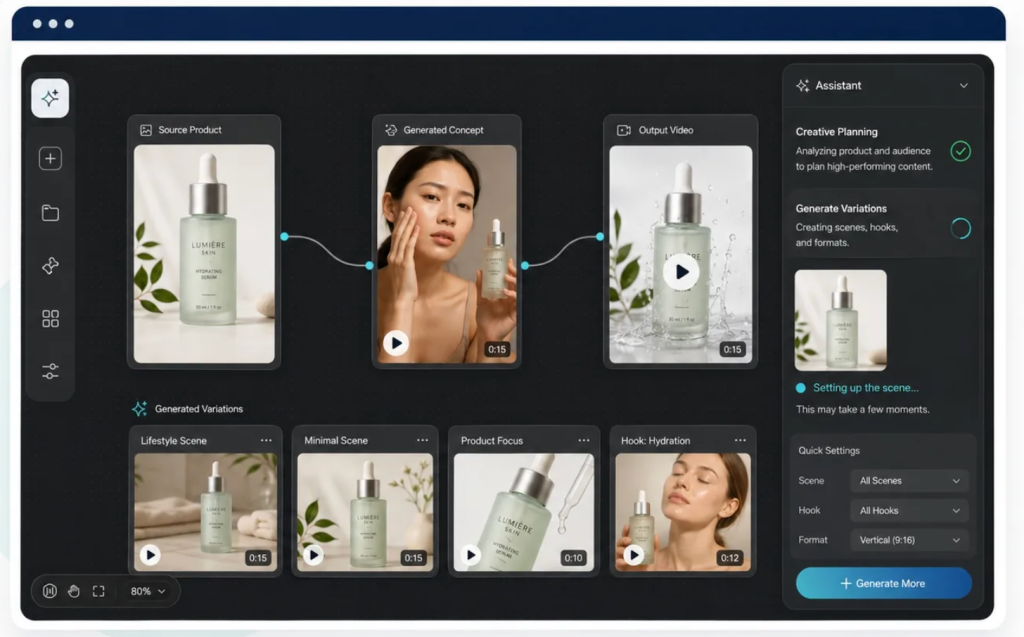
Preparar versões para:
- TikTok 9:16.
- Instagram Reels 9:16.
- Vídeos curtos do YouTube 9:16.
- Meta Feed 4:5.
- Páginas de produtos da Amazon ou Shopify.
- Banners para campanhas de e-mail.
Ao redimensionar, verifique três coisas: o produto ainda está legível, o avatar não cobre detalhes importantes da embalagem e qualquer texto sobreposto se encaixa naturalmente dentro do quadro. Para vídeos curtos, o produto deve ser identificável nos primeiros segundos.
Etapa 7: Exportar e testar
A etapa final é o teste. Os anúncios com avatares de IA são mais valiosos quando ajudam a produzir um conjunto criativo estruturado, e não apenas um único recurso finalizado.
Crie uma matriz de testes simples:
- Tipos de avatar: especialista em beleza, modelo de moda, demonstrador de fitness, apresentador de estilo de vida.
- Ganchos: curiosidade, problema-solução, prova social, comparação, desconto.
- Ângulos do produto: embalagem frontal, foto do produto em mãos, cena de uso, detalhe em close-up.
- Ofertas: lançamento, pacote, desconto por tempo limitado, frete grátis.
- Fundos: estúdio limpo, ambiente doméstico, prateleira de loja, cena sazonal.
- Chamada para ação: compre agora, saiba mais, experimente hoje, veja como funciona.
- Formatos: 9:16, 4:5, 1:1, recorte para banner.
Erros comuns a evitar
Deixar o avatar sobrepor-se ao produto. O avatar deve tornar a mensagem do produto mais clara. Se o espectador se lembrar do apresentador, mas não do produto, o anúncio precisa ser ajustado.
Alterar o produto em excesso. Evite instruções que alterem a embalagem, o logotipo, a cor ou o tamanho. Para aplicações de comércio eletrônico, a consistência visual é fundamental para gerar confiança.
Utilizando apenas um anzol. A primeira versão pode parecer boa, mas o desempenho geralmente vem do teste de vários ganchos e ângulos.
Ignorando o enquadramento da plataforma. Uma peça publicitária que funciona bem em 9:16 pode ficar com um corte ruim em 4:5. Sempre verifique o produto, o rosto, as legendas e a chamada para ação (CTA) após redimensionar.
Fazer afirmações sem fundamento. Mantenha as alegações do produto alinhadas com o que a marca pode comprovar legal e factualmente, especialmente para produtos de cuidados com a pele, suplementos, finanças, saúde ou categorias regulamentadas.
Modelos de prompts prontos para uso
Apresentação de novo produto
Crie um anúncio com avatar de IA no formato 9:16 usando a imagem do produto enviada. Mantenha a embalagem e o logotipo fiéis à realidade. O avatar apresenta o produto de forma amigável e com estilo UGC (conteúdo gerado pelo usuário). Destaque o produto, seu público-alvo e um de seus principais benefícios. Utilize um fundo neutro e uma chamada para ação (CTA) clara: "Compre agora"."Porta-voz de produtos de beleza
Crie um vídeo institucional de beleza limpa usando o produto de cuidados com a pele fornecido. Mantenha a embalagem, o rótulo, a cor, o material e o tamanho fiéis ao produto. O avatar segura o produto de forma natural e explica um dos principais benefícios. O tom é calmo, confiável e sofisticado. Formato: vertical 9:16 para Instagram Reels e TikTok.Demonstração de produto fitness
Crie uma demonstração dinâmica do produto com um avatar de IA usando o produto fitness que você carregou. Mantenha o produto preciso e visível durante todo o vídeo. O avatar demonstra como o produto se encaixa em uma rotina diária ativa. Use um ritmo rápido e natural e uma chamada curta no estilo de conteúdo gerado pelo usuário. Chamada para ação: "Experimente hoje mesmo.""Lista de verificação final antes do lançamento
- A embalagem, o logotipo, a cor e o formato do produto estão corretos.
- O estilo do avatar combina com o comprador e o tom da marca.
- O objetivo da campanha fica claro nos primeiros segundos.
- O gancho é específico, não genérico.
- O produto permanece visível após o redimensionamento.
- O CTA é fácil de entender.
- Você tem várias versões prontas para teste.
A imagem de um produto pode fazer muito mais do que simplesmente aparecer em uma página de anúncio. Com o estilo de avatar certo, o objetivo da campanha, o gancho e o formato da plataforma adequados, ela pode se tornar um conjunto completo de anúncios de produtos com avatares de IA para testes em campanhas de mídias sociais, e-commerce e e-mail marketing.
Crie seu primeiro anúncio de produto com avatar de IA
Sobre o autor