Images 2.6 GIF Guide: Catch a Story in One Small Loop
A paw stops just above a puddle. Coffee escapes its cup. A midnight snack thief hears someone coming. The moment is already a story—even before it moves.
Images 2.6 GIF 指南:把故事留在这一刻
一只前爪停在水洼上方,咖啡正从杯口悬起,半夜偷吃的浣熊听见了身后的动静。画面还没开始播放,故事就已经发生了。
 Hover or tap to play悬停或点击播放Playing · Tap or move away播放中 · 点击或移开鼠标
Images 2.6 brings GIF creation to ChatGPT. Here, we look at what changed and explore three cinematic reaction ideas: one subject, one interrupted action, and one small movement that makes the scene come alive.
What changed in Images 2.6?
OpenAI announced Images 2.6 on November 4, 2026. Its release adds GIF creation and reports faster image generation, more consistent edits, and improved layouts in Flare. The API offers Flare and Sunburst. These are OpenAI’s claims, not our benchmark results. Read the announcement.
| What you want to do | Images 2.5 | Images 2.6 |
|---|---|---|
| Create or edit a still image | Already a core capability. | Still supported; OpenAI reports further editing improvements. |
| Make a short loop | GIF creation was not announced in its launch. | GIF creation is part of the update. |
| Judge generation speed | Its published comparison used Images 2.0 as the baseline. | OpenAI reports faster generation; we have not timed a controlled comparison. |
Still-image editing did not begin with 2.6. The useful new angle for this story is adding a small movement to an image. Our GPT Image 2.5 workflow guide covers the earlier release.
First, an official 2.6 example
 Hover or tap to playPlaying · Tap or move away
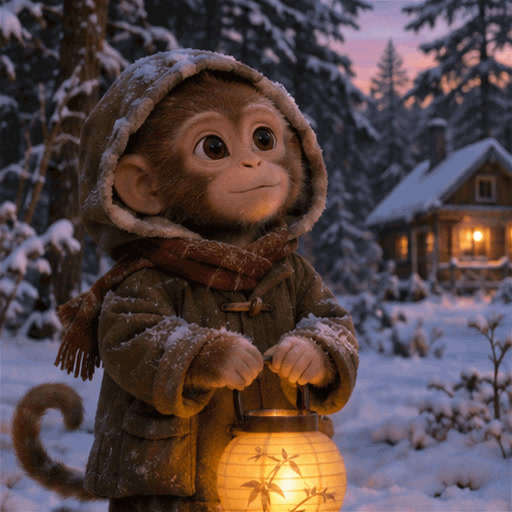
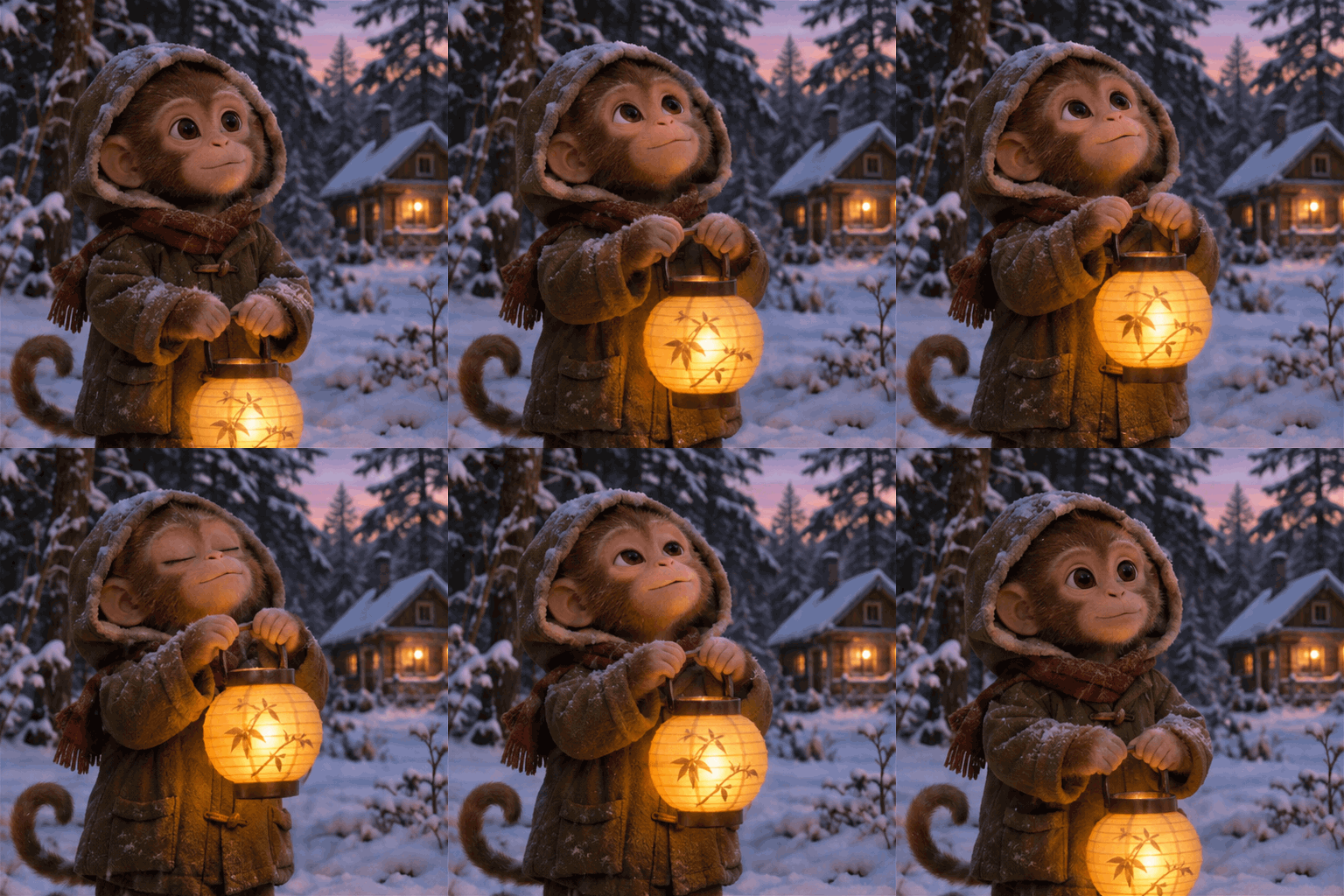
In OpenAI’s example, a monkey lifts a lantern and brings it back down. The return to the starting pose gives the loop a clear rhythm. The developer guide identifies this as a GPT Image 2.6 Sunburst output. See the source and settings.
How our examples were made: the three cinematic scenes below are original IMA Studio demonstrations. Their starting images were generated with GPT Image 2.5 Sunburst, animated with Seedance 2.5, and converted to GIFs. They illustrate creative directions; they are not Images 2.6 test results.
Three scenes, caught in the middle of a story
Hover over a scene to see it move. On a phone, tap to play and tap again to return to the still. Each scene also has a GIF download link. The prompts below are creative starters for your own attempts, not prompts validated with Images 2.6.
01 / The train can wait
Hover or tap to playPlaying · Tap or move away
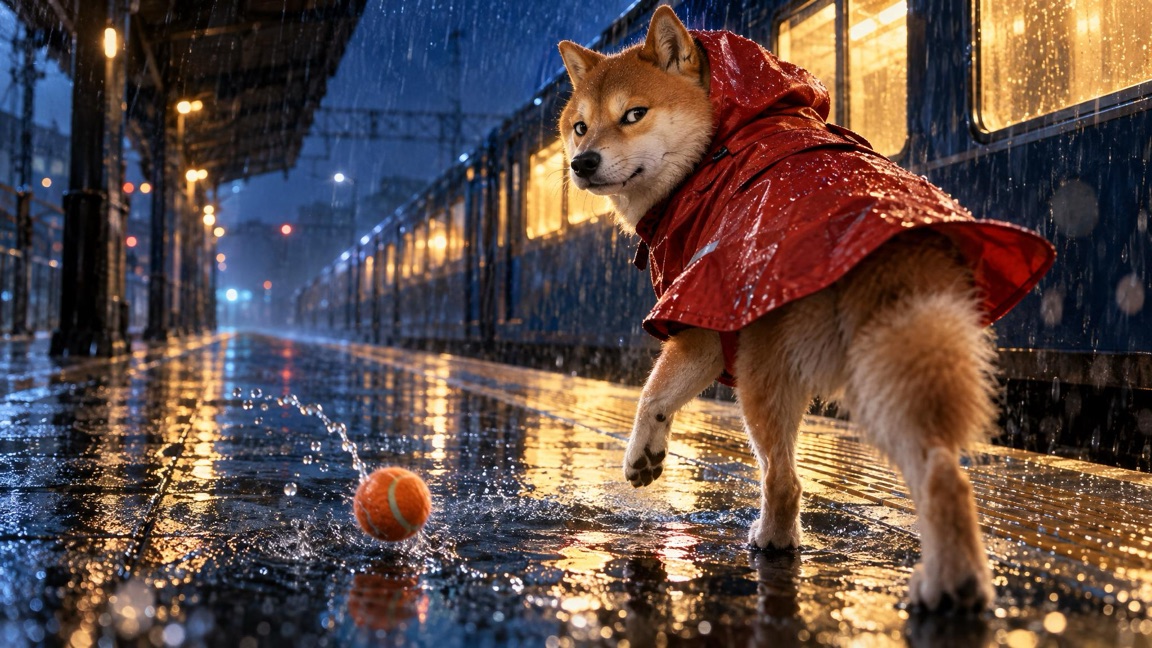
The moment: a rain-soaked station, a bouncing ball, and a dog who has just noticed something behind it.
The low camera puts you beside the raised paw. The platform lines carry your eye into the distance, but the amber light brings it back to the face. The coat, rain and suspended splash suggest what happened a fraction of a second earlier.
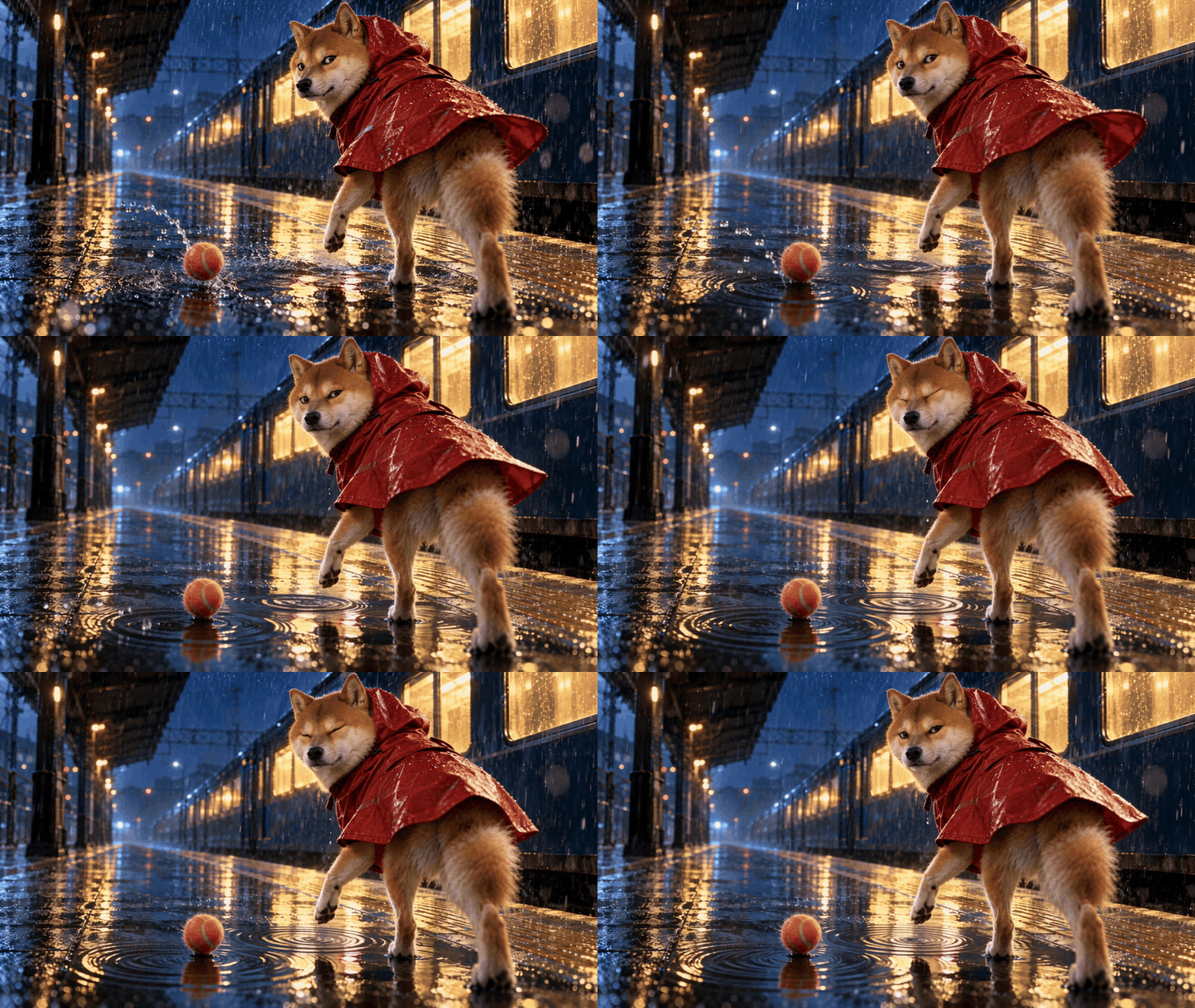
For a reaction loop, the scene can stay almost frozen. A glance, a blink and a flutter of fabric are enough. The point is the dog’s sudden hesitation—not a whole journey along the platform.
Animate this rain-soaked station scene as a short looping reaction GIF. The dog gives a small sideways glance and blinks once. Its raincoat moves slightly in the wind. Keep the camera locked, the raised paw in place, and the ball and background consistent. Preserve the blue night light and amber rim light. Return to the opening expression. No new objects or text. Watch for: a readable eye movement, stable paws, and a background that stays put. If the dog starts walking, ask for a smaller reaction. Keep the story in the held moment.
02 / Coffee, temporarily unavailable
 Hover or tap to playPlaying · Tap or move away
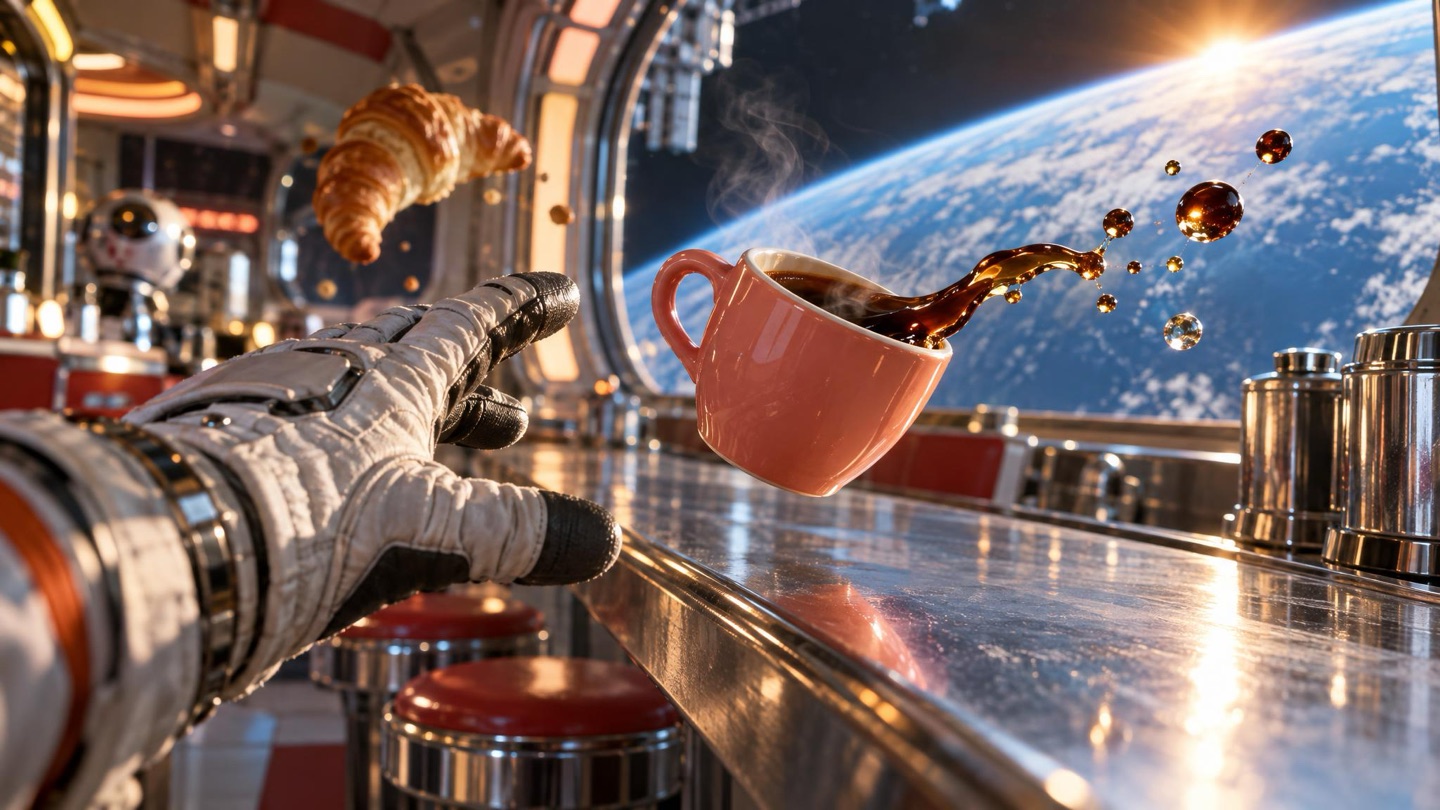
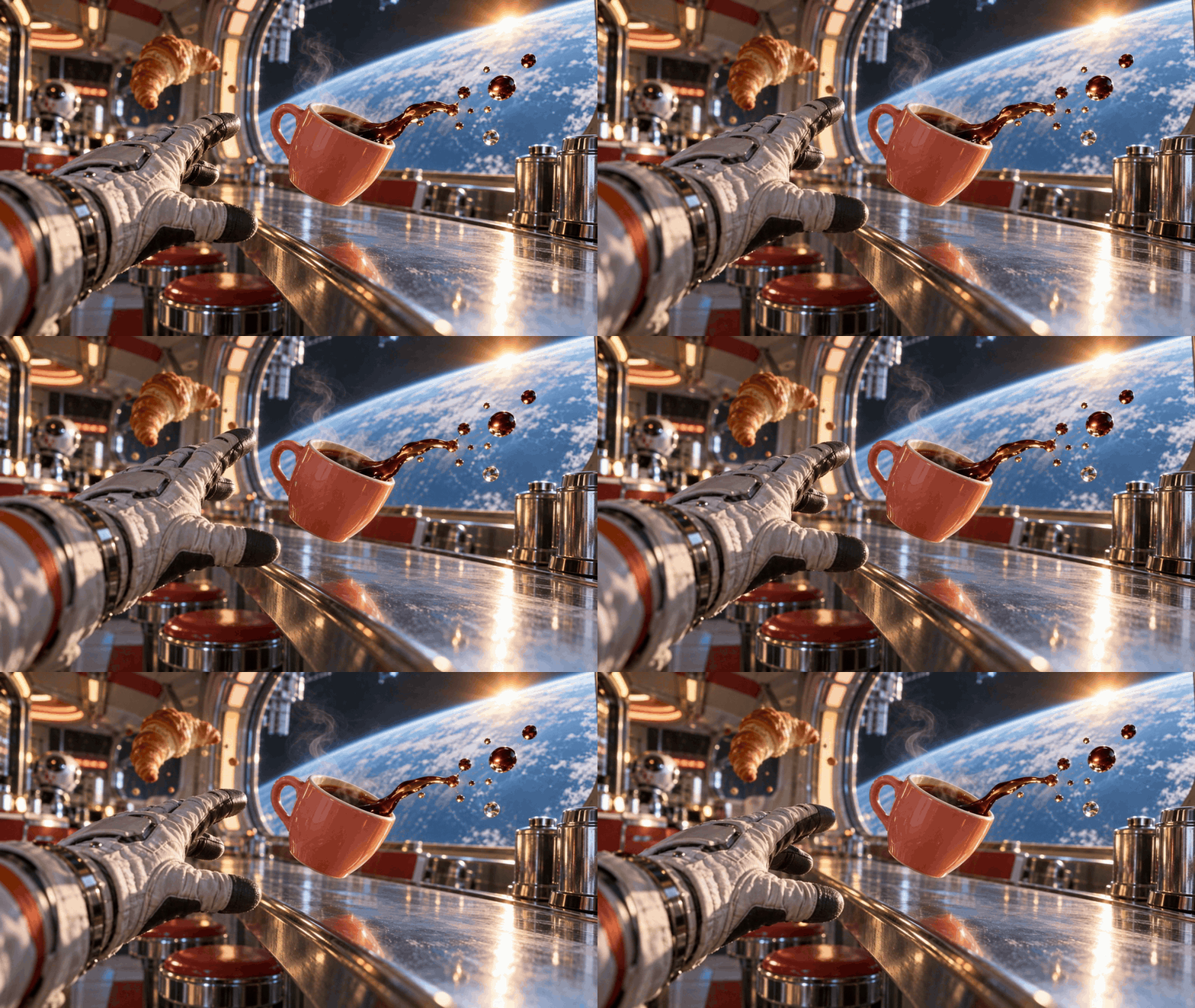
The moment: gravity has gone missing, and the first coffee of the day is slipping out of reach.
The cup is the focal point. A reaching glove gives it a human purpose; Earth through the window supplies the impossible setting. The suspended coffee ribbon makes the image feel interrupted in the middle of an event.
This is the reaction for a morning when everything is slightly beyond you. Let the cup drift only a little. A large orbit would turn a small visual joke into a different scene.
Turn this orbital-diner scene into a short looping GIF. The espresso cup floats gently just above the counter, tilting by only a few degrees. The suspended coffee ribbon and droplets shimmer subtly. The gloved hand reaches a little closer, then returns. Keep the camera, cup shape, counter and Earth view consistent. Preserve the amber sunlight and cyan shadows. No text or extra objects. Watch for: an unchanged cup handle, liquid that still reads as coffee, and a hand that keeps its shape. If too many elements drift, freeze the hand and animate only the cup.
03 / Caught with the croissant
 Hover or tap to playPlaying · Tap or move away
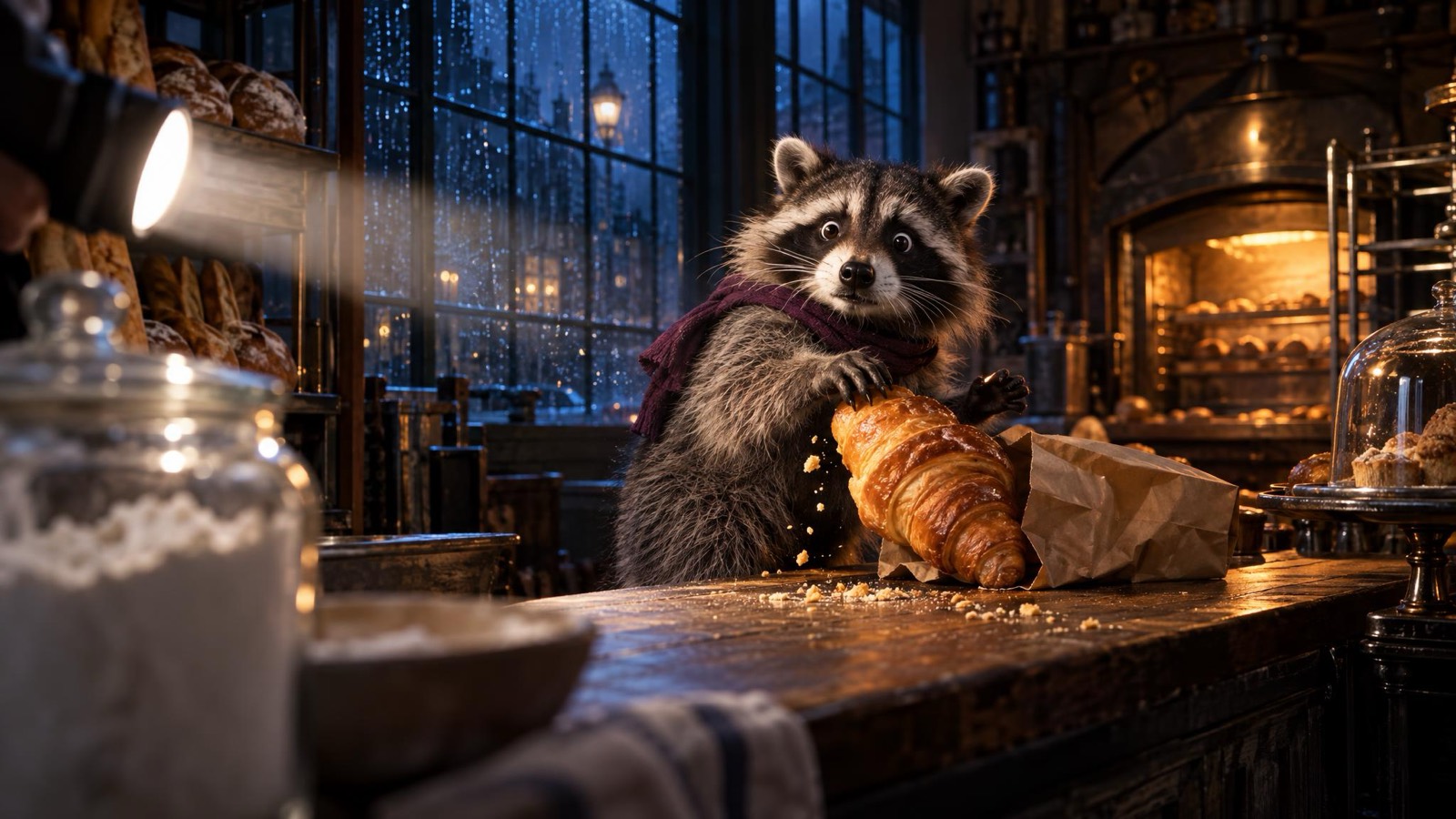
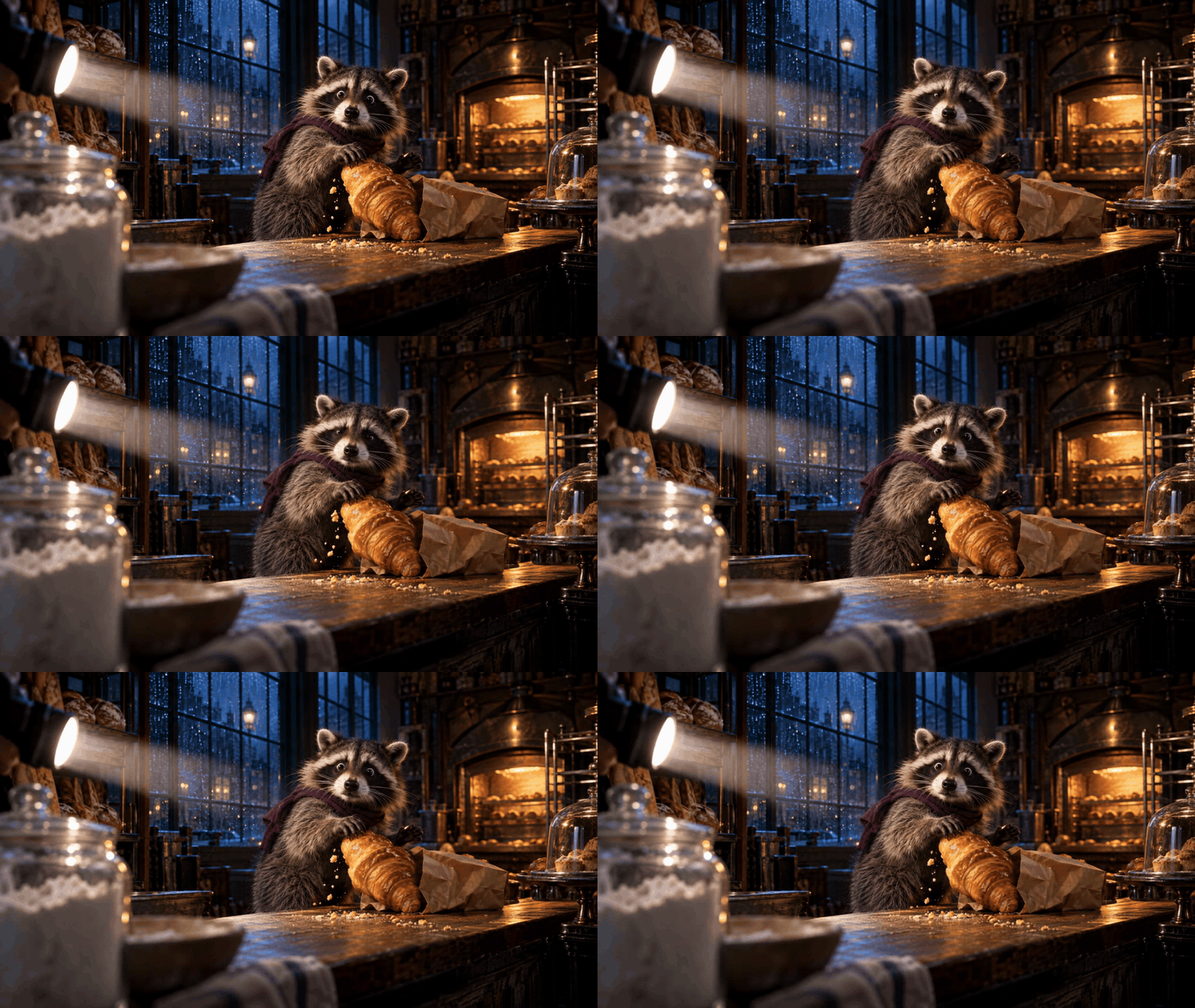
The moment: the pastry is almost out of the bag when a flashlight cuts across the counter.
The flashlight supplies a reason for the expression. Foreground blur places us behind the counter; crumbs caught in the beam connect the face to the croissant. The scene suggests an arrival just outside the frame.
For the loop, use a short freeze, a startled blink and a tiny head movement. Keep the pastry in the same paws. The joke is being caught, not completing the escape.
Animate this midnight-bakery scene as a short reaction loop. The raccoon freezes in surprise, makes one tiny head movement toward the flashlight, then blinks. Keep the croissant held in the same paws and the counter and camera fixed. Let a few crumbs move subtly in the light. Preserve the amber beam, blue windows and realistic fur. Return to the original startled pose. No captions or new characters. Watch for: stable paws and pastry, a recognizable expression, and a quiet camera. Remove extra motion if it distracts from the moment of being discovered.
Make the still feel alive before animating it
Our creative approach starts with a scene that makes sense as one frame. Decide what just happened, what the subject notices, and what might happen next. You do not need to show the whole sequence.
Choose a focal point. Light, sharpness and scale should agree about where to look. In these scenes, the face or the cup carries the reaction; the setting explains it.
Give the camera a position. Paw height on a station platform feels different from looking straight down. A foreground object can place the viewer inside the scene instead of in front of a studio subject.
Hold one action unfinished. A raised paw, a reaching hand or a croissant halfway out of a bag gives the frame direction. The loop can then use a small movement without losing the story.
For still-image preparation, see our AI image prompt guide. Once the image works, describe the movement separately and name what must stay fixed.
How to try a GIF in ChatGPT
OpenAI’s help page says GIF creation is rolling out. Ask for a looping GIF and describe the movement, or upload a still image and request animation. You can request edits to a GIF created in ChatGPT, then open it to change speed, save or share it. Uploaded animated GIFs cannot currently be edited this way. Check the current instructions.
Can I make these with Images 2.6 inside IMA Studio?
This article does not establish that workflow. Our November 5 catalogue check found GPT Image 2.5 models, but no 2.6 entry in the IMA image catalogue we checked. The scenes here use the separately credited IMA image-and-video workflow.
You can start by creating a strong still image in IMA. The button opens image creation; it does not automatically make a GIF or promise access to Images 2.6.
What should I check before sharing?
Watch the whole loop at the size you plan to send. Look for changing paws or fingers, shifting facial details, unstable objects and a distracting jump at the restart. A striking first frame does not prove that the rest of the animation works.
Should the GIF contain words?
Let the scene communicate first. If a caption is necessary, add the final wording in your editing workflow and check its readability at the destination size. These examples keep words out of the image.
Start with the moment you want to send
Choose a feeling, give it a scene, and leave one action unfinished. Then add a movement small enough to preserve the image’s focus. The result should still make sense when you stop it on a single frame.
Sources checked November 5, 2026: Images 2.6 announcement, Images 2.5 announcement, Images in ChatGPT, 和 OpenAI image prompting guide. Official GIF: OpenAI. Original cinematic demonstrations: IMA Studio, GPT Image 2.5 Sunburst stills, Seedance 2.5 animation, GIF conversion. This is an editorial guide, not an independent model benchmark.
Images 2.6 为 ChatGPT 带来了 GIF 创作功能。这篇文章先介绍更新,再用三个有镜头感的反应场景探索一种做法:一个主角、一个尚未完成的动作,再加一点让画面活起来的变化。
Images 2.6 更新了什么?
OpenAI 于 2026 年 11 月 4 日发布 Images 2.6,加入 GIF 创作,并表示图像生成更快、多轮编辑更一致,Flare 的版式表现也有所改善。API 提供 Flare 和 Sunburst 两个版本。以上是官方说明,不是我们的性能实测。查看发布公告。
| 你想做什么 | Images 2.5 | Images 2.6 |
|---|---|---|
| 生成或编辑静态图片 | 已经具备的核心能力。 | 继续支持,官方表示编辑表现进一步改善。 |
| 制作短循环动图 | 当时的发布公告没有宣布 GIF 创作。 | GIF 创作是此次更新的一部分。 |
| 判断生成速度 | 官方当时以 Images 2.0 为比较基准。 | 官方表示速度更快;本文没有进行统一条件下的计时对照。 |
静态图片编辑并不是 2.6 才有的功能。对这篇文章来说,新的创作切入点是为一张图加入小幅动作。关于上一版本,可以阅读我们的 GPT Image 2.5 创作指南。
先看一个官方 2.6 示例
悬停或点击播放播放中 · 点击或移开鼠标
OpenAI 的示例里,小猴子举起灯笼,然后放回原处。回到起始姿态,让重复播放有了清楚的节奏。开发者指南将它标为 GPT Image 2.6 Sunburst 的输出。查看原始示例与设置。
我们的示例如何制作:下面三个电影感场景是 IMA Studio 原创演示。底图使用 GPT Image 2.5 Sunburst 生成,再由 Seedance 2.5 制作动画,最后转换为 GIF。它们用于展示创意方向,不是 Images 2.6 的实测结果。
三个场景,停在故事发生的中间
电脑上把鼠标移到图片上即可观看;手机上点击播放,再点一次恢复静态。每张图下方也提供 GIF 下载。下面的提示词是供你尝试的创意起点,尚未用 Images 2.6 验证。
01 / 火车先等等
悬停或点击播放播放中 · 点击或移开鼠标
这一刻:雨夜站台、一颗刚弹起的球,以及突然察觉身后动静的柴犬。
低机位把视线放在悬起的前爪旁。站台线条把目光带向远处,暖色光又将注意力拉回脸上。被风掀起的雨衣、雨丝和飞溅的水滴,暗示着前一瞬间发生的事。
制作反应动图时,整个场景可以几乎凝固。一个眼神、一次眨眼,再加雨衣的一点摆动就够了。重点是柴犬突然犹豫的瞬间,而不是让它沿着站台走完一段路。
把这张雨夜站台图做成一段简短的循环反应 GIF。柴犬略微侧目,再眨一次眼;雨衣在风中轻轻摆动。固定镜头,保持悬起的前爪位置不变,球和背景保持一致。保留蓝色夜光与琥珀色轮廓光,最后回到起始表情。不增加物体或文字。 检查重点:眼神变化能否看清、爪子是否稳定、背景是否保持原位。如果柴犬开始行走,就把动作要求缩小,让故事停留在这个瞬间。
02 / 咖啡暂时无法送达
悬停或点击播放播放中 · 点击或移开鼠标
这一刻:重力突然失效,而今天的第一杯咖啡正在慢慢飘远。
杯子是视觉焦点。伸来的手让它有了明确用途,窗外的地球则交代了这个不寻常的场景。悬在空中的咖啡液带,让画面像是被截停在事件中途。
它适合表达那种“一切都有点够不着”的清晨。只让杯子轻轻漂移就好;如果绕着画面飞一大圈,这个小小的视觉笑话就变成了另一段故事。
把这张太空餐车图做成简短的循环 GIF。浓缩咖啡杯在台面上方轻轻漂浮,只倾斜几度;悬起的咖啡液带和液滴产生细微变化。戴手套的手略微靠近,再回到原位。固定镜头,保持杯型、台面和窗外地球一致。保留暖色阳光与青色阴影。不增加文字或其他物体。 检查重点:杯柄有没有变形、液体是否仍像咖啡、手部形状是否稳定。如果漂动的元素太多,就固定手部,只让杯子动。
03 / 可颂还没拿稳,就被发现了
悬停或点击播放播放中 · 点击或移开鼠标
这一刻:可颂马上就要从纸袋里拿出来,一束手电光却突然扫过柜台。
手电光给惊讶的表情提供了原因。虚化的前景让我们像是躲在柜台后面,光束里的碎屑又把脸和可颂连在一起。画面暗示着:镜头之外,有人刚刚出现。
动图可以是一小段僵住、一次惊讶的眨眼,再加轻微的转头。让可颂一直留在原来的爪子里。笑点是“被当场发现”,不用接着演完整段逃跑。
把这张深夜面包房图做成一段反应循环。浣熊惊讶地僵住,朝手电光方向轻轻动一下头,然后眨眼。保持可颂被同一双爪子拿住,柜台与镜头固定;让光束里的少量碎屑轻轻移动。保留暖色光束、蓝色窗户和真实毛发,最后回到最初的惊讶姿态。不增加字幕或其他角色。 检查重点:爪子和可颂是否稳定、表情是否清楚、镜头是否安静。如果额外的运动抢走了注意力,就减掉它,让“被发现的瞬间”成为唯一重点。
先让静态画面有故事,再让它动起来
我们的做法,是先让场景在单张图片里就能成立。想清楚刚刚发生了什么、主角看到了什么、下一刻可能怎样,但不必把整段过程都展示出来。
确定一个视觉焦点。光线、清晰度和主体大小应该共同指向同一个地方。这三个场景里,脸或咖啡杯负责传递反应,环境负责解释原因。
给镜头一个明确的位置。趴在站台上看一只狗,与从正上方俯视,是两种不同的感受。一处虚化的前景,也能让观看者像是站在场景里面。
让一个动作停在半途。悬起的前爪、伸出的手、拿到一半的可颂,都能给画面一个方向。这样,动图只需要增加少量变化,就能保留故事感。
关于底图准备,可以继续看 AI 图片提示词指南。等静态画面成立后,再单独描述动作,并写清哪些部分必须保持不动。
如何在 ChatGPT 中尝试 GIF
OpenAI 的帮助页说明,GIF 创作功能正在逐步开放。你可以直接要求制作循环 GIF 并描述动作,也可以上传静态图片,再要求它动起来。对于 ChatGPT 生成的 GIF,可以在对话里提出修改,并打开动图调整速度、保存或分享;目前不能用这种方式编辑从外部上传的动画 GIF。查看最新使用说明。
能在 IMA Studio 里直接用 Images 2.6 制作吗?
本文没有验证这条流程。11 月 5 日查询的 IMA 图像模型目录中有 GPT Image 2.5 系列,但没有看到 2.6 条目。这里的原创场景使用的是前面已注明的 IMA 图片与视频制作流程。
你可以先在 IMA 制作一张适合动画化的图片。下面的按钮进入图片创作,不会自动制作 GIF,也不代表提供 Images 2.6。
分享前应该检查什么?
按实际发送时的大小,把整个循环看一遍。重点检查爪子或手指有没有变化、面部细节是否漂移、物体是否稳定,以及循环重启时有没有明显跳动。第一帧好看,不代表后面的动画也成立。
动图里要不要放文字?
先让场景自己表达。如果确实需要字幕,再在后期工具中排好正式文字,并按最终使用尺寸检查可读性。这组示例没有把文字直接做进图片。
从你想发出去的那一刻开始
选一种情绪,给它一个场景,再让一个动作停在半途。之后增加的运动,要小到足以保留画面的焦点。即使暂停在某一帧,故事也应该依然成立。
资料核对日期:2026 年 11 月 5 日。来源:Images 2.6 发布公告、Images 2.5 发布公告、ChatGPT 图片功能说明、OpenAI 图片提示词指南。官方 GIF 来自 OpenAI;原创场景由 IMA Studio 制作,底图使用 GPT Image 2.5 Sunburst,动画使用 Seedance 2.5,之后转换为 GIF。本文是创作指南,不是独立模型性能评测。
关于作者