At the IMA Studio × Kestos Ad Challenge in Los Angeles, creators were invited to produce a real commercial for Kestos — a sportswear and activewear brand — using AI tools. One creator, a professional Creative Director with a filmmaking background, took home 2nd place. This is his full workflow.
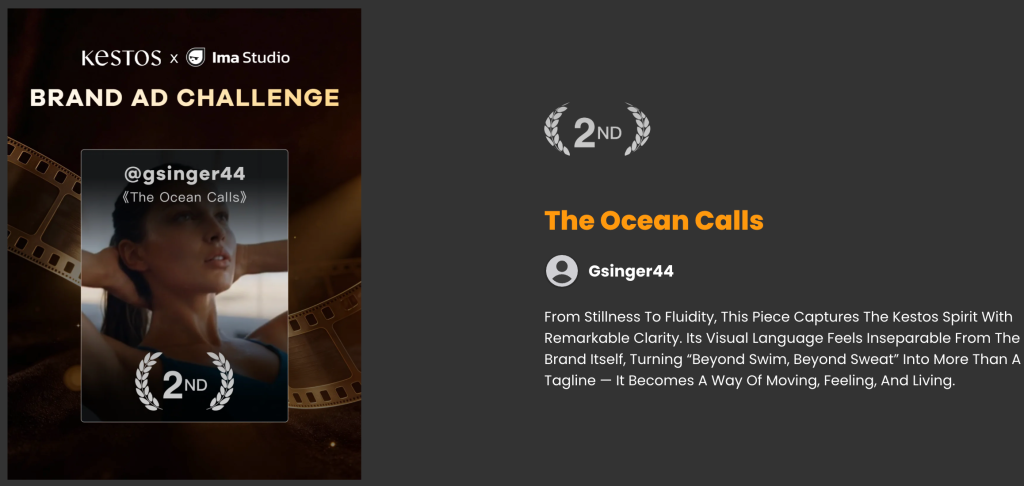
📺 View the creator’s profile on IMA Studio | Watch the finished film | About the LA Meetup event →
About the Creator
The creator behind this workflow is a USC School of Cinematic Arts graduate currently working as a Creative Director at an AI-native company called Hotline. His day job is producing commercial ad content using AI tools — not experimenting, but delivering professional-grade output on real briefs. He also has a personal feature film in development.
His primary tool has been Higgsfield, but for this challenge he went all-in on Ima Studio — and the results speak for themselves.
👉 View his LinkedIn profile to explore more of his work and background.
The Challenge Brief
Produce a 34-second lifestyle commercial for Kestos — a sportswear brand with visual themes around dryness, moisture, urban living, and the ocean. Official brand reference images and visual materials were provided by the brand.
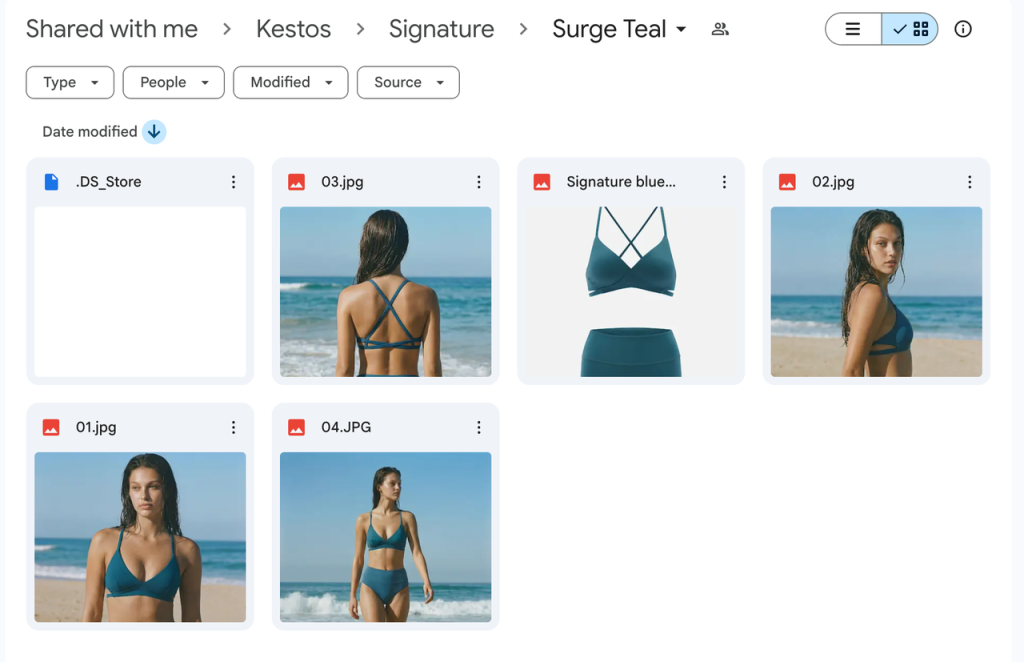
All video output: 1080p, 16:9, 4–8 seconds per clip.
Tools used: Veo 3.1 · Kling · Nano Banana Pro · Suno · ElevenLabs
Total time: 6.5 hours · Total credits: 2,665 · Tasks generated: 34
Step 1: Start with the Director’s Brain, Not the Prompt
Before opening any tool, he locked the narrative. His creative research process:
- Study lifestyle and fragrance ads — the genre best at communicating sensation, scent, and feeling through visuals
- Distill the emotional core: fresh air · freedom · release
- Write the idea by hand, then finalize a 6-shot narrative structure
- Narrative arc: land → sea · indoors → outdoors
“Filmmaker brain is most important. I look for ideas from lifestyle and fragrance ads — the kind that communicate scent, sensation, and feeling through visuals.”
The subtext of the film: whatever environment you’re in — city commute, beach, gym — the brand keeps you comfortable, confident, and free.
Takeaway: Prompts are just instructions. If you haven’t decided what you’re directing, no AI model will figure it out for you.
Step 2: Build a 3×3 Storyboard Grid
With the narrative locked, he created ~10 storyboard reference frames in a 3×3 grid using Nano Banana Pro for image generation . Each frame was built to serve as the “first frame” reference for image-to-video generation.
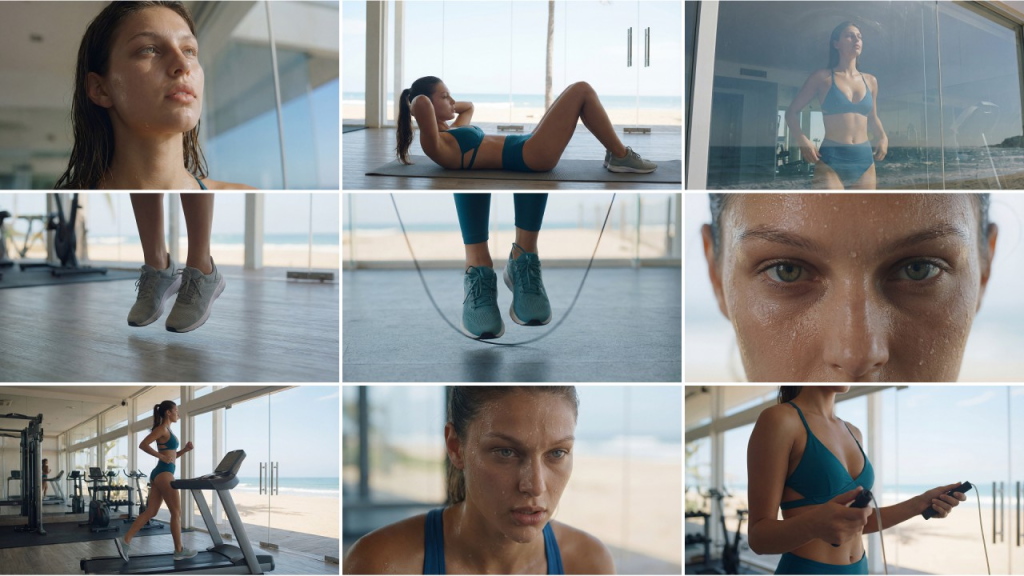
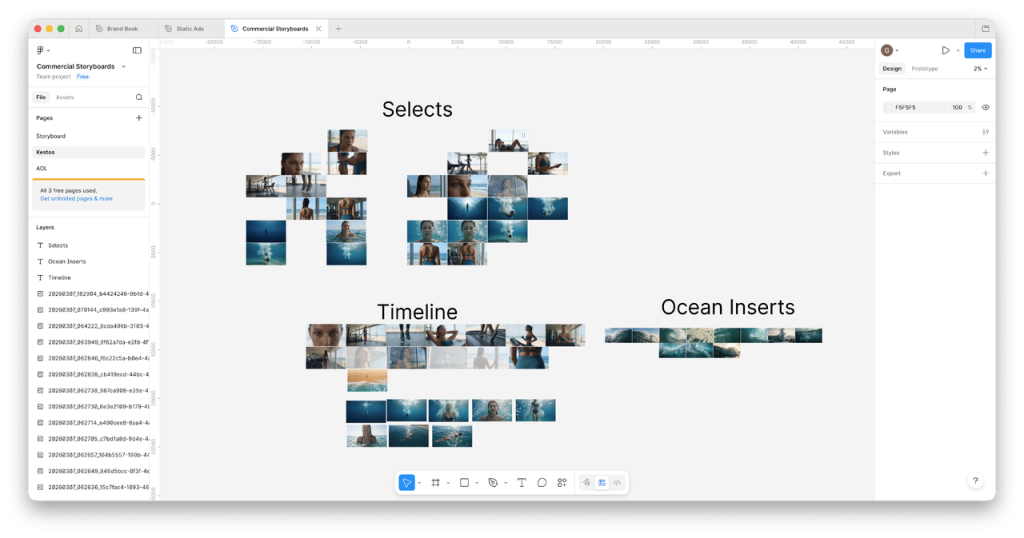
Layout tool: Figma. He dragged storyboard panels around, compared compositions, and mapped the full timeline logic — before generating a single video clip.
“9 panel grids, 3×3 visual consistency. Make grids and drag them into storyboard. Take one image out and bloom it into 4K.”
Key technique: Pull the single best storyboard frame → upscale to 4K → use as video first-frame input. This dramatically lifts output quality downstream.
Step 3: Generate Video Clips on IMA Studio
Primary model: Veo 3.1 (Fast for iteration speed, Standard for hero shots). Kling used selectively for specific motion requirements.
His Prompt Structure
Every clip was prompted with a structured JSON format:
{
  "scene_description": "The woman in blue is working out at the gym",
  "visual_style": "Cinematic, modern commercial",
  "camera_movement": "Slow sideways dolly from left to right around the woman",
  "lighting": "Modern commercial, cinematic",
  "main_subject": "Woman in blue",
  "action": "The woman jumps rope rapidly",
  "negative_prompt": "subtitles, text on screen, speaking, speech, dialogue"
}
Always add to negative_prompt: subtitles, text on screen, speaking, speech, dialogue — eliminates the most common generation artifacts in commercial video.
Generation Approach
- Simple prompts first. Confirm the model can hit your emotional target. Refine after.
- Multiple variations per shot. Same scene, different camera moves or actions — 3 to 6 attempts each.
- Frame selection over full-clip judgment. Scrub through each clip and pick the best individual frame. Use that as your next first-frame reference.
Real success rate: ~30%. Professional AI video production means generating multiples and selecting. Budget your credits and timeline accordingly.
Scenes Breakdown
| Scene | Model | Attempts | Notes |
|---|---|---|---|
| Gym workout close-ups | Veo 3.1 Fast | 4+ | Jump rope, ab crunches, treadmill — varied per action |
| Ocean waves crashing | Veo 3.1 | 3 | Prompt refined after reviewing first batch |
| Woman floating underwater | Veo 3.1 Preview | 6 | Most complex scene — most attempts needed |
| Urban lifestyle / indoor shots | Veo 3.1 Fast | Multiple | Core narrative arc shots |
Step 4: Music via Suno on Ima Studio
Three mood prompts, each run twice for variation:
Workout music, uptempo.
Ambient pads, relaxing.
Relaxing ambient pads, 80s-inspired, sensual and seductive. Luscious. Moderate tempo.
Tip: Always generate at least 2 variations per prompt. The gap between first and second generation on identical prompts can be significant — never settle on the first output.
Step 5: Voiceover via ElevenLabs
Female VO generated with ElevenLabs, scripted from Kestos’ brand text. The VO runs as an internal monologue — the protagonist narrating her own lifestyle as she moves through the film.
Tip: Choose your music track before recording VO. The pacing of the 80s ambient selection directly shaped the VO delivery rhythm.
Step 6: Final Edit in DaVinci Resolve
- Sequence clips at ~3-second intervals (standard lifestyle commercial rhythm)
- Layer music + VO tracks
- Color grade for consistency across clips from multiple models
- Add brand text end card
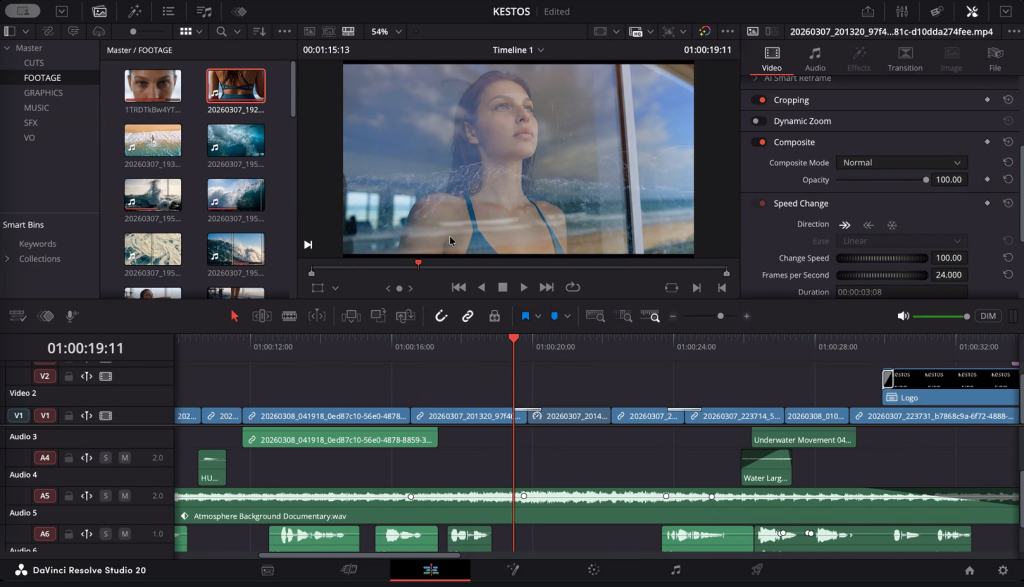
Figma → DaVinci handoff: Having the full timeline mapped in Figma before editing means DaVinci becomes pure assembly — not creative problem-solving. This is the single biggest time-saver in the whole workflow.
Production Numbers
| Metric | Value |
|---|---|
| Total time | 6.5 hours (03:03 – 09:29, single session) |
| Total tasks | 34 |
| Total credits | 2,665 |
| Final cut length | 34 seconds |
| Generation success rate | ~30% |
| Primary video model | Veo 3.1 (Fast + Standard) |
| Storyboard frames | ~10 (Nano Banana Pro) |
| Music tracks generated | 6 (3 prompts × 2) |
| Result | 🥈 2nd place, IMA Studio × Kestos Ad Challenge |
6 Rules from a 2nd-Place Finish
- Director’s mindset first. Know your story before you open any tool.
- 3×3 storyboard grid. Visual consistency is solved at the storyboard stage, not during generation.
- Simple prompts early. Find the emotional target first. Complexity comes later.
- Expect ~30% success rate. Generate multiples. Select the best. Budget for it.
- Figma as production canvas. Map your timeline before editing — DaVinci should be assembly, not discovery.
- Right model for each job. Veo 3.1 for cinematic video · Kling for motion · Nano Banana Pro for storyboards · Suno for music · ElevenLabs for VO.
Try It on IMA Studio
Every tool in this workflow — Veo 3.1, Kling, Suno, and more — is available on IMA Studio with a single account.
Want to compete in the next real-brand AI production challenge? Follow our LA Meetup & AI Production events for upcoming opportunities.
This is part of our Creator Tutorials series — real workflows from professionals using AI for production work.
About The Author