Upscale Blurry Photos, AI Art & Product Images

Turn small, soft, compressed, or AI-generated images into sharper assets ready for product pages, ads, social posts, presentations, wallpapers, and large displays.

Free to start · Private upload · Watermark-free export · Built for photos, products and AI art

Start AI Image Upscaling Free →

Free AI image upscaler for photos, product images, portraits, AI art, and wallpapers. Upscale to 2K, 4K, or 8K, restore detail, and download sharp, watermark-free results. Your images stay private during processing.

How to Use Ima Studio’s AI Image Upscaler

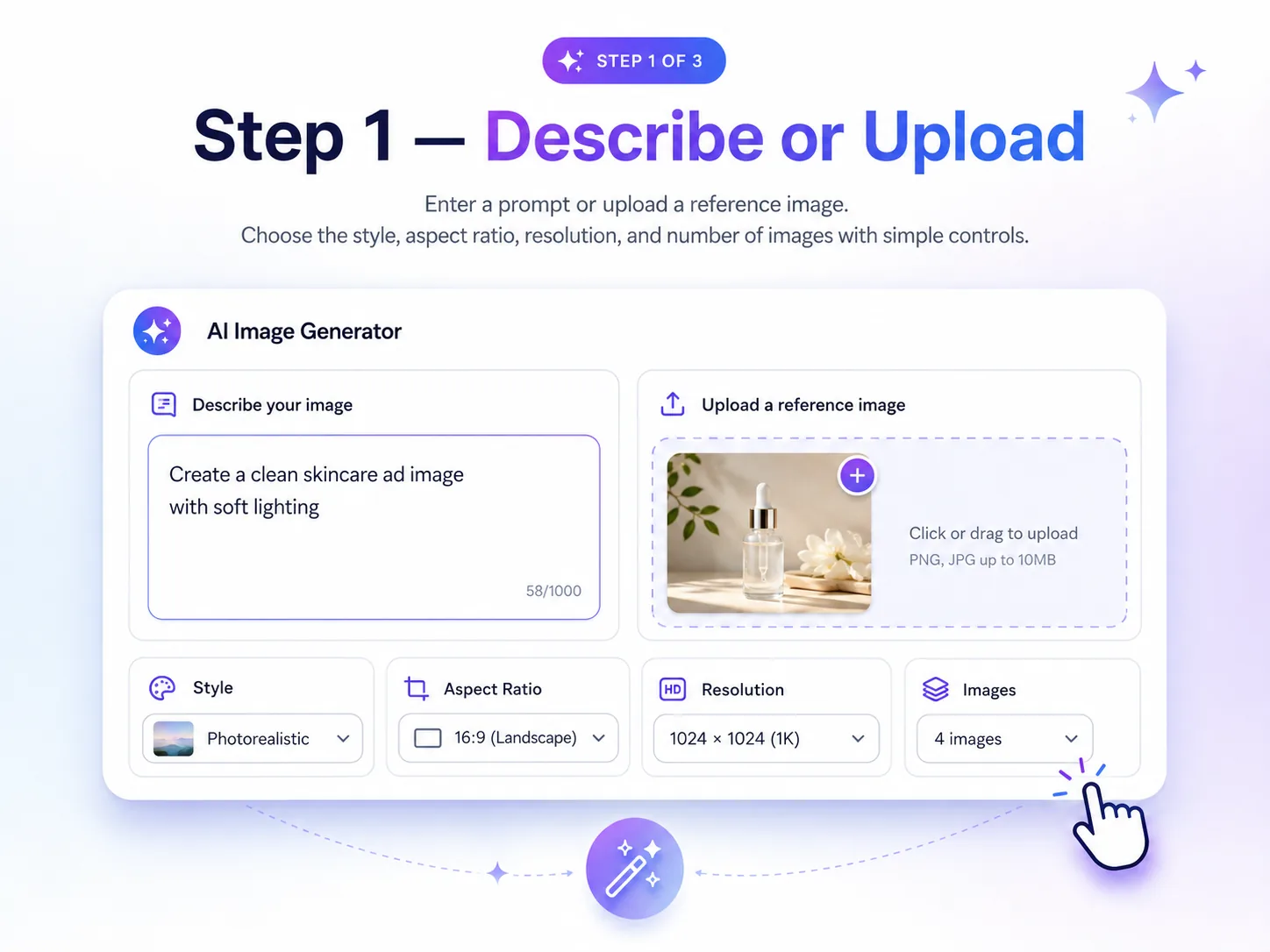
ImaStudio AI image generator step 1 describe prompt or upload reference image interface

Upload the Image You Want to Improve

Start with a low-resolution photo, compressed web image, AI artwork, product shot, portrait, or design asset that needs more clarity.
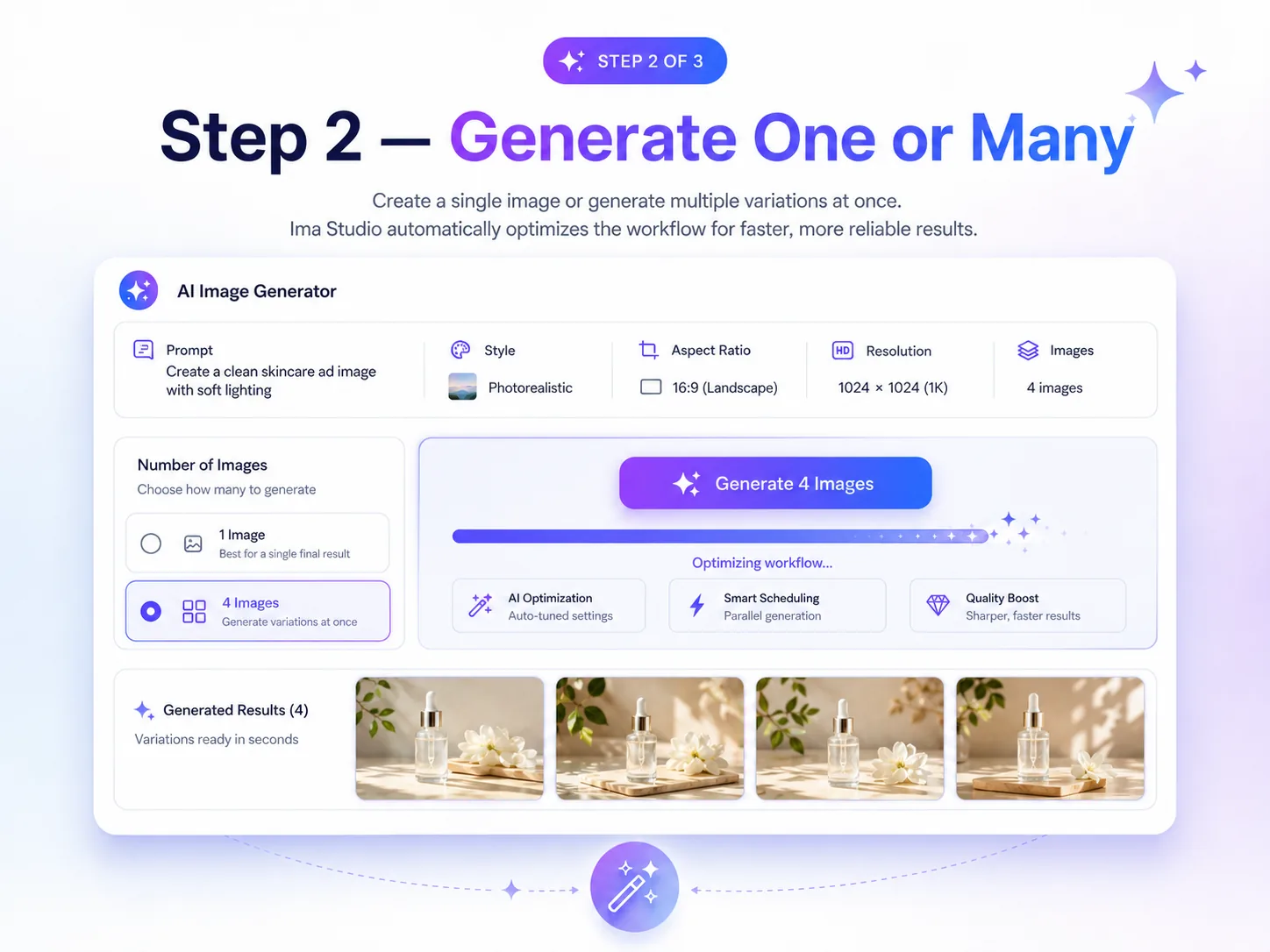
ImaStudio AI image generator step 2 generate one image or multiple variations interface

Recover Detail with AI

Sharpen edges, improve textures, reduce visible blur, and keep the original subject and style recognizable.
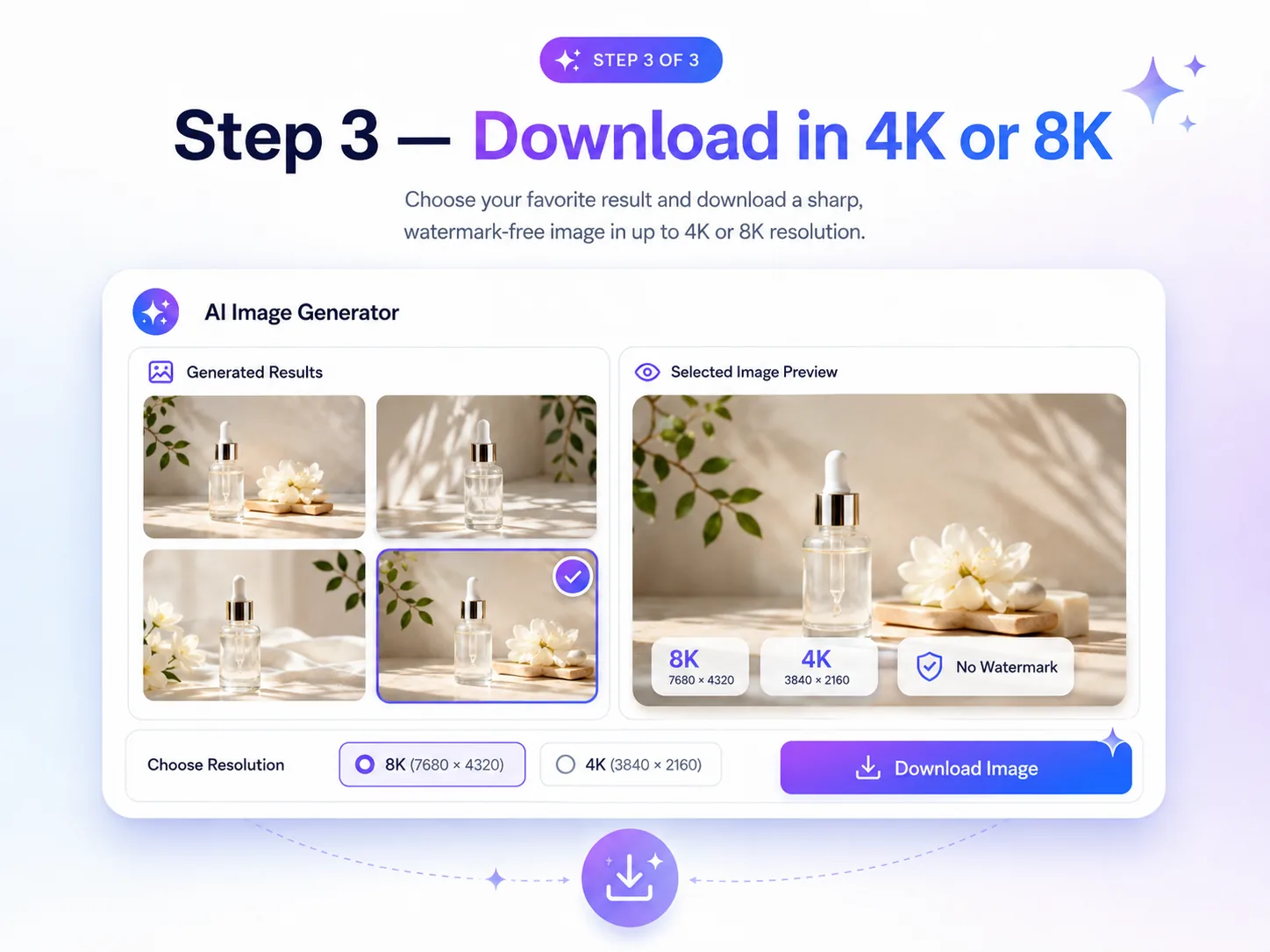
ImaStudio AI image generator step 3 download selected image in 4K or 8K without watermark

Export a Usable High-Resolution Result

Download a cleaner, sharper image for ecommerce, social media, ads, websites, presentations, wallpapers, or large-format creative work.
Why Choose Ima Studio’s AI Image Upscaler?

AI Image Upscaling Built for Real Creative Assets

Ima Studio’s AI Image Upscaler is built for teams who already have an image and need a better version fast. Use it to improve soft photos, AI-generated artwork, product visuals, portraits, thumbnails, and campaign assets without recreating the image from scratch.
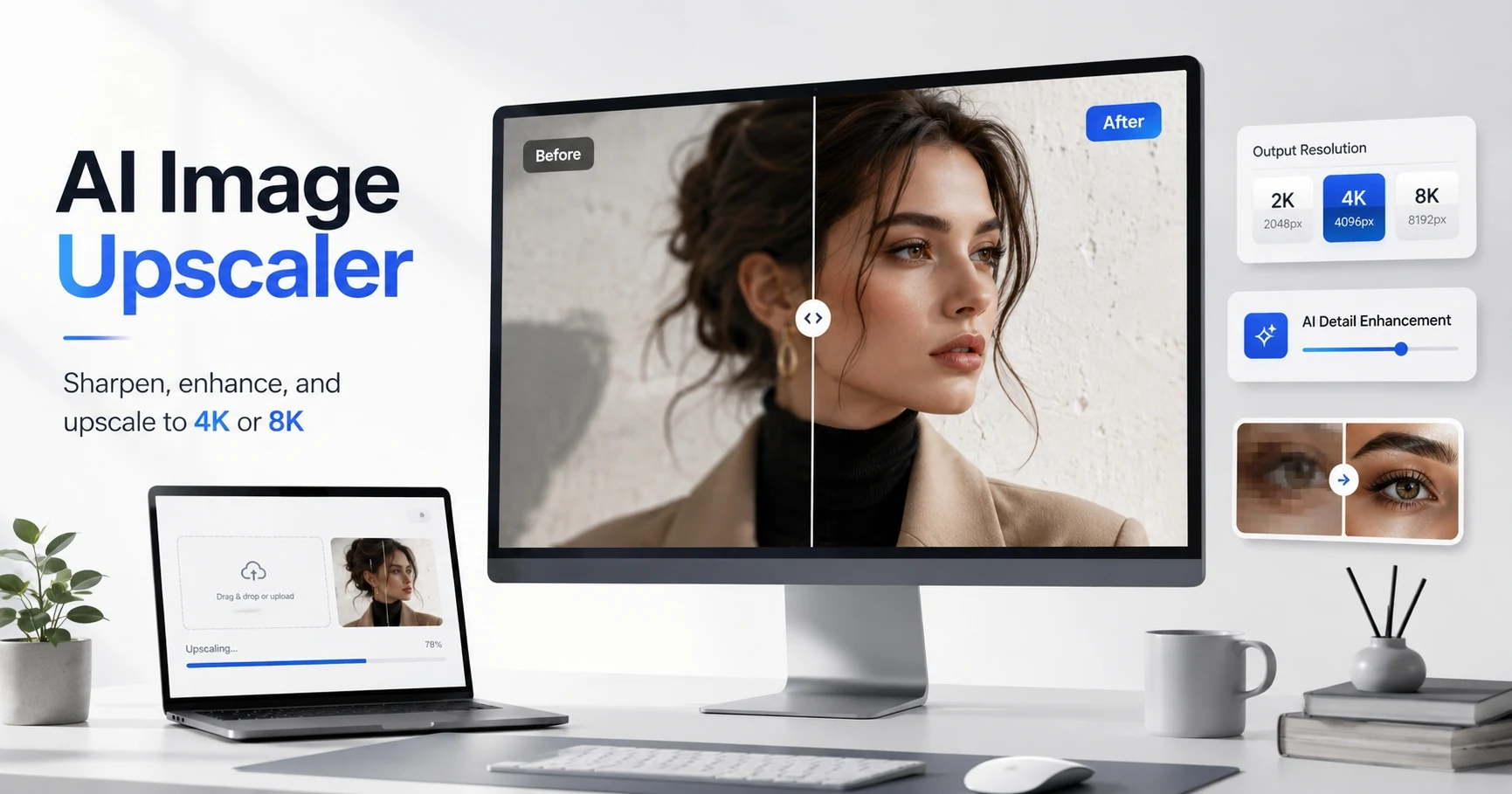
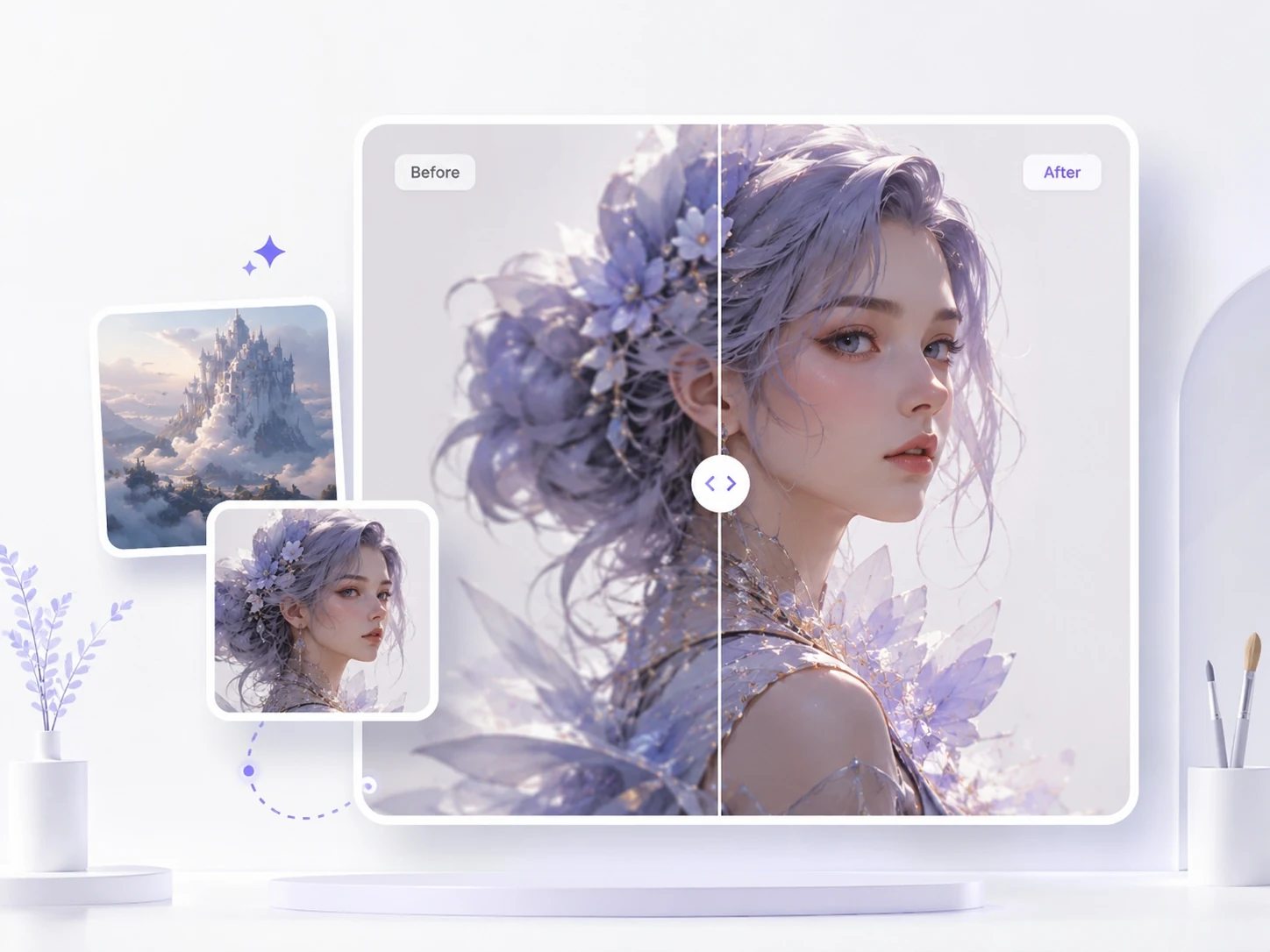
AI Image Upscaler before and after detail enhancement with 2K 4K and 8K output options

Upscale More in One Workflow

Process different image types from one workspace instead of switching between separate tools for photos, product shots, AI art, social graphics, and web assets.

Match Output to the Final Use

Prepare sharper versions for ecommerce listings, social platforms, ad creative, presentations, wallpapers, print mockups, or website visuals based on how the asset will be used.

Preserve the Original Visual Direction

Improve clarity while keeping the subject, composition, style, and overall look close to the original image, so the upscaled result still feels like the same asset.

Best Use Cases for Ima Studio’s AI Image Upscaler

Use AI upscaling when the problem is not creating a new image, but making an existing one cleaner, larger, and more usable. These are the most common image types and output scenarios where an upscaler gives clearer value.
AI art before and after enhancement with Ima Studio AI Image Upscaler

AI Art & Generated Images

AI-generated images can look slightly soft after export. Upscale them to recover fine detail, improve edges, and prepare cleaner artwork for portfolios, social posts, ads, client previews, or further editing.

Wallpapers & Large Displays

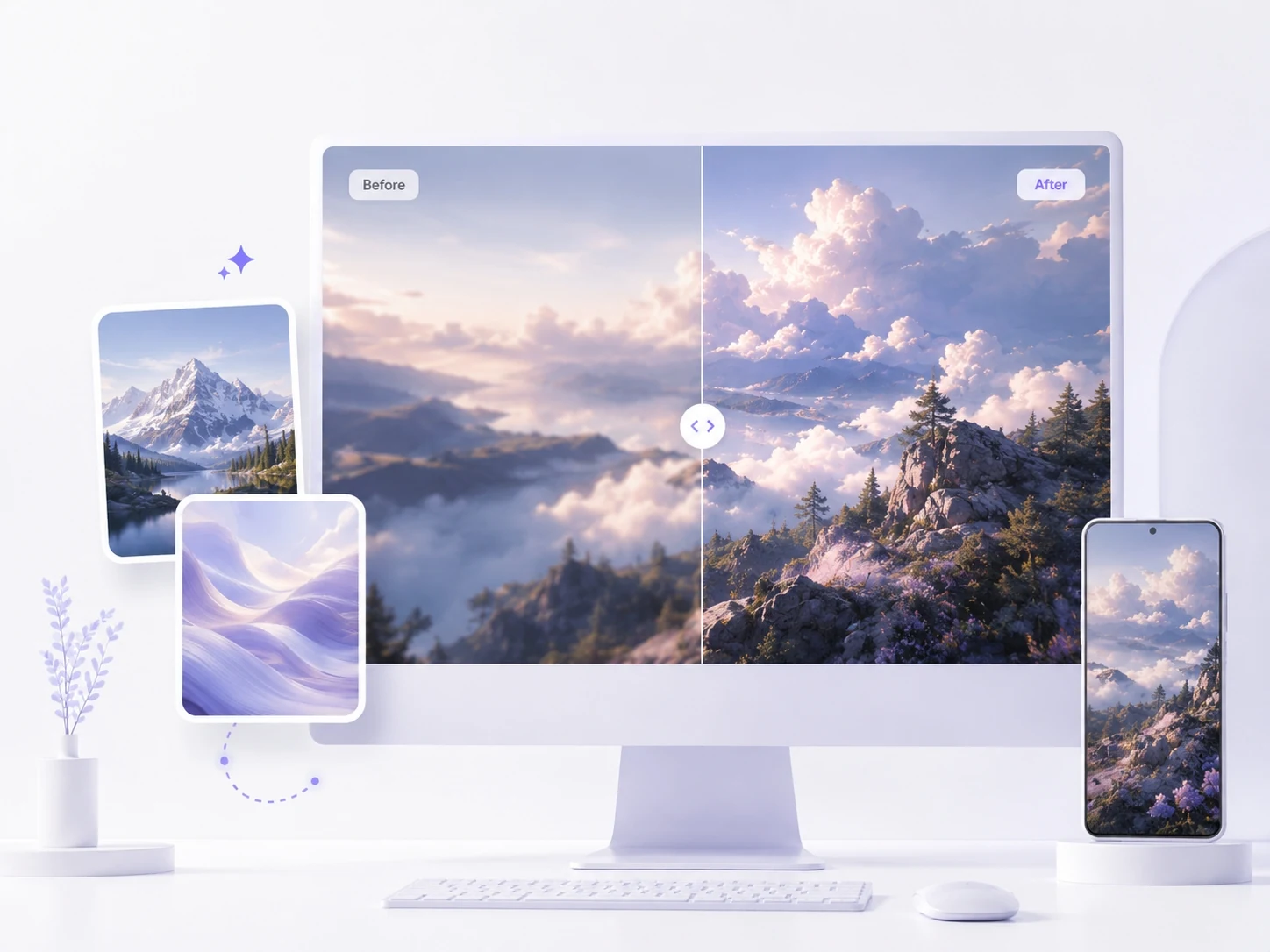
Turn small images into sharper wallpapers, desktop backgrounds, phone lock screens, poster-style visuals, moodboards, and display-ready assets that look cleaner on larger screens.
Landscape wallpaper before and after enhancement with Ima Studio AI Image Upscaler
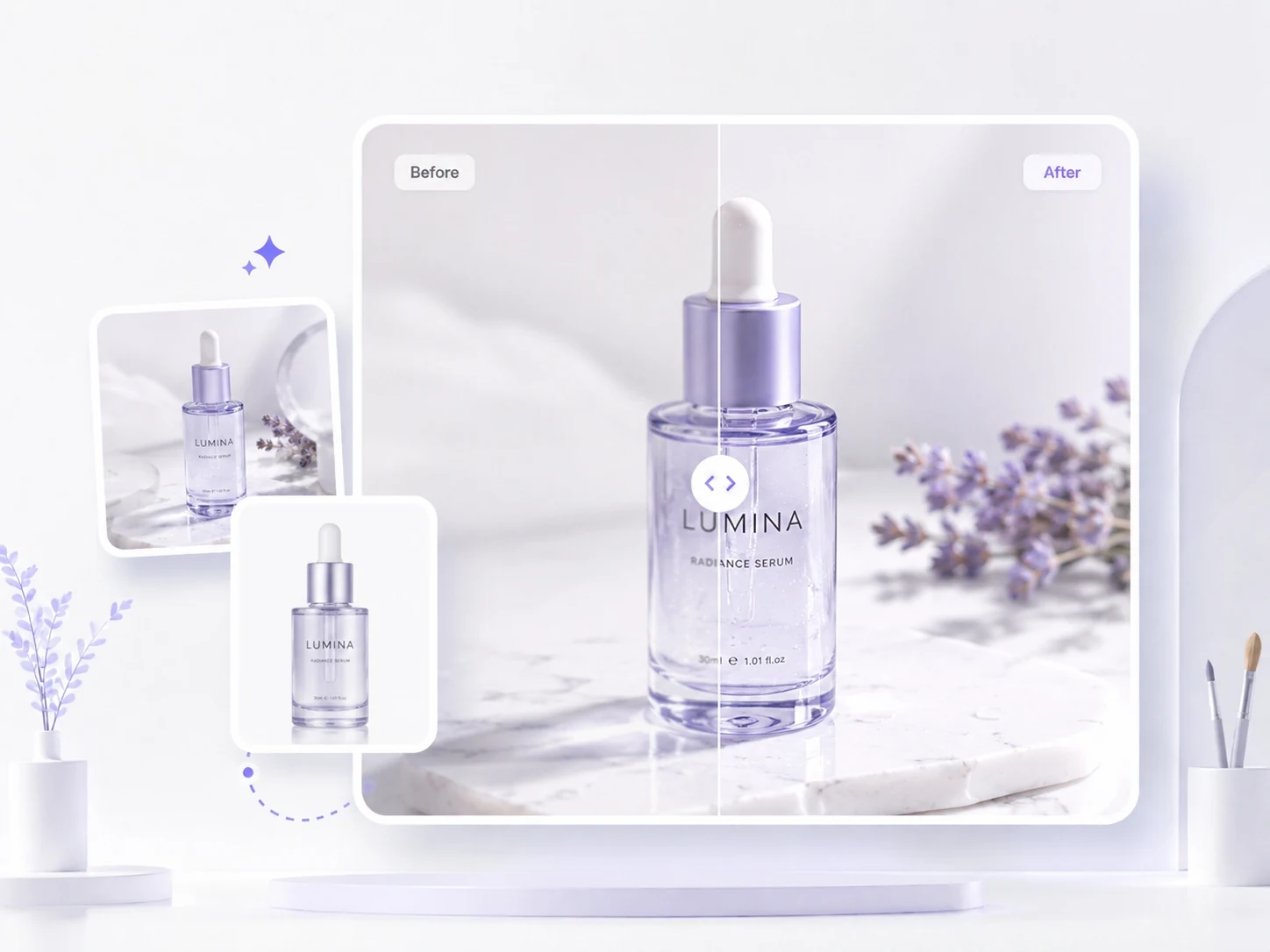
Product photo before and after enhancement with Ima Studio AI Image Upscaler

Ad Creative & Campaign Assets

Improve campaign graphics, landing-page visuals, thumbnails, and A/B testing assets without rebuilding them from scratch. Make existing creative sharper before launch or reuse.

Print & Presentation Assets

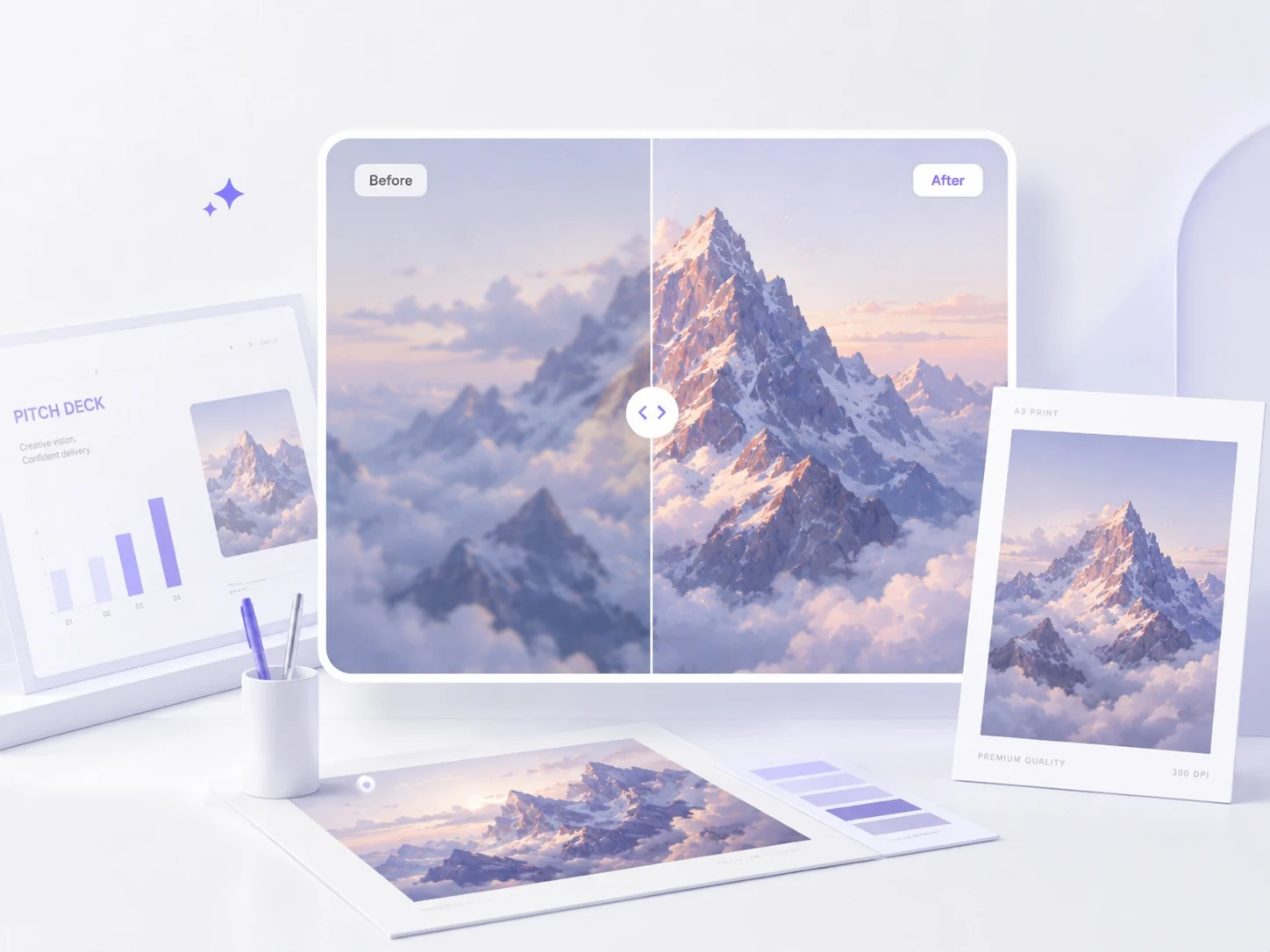
Clean up references, mockups, pitch visuals, slide graphics, and design assets before presenting or printing. Upscaling helps rough assets look more polished and easier to evaluate.
Print and presentation asset before and after enhancement with Ima Studio AI Image Upscaler
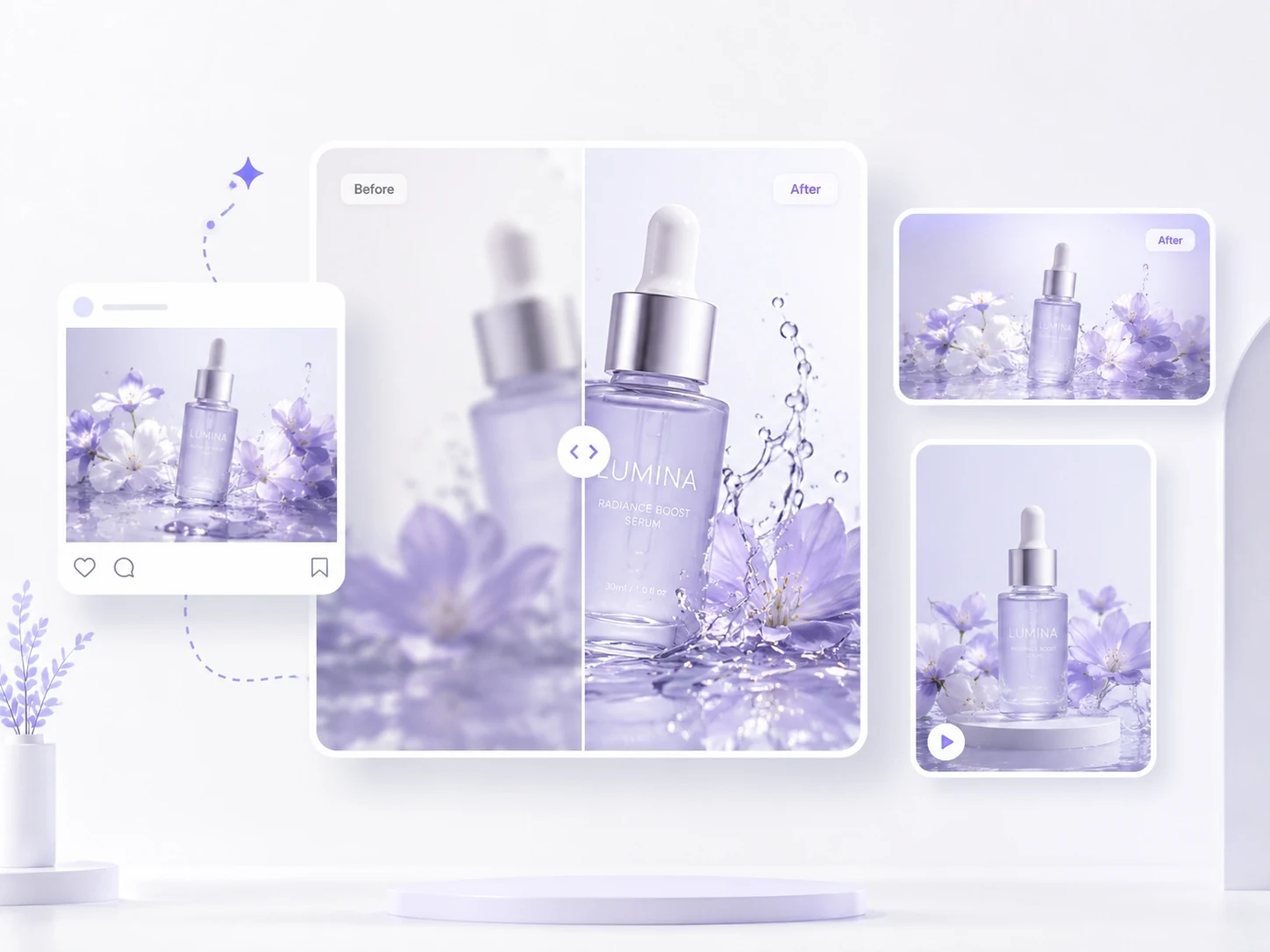
Ecommerce product image before and after enhancement with Ima Studio AI Image Upscaler

Product Photos & Marketplace Images

Upscale product photos, listing images, lifestyle shots, and marketplace visuals so textures, edges, and details look clearer before publishing them on ecommerce pages or ads.

FAQs About Ima Studio’s AI Image Upscaler

An AI image upscaler is a tool that enlarges an existing image while using AI to improve perceived detail, sharpness, edges, and texture. Unlike a basic resize, it does not simply stretch pixels. It is useful when you already have a photo, AI artwork, product image, or design asset and need a cleaner, higher-resolution version for publishing or reuse.

AI upscaling analyzes the original image, identifies subjects, edges, textures, and areas with missing detail, then predicts a cleaner high-resolution version. The goal is to make the image look sharper and more usable without changing the core composition. Results are usually strongest when the original image is not extremely damaged or heavily compressed.

Yes. Ima Studio’s AI Image Upscaler is designed for high-resolution output workflows, including 2K, 4K, and 8K use cases. Use higher output sizes when the image needs to appear on large screens, product pages, presentations, wallpapers, or print-style layouts. For small social posts, a lighter output may be enough.

4x upscaling means the image dimensions are enlarged by a multiplier, usually four times the width and height of the original. 4K output refers to a target resolution size, commonly around 3840 pixels wide. A small image enlarged 4x may still be below 4K, while a larger source image may reach or exceed 4K with a smaller multiplier.

AI upscaling is meant to preserve the original subject, composition, and overall style while improving clarity. It may add or refine small details to make the image look sharper, so the result can look slightly cleaner than the source. If exact preservation is critical, compare the output with the original before using it in final production.

AI upscaling can reduce visible blur, soften pixelation, sharpen edges, and improve perceived detail. It works best when the source image still contains enough information for the AI to interpret. Very tiny, extremely compressed, or badly motion-blurred images may improve, but they may not become perfectly crisp.

You can upscale product photos, portraits, AI-generated images, social graphics, thumbnails, wallpapers, compressed website images, presentation visuals, and creative references. For best results, start with the clearest available source file and choose an output size based on where the image will be used.

Yes. Ecommerce sellers and product teams can use AI image upscaling to make product photos, listing images, lifestyle shots, and ad visuals look sharper before publishing. Clearer product visuals can help assets feel more trustworthy and reusable across product pages, marketplaces, ads, and seasonal campaigns.

Yes. AI-generated images often look slightly soft, compressed, or under-detailed after export. An AI image upscaler can help refine edges, recover texture, improve clarity, and prepare the image for social media, ads, websites, wallpapers, presentations, or client-facing creative work.

An AI Image Generator creates a new image from a prompt or reference. An AI Image Upscaler improves an image you already have by increasing resolution, sharpening details, and making it more usable for publishing. Use a generator when you need a new visual direction; use an upscaler when the image already exists but is too small or soft.

Turn Small Images into Sharp, Usable Assets

Upload an existing photo, AI artwork, product image, or creative asset and upscale it into a cleaner version for ecommerce, ads, social posts, presentations, wallpapers, websites, or large displays.
Free to start