












What’s new in 2.1: design and editing
Google highlights better layout, text and subject consistency. For creators, what matters is whether an image follows the brief — and whether products and people stay the same after an edit.
Specified copy and infographic layout are better. For posters, describe the headline, subhead, image placement and white space together.
In Google’s evaluation, people and products stay more consistent. For a series, still check faces, clothing and product parts.
More realistic output, plus fixes for tiling artifacts in some ultra-wide 2K / 4K formats. Supports 1K, 2K and 4K output.
Official evaluation: 2.0 → 2.1 Google internal relative-preference evaluation · 2.1 with Thinking · scores are not success rates
Values and ± ranges are kept as in Google’s model card; bar length is drawn in proportion to the values, not as a percentage. 4K, multi-image references and search grounding carry over from 2.0.[2]
Google’s model card also lists known limits: small text (often blurry at 1K), long paragraphs of text, consistency between input and output characters, and weaker 3D reasoning and factuality. That’s why every example here uses short copy and a point-by-point check.[2]
Same three-step edit, three models — how did each do?
Generate a poster, then change only the headline, then change only the bowl color; each step builds on the previous image. All three models got the same prompts, run once in IMA, with no cherry-picking.
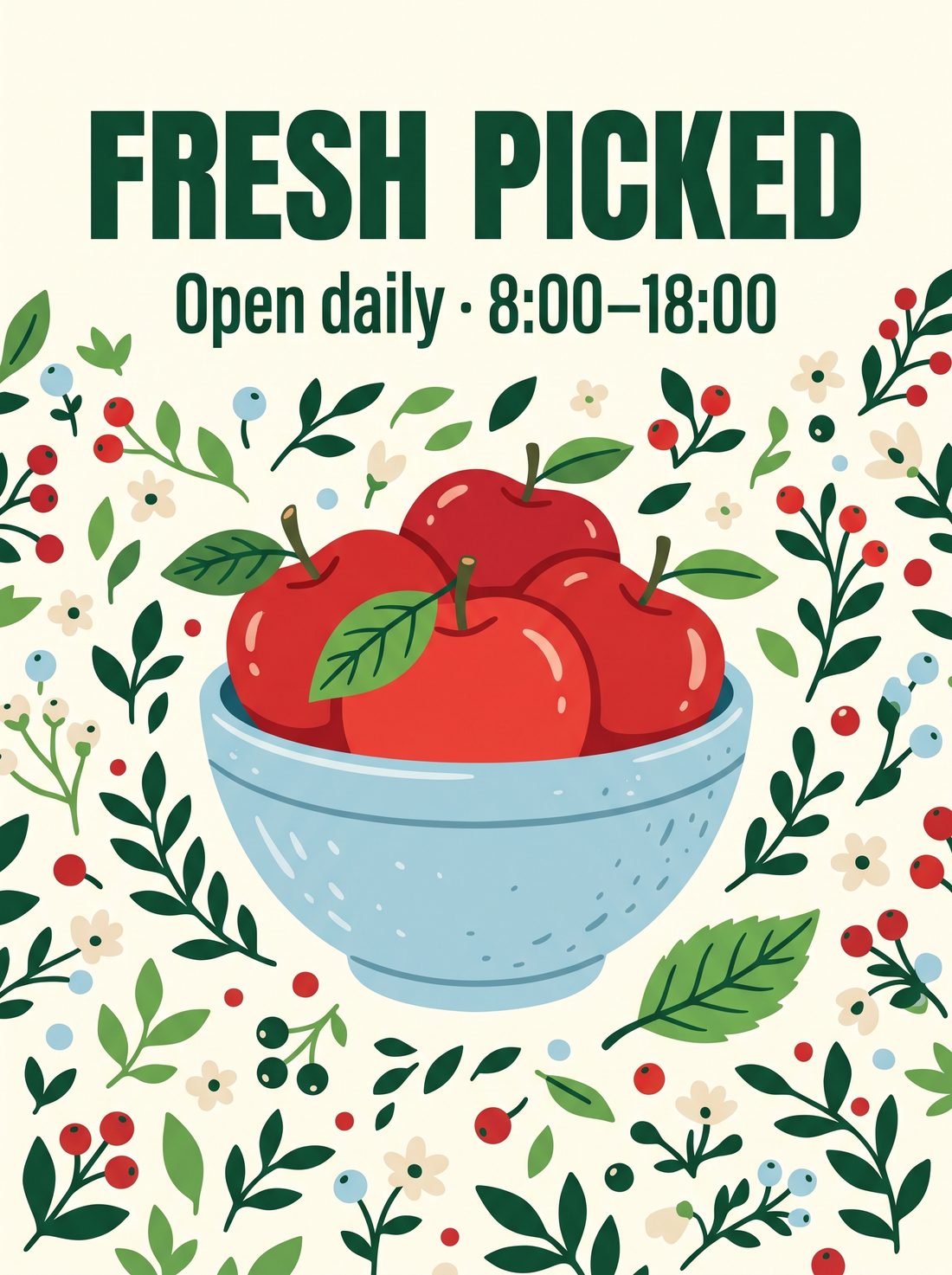
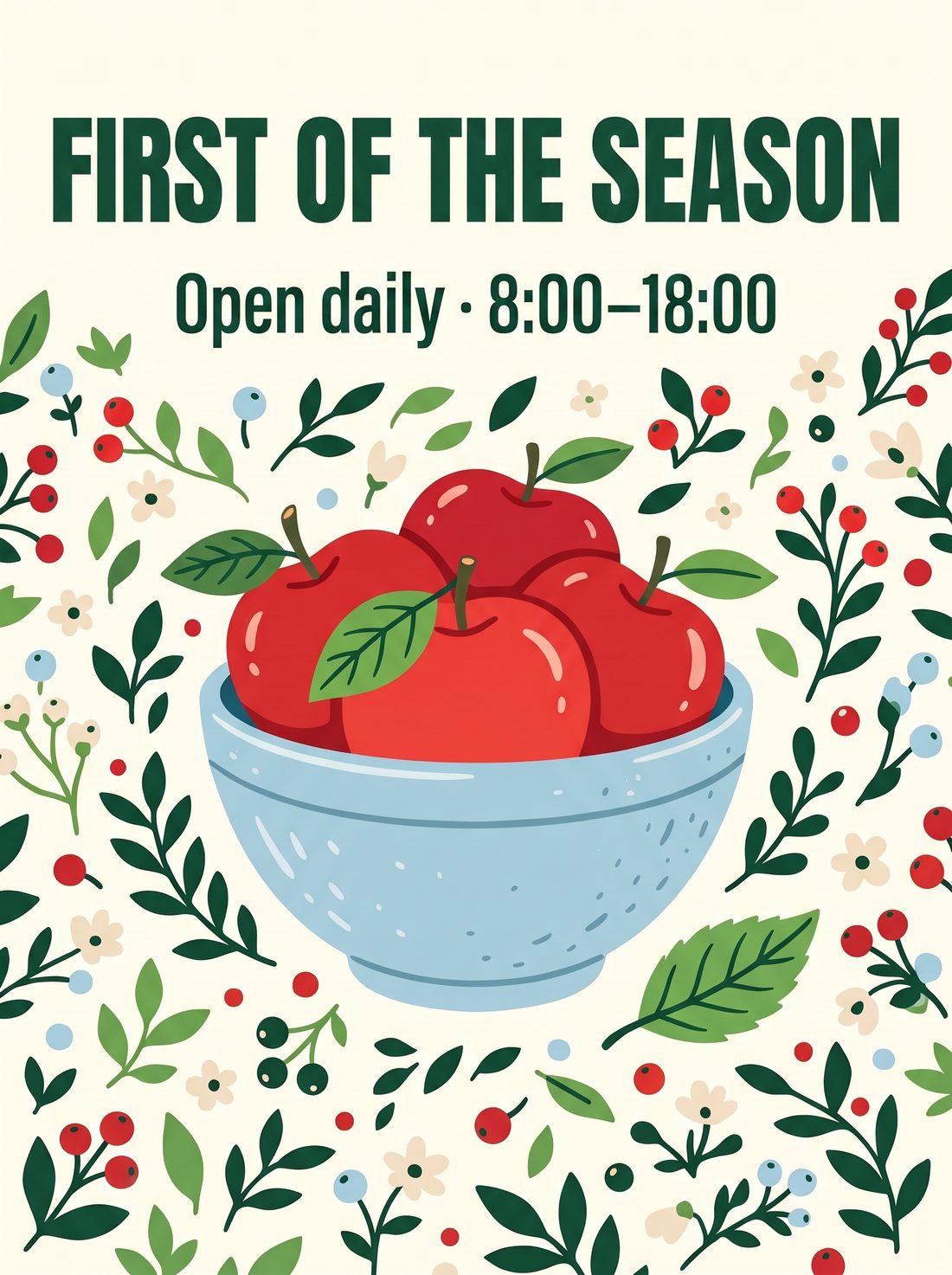
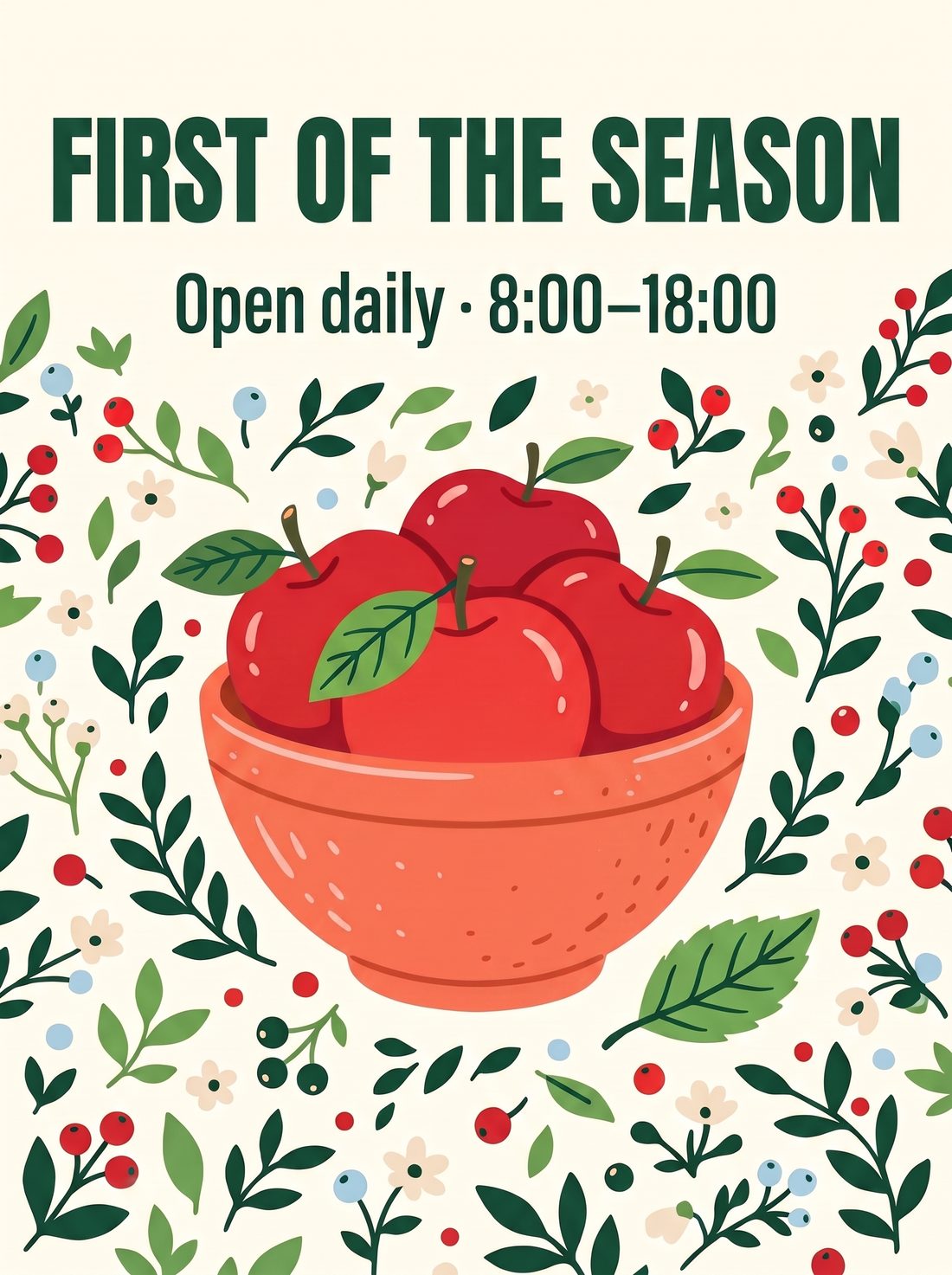
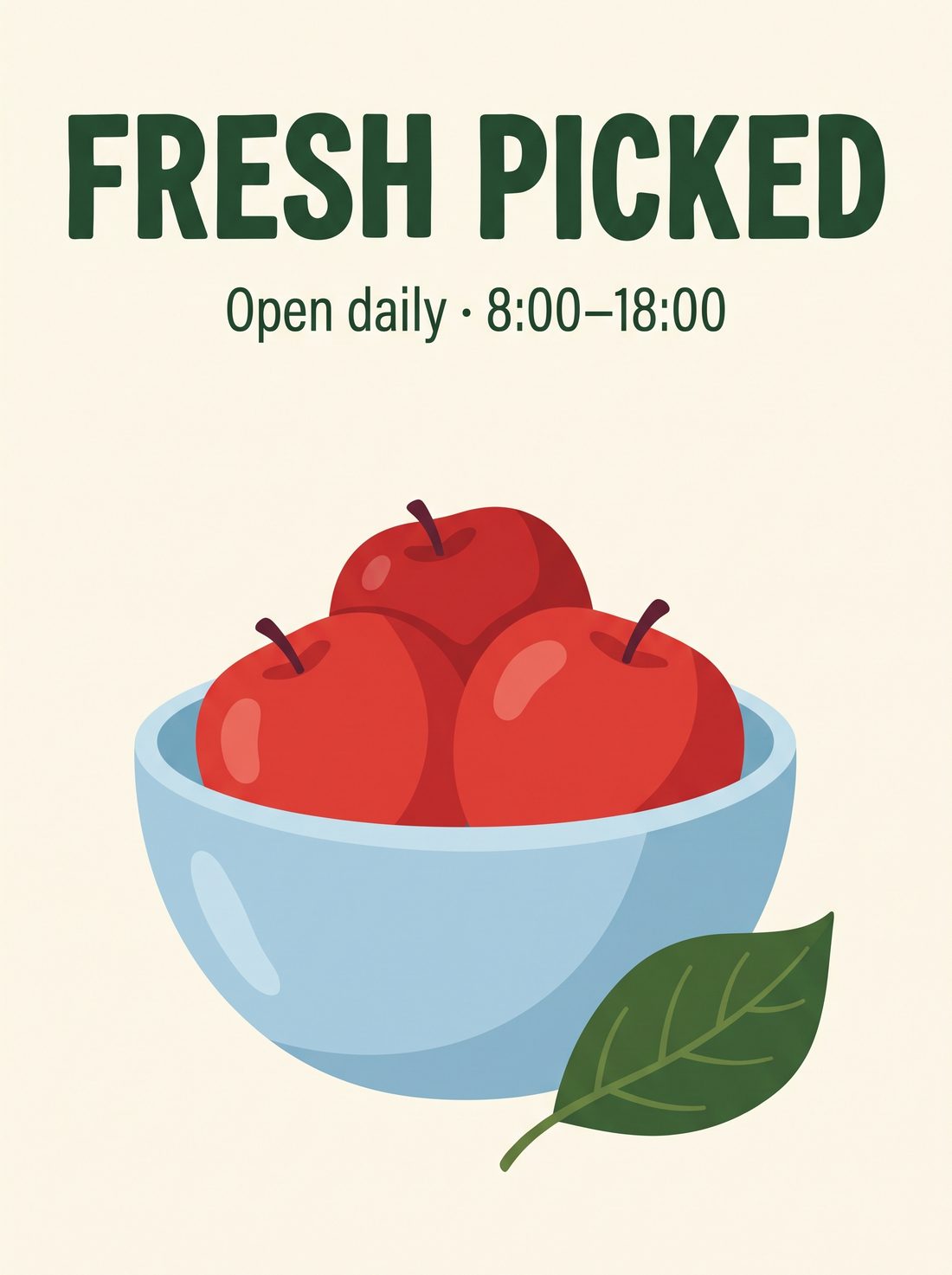
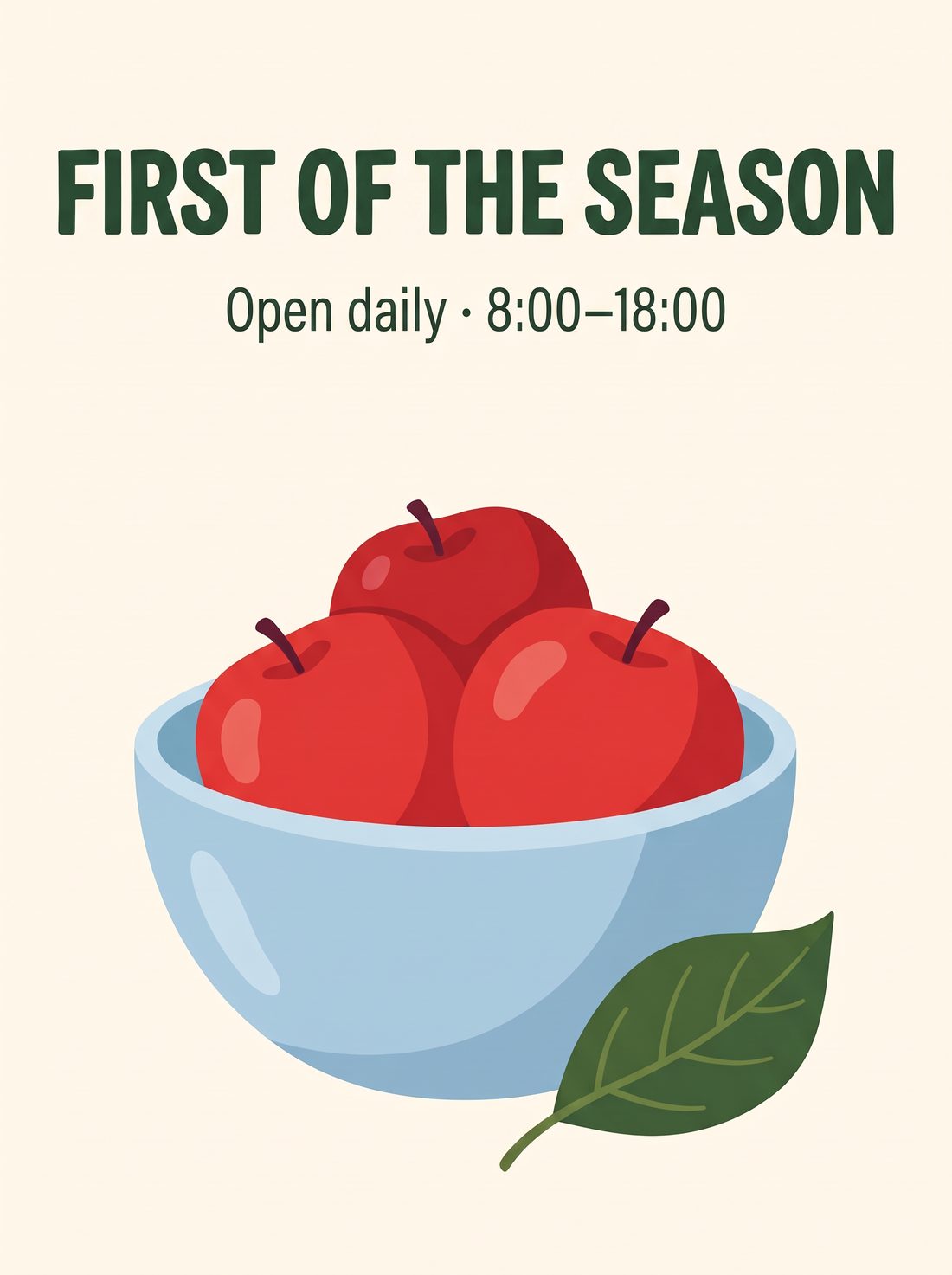
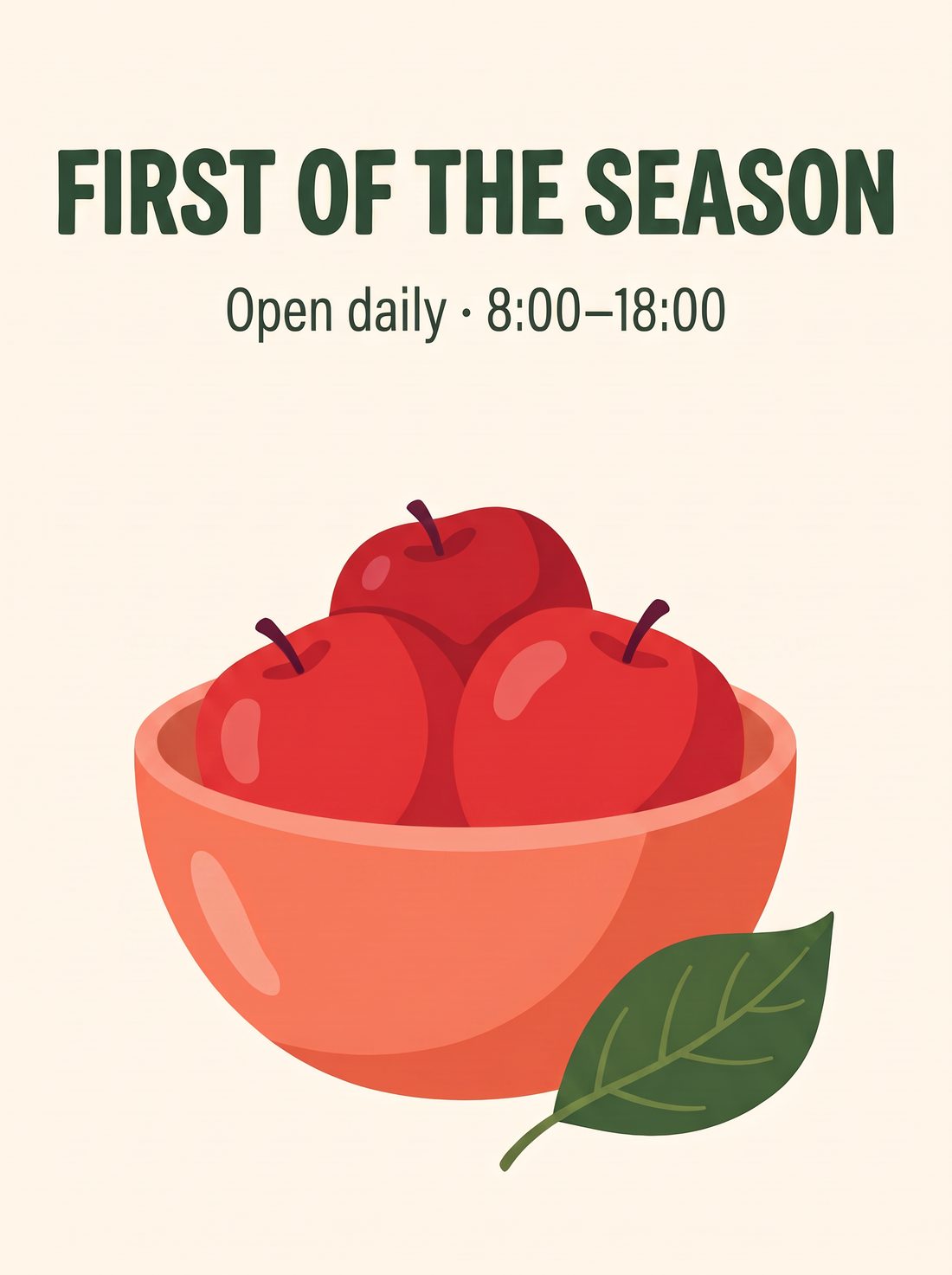
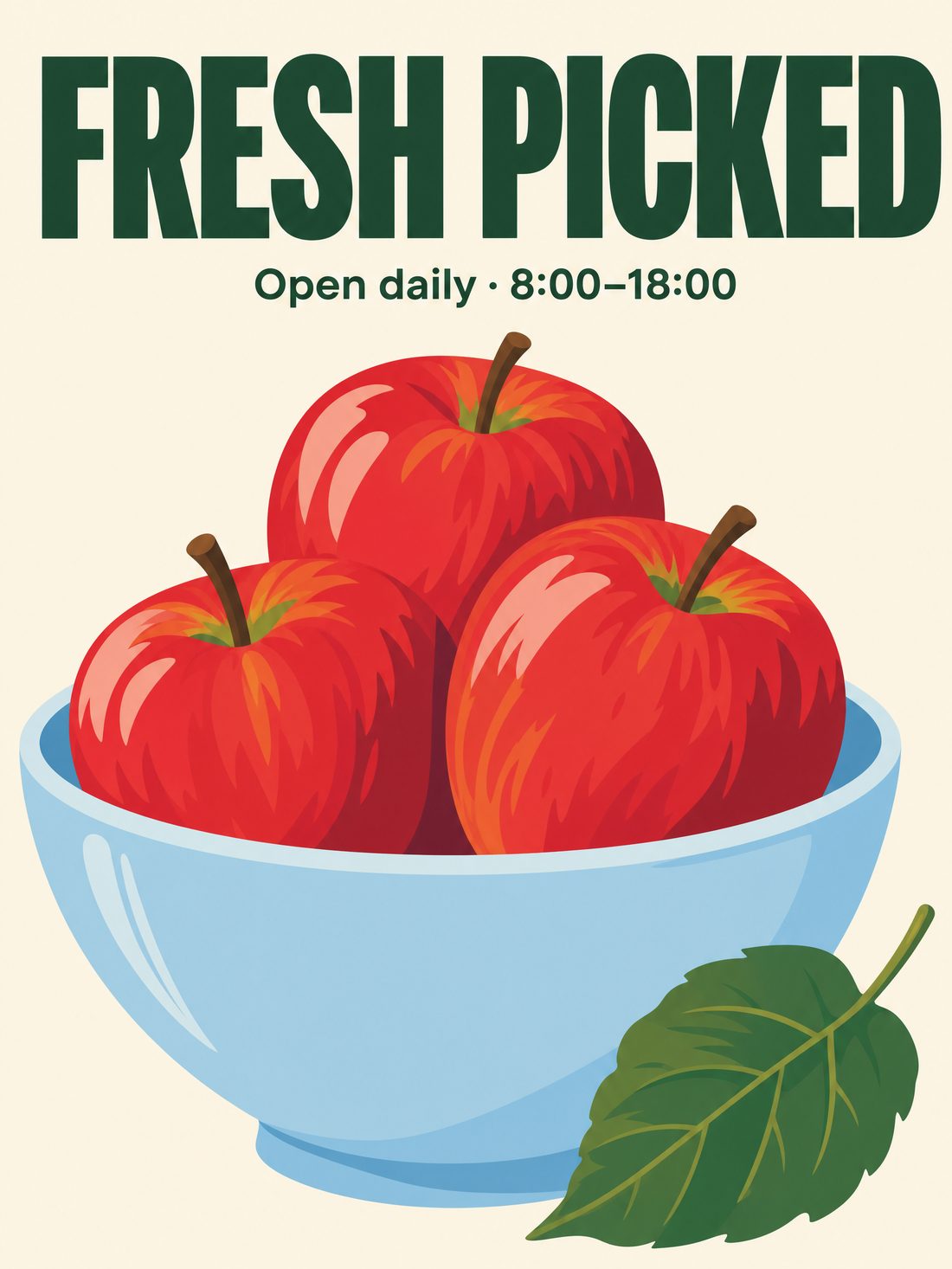
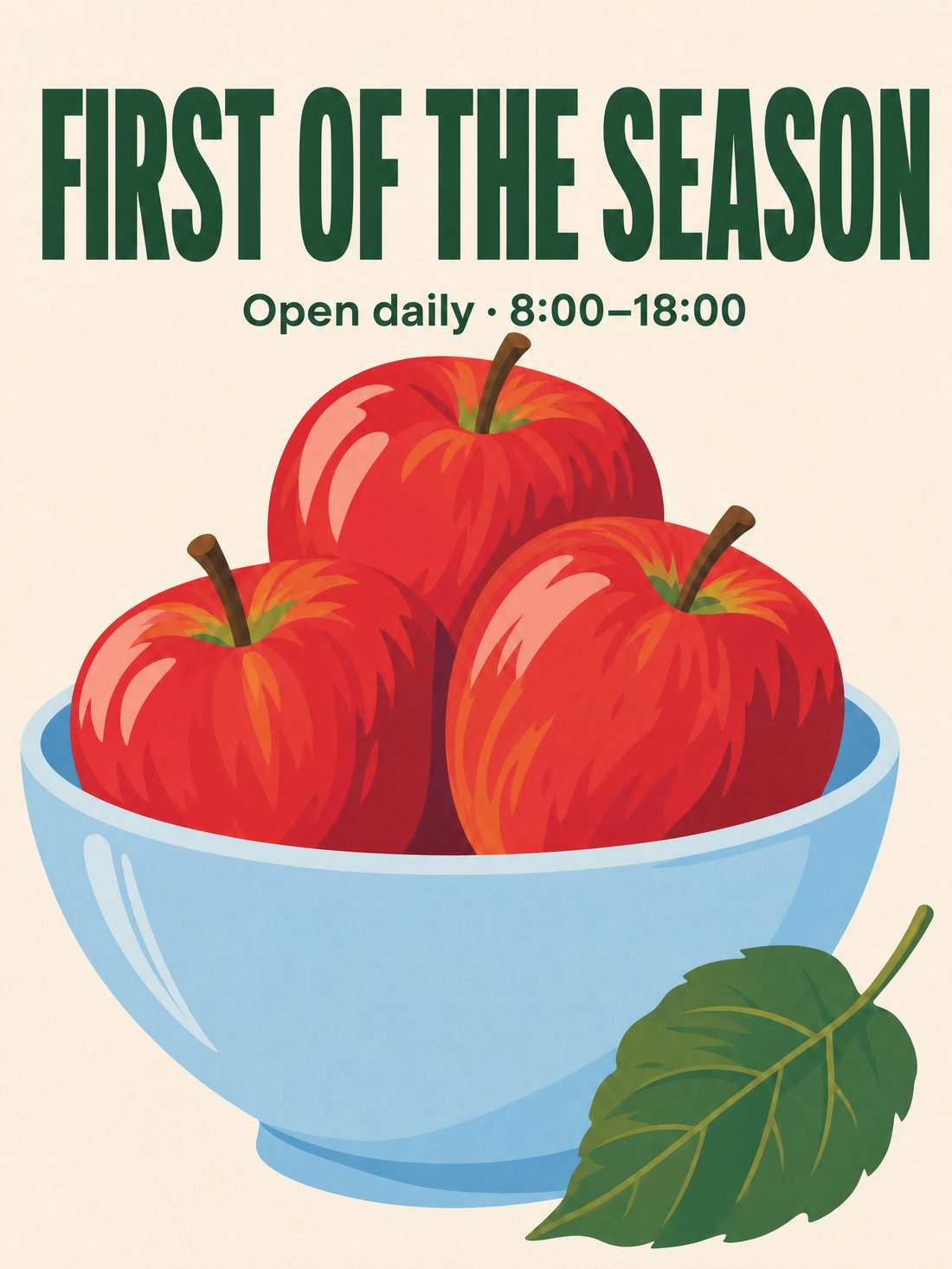
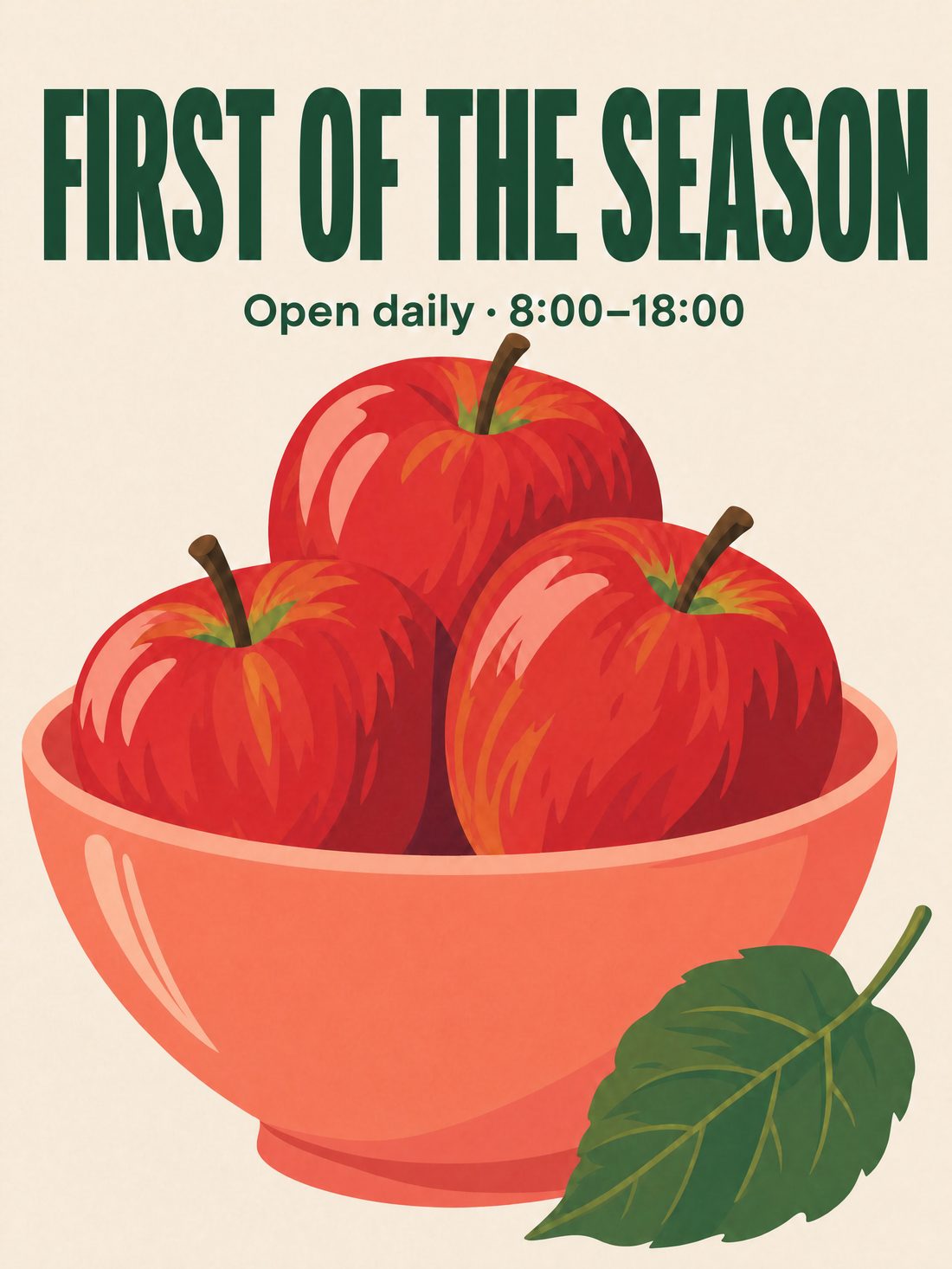
The headline spelling was correct in all three; the rest of the image stayed essentially unchanged through the headline and bowl-color edits.
2.0 added a full-bleed floral pattern on the cream background and drew 4 apples (the prompt asked for 3); 2.1 kept a clean cream background and 3 apples; GPT Image 2 composed tighter with bigger apples, also 3.
The prompt said the artwork fills the entire canvas, and the models read “fills” differently. Before switching models, run your own brief side by side once.
Create a vertical flat poster, 3:4. Solid cream-white background, a bold deep-green sans-serif headline at the top reading "FRESH PICKED", with a small line below it reading "Open daily · 8:00–18:00". In the center, a light-blue ceramic bowl holding three red apples, with one green leaf beside the bowl. Flat illustration style, artwork filling the whole canvas, no paper edges or drop shadows, and no text other than the two specified lines.
Keep everything in the poster except the headline exactly the same (background, bowl, three apples, leaf, small text and layout). Only change the headline to "FIRST OF THE SEASON", keeping the same font, color and position.
Keep the headline, small text, three apples, leaf, background and layout exactly the same. Only change the bowl color from light blue to coral orange.
Single run each; not a success rate. Third-party Ofox also ran a similar three-step edit comparison (single run, no repeats) — a useful reference.[5] Full 2.0 review: Nano Banana 2 review
Put the person, the camera and the colors in one picture
Decide who is doing what and where the camera is, then describe the environment’s colors and light. The clearer the relationships, the easier the prompt is to execute.
A woman in a green dress walks down a staircase, one hand on the railing. One clear action gives the pose a reason.
Shot from street level looking up, the diagonal staircase runs through the frame. People, building and camera have clear positions.
Yellow stairs, pink wall, green dress; daylight casts the railing’s shadow and builds color and volume.
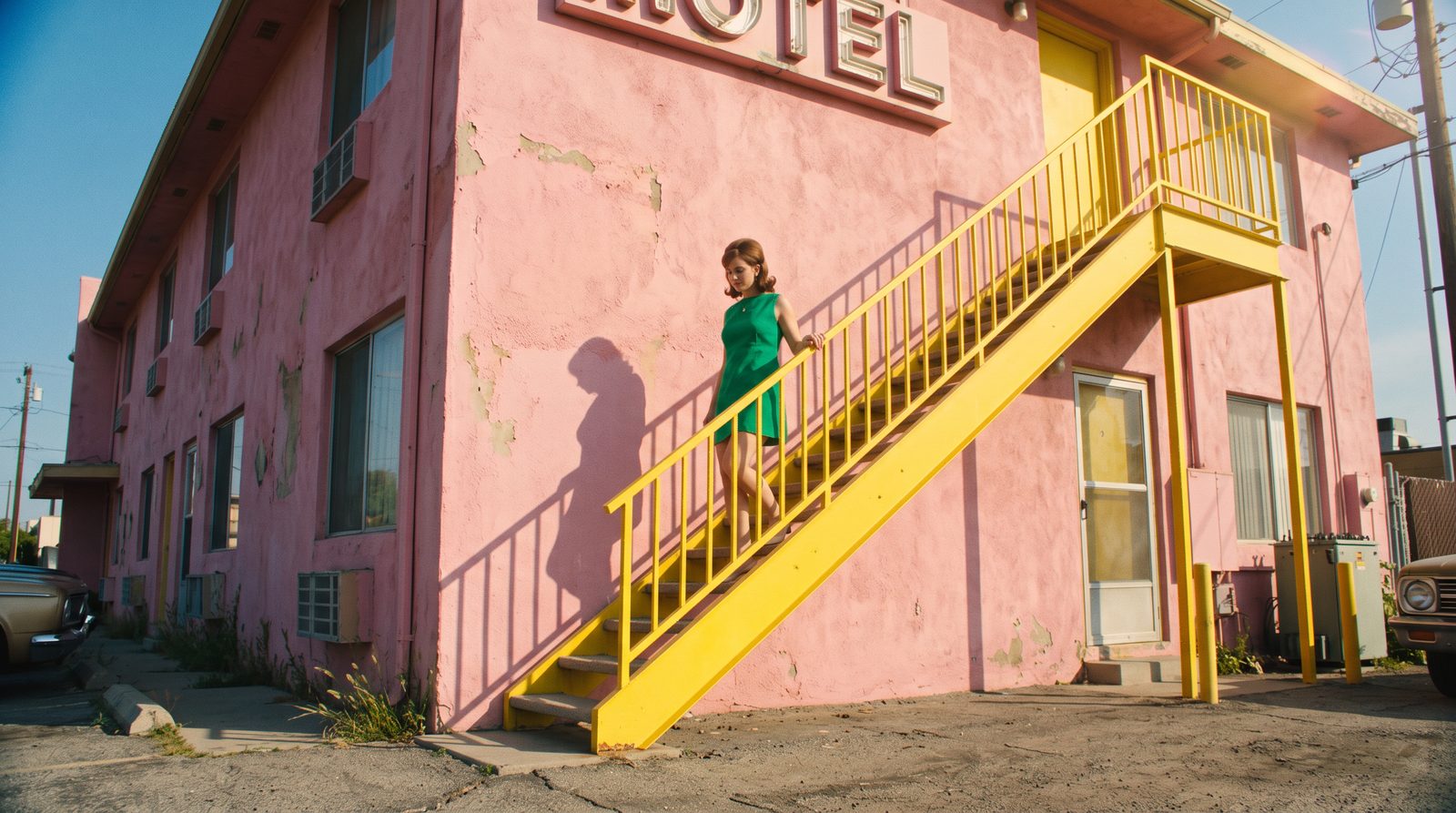
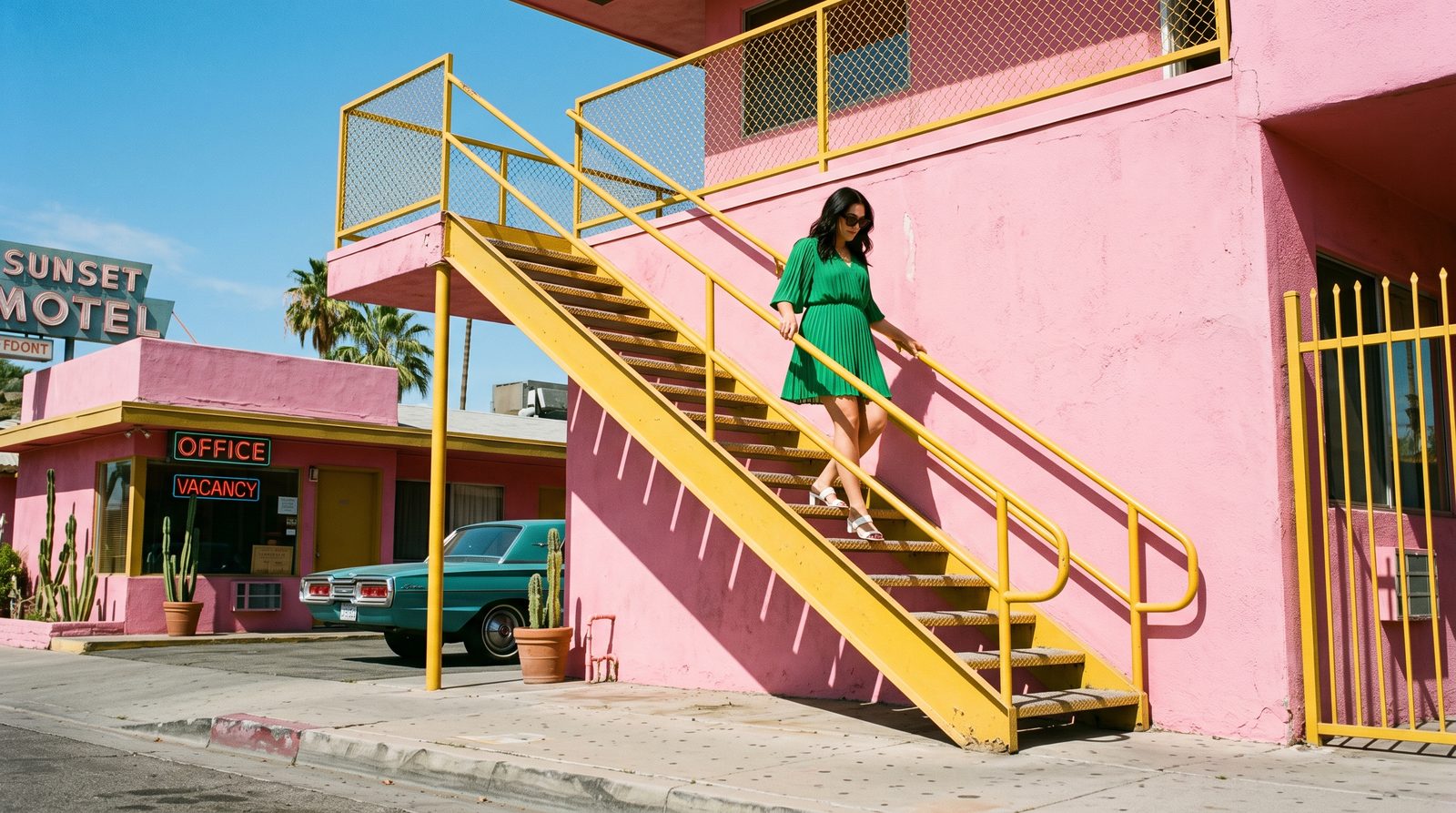
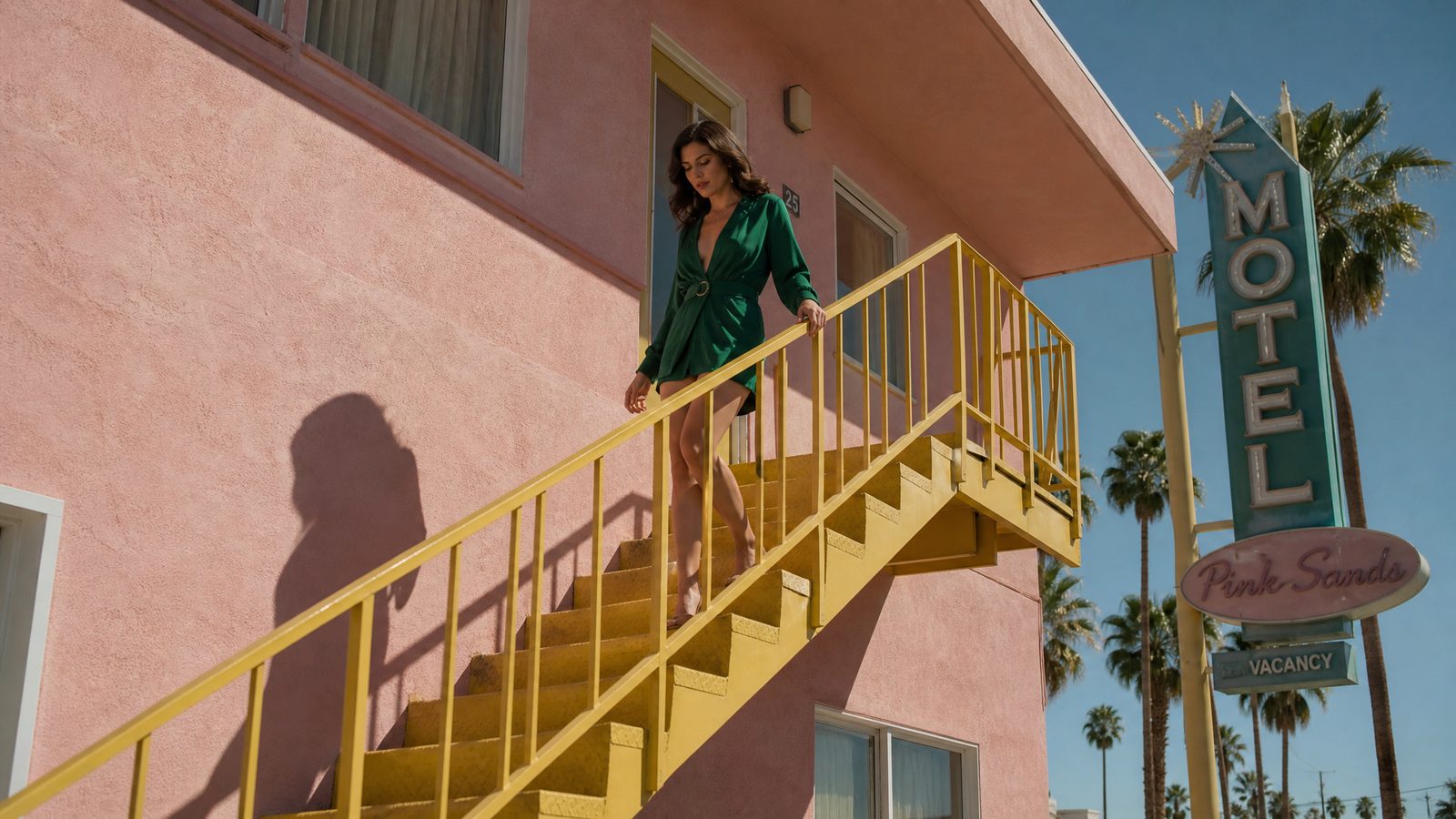
16:9 cinematic widescreen still. The camera is at street level, shooting upward at a retro motel: a bright yellow metal exterior staircase cuts diagonally across a pink stucco wall. An adult woman in an emerald-green short dress walks down the stairs, one hand lightly touching the yellow railing. Bright daylight casts the railing's shadow; yellow, pink and green make up the main colors.
All three caught the four elements — yellow stairs, pink wall, green dress, daylight shadow; signs and cars are extras the models added themselves. Descriptive dimensions follow Google’s prompt guide.[4][6]
Keep the same product, swap the ad scene
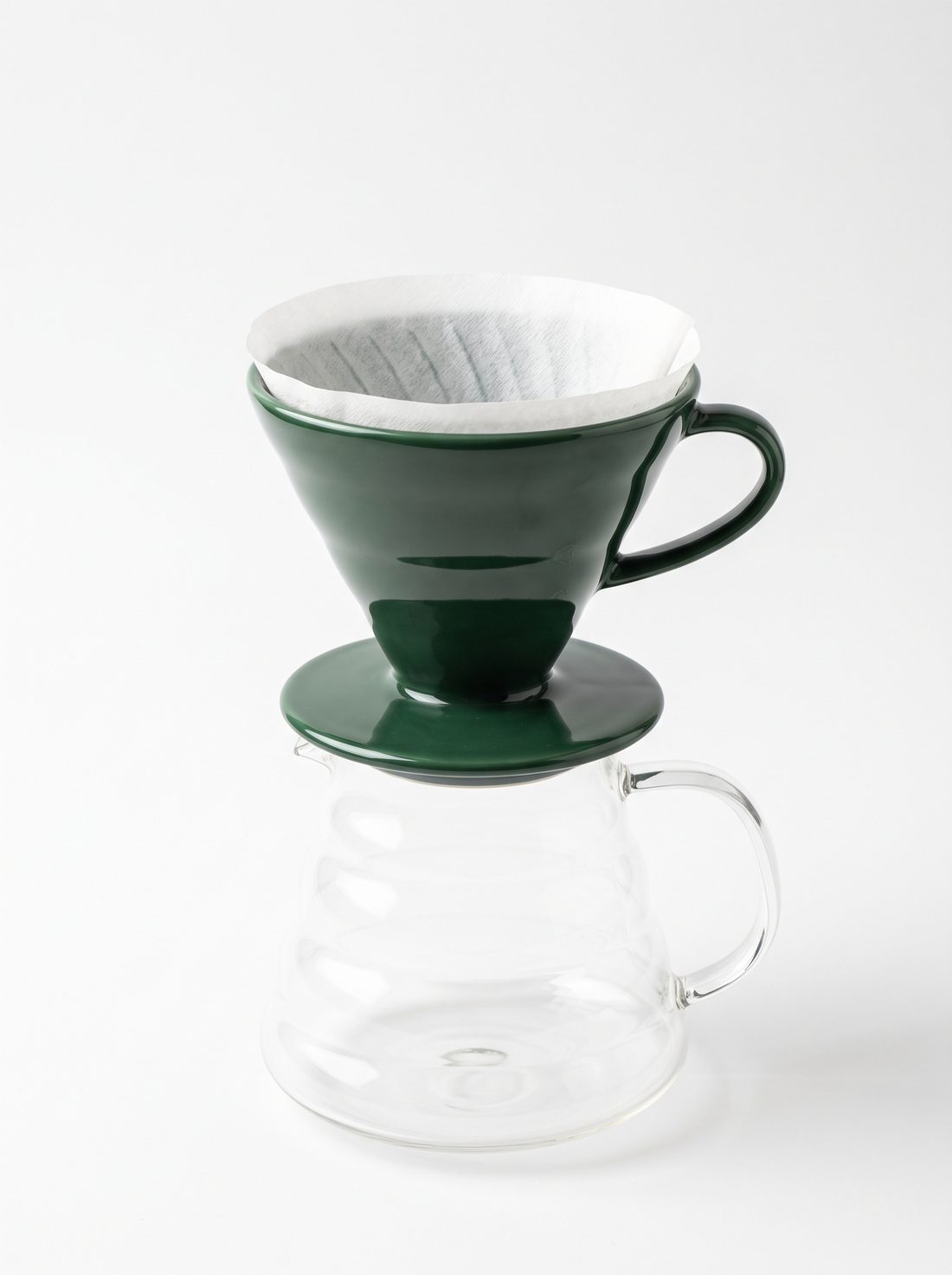
Upload a product photo, then describe the new environment and leave room for copy. Good for exploring detail pages, seasonal campaigns and ad creatives. Below, one input image goes to three models for a scene swap each.
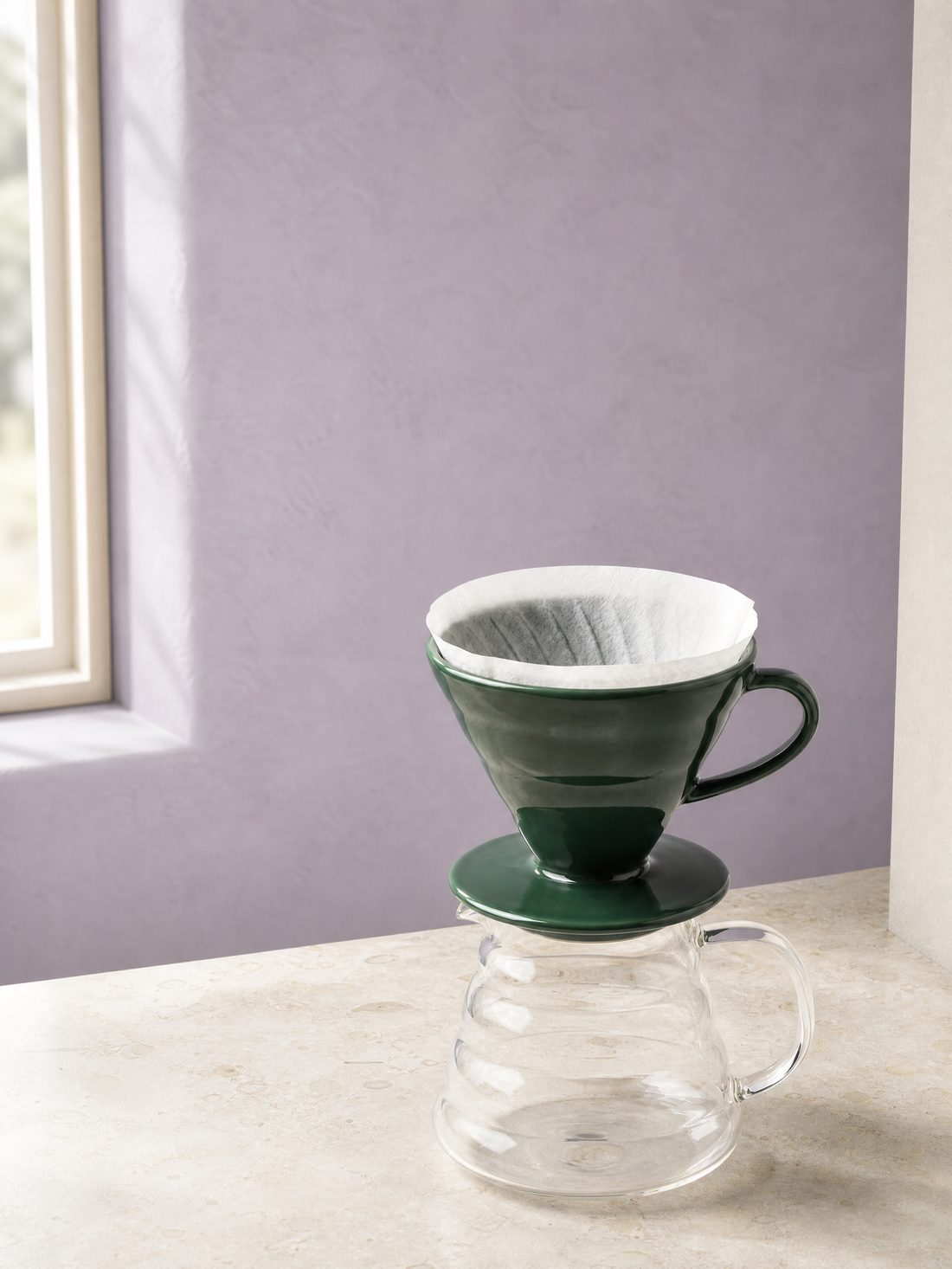
Lock the product first
State what to keep: shape, parts, color and relative proportions. Provide known structure through a clear reference image.
Then change the environment
Describe the new surface, background, light and where the subject sits; if you want copy, leave empty space for it up front.
Check last
Compare handle, tray, filter and server proportions; when the environment changes, reflections and contact shadows change too.
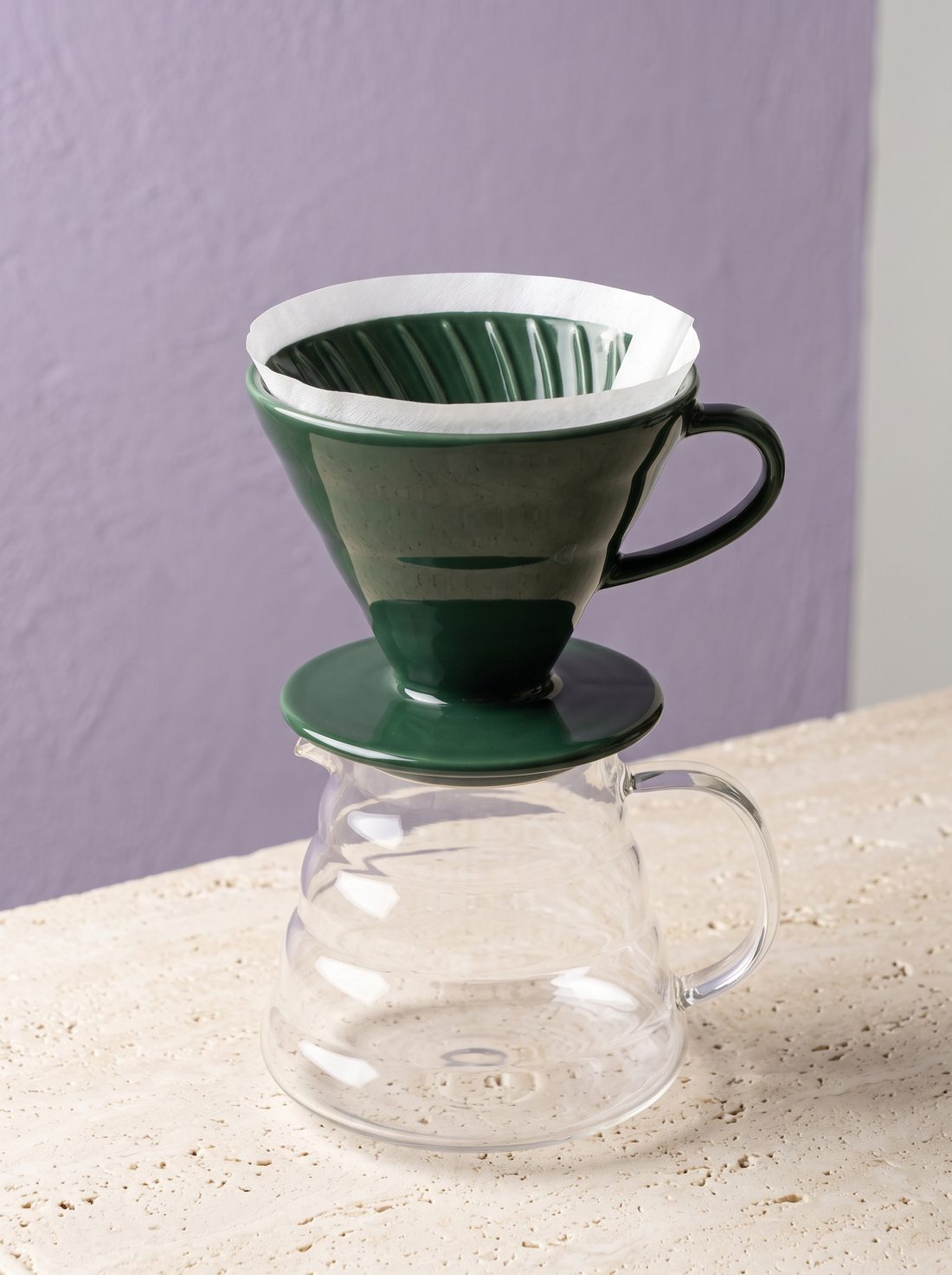
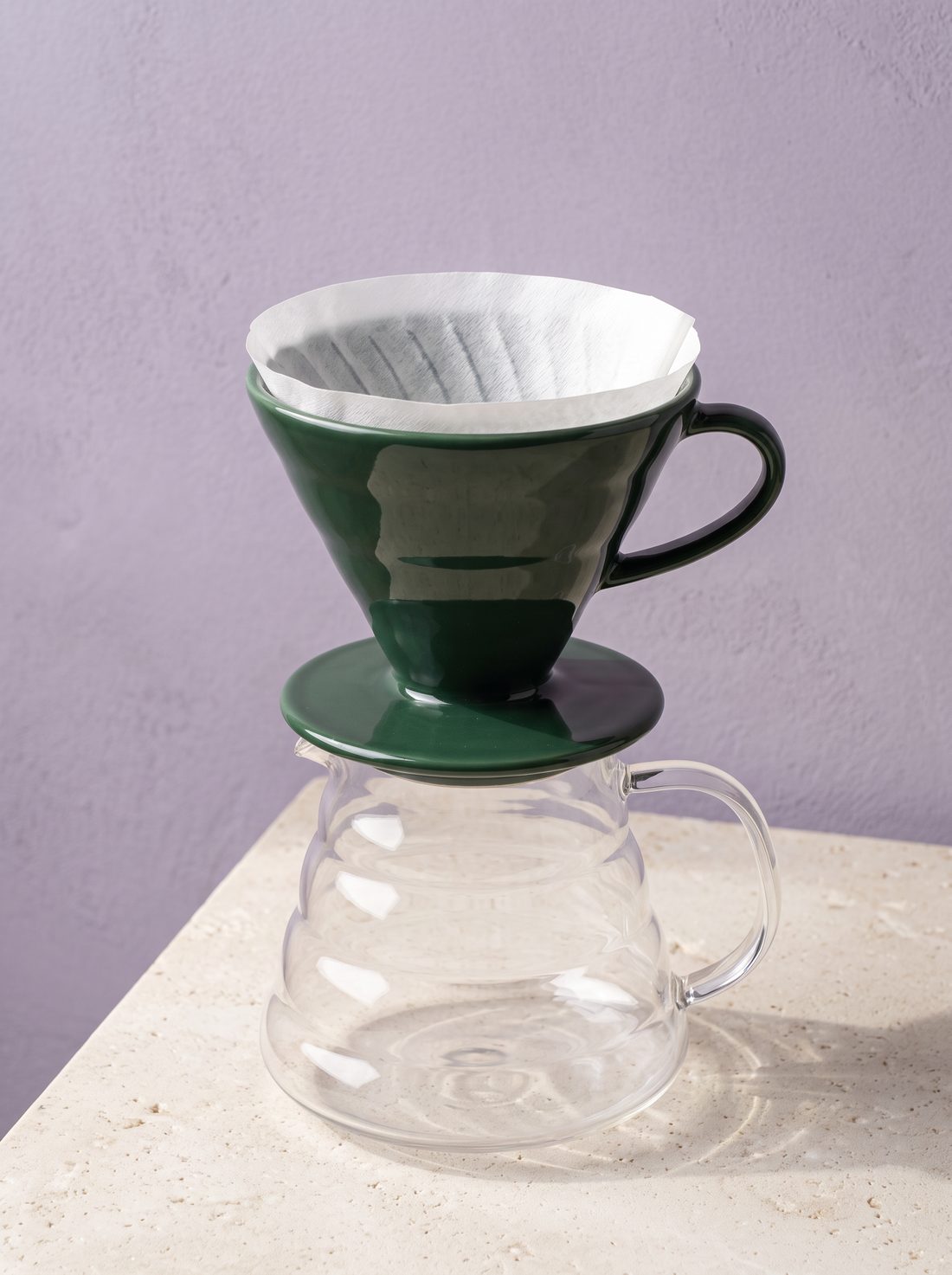
Use the same coffee set from the reference image. Keep the dark-green ceramic cone dripper's spiral ribs, round ring handle, round base tray and the paper filter on top, plus the transparent glass server below with its handle — full structure and relative proportions unchanged. Change only the surroundings, light and composition, 3:4 vertical: place the whole set steadily on a cream limestone countertop against a low-saturation lavender plaster wall. Soft morning light from a large window at upper left lights the glaze and glass; the light wall on the right bounces fill into the shadows; real contact shadows. The set sits lower-right in the frame, with the top third left as clean purple space for copy. The camera is slightly above the set, looking down.
The input image is a fictional product made with Nano Banana 2.1. Single run each; details like “was the filter changed” only show up when you check item by item against the input. The reference-image editing method follows Google’s guide; Nano Banana 2.1 supports up to 14 reference images.[1][6]
When changing a background, mark the subject to keep
Google’s example first circles the subject (a dandelion seed) and then changes the surroundings. Giving “keep this” a clear spatial reference is what keeps edits from drifting. When the IMA image page has no selection tool, upload the original and describe the subject’s position, size and orientation in words.
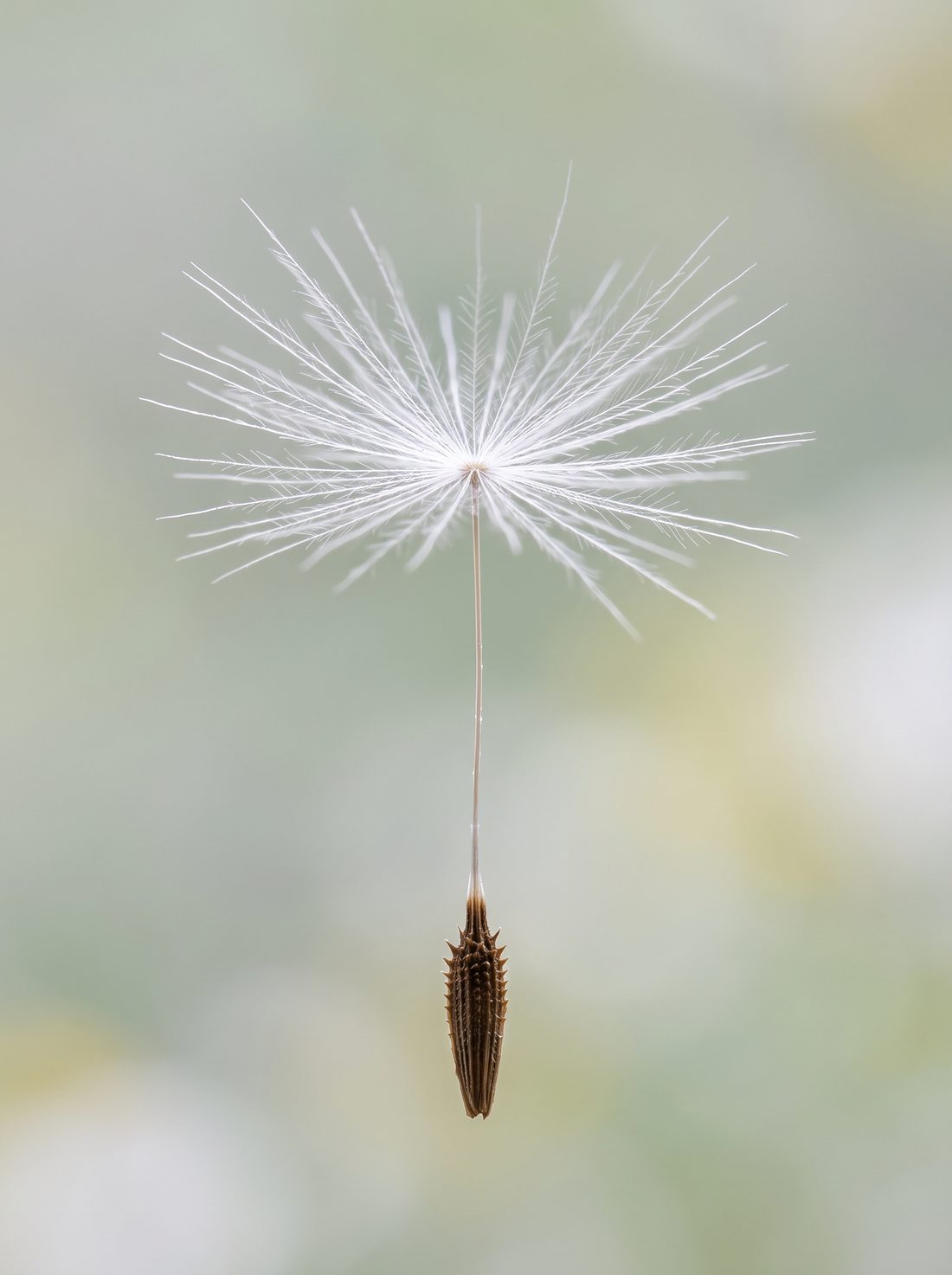
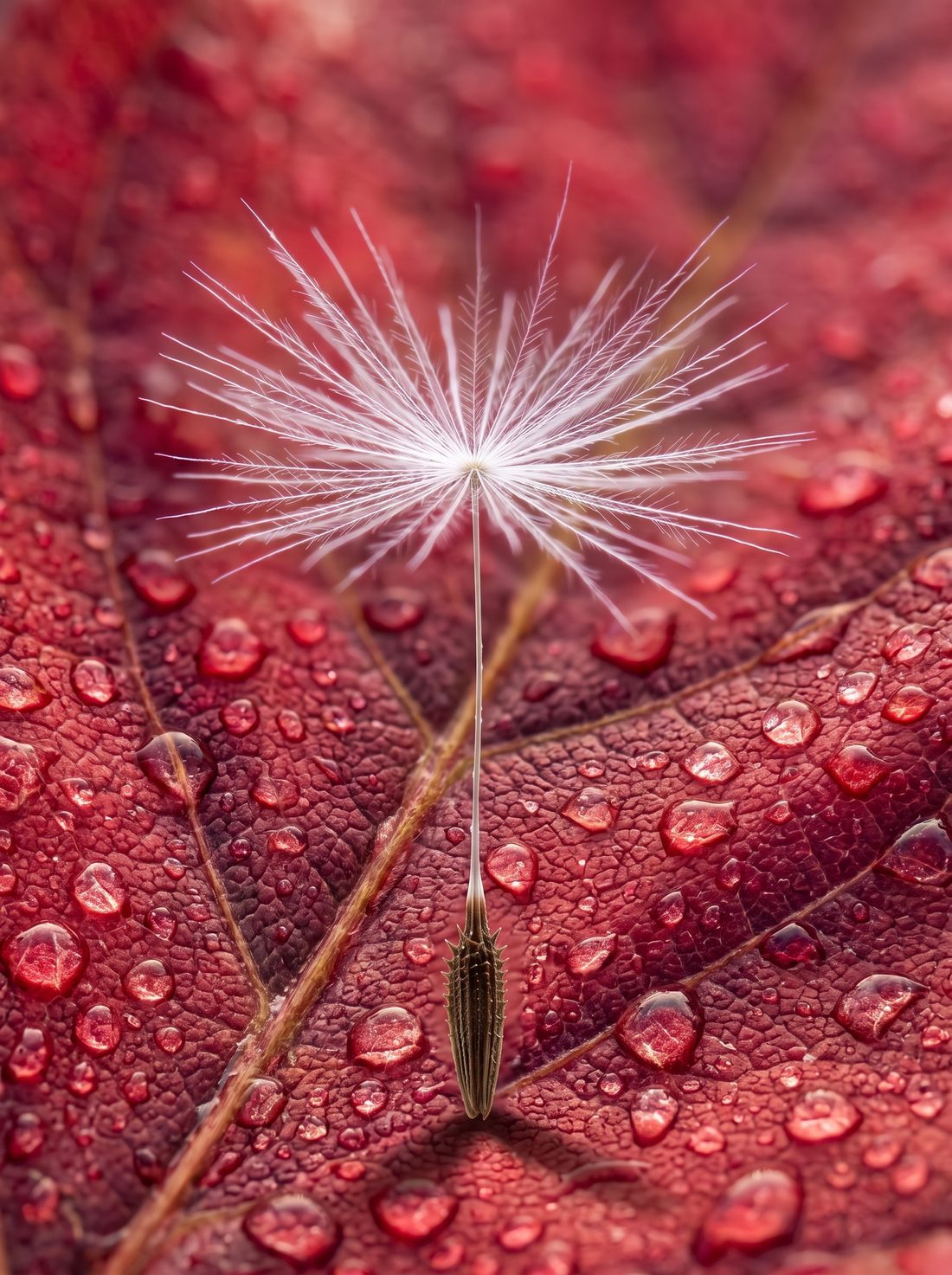
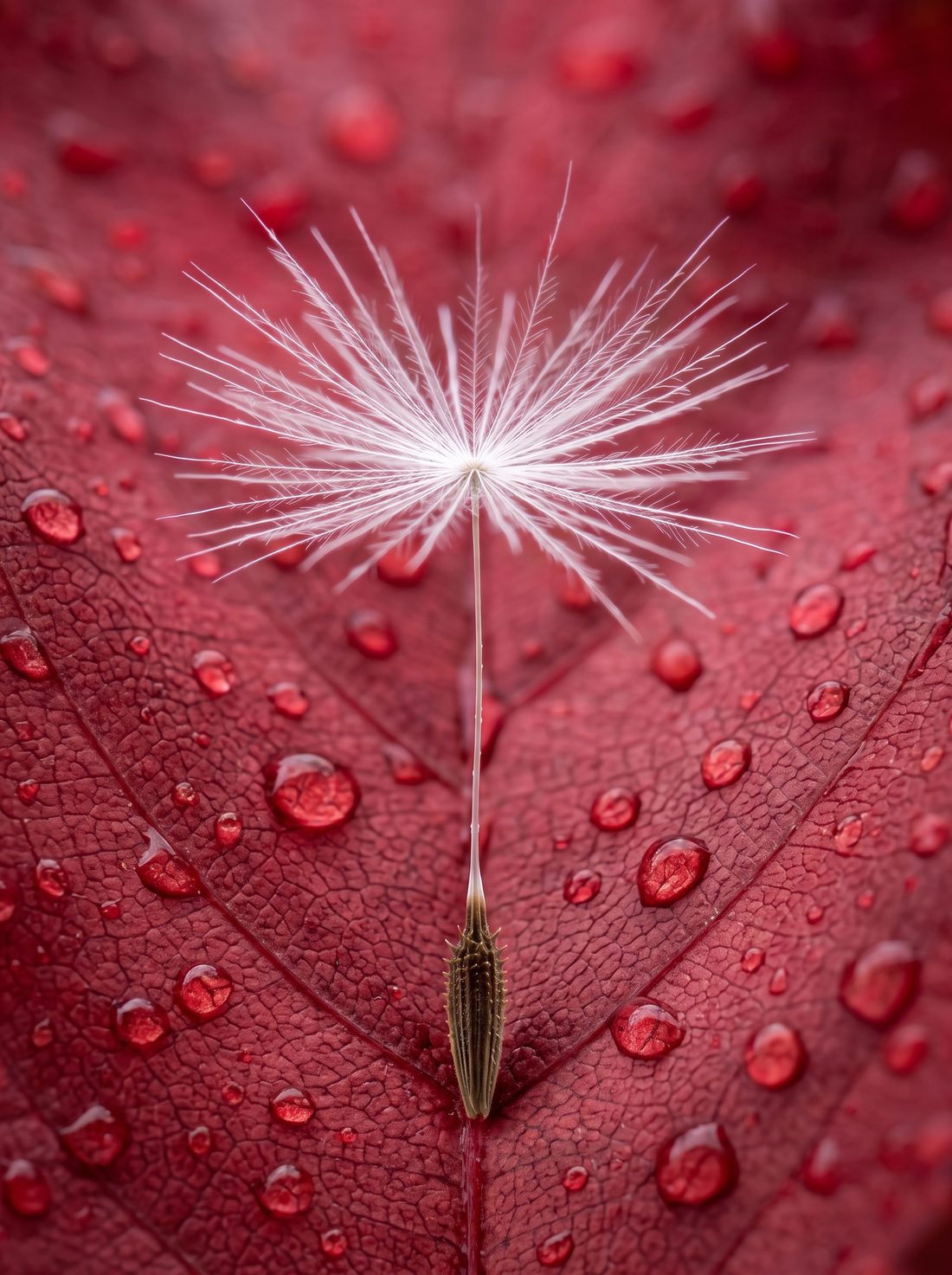
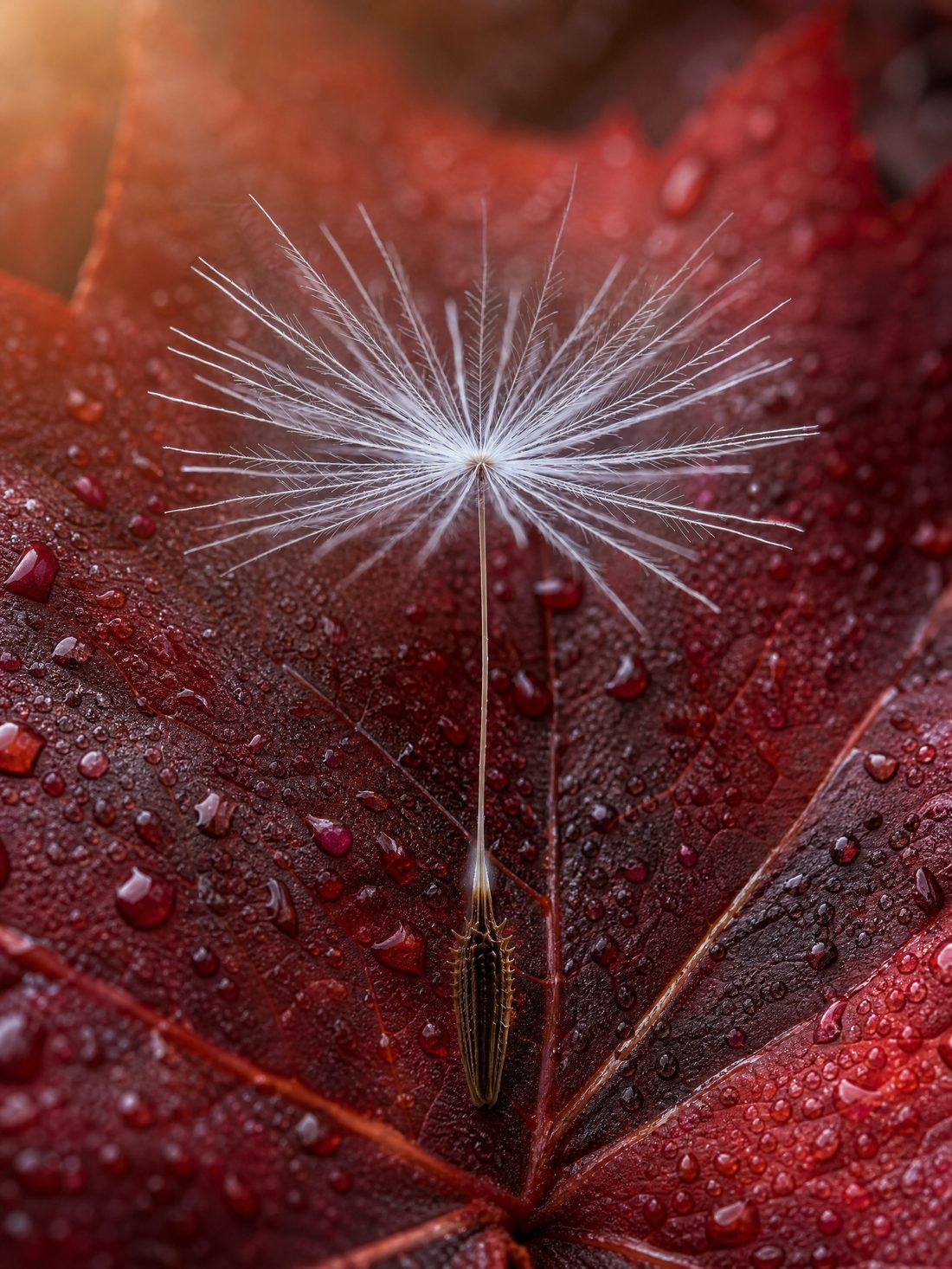
State the subject’s size, position and orientation; when you change the scene, contact shadows and reflections still need to match the new environment.
Make one clear change at a time, such as only the background, so it’s easy to see whether the subject was altered.
Zoom in: is every filament of the pappus still there, and are there leftover color fringes on the subject’s edge?
Keep the dandelion seed at the center exactly as it is — size, position, orientation and pappus detail unchanged. Only change the surrounding background to a dew-covered deep-red autumn leaf. Soft light from the upper left; natural shadows where the seed touches the leaf.
All three models kept the subject; the difference is mainly background material and light. Method follows Google’s guide and model card.[2]
Lock the copy first, then let the model lay out the poster
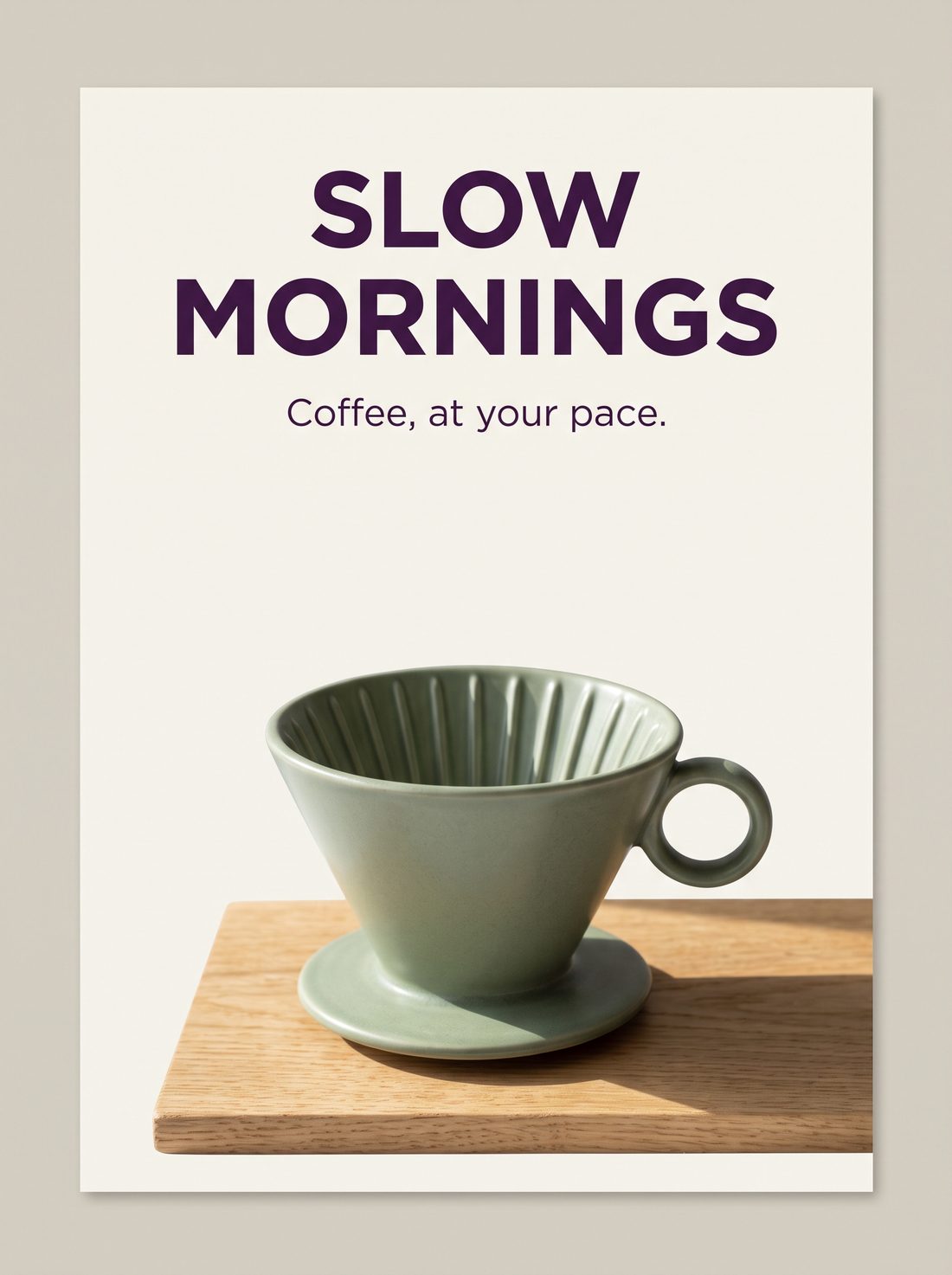
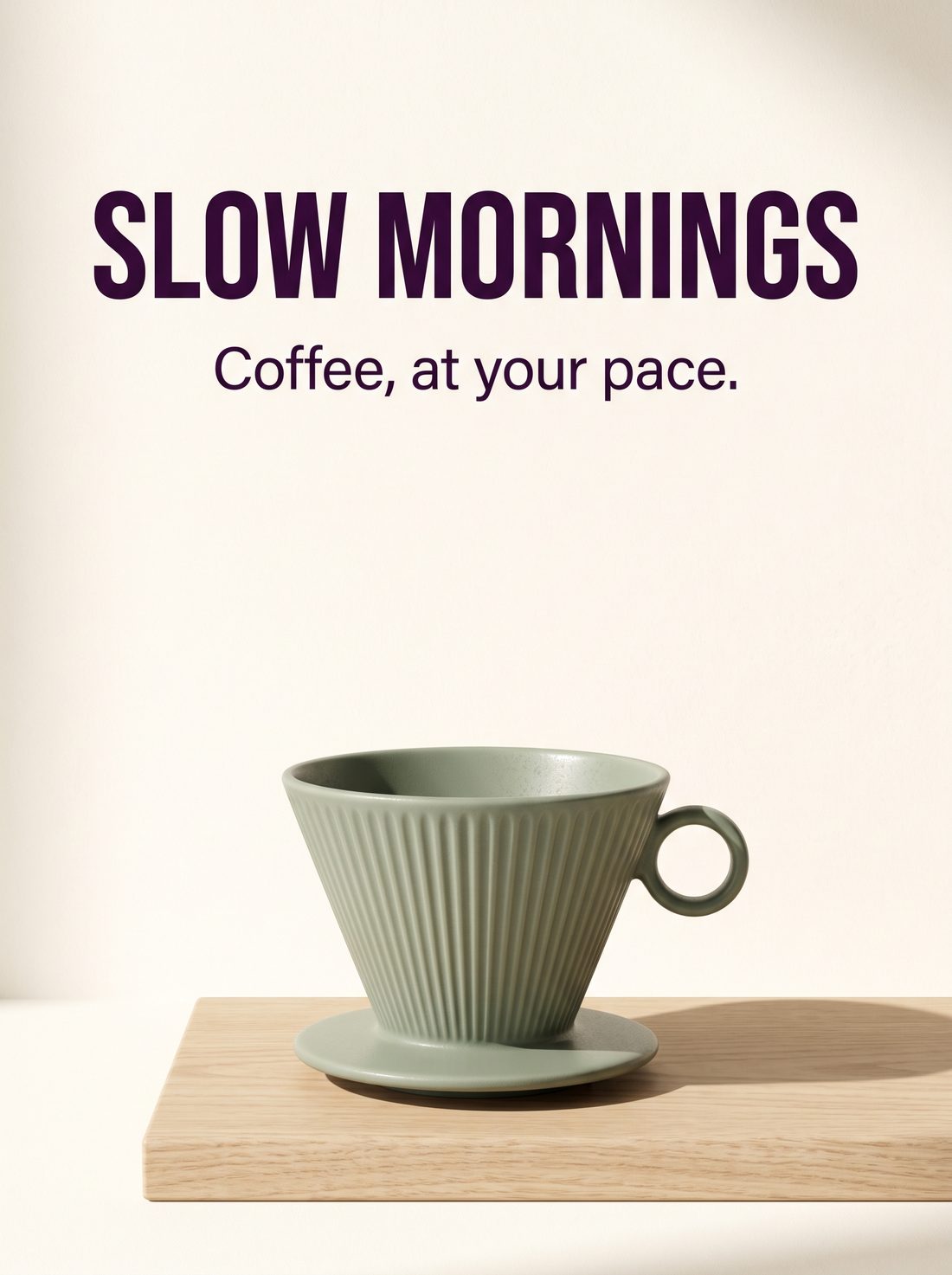
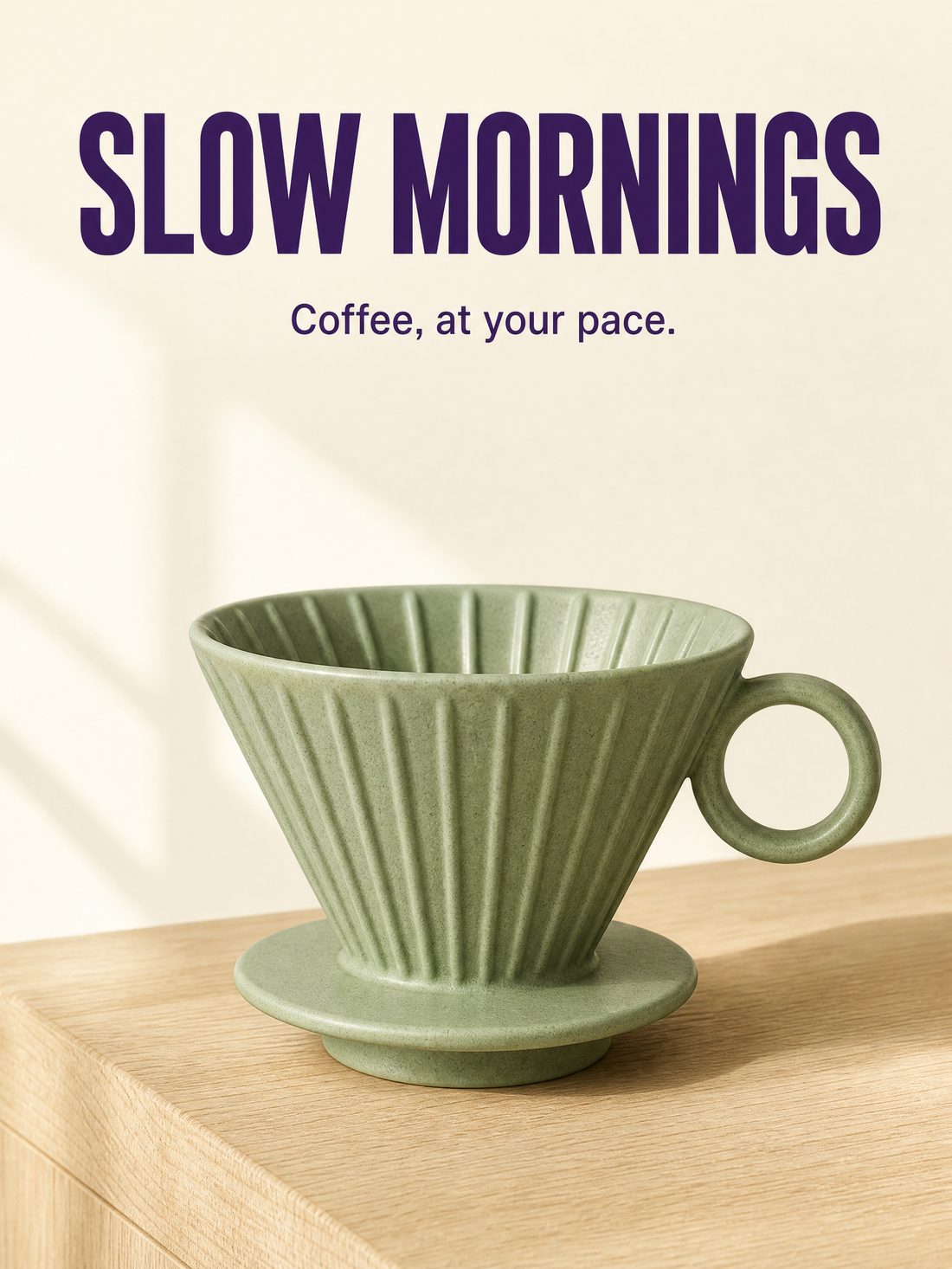
Write the text to appear, its hierarchy and its position together — good for event covers, brand posters and social key visuals. Here are three models’ results from the same prompt.
| Item | What to spell out |
|---|---|
| Exact copy | “SLOW MORNINGS” and “Coffee, at your pace.” (put exact wording in quotes) |
| Text hierarchy | Big headline, clearly smaller subhead |
| Text position | Both lines in the upper half; product in the lower half, not overlapping |
| File format | 3:4 flat poster, design filling the canvas |
Google recommends deciding the text first, then asking for it to appear in the image.
Use observable descriptions: deep purple, bold, sans-serif; also state size, position and alignment.
Check every letter, and also product structure, canvas edges and actual pixels.
Make a vertical flat poster for an independent coffee brand, 3:4. Cream-white flat background, deep-purple sans-serif type. The main headline at the top reads exactly "SLOW MORNINGS", and the small line below reads exactly "Coffee, at your pace.". In the lower half, a sage-green matte ceramic pour-over dripper with a cone body, vertical ribs and a small ring handle, resting on a light oak board. Soft window light from the left lights the product, the shadow falls to the right, and fine glaze texture is visible. The headline and product do not overlap; include only the two specified lines of text; the whole piece is a flat advertising design that fills the canvas.
Spelling was right in all three. Google’s model card warns that long body text and small text can still go wrong; small print like price and specs is better set in post. Text and layout guidance follows Google’s guide.[4][6]
From a single image to a set of commercial assets
Ecommerce ads, fashion lookbooks and brand pages all need clear subjects and a consistent look. These three tasks were all made with Nano Banana 2.1 in IMA; each follows prepare → output → check.
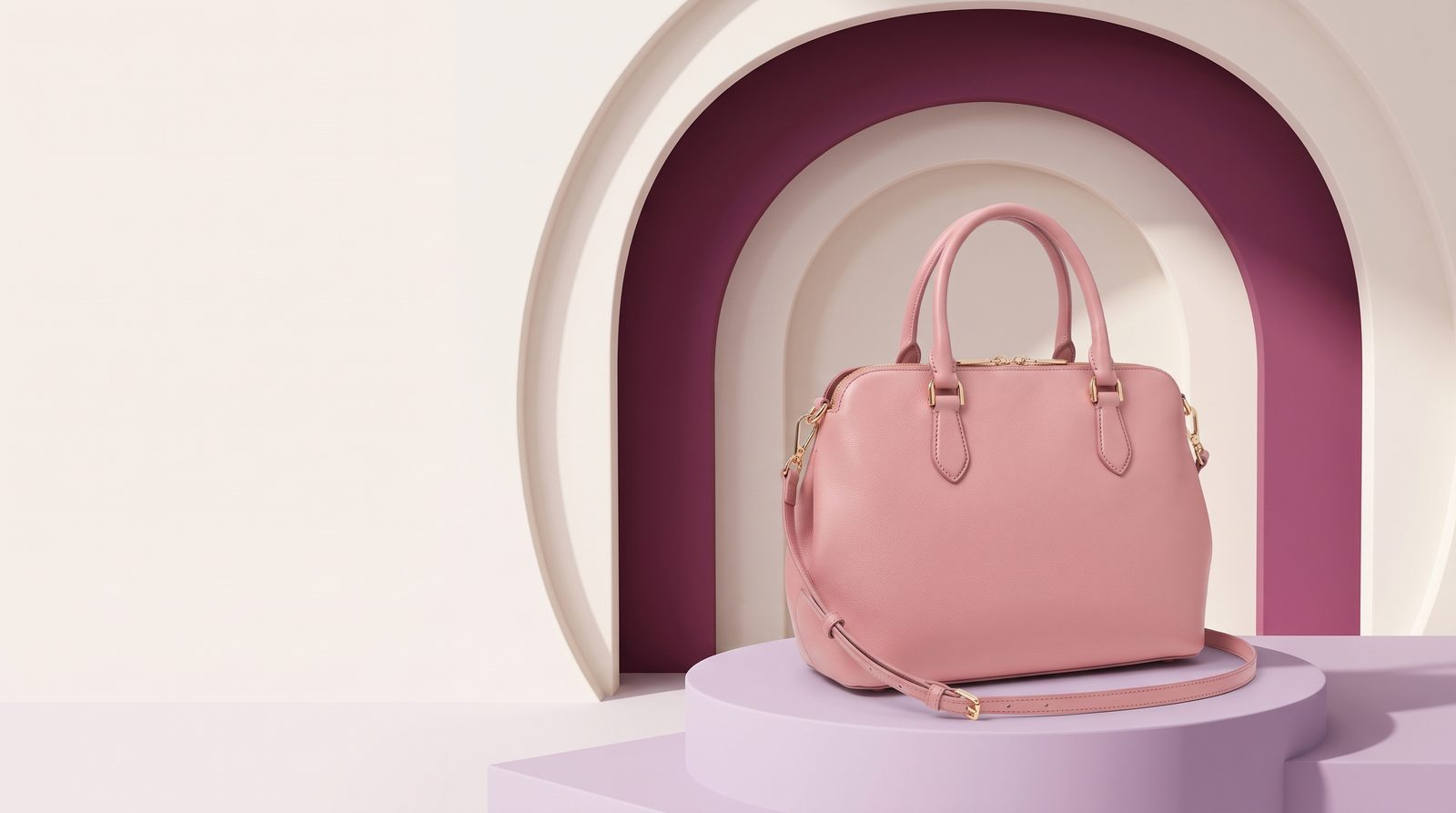
One handbag, several ad scenes
Prepare: a clear product photo, brand colors, target ratio.
Output: detail pages, campaign key visuals, social ads.
Check: bag shape, strap, metal hardware and the product’s true color.
View prompt
Use the same pink handbag from the reference image: keep the bag shape, strap, gold hardware and the pink color. 16:9 e-commerce ad: the bag sits on a pale-lilac geometric podium against cream-white and plum circular arches, soft side light, with clean empty space on the left for a headline.
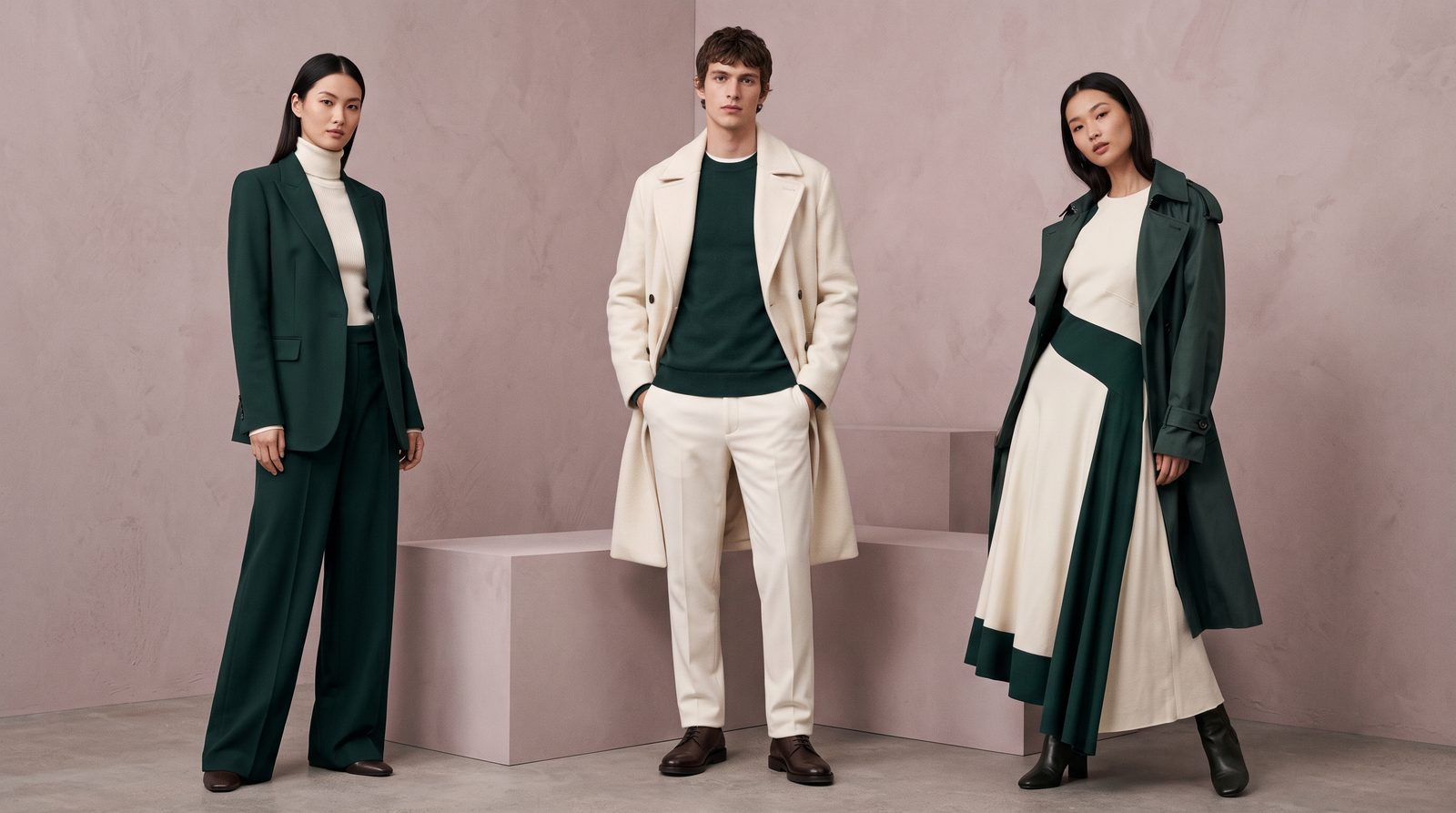
Adult models and outfits, combined into a lookbook image
Prepare: person references, front and side views of garments, a series theme.
Output: lookbooks, brand proposals, shoot art references.
Check: faces, fit, fabric and accessories match.
View prompt
Fashion-lookbook group scene, 16:9: three adult models wearing pieces from the same collection in cream-white and dark green, standing in a minimal dusty-pink photo studio in staggered positions, unified soft lighting, premium magazine feel, faces and garment details clear.
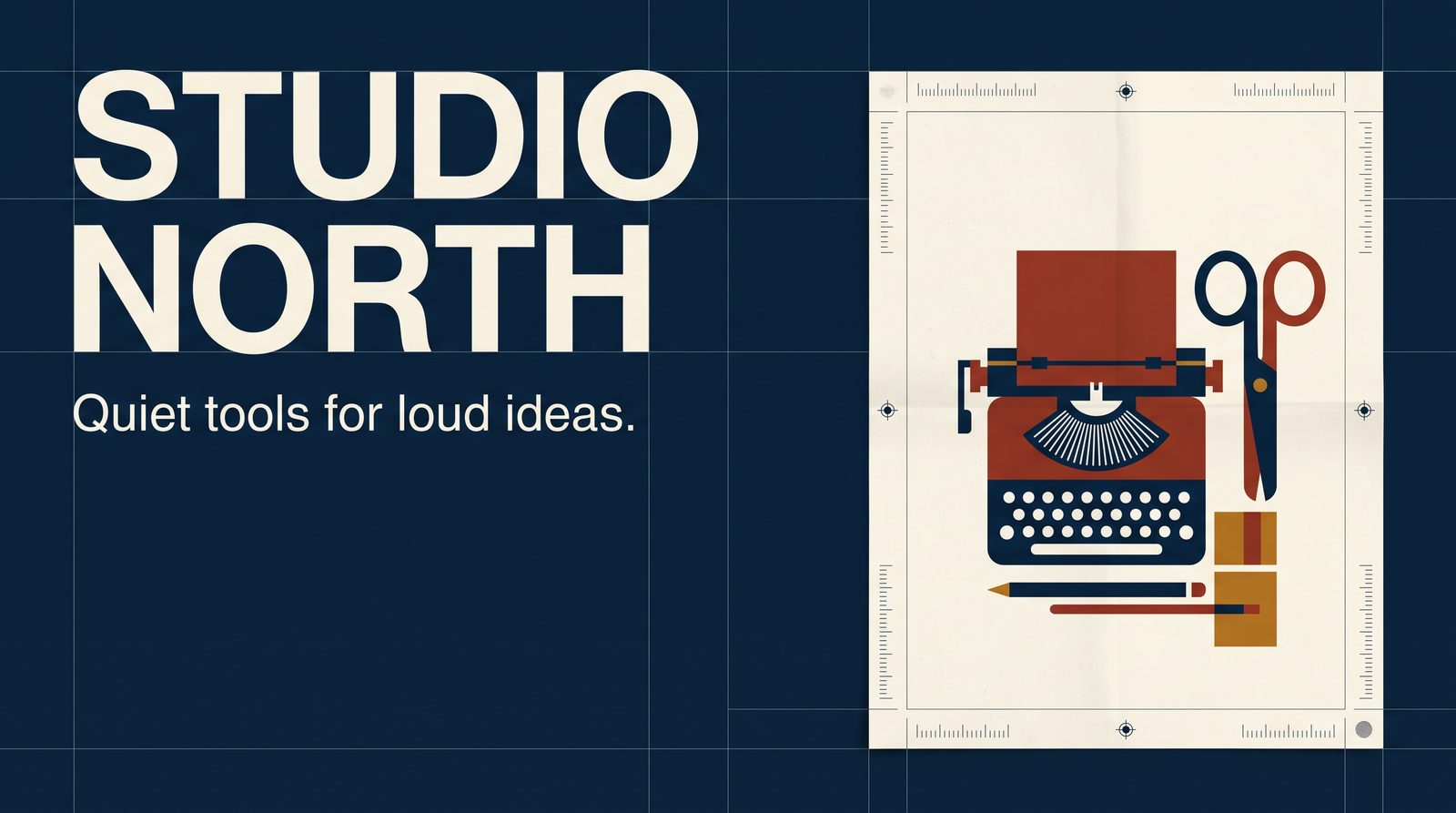
Turn a brand’s tone into a visual draft you can discuss
Prepare: brand colors, exact copy, a reference layout.
Output: brand concept boards, page art direction, marketing posters.
Check: information hierarchy, copy accuracy and brand consistency. Web functionality still needs separate development.
View prompt
Swiss International Style brand board, 16:9: deep blue and cream-white palette, grid layout. On the left a brand-page concept with the large title "STUDIO NORTH" and a small line "Quiet tools for loud ideas."; on the right a retro product poster. Consistent typography and clear hierarchy; include only these two pieces of text.
Google’s showcase page has more input/output examples.[3] All people shown are fictional AI-generated characters.
Define the character first, then let the story happen
AI comic series need the same character on screen again and again. Fix the face, clothing and props first, then place the character in different scenes — easier to control than re-describing everything every shot. Below, one character sheet drives three models’ scenes.
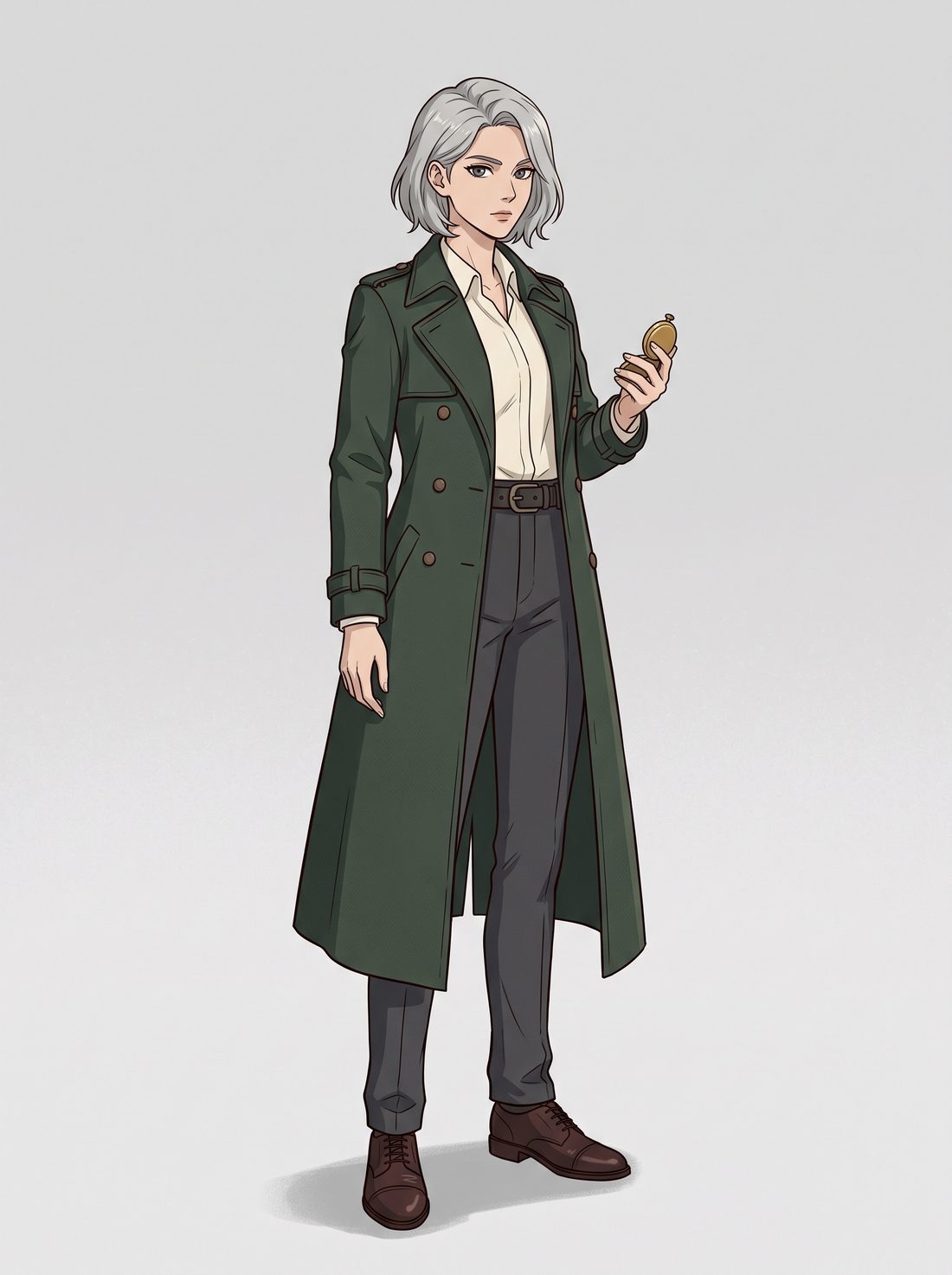
Character sheet
Fix the identifying features: hairstyle, face shape, clothing cut, props.
Upload the sheet as a reference
When generating the next image, upload the sheet and say which features must stay.
Let the scene define the space
Write foreground, middle ground and background separately, then say where the character stands and which way they face, so shots connect.
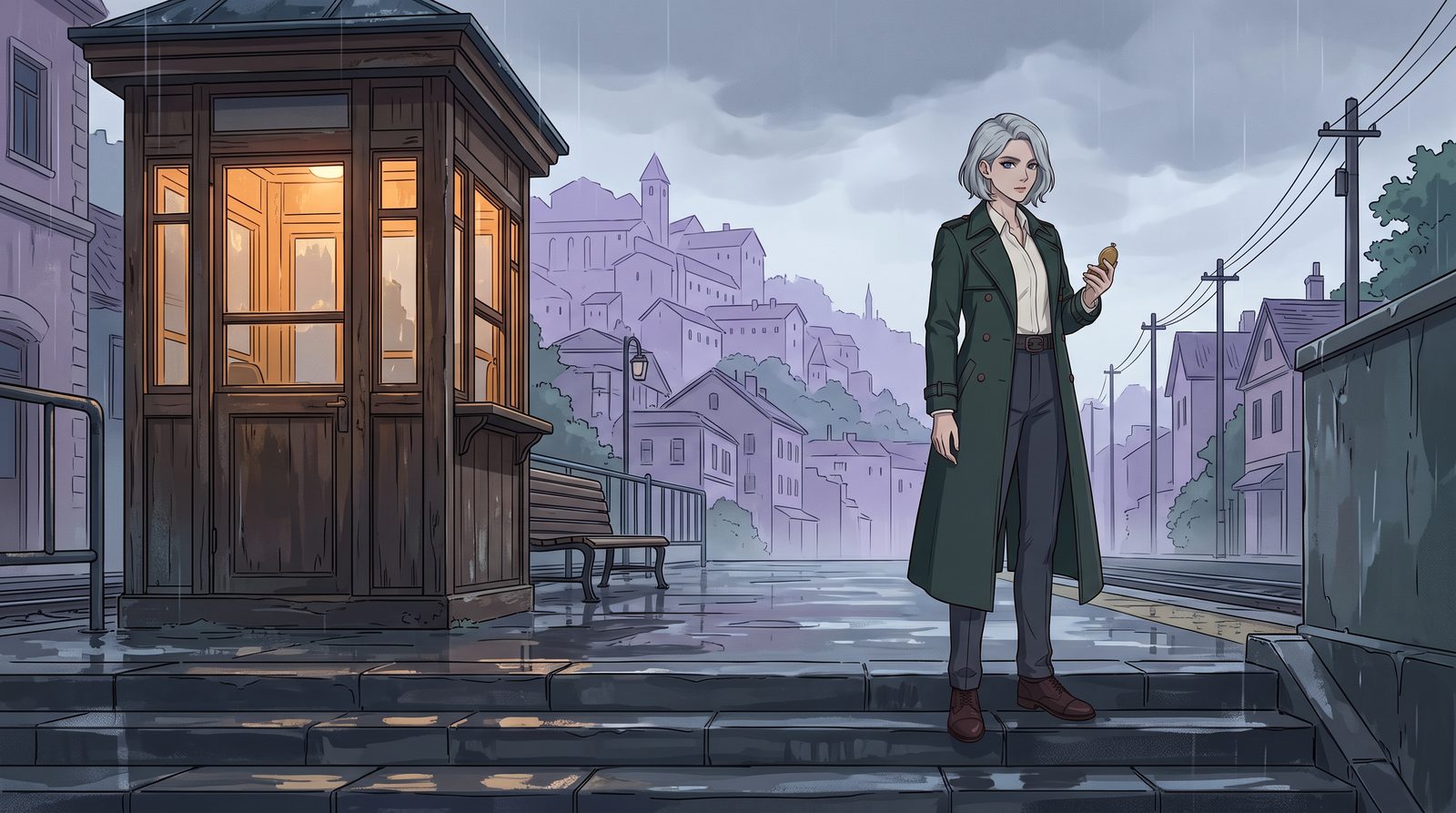
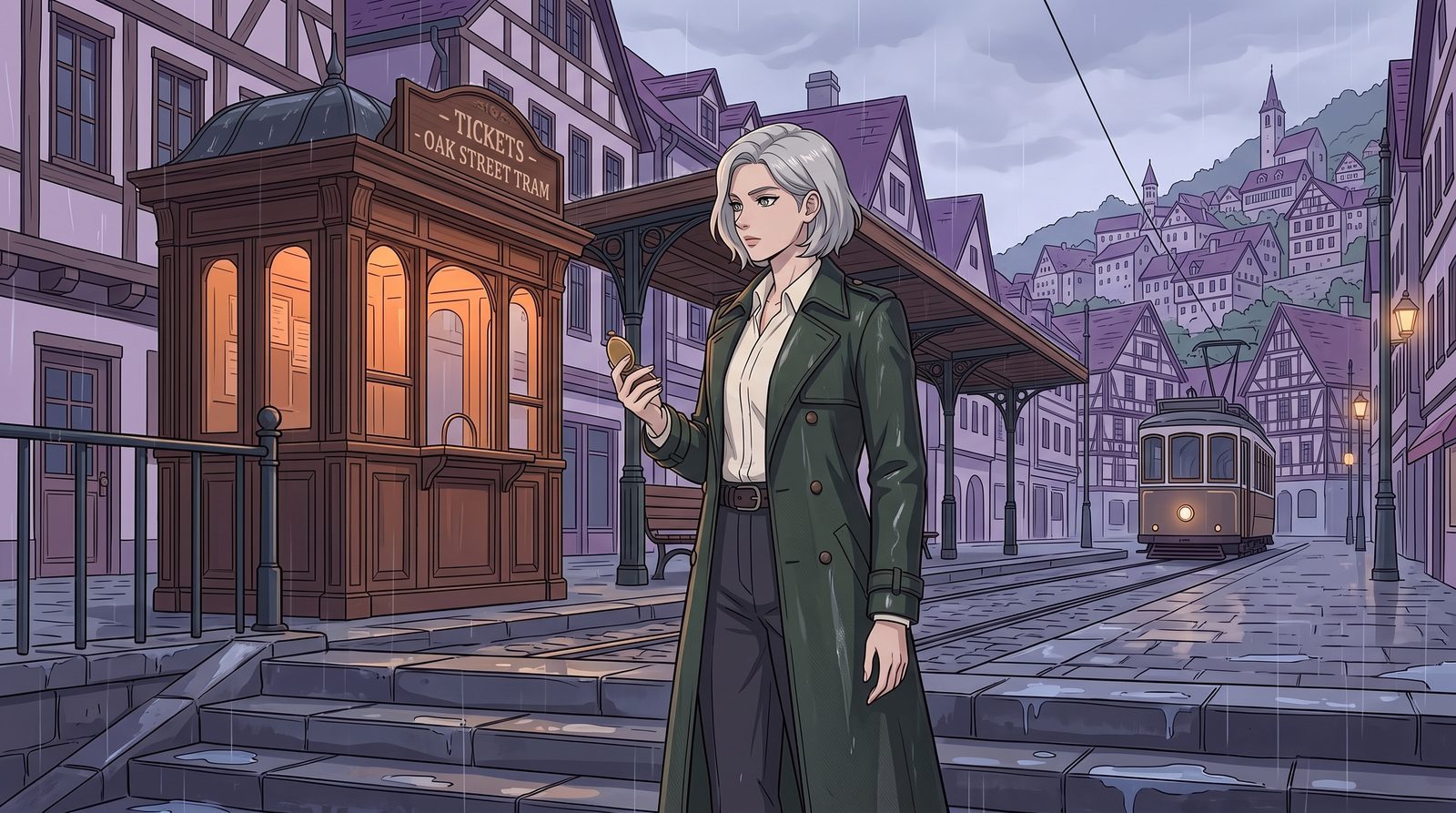
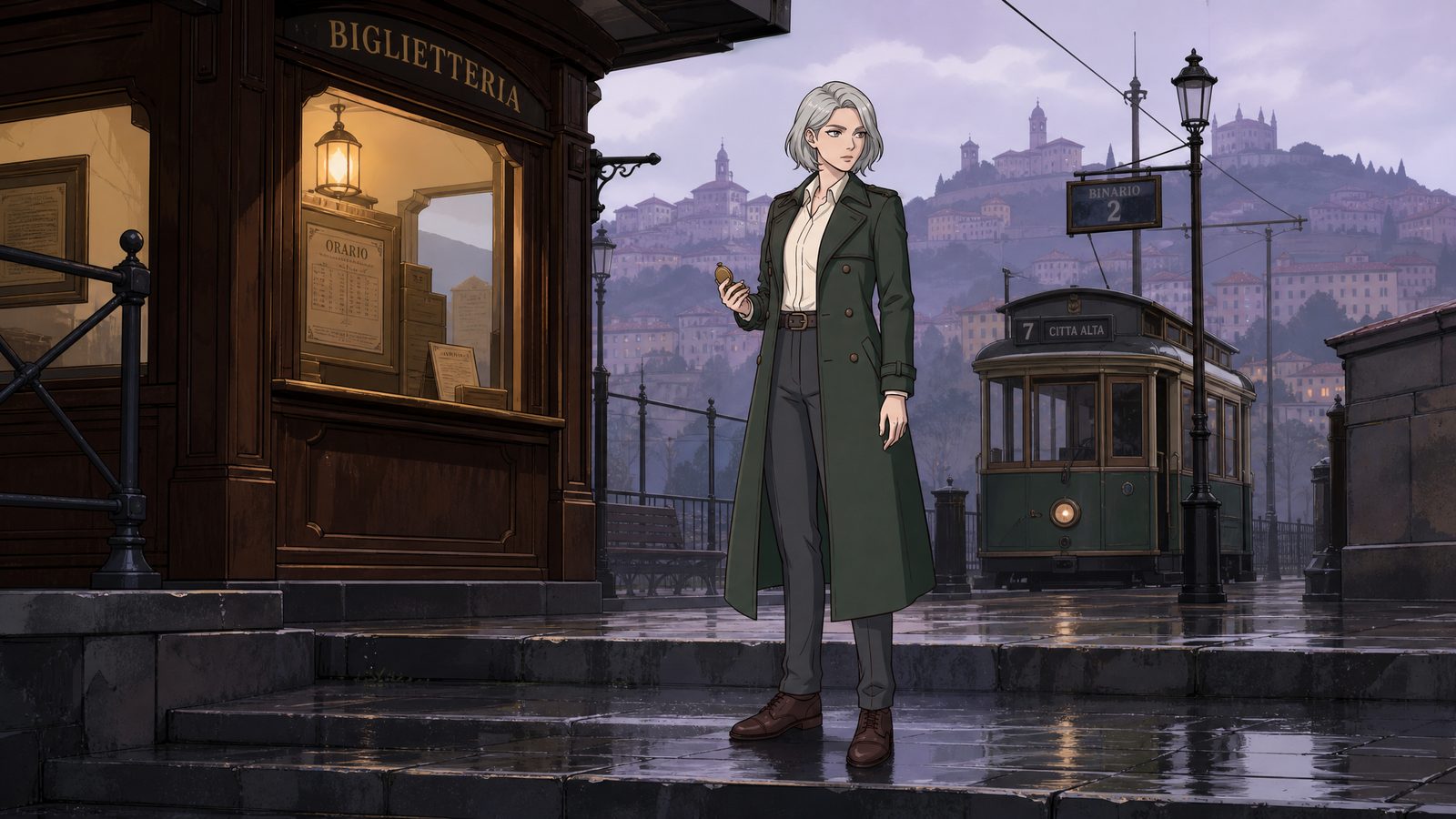
Use the same female detective from the reference image: keep her silver-gray chin-length hair, gray-green eyes, dark-green long trench coat, cream-white shirt and brass pocket watch. 16:9 animated-film scene, an old-town tram stop after rain. Wet stone steps in the foreground, platform and character in the middle ground, a pale-purple hill town in the distance. She stands right of center, turned three-quarters toward the ticket booth on the left, holding the pocket watch. Soft overcast light on her face; amber light inside the booth lights the wooden frame. Fine linework and flat layered color blocks; keep a little directional texture on the clothing; sky and walls as clean large color areas.
Google’s docs: up to 14 reference images, keeping up to 4 characters consistent and up to 10 objects faithful; in Google’s evaluation, single-character, multi-character and multi-reference editing all improved. The sign text in 2.0 and GPT Image 2 was added by the models themselves — the prompt didn’t ask for it; for continuous shots, still check frame by frame.[1][2]
Judging quality: separate texture from noise. Directional hair strands and fabric weave that follows the structure are useful detail; random grain scattered over large flat areas is the noise to watch. Compare at the same ratio, similar pixel size and zoom. Google’s materials give no dedicated noise comparison for 2.1 against other models, so this page draws no “less noise” conclusion.
One product, three kinds of visual pull
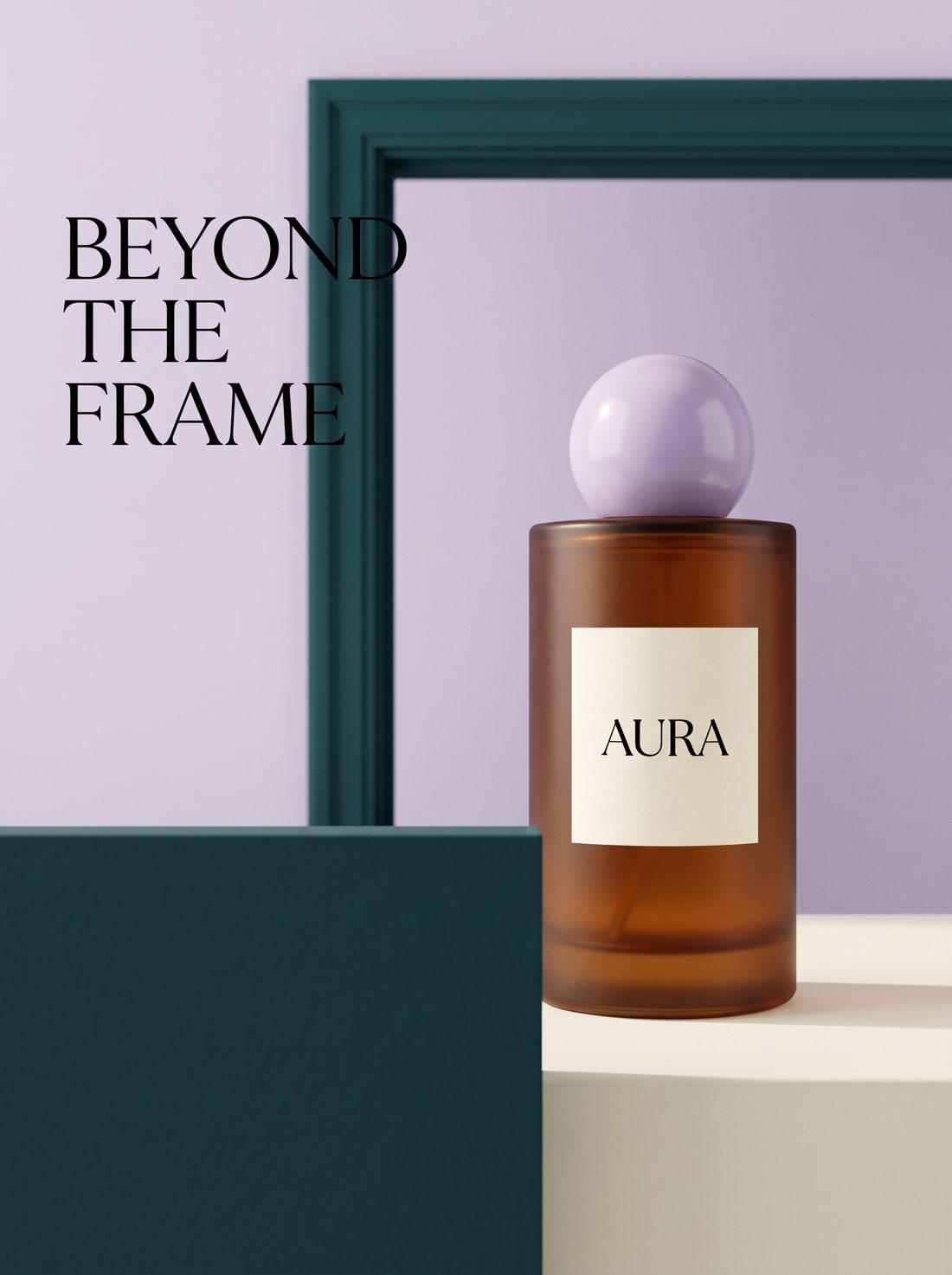
A poster first decides “what do you see first.” Below, a fictional perfume (AURA): a product image first made with 2.1, then scale contrast, spatial overlap and big type — each isolating one layout idea.
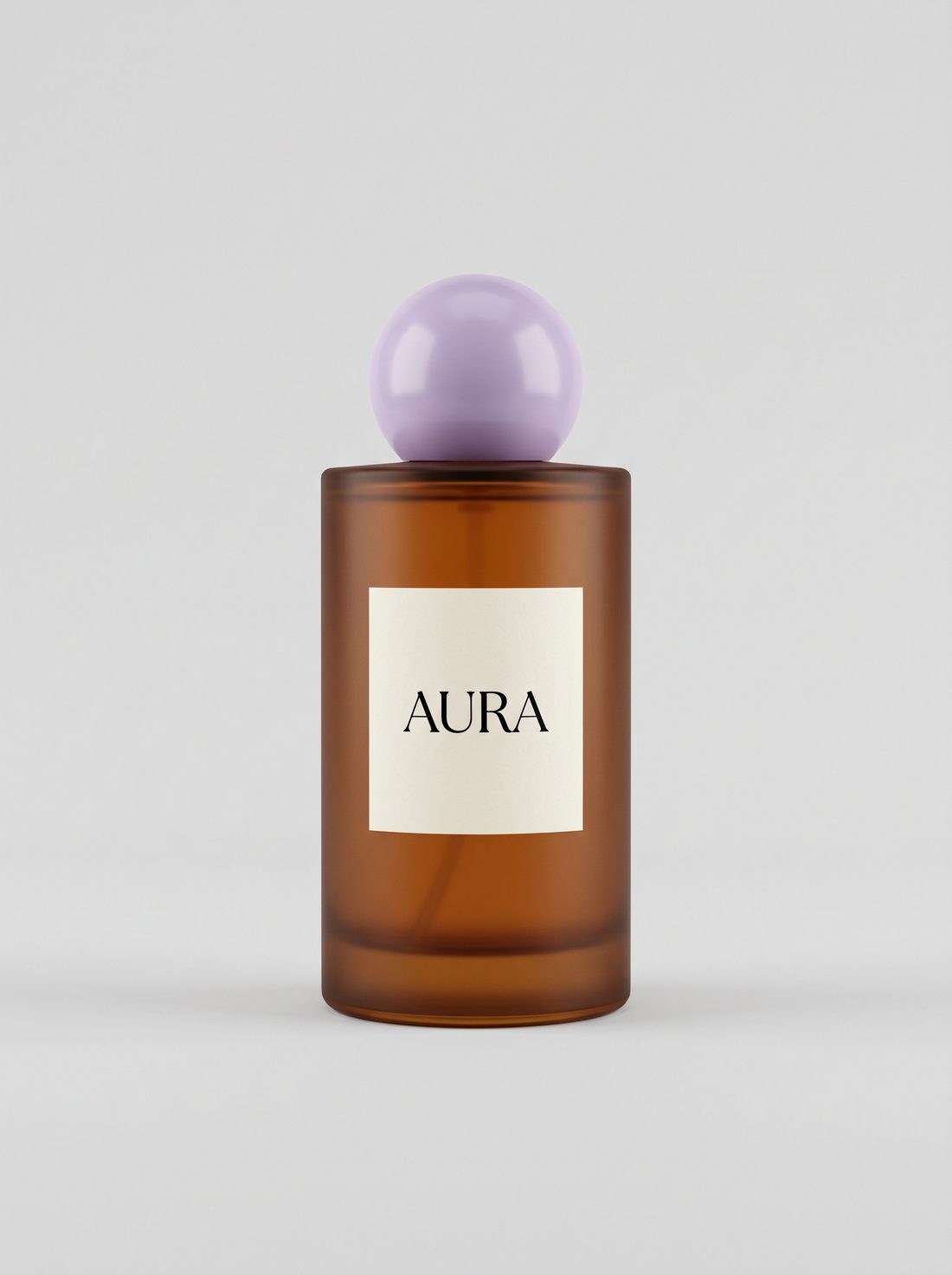
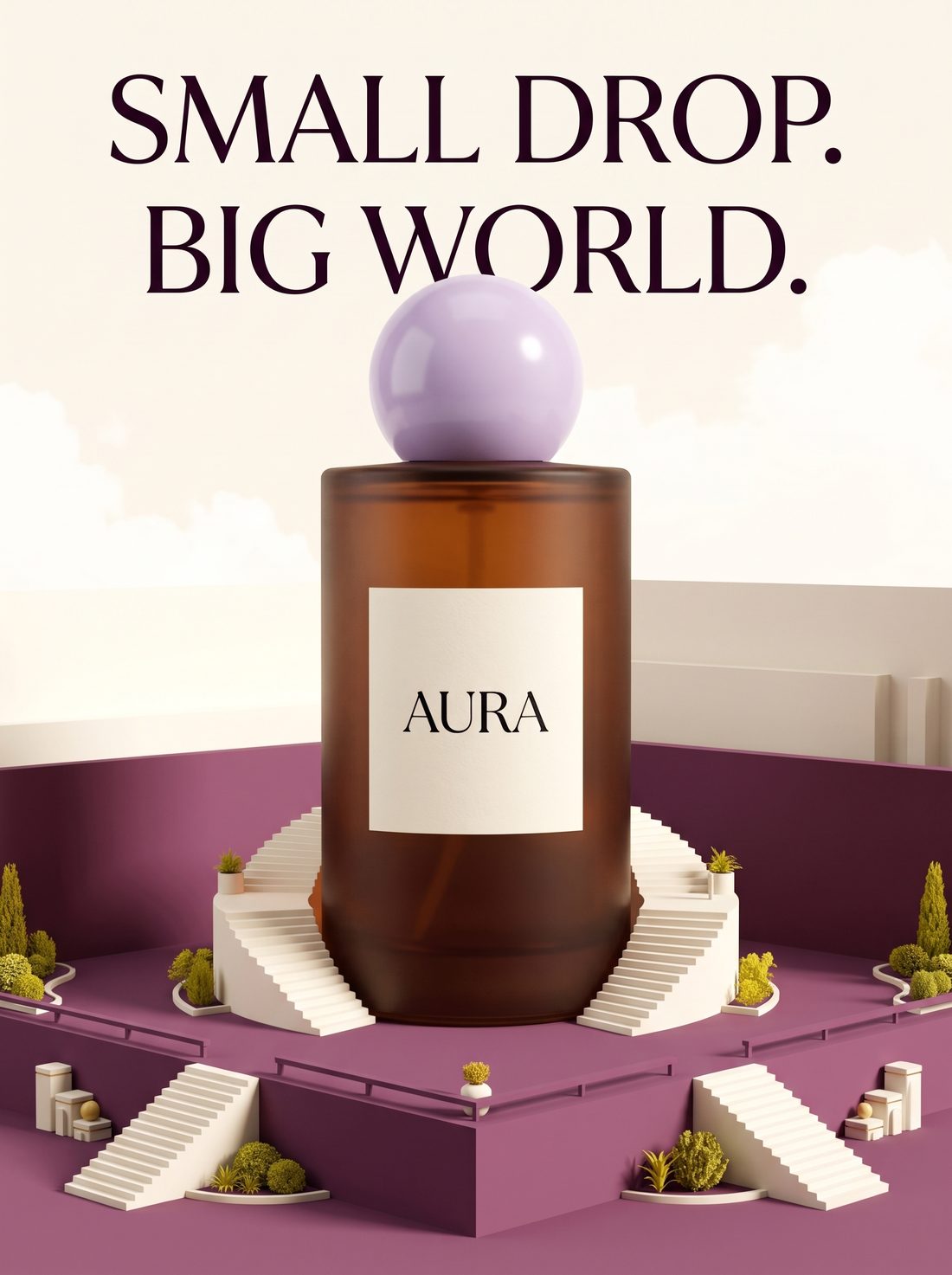
Use the same perfume bottle from the reference image: keep the bottle shape, the round pale-purple cap and the AURA label. 3:4 flat poster: a giant perfume bottle stands on a plum-colored architectural plaza, with tiny cream-white staircases around its base, creating strong scale contrast. Warm-white background with small touches of yellow-green. The two-line headline above reads exactly "SMALL DROP." and "BIG WORLD.", with clear space between the headline and the cap, no object covering the text, and the bottle fully visible.
Use the same perfume bottle from the reference image: keep the bottle shape, cap and label. 3:4 poster: a dark-teal low wall in the foreground covers only the lower-left corner of the bottle's base; in the middle ground the bottle stands upright on a cream-white surface; in the background, a dark-teal door frame and a pale-lavender backdrop. Label and cap fully visible, no layers cutting through each other. The headline "BEYOND THE FRAME" sits in the empty space at upper left, kept clear of the door frame and low wall.
03 TYPOGRAPHY: big type and product share one layout
Settle the text content, hierarchy and overlap first; short headlines are easier to check than long copy. With the same prompt, each of the three models laid it out differently.
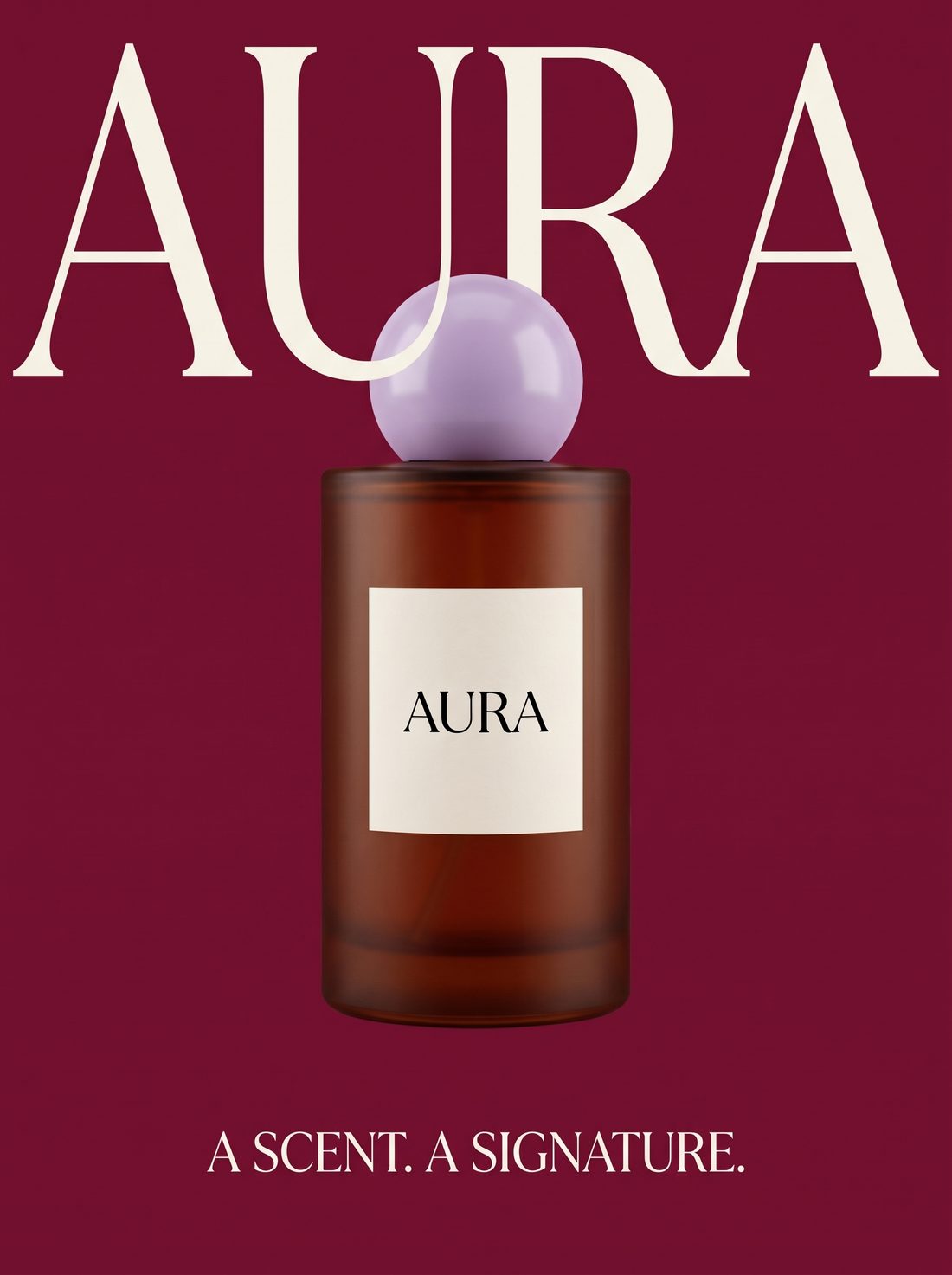
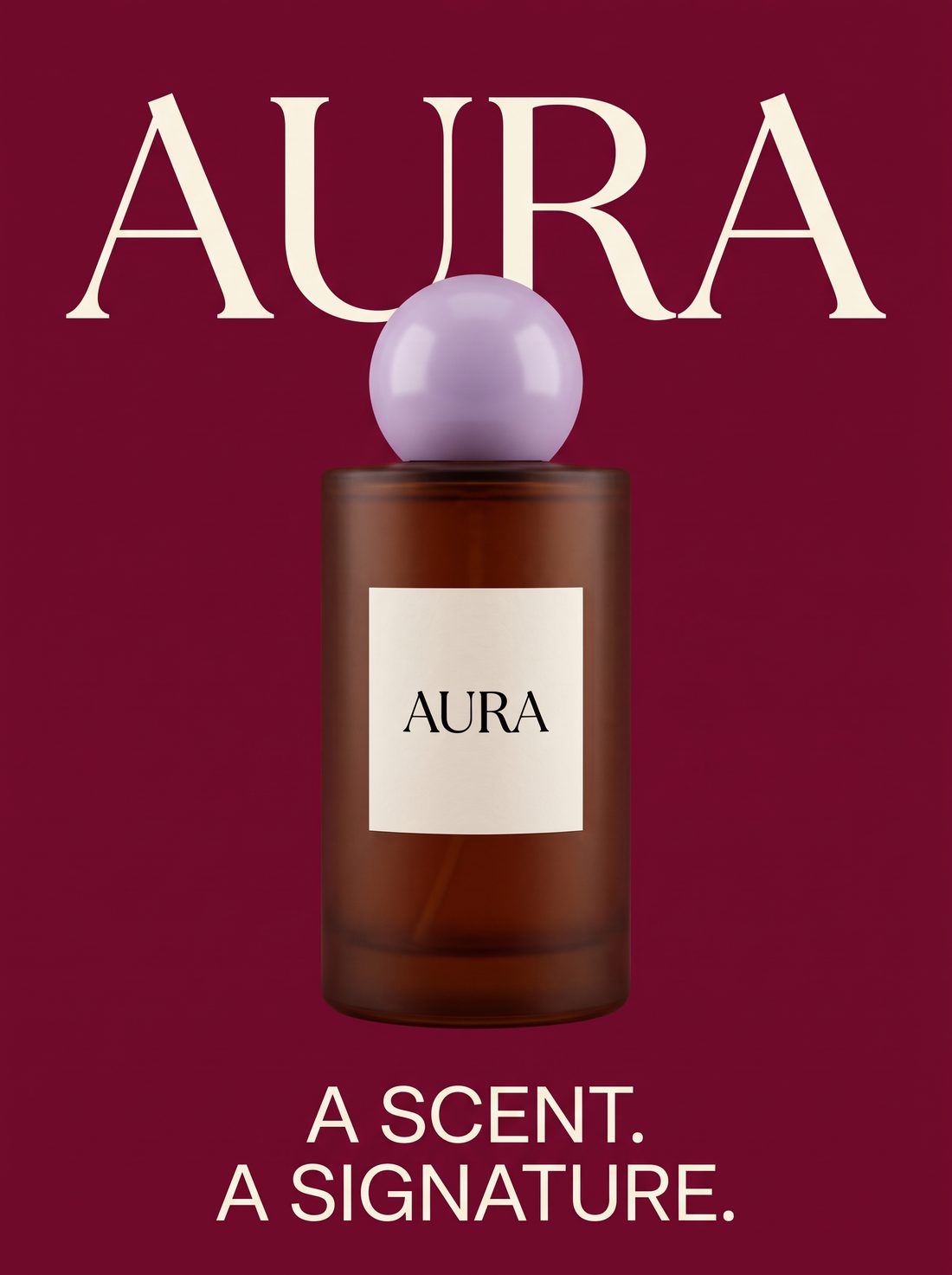
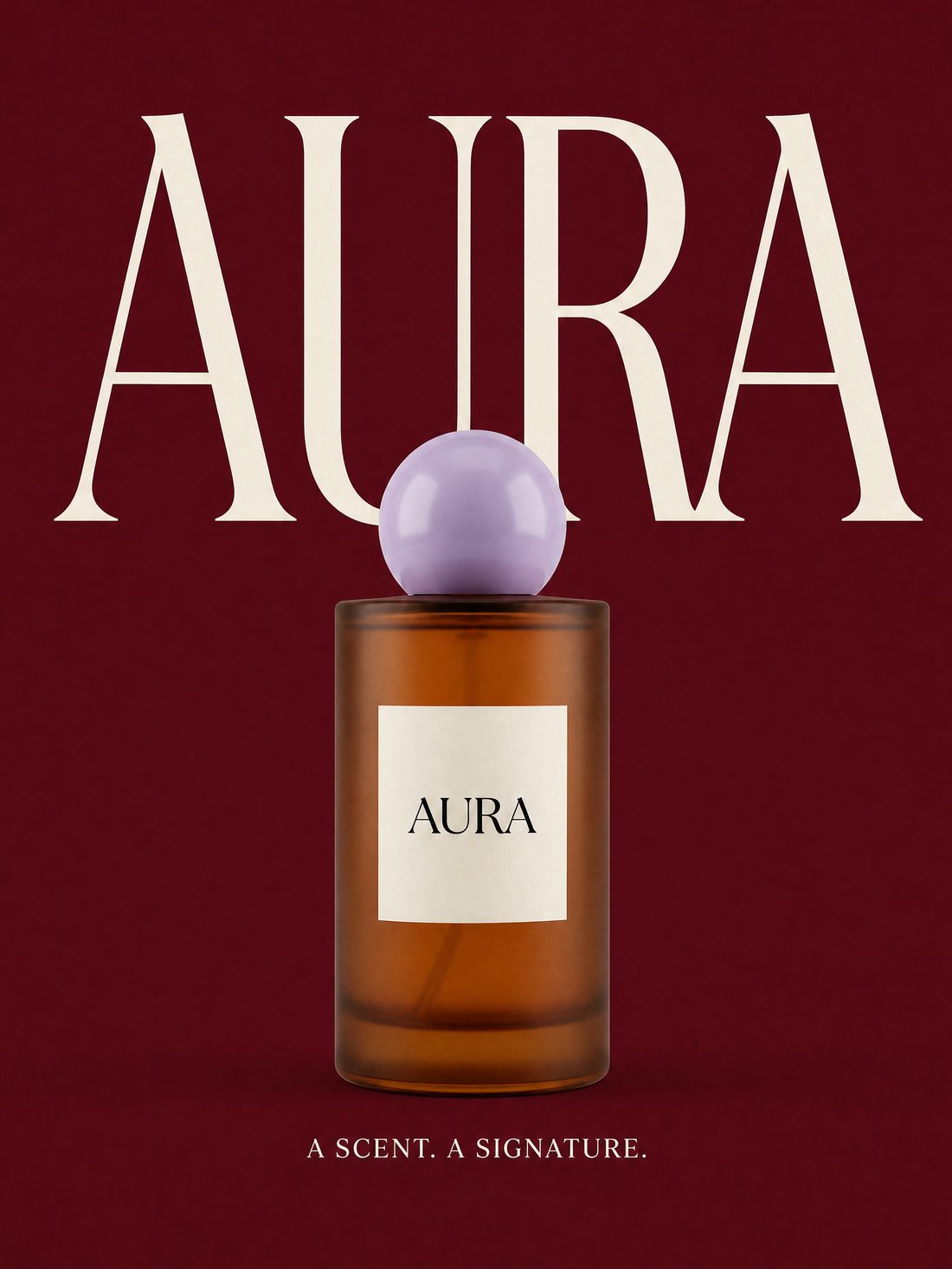
Use the same perfume bottle from the reference image: keep the bottle shape, cap and label. 3:4 flat poster, solid wine-red background, huge high-contrast cream-white serif letters "AURA" filling the upper half. The bottle sits centered in the lower half, its pale-purple cap covering the lower edge of the big letters while the word stays legible. The small text at the bottom reads exactly "A SCENT. A SIGNATURE." Keep only these two levels of text and a clear product silhouette.
On the first run, SCALE and DEPTH had the headline touching the cap / door frame; after adding “keep clear space between headline and subject, no overlap” they were re-run; everything else is a single run. The three layouts are creative examples — not conversion rates or success rates. Text finalization, image editing and reference-image methods follow Google’s guide.[4][6]
In IMA, turn this article into your own assets
IMA Studio is an AI creation platform that puts images, video and audio together. Nano Banana 2.1 is already in the image page’s model list, so you can start straight from this page’s prompts.
The generator at the top defaults to Nano Banana 2.1; the button beside each prompt fills the model, ratio and prompt in one click.
On the same image page, switch between Nano Banana 2, Pro, 2 Lite and more, compare results from one prompt, and pick what suits your task.
Take a favorite key visual on into video in IMA — images to video on one platform.
| Models compared in this article | Settings used here | Credits per image |
|---|---|---|
| Nano Banana 2.1 | 2K, 3:4 or 16:9 | 10 |
| Nano Banana 2 | 2K, 3:4 or 16:9 | 12 |
| GPT Image 2 | Medium quality, 1728×2304 or 2048×1152 | 10 |
| Nano Banana Pro / 2 Lite | Not part of this comparison | 12~22 / 4 |
Credits come from IMA’s live pricing rules, verified 2026-10-20; actual cost varies with resolution and parameters — go by what the generator shows. All 37 example images in this article were made on the IMA image page.
Sources and notes
- Google AI for Developers · Nano Banana 2.1 model page — model ID, resolutions, reference-image count, quality and wide-format fixes. Verified 2026-10-20.
- Google DeepMind · Nano Banana 2.1 model card — official evaluation table (Thinking condition), known limits. Verified 2026-10-20.
- Google DeepMind · Nano Banana 2.1 showcase page — official examples of posters, photography, product scenes, fashion group shots and brand design.
- Google DeepMind · Official prompt guide — descriptive dimensions, quoting text, naming reference images; general methods for the Nano Banana family.
- Ofox · 2.1 vs 2 consecutive edits — 2026.10.13; same three instructions, 1K, 1:1, one chain each, no repeats.
- Google · Image generation and prompt practices — describing a full scene, image editing, and settling text first.
Updated October 20, 2026. The cover is Nano Banana 2.1 output (2752 × 1536, 2K, 16:9). The comparison images in sections 02–09 were all made on the IMA image page: Nano Banana 2.1 and 2.0 at 2K with the default thinking level; GPT Image 2 at medium quality — it has no 3:4 ratio option, so the closest size tiers (1728×2304, 2048×1152) were used. Each prompt was run once with no cherry-picking, except that the SCALE and DEPTH images in section 09 were re-run once after adding a spacing constraint. The coffee set, perfume AURA and STUDIO NORTH are fictional, and all people are fictional AI-generated characters. The images were generated from Chinese prompts; the prompts shown on this page are English translations, so results may differ slightly. Prompts are creative examples and don’t indicate success rates or conversion rates.