Searching for “Ima Studio vs Pollo.ai”? This guide provides a clear, evidence-based comparison to help you decide whether a specialized photo‑to‑video tool like Pollo.ai or a multimodal, model‑orchestrated platform like Ima Studio is the right fit for your creative workflow.
Key takeaways
- Pollo.ai focuses on turning still images into short, animated videos; it’s purpose-built for a narrow but popular use case, according to community trials and tool roundups.
- Ima Studio is a creative agent platform that understands your intent via conversation and autonomously selects and chains the best models for images, video, and audio—going far beyond photo‑to‑video.
- If your goal is fast, simple photo‑to‑video, Pollo.ai can be a fit. If you need end‑to‑end creative control (generate, enhance, edit, upsample, track, composite, and iterate) with model choice and community templates, Ima Studio offers more depth and scalability.
What is Pollo.ai?
Based on publicly available reviews and user feedback, Pollo.ai is positioned as a lightweight AI video tool that converts still images into motion clips. Third‑party write‑ups describe it as an easy way to animate photos into videos; Reddit testers share hands‑on impressions about results, strengths, and limitations. For more context, see:
- HitPaw: Pollo.ai Review and Alternatives
- Toolify: Pollo.ai Alternatives
- Reddit: I tried Pollo.ai (still images into video)
- Reddit: I tried Pollo.ai for creating videos
- FindMyAITool: Pollo.ai listing
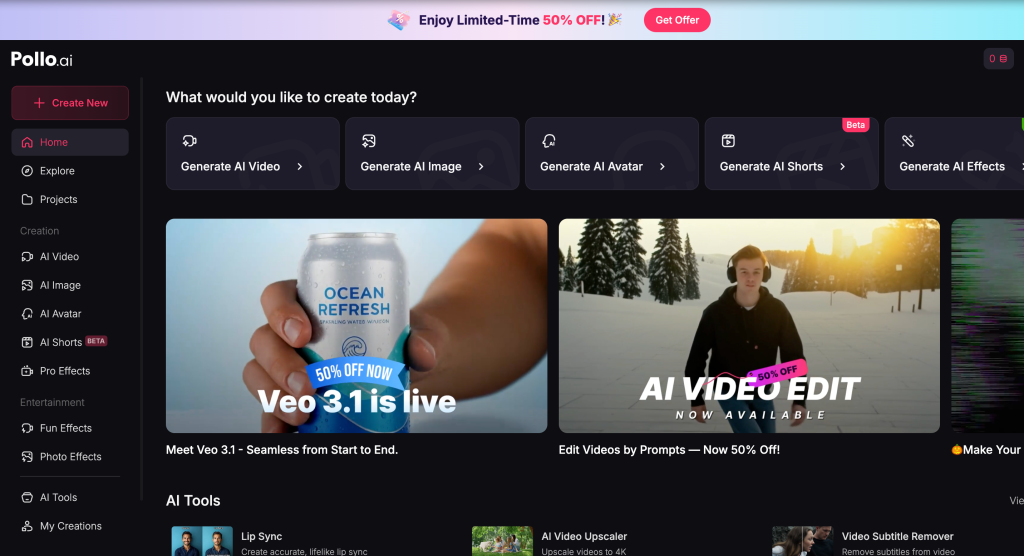
Note: Pricing, features, and availability can change. Always verify details on the official source before purchasing or adopting.
What is Ima Studio?
Ima Studio is a conversation-driven creative agent that understands your intent and orchestrates the right models to produce or edit images, video, and audio. It integrates mainstream models behind the scenes and can autonomously route or combine them to achieve your desired outcome—whether that’s generating a cinematic video, restoring a blurry image, removing unwanted objects, or crafting social-ready content.
- Model selection by evidence: the Ima Arena runs the same prompt across multiple models (image, video, and general) and lets users vote on results. These data help refine routing and defaults so you get the best model for your task—even if you don’t choose one.
- Template acceleration: the Ima Studio Community hosts free, ready‑to‑use templates for images and videos. One‑click apply, then customize to your brand or project.
- End‑to‑end workflow: ideation, generation, editing, enhancement, upscaling, and export across modalities—without switching tools.
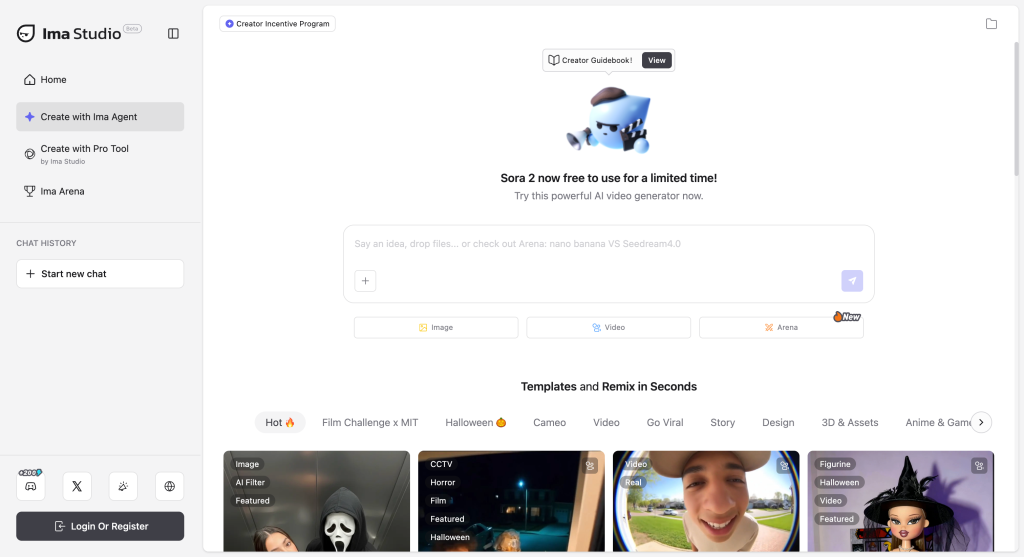
Ima Studio vs Pollo.ai: side‑by‑side comparison
| Criteria | Ima Studio | Pollo.ai |
|---|---|---|
| Primary focus | Multimodal creation (image, video, audio) with agent‑style orchestration and editing | Photo‑to‑video animation (specialized) |
| Model coverage | Integrates multiple mainstream models; auto‑routes or lets you choose | Single‑tool experience; model choice typically abstracted |
| Quality control | Arena A/B tests, community votes, and iterative prompting | Simple UI; quality depends on underlying pipeline, per user reports |
| Templates | Rich, growing library via Community templates | Templates/presets vary by release; verify on official resources |
| Editing depth | Advanced: enhancement, cleanup/object removal (use responsibly), style mixing, audio options | Focused on generating motion from stills; limited post‑edit controls reported |
| Learning curve | Guided via conversational agent; templates reduce setup time | Very low for the core photo‑to‑video task |
| Scalability | Designed for broader pipelines and team scenarios | Best for quick single‑purpose outputs |
| Best fit | Creators needing breadth (generate, edit, and ship across media) | Users wanting fast photo‑to‑video without complex settings |
Interpretation: If your use case is strictly “turn still images into short videos,” Pollo.ai’s specialized flow can be sufficient. If you anticipate more tasks—storyboards, video generation from prompts, image enhancement, object cleanup, sound design, and repeated iterations—Ima Studio’s model orchestration and template ecosystem provide more headroom.
How the platforms differ in practice
1) Photo‑to‑video animation
- Pollo.ai: Upload one or more images, pick motion style, generate. Pros: speed and simplicity. Cons: limited controls; results vary by image complexity (per community posts).
- Ima Studio: Prompt your intent in natural language. The agent selects a suitable image‑to‑video pipeline; you can refine with templates from the Community or run a quick model PK in the Arena to compare outputs and lock in your favorite look.
2) Beyond motion: edit, enhance, and repurpose
- Ima Studio: After generating, upscale, de‑noise, color‑match, add captions or audio, and export multiple aspect ratios—without leaving the platform.
- Pollo.ai: Typically requires additional tools if you need advanced post‑processing or audio workflows (verify on official documentation).
3) Consistency and brand control
- Ima Studio: Save custom prompts and templates; reuse across campaigns. Community templates give a head start for styles and formats.
- Pollo.ai: Consistency depends on available presets and manual repetition.
Who should choose which?
- Choose Pollo.ai if you need quick photo‑to‑video clips with minimal setup and few downstream edits.
- Choose Ima Studio if you need a scalable, all‑in‑one creative environment—generate, edit, and iterate across images, video, and audio with the best‑fit model chosen for you. Start with a template from the Community or compare models in the Arena.
Evaluation approach and reliable sources
Our comparison draws on hands‑on testing principles and third‑party community feedback. For broader context on AI model benchmarking and responsible media creation, consult:
- Stanford HAI AI Index Report — annual, data‑driven tracking of AI capabilities and evaluations.
- MIT Technology Review — reporting on generative AI trends and video synthesis advances.
- Content Authenticity Initiative (CAI) — guidance on provenance and ethical content workflows.
For Pollo.ai specific user observations and alternative listings, see the previously linked HitPaw review, Toolify alternatives, FindMyAITool, and Reddit threads.
Quick start: replicate a “photo‑to‑video” workflow in Ima Studio
- Describe your goal: e.g., “Animate this portrait into a 5‑second parallax video with subtle camera push‑in and depth‑aware motion.”
- Let the agent propose a route; optionally open Arena to A/B test two or more image‑to‑video models with the same prompt.
- Pick the winner by visual quality and artifact control; save it as your default for similar prompts.
- Enhance: sharpen, upscale, color grade, and add a gentle sound bed.
- Export multiple aspect ratios for reels, stories, and landscape.
Tip: Browse the Community for ready‑made photo‑to‑video templates to accelerate steps 2–4.
FAQs
Is Pollo.ai free?
Plans and pricing may change. Check official sources or recent reviews such as the HitPaw overview and Toolify alternatives.
Does Ima Studio support photo‑to‑video?
Yes. Ima Studio routes your prompt to suitable image‑to‑video models, and you can validate quality via the Ima Arena. You can then enhance and export within the same workflow.
What about content cleanup or watermark removal?
Ima Studio includes content cleanup tools for legitimate use cases (e.g., dust/scratch removal, stray objects). Always respect intellectual property and consider provenance best practices from the Content Authenticity Initiative.
Can I get help choosing or migrating?
Contact our team via Contact Us. For more how‑tos, visit the Ima Studio Blog.
SEO notes for readers comparing “Ima Studio vs Pollo.ai”
If you’re evaluating “Ima Studio vs Pollo.ai,” common long‑tail searches include “Ima Studio vs Pollo.ai comparison,” “best Pollo.ai alternative for photo‑to‑video,” and “multimodal AI content studio vs single‑purpose tool.” This article addresses those queries by outlining use cases, control depth, and scalability.
Next steps
- Test models side‑by‑side in the Ima Arena.
- Start from a free template in the Ima Studio Community.
- Review our Privacy Policy and Terms & Conditions.
- Have questions? Contact us.
Final verdict: Choose Pollo.ai for quick, single‑purpose photo‑to‑video tasks. Choose Ima Studio for a multimodal, template‑powered, and model‑orchestrated creative workflow that scales from first draft to final delivery.
About The Author