
Use Chat with Image — Analyze, Answer, Edit & Create Through Chat

Ever wished you could simply talk to a picture — and have AI explain, fix, or even recreate it just through conversation?

With Ima Studio’s Chat with Image (also known as Chat with Picture / Chat with Photo), you can upload any image and ask anything — from “What’s happening here?” to “Make the background white and enhance the clarity.”

Free, online & unlimited. No watermark. No login required.
Your images are processed securely and deleted after the session.

What Is Chat with Image?

Chat with Image is an AI image conversation tool that lets you interact with your images as if they were part of a chat.

It doesn’t stop at describing the picture —
it understands what you mean and takes action:

  • Explain the content, context, and emotions in the image

  • Answer questions about objects, people, scenes, text, or layout

  • Edit the image directly through natural conversation

  • Generate new versions, styles, or enhanced results

  • All online, free, and without watermarks

See What You Can Do

How to Use Ima Studio’s Chat with Photo

Upload Your Image

Select one or more photos—portraits, pets, charts, landscapes, or photos of your work, coursework, notes, etc. Supported formats: JPG, PNG, WEBP (maximum 10 MB).
2. Ask Anything

“What’s happening in this picture?”
“Describe the mood of this portrait.”
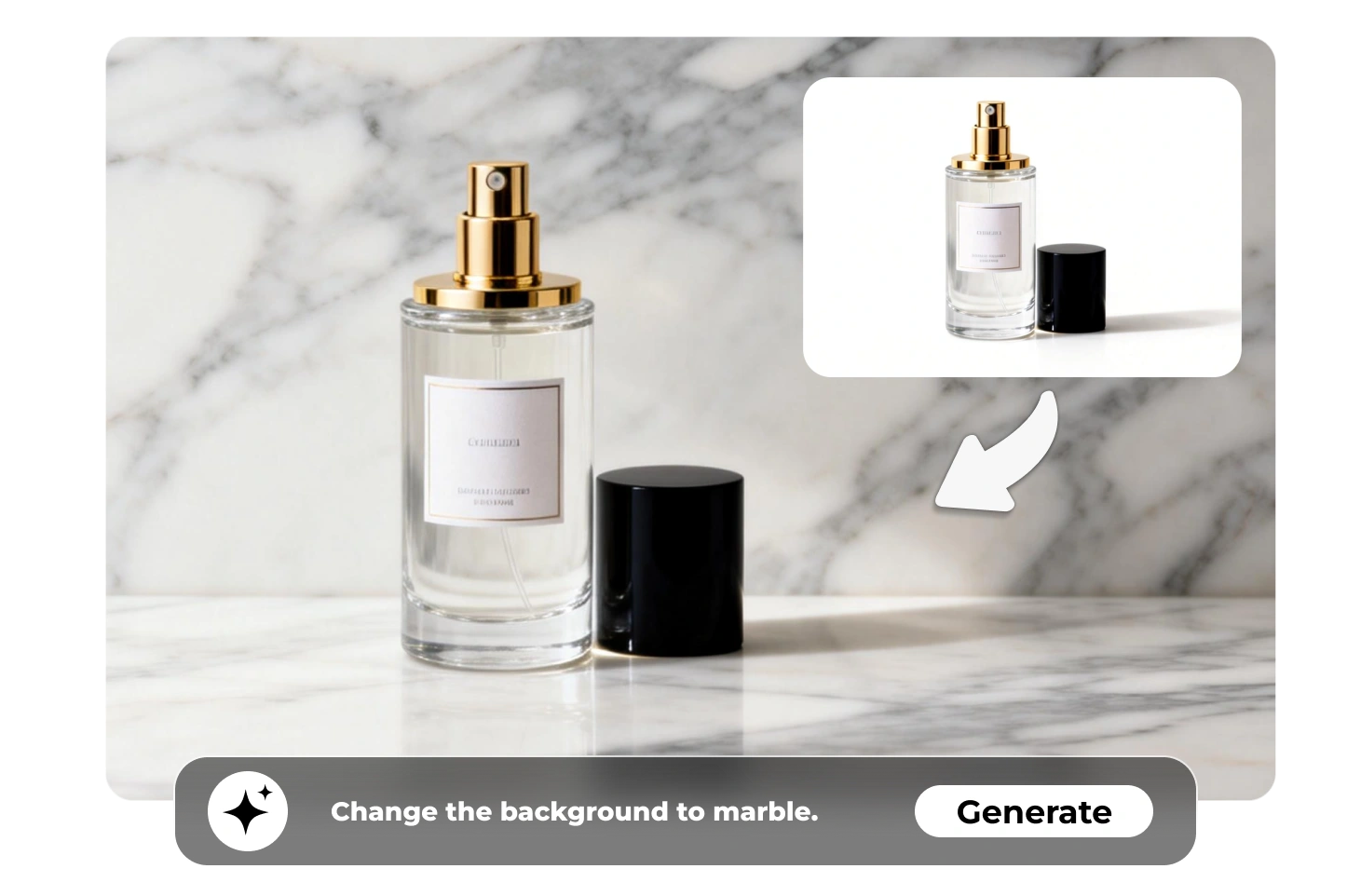
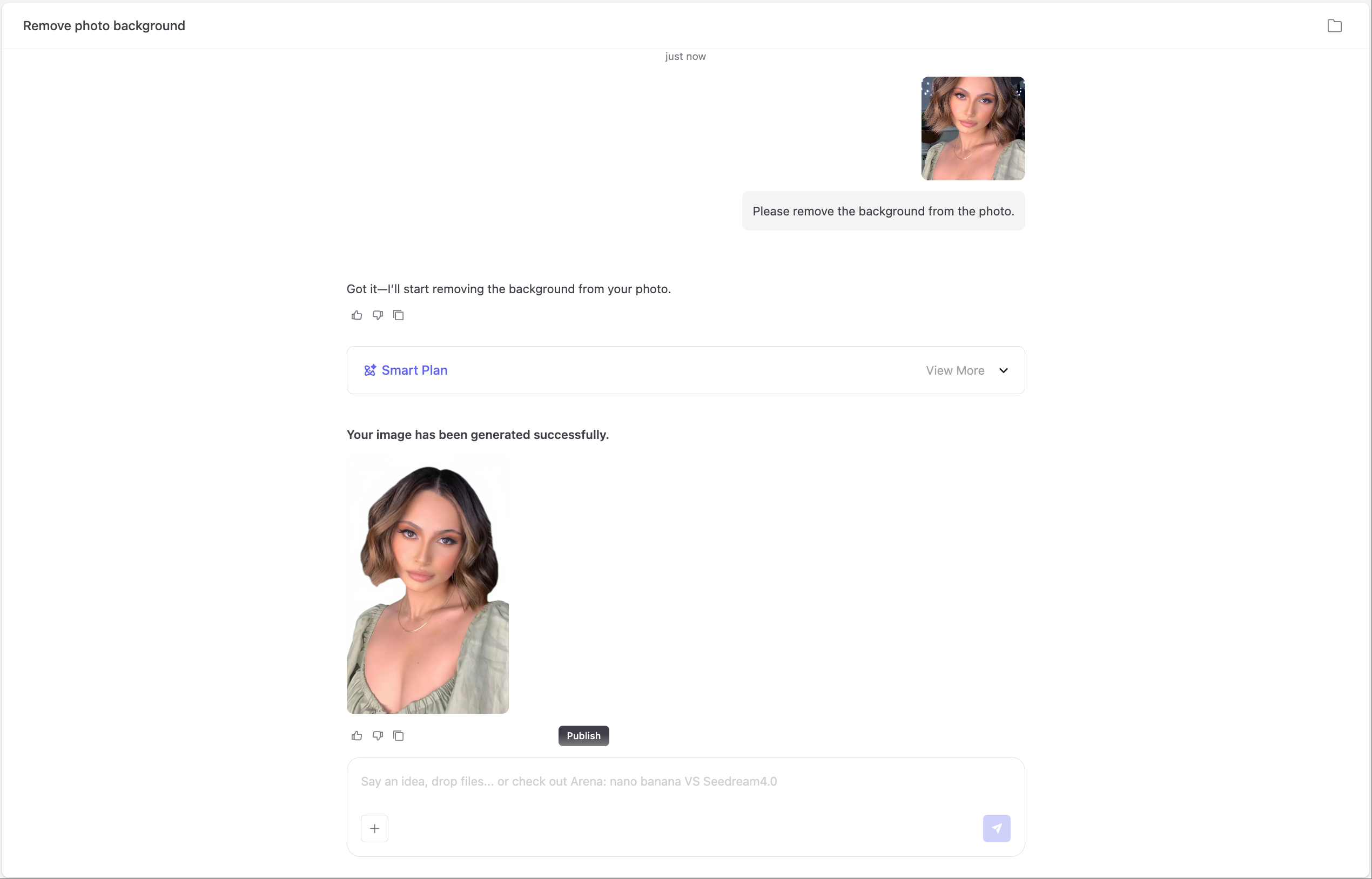
“Can you remove the background?”
The AI immediately analyzes the image’s people, objects, lighting, and tone.

3. Arena-Guided Model Selection

Behind the scenes, Ima Arena compares multiple advanced AI models — visual, multimodal, and reasoning engines — to select the one that best fits your photo and question. This ensures you always get the most natural, detailed, and accurate response without manually switching models.

4. Take Action Instantly

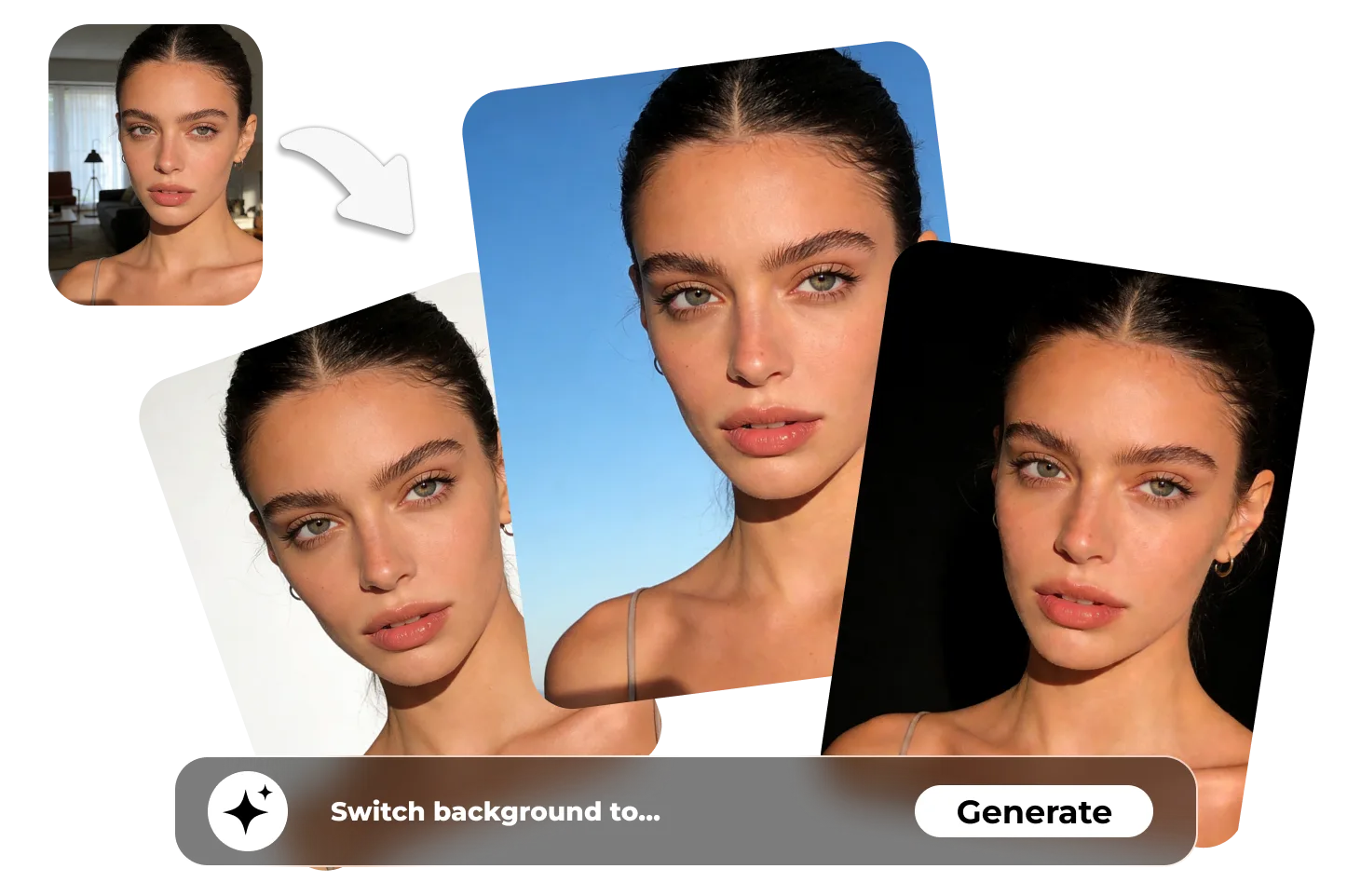
Chat isn’t the end — it’s the start of creation. Use the built-in action chips to apply AI edits in one click:Enhance Quality – Make it HD or 4K-readyRemove Watermark or Object – Clean visuals effortlesslyChange Background – Replace with sky, studio, or aesthetic colorStylize or Anime-fy – Transform into a new artistic styleAdd Captions or Hashtags – Auto-generate smart descriptions for sharing

Why Choose Ima Studio’s Chat with Image

⚔️ Arena-Optimized AI

No need to guess which model works best.
Ima Arena runs several AI models in parallel, compares results, and automatically chooses the one that matches your goal — whether analytical, creative, or emotional.

🧩 From Understanding to Creation

Unlike other “chat-with-image” tools that stop at description, Ima Studio lets you edit, generate, and remix your image directly from chat. Turn insight into creation instantly.

🌐 Community Templates

Join thousands of creators in the Ima Community, where you can discover free templates for every style — product photography, anime portraits, memes, posters, and more. Apply any template to your photo in one click and keep creating.

🛡️Privacy & Security

Your photos are processed securely and automatically deleted after each session. No storage, no reuse, no data sharing — ever. See our Privacy Policy for details.

⚡ High Quality, No Watermark

Every result is high-resolution and watermark-free — ready to download, print, or share anywhere.

Popular Use Cases

E-Commerce & Branding

Perfect for sellers, shop owners, product designers, and brand teams.

  • Turn product images into white / transparent / branded backgrounds

  • Remove dust, wrinkles, reflections, or distracting objects

  • Clean and enhance lighting for consistent storefront visual identity

  • Auto-generate product titles, highlights, captions & hashtags

  • Export Amazon / Etsy / Shopify ready images instantly

Portraits, Profile & ID Photos

For resumes, passports, employee badges, student cards, and social profiles.

  • Switch background to white / blue / red / studio tones automatically

  • Smooth skin tone while keeping natural texture

  • Fix lighting to remove harsh shadows

  • Match official passport / visa / corporate size requirements

Students, Teachers & Researchers

Useful for lectures, coursework, exam prep, and academic writing.

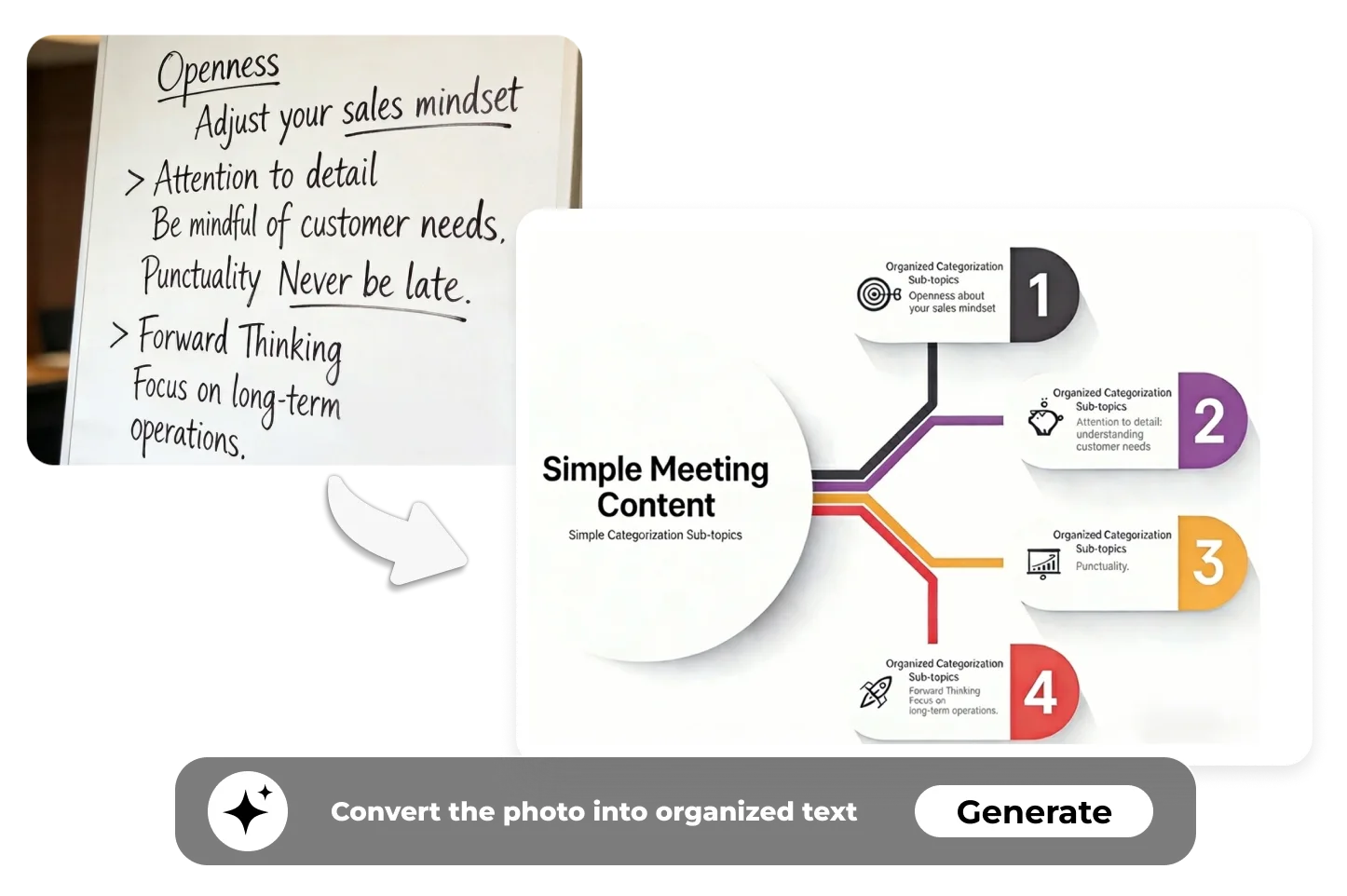
  • Convert handwritten notes, slides, or board photos into organized text

  • Ask the AI to explain formulas, steps, diagrams, or charts

  • Summarize research posters, assignments, and screenshots into bullet points

  • Turn complex visuals into clear, structured study notes

Social Media, Creators & Memes

For content creators, influencers, editors, and community managers.

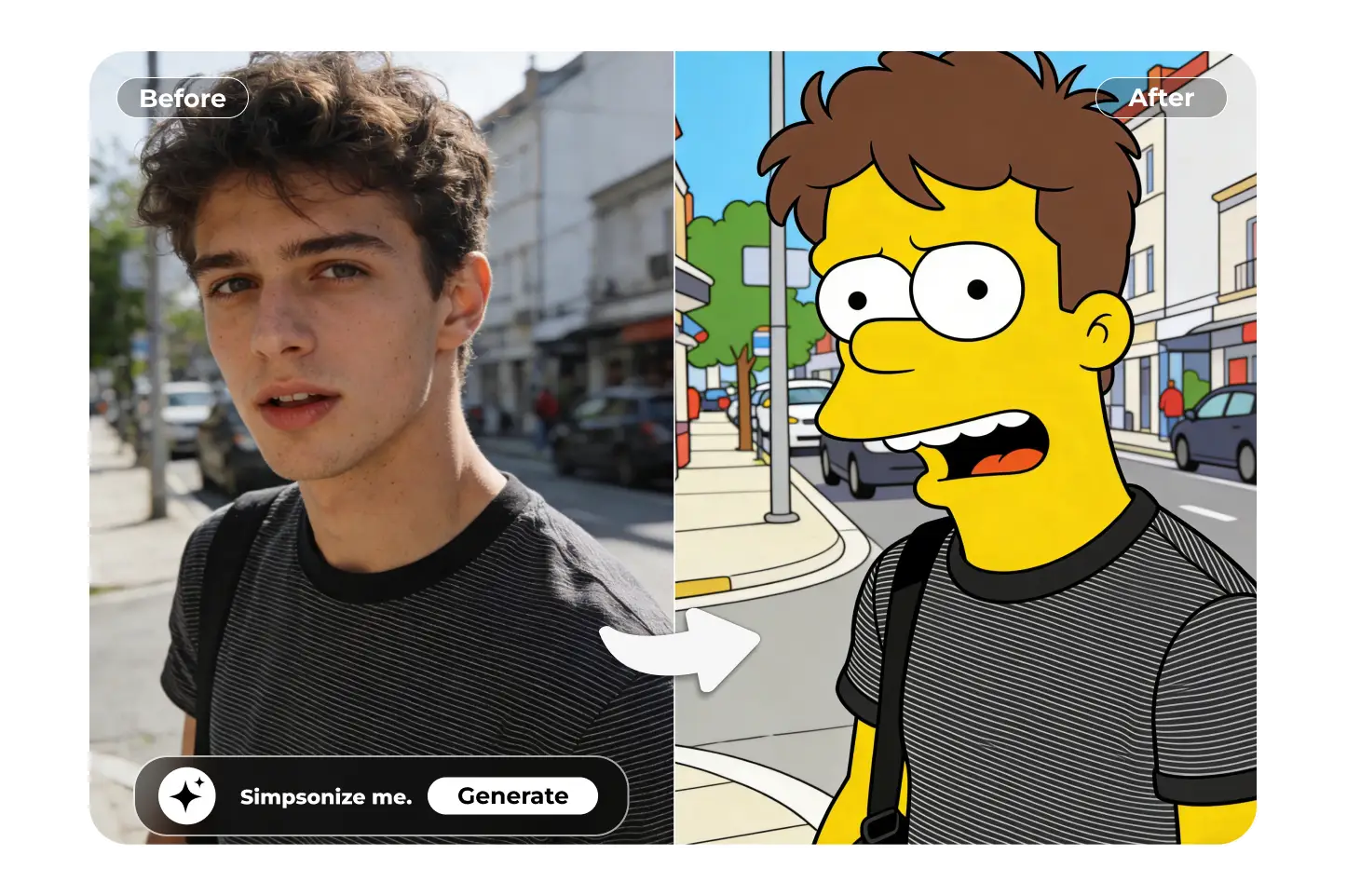
  • Turn selfies into anime, cartoon, painting or stylized portraits

  • Replace backgrounds with aesthetic color palettes or themed scenes

  • Generate captions, post descriptions, prompts, or storytelling snippets

  • Create memes directly from screenshots in one line of chat

FAQs About Chat with Image

Yes. You get 200 free credits as soon as you sign up — no hidden fees and no watermarks.

You can upload JPG, JPEG, PNG and WEBP formats. Each file should be no larger than 10 MB, and for best results select images that are clear and well-lit with the main subject facing forward.

Yes — our system supports multiple uploads in one chat session so you can compare, ask questions across images and perform batch edits or creative transforms.


Absolutely. Beyond discussion, you can ask the AI to enhance quality, remove objects or watermarks, change backgrounds, stylize (anime, illustration, product photo), generate new variations, or add captions/hashtags — all within the same chat interface.

For personal and non-commercial use, yes — you can download and use watermark-free images freely. For commercial use (e.g., resale, marketing campaigns), please refer to our Terms & Conditions to ensure compliance.

While our multi-model engine powered by Ima Arena delivers high-quality understanding and output, results vary by image clarity, subject complexity, and instruction clarity. We recommend uploading high-quality photos and issuing clear prompts. If you’re ever unsure, try different prompts or review the result and ask for refinement.

Your photos are processed securely and automatically deleted after your session unless you explicitly save them. We do not share your images or use them to train models — privacy is our priority.

Yes — Chat with Photo works on both desktop and mobile web browsers. The upload, chat and download experience is optimized for mobile use.

Yes. Please avoid uploading images with sensitive personal data, explicit or copyrighted content you don’t own. The AI may refuse or limit processing of such files to comply with legal and ethical standards.

For optimal output:

  • Use high-resolution and well-lit photos with the main subject clearly visible.

  • Ask specific questions or instructions (e.g., “remove the logo from the bottom right” or “make this background pastel pink”).

  • Use follow-up questions to refine results or try alternate edits.

  • Browse our Community Templates and apply one that suits your use case to speed workflow.

Start Chatting with Your Image Now

Upload your image, ask anything, and watch AI understand, enhance, and create — all in one chat. It’s time to turn your photos into intelligent, editable conversations.
Get for free