The best Lovart alternative depends on what you expect the design agent to finish. Choose Ima Studio for multi-model image and video creation, Figma for product design and prototypes, Canva for finished marketing layouts, Recraft for vectors, Uizard for prompt-to-UI work, or Framer for publishing a generated website.
Price alone doesn’t settle the decision. Lovart starts at $19 per month with 2,000 credits, while Ima Studio Basic is $9.99 with 900 credits. Those credit balances can’t be compared directly because the two platforms charge different amounts for the same models. The useful comparison is the price of a defined output.
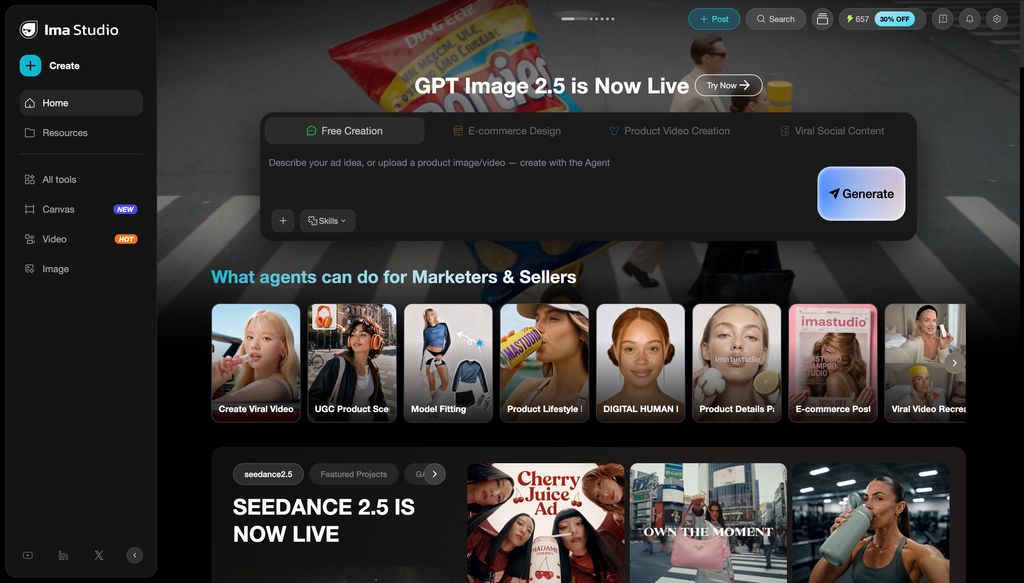
Compare Image Models in Ima Studio
The best Lovart alternatives at a glance
| Rank | Alternative | Best for | Starting paid price* | Main trade-off |
|---|---|---|---|---|
| 1 | Ima Studio | Multi-model image and video creation | $9.99/month | Less focused on autonomous brand-system planning |
| 2 | Figma | Product design, prototypes, and team libraries | $16/month | Generation is tied to seat and AI-credit rules |
| 3 | Canva | Social, presentations, ads, and brand templates | $180/year | Less control over model-level generation settings |
| 4 | Recraft | Vectors, icons, logos, and reusable styles | $12/month | Not an end-to-end campaign agent |
| 5 | Uizard | Prompt-to-UI screens and quick prototypes | $12/month annually | Narrower than Lovart for brand and media assets |
| 6 | Framer | Designing and publishing responsive websites | $10/month annually | A site builder, not a general creative suite |
*Prices exclude tax. Annual billing, AI credits, commercial rights, additional seats, and promotional pricing differ by platform.
Why look for Lovart alternatives?
Lovart takes a brief, analyzes the request, gathers references, and builds related assets on one canvas. That is more ambitious than a single image generator. It also means you may be paying for an agent-led process when you only need one part of the job: editable vectors, UI screens, a social template, or access to a particular image model.
The monthly entry price is another reason to compare. Lovart’s Starter plan is $19 per month with 2,000 fast-generation credits. Its annual checkout showed an effective $16 per month when we checked. Basic rises to $32 monthly or $27 on annual billing; higher tiers add more credits and relaxed generation.
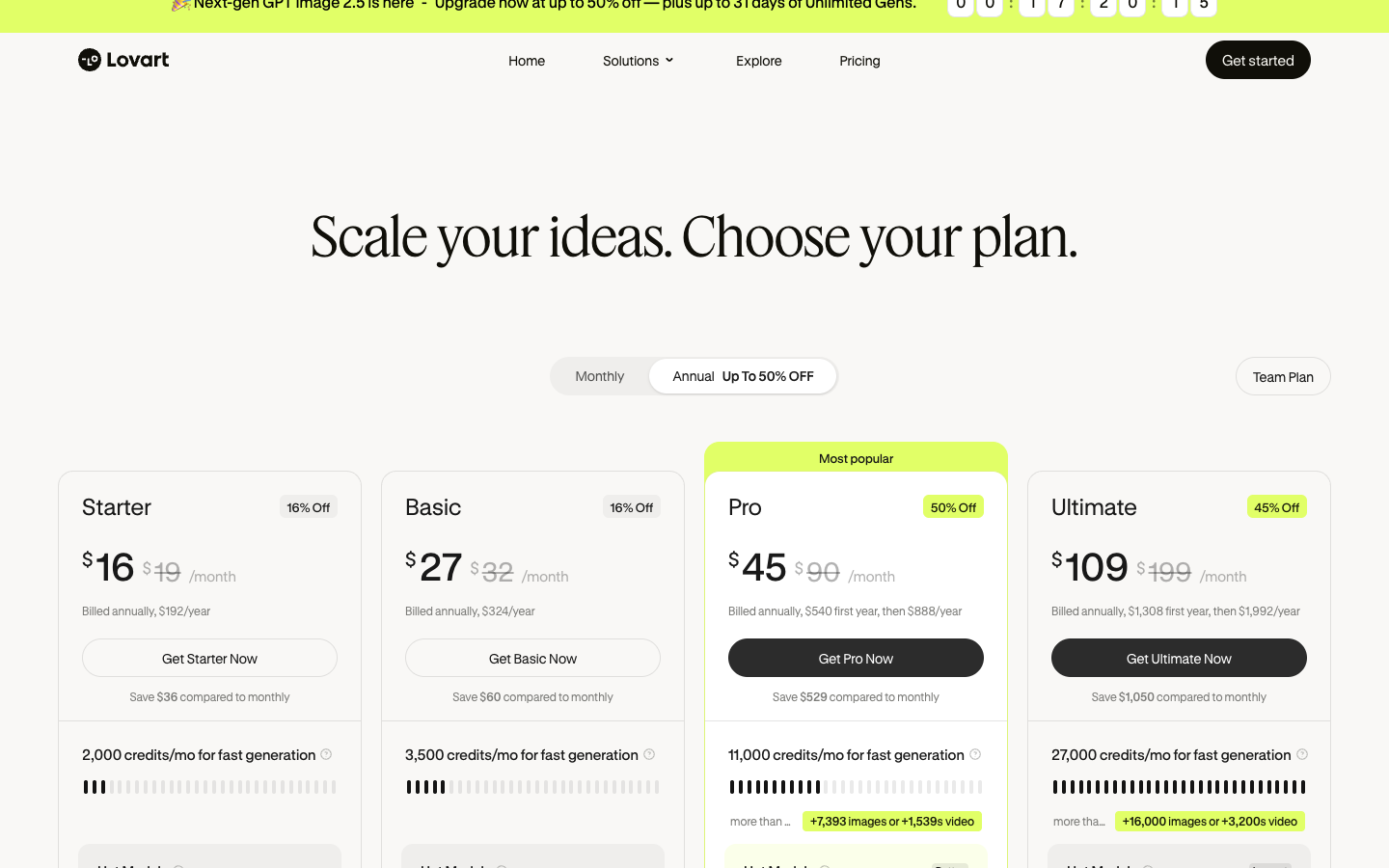
Lovart vs Ima Studio pricing on shared models
Comparing “2,000 credits” with “900 credits” tells you very little. We used the September 4–5 pricing snapshot supplied by Ima Studio’s content team and matched the same model and output setting where possible. The result is mixed. Lovart is cheaper on some jobs; Ima Studio is cheaper on others.
| Shared task | Ima Studio | Lovart | Lower observed price |
|---|---|---|---|
| Nano Banana, default image | $0.0666 | $0.0570 | Lovart |
| Nano Banana 2, 1K image | $0.0666 | $0.0760 | Ima Studio |
| Nano Banana Pro, 4K image | $0.1998 | $0.2280 | Ima Studio |
| GPT Image 2, 1K low | $0.0222 | $0.0095 | Lovart |
| GPT Image 2, 2K high | $0.2553 | $0.4560 | Ima Studio |
| Wan 3.0, 720p video per second | $0.1596–$0.1665 | $0.0760 | Lovart |
Observed subscription-credit prices, not one-off checkout prices. Taxes, unused credits, promotions, queue priority, and plan-only benefits are excluded. The snapshot was not refreshed after September 5, 2026.
If you repeatedly use GPT Image 2 at 2K high or Nano Banana Pro at 4K, Ima Studio had the lower observed task price. Lovart was lower for the sampled Nano Banana default, GPT Image 2 low, and Wan 3.0 tasks. Run your own five-task sample before moving a full campaign.
1. Ima Studio: best Lovart alternative for multi-model media creation
Choose Ima Studio if: your team cares more about selecting the right image or video model than asking one design agent to plan the whole campaign.
Ima Studio Basic costs $9.99 per month with 900 credits. The image workspace supports model selection, reference images, prompt help, resolution settings, and multiple outputs. Video creation sits in the same product, which makes it easier to compare a still-image direction with motion options.
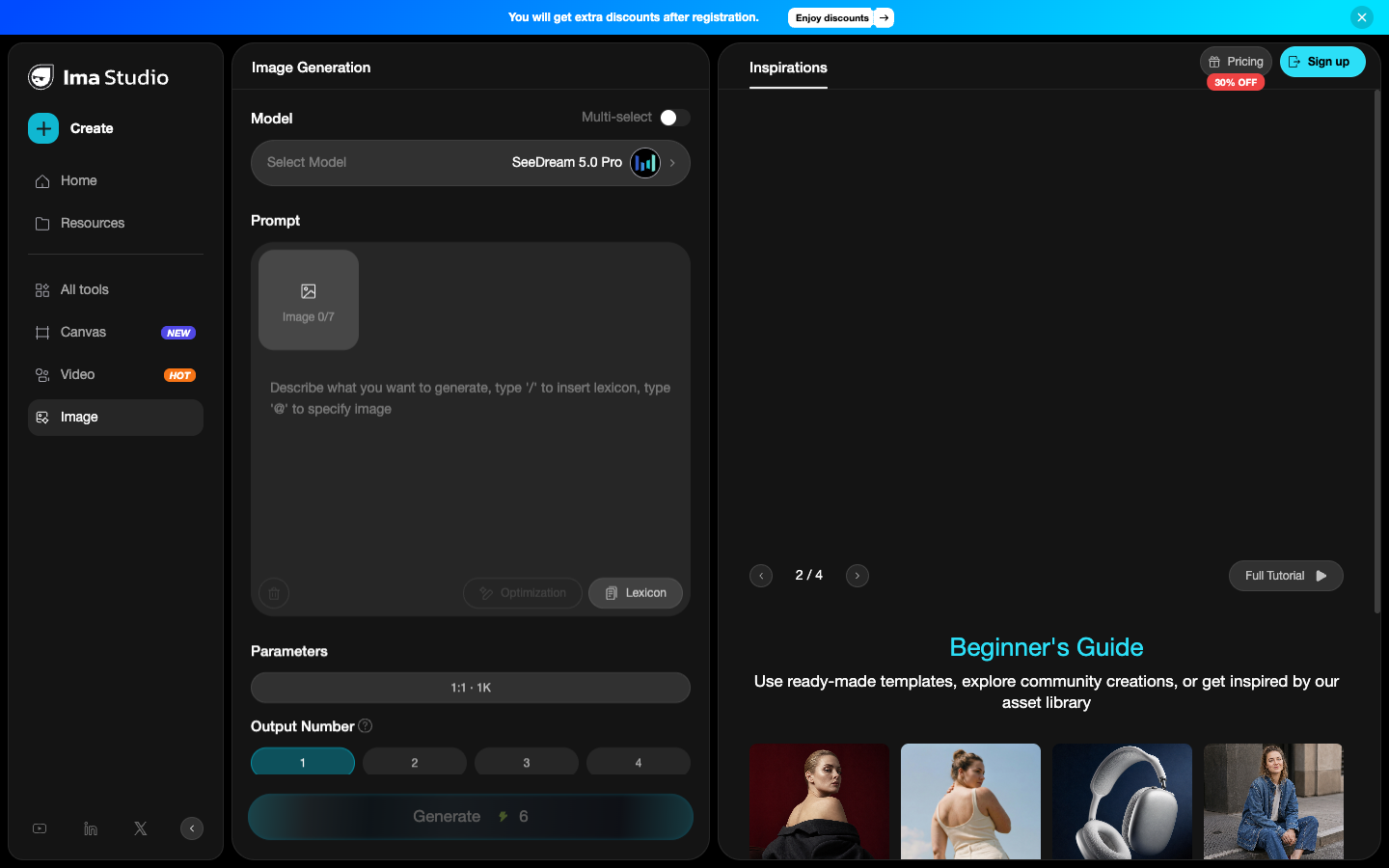
Lovart is stronger when the brief should become a coordinated set of assets with less manual planning. Ima Studio is the better fit when you already know the deliverable and want direct control over the model and settings.
2. Figma: best for product design and working prototypes
Choose Figma if: the end product is an interface, prototype, design system, or developer handoff rather than a campaign moodboard.
Figma’s Starter plan is free with limited access and up to 500 AI credits per month. A Professional full seat is listed at $16 per month with 3,000 AI credits. Figma Make can turn prompts and existing designs into functional prototypes, while Figma Design keeps the resulting layers, components, libraries, and review process in the same workspace.
The switch only makes sense for product work. Lovart covers broader brand, image, and media tasks; Figma is much deeper once the job becomes screens, states, components, and handoff.
3. Canva: best for repeatable marketing layouts
Choose Canva if: your team starts from approved templates and needs social sizes, presentations, ad layouts, brand kits, and scheduling.
Canva Free includes limited AI use, templates, stock assets, and 5GB of storage. Canva Pro is $180 per year for one person in the United States. It adds more AI use, premium media, brand kits, background removal, resizing, translation, and scheduling.
Lovart begins with an open brief and explores directions. Canva works better after a team has decided what “on brand” means and wants non-designers to produce approved variations without rebuilding the system.
4. Recraft: best for vectors, icons, and reusable styles
Choose Recraft if: editable vector output matters more than an agent-generated presentation of the whole campaign.
Recraft’s paid entry tier has been listed at $12 per month. It supports raster and vector generation, vectorization, background work, inpainting, and reusable styles. Its current API prices V4 raster generation at $0.04 per image and V4 vector generation at $0.08.
Free-plan rights need attention: Recraft says free outputs are public and owned by Recraft, while paid outputs receive commercial rights and private generation. Lovart covers more formats, but Recraft gives a designer a clearer path to production vector assets.
5. Uizard: best for fast UI concepts
Choose Uizard if: you need a prompt, sketch, or screenshot to become editable app and website screens quickly.
Uizard Free allows three AI generations per month and two projects. Pro costs $12 per month when billed annually, with 500 AI generations, private projects, up to 100 projects, all templates, and developer handoff in React and CSS. Business is $39 per month annually with 5,000 AI generations and brand-kit support.
Uizard is narrower and easier to evaluate because the deliverable is specific: UI screens and flows. It won’t replace Lovart for packaging, posters, product photography, or a mixed-media brand campaign.
6. Framer: best for designing and publishing a website
Choose Framer if: the brief ends with a live responsive site, not a folder of design exports.
Framer Free includes 500 AI credits and a Framer domain. Basic is $10 per month on yearly billing with 1,000 monthly credits, a custom domain, two CMS collections, and built-in SEO. Pro is $30 per month with 3,000 credits, more CMS capacity, staging, redirects, and branching.
Framer doesn’t replace Lovart’s image, video, or brand-system breadth. It removes a different handoff: the gap between a web concept and the published site.
Which Lovart alternative should you choose?
- Ima Studio: direct multi-model image and video creation.
- Figma: product interfaces, prototypes, and team design systems.
- Canva: repeatable marketing layouts for a broad team.
- Recraft: editable vectors, icons, and controlled visual styles.
- Uizard: quick UI concepts from prompts or screenshots.
- Framer: AI-assisted sites that can be published from the same tool.
Stay with Lovart if you want one agent to interpret an open creative brief and assemble related brand assets on a canvas. Switch when your deliverable is narrower. A specialist tool is usually easier to price, review, and hand off.
Frequently asked questions
What is the best free Lovart alternative?
Figma, Canva, Uizard, Framer, Recraft, and Ima Studio all offer a free evaluation path or free starting access with different limits. Match the free tier to the output you need, then check commercial rights and privacy before using the result for client work.
Is Ima Studio cheaper than Lovart?
Ima Studio has the lower monthly entry price: $9.99 versus Lovart’s $19. On matched model tasks, neither platform was always cheaper. Ima Studio cost less for the sampled Nano Banana Pro 4K and GPT Image 2 2K-high tasks; Lovart cost less for the sampled Nano Banana default, GPT Image 2 low, and Wan 3.0 tasks.
Can Figma replace Lovart?
Figma can replace Lovart for product UI, prototypes, design systems, reviews, and developer handoff. It is not a full replacement for Lovart’s brand exploration, product photography, video, and mixed-media campaign work.
More AI tool comparisons
Compare broader generation platforms in our Krea alternatives guide, or focus on image creation in our OpenArt alternatives guide.
Try Image Models in Ima Studio
Sources checked September 11, 2026: the supplied “IMA与竞品:终端售价/倍率对照(22模型)” snapshot dated September 4–5, Lovart pricing, Figma pricing, Canva pricing, Recraft pricing, Recraft API pricing, Uizard pricing, and Framer pricing.
About The Author