Updated: March 2026 · 12 min read · AI Agents, Productivity, Creator Tools
OpenClaw is everywhere right now. In the span of a few weeks, it went from a side project built by one Austrian developer to one of the most-talked-about AI tools on the planet — sparking a Mac Mini shortage, a trademark dispute, and a job offer from OpenAI for its creator.
If you’ve been watching the hype from the sidelines and wondering “is this thing actually worth setting up for me?” — this guide is for you.
We’ll walk through what OpenClaw is, how to install it, what it can actually do, and — critically — where it falls short for everyday creators and knowledge workers. Then we’ll show you a purpose-built alternative that gives you the same philosophy with far less friction.
What Is OpenClaw, Really?
At its core, OpenClaw is a personal AI agent that runs on your own computer and takes actions on your behalf — 24 hours a day, whether you’re at your desk or not.
Unlike ChatGPT, Gemini, or Claude.ai, you don’t open a browser tab and type questions. Instead, you message it through apps you already use — WhatsApp, Telegram, iMessage, Discord, Slack — and it goes off and does things: checking your calendar, filing emails, running scripts, managing files, browsing the web.
It’s organized around three core concepts:
1. The Gateway — a local server running on your machine that acts as the control plane. Everything flows through it: your messages in, AI responses out, tool calls in both directions.
2. Skills — installable packages that extend what your agent can do. There’s a community hub called ClawHub with hundreds of them: RSS readers, browser control, calendar management, code execution, and more. Think of them as apps for your AI.
3. Memory files — plain markdown files (MEMORY.md, USER.md, SOUL.md) that persist context between conversations. This is what makes OpenClaw feel genuinely personal over time — it remembers who you are and what you care about.
The vision is genuinely exciting: an AI that lives in your system, learns your preferences, and works autonomously in the background. The reality of setting it up is… somewhat messier.
OpenClaw Setup: Step-by-Step
Prerequisites: Node.js v22 or higher, npm, a terminal you’re comfortable using, and an API key for your preferred LLM (Claude or GPT-4).
Step 1: Install OpenClaw globally
npm install -g openclaw@latest
Step 2: Run the onboarding wizard
openclaw onboard --install-daemon
The wizard walks you through four stages:
- Setting up the Gateway (your local control server on port 18789)
- Configuring your workspace directory (where memory files live)
- Connecting channels (this is where you pair WhatsApp, Telegram, etc.)
- Installing initial Skills
Budget at least 30–60 minutes for this step. Connecting messaging channels, especially iMessage or WhatsApp, involves authenticating through QR codes and sometimes running additional platform-specific bridge services.
Step 3: Set your API key
In your workspace directory, you’ll find a config.yaml file. Add your LLM credentials:
llm:
  provider: anthropic  # or openai
  api_key: "sk-..."
  model: claude-sonnet-4-6
Step 4: Install your first Skills
Open your WebChat UI at http://localhost:18789 and type:
install skill: calendar
install skill: browser-control
install skill: rss-reader
Or browse ClawHub directly and pull skills by name. Each skill adds a new capability — calendar reading, web browsing, file management — and hot-reloads without restarting the Gateway.
Step 5: Personalize your memory files
Open MEMORY.md in your workspace and start filling it in. The more context you give OpenClaw here, the better it performs. Name, timezone, current projects, communication preferences, tools you use — all of it helps.
This is genuinely one of OpenClaw’s most powerful features. Once seeded, the agent reads this file in every conversation, which is what gives it the “it already knows me” feeling long-term users rave about.
What OpenClaw Is Great At
Once you get past the setup, there are real workflow wins — especially if you’re technical:
Autonomous inbox management. You can configure OpenClaw to triage and respond to email while you sleep. (The famous incident where it cleared a Meta executive’s inbox in one night is both a testament to this capability and a cautionary tale about appropriate guardrails.)
Background task automation. Cron-style scheduled jobs you set up in plain English: “Every Monday morning, pull last week’s analytics and send me a summary on Slack.”
Coding assistance across tools. Power users hook it into Claude Code and Codex sessions, run test suites automatically, and have it open PRs when it finds bugs — all triggered from a WhatsApp message.
Deeply personal context. After a few weeks of use, the memory system genuinely makes it feel tailored to you. It knows your project names, your preferences, your calendar rhythm.
Want to connect OpenClaw specifically to X / Twitter?
We have a dedicated step-by-step guide: How to Use OpenClaw to Post on X (Twitter) — Step-by-Step 2026 →
Where OpenClaw Gets Hard
Here’s what the breathless Twitter threads tend to skip over.
Setup is legitimately complex. Perplexity’s CEO described it as something that “took our own engineers a long time to set up.” Terminals, API keys, daemon configuration, port forwarding if you want remote access — it’s a developer-grade tool that hasn’t been smoothed out for everyone else yet.
Security is your responsibility. Because OpenClaw runs locally with host-level permissions, a misconfigured instance is a real attack surface. Researchers have documented prompt injection vulnerabilities, malicious skills uploaded to ClawHub, and exposed Gateway ports being actively probed. If you’re not thinking about security hygiene, this matters.
Skills are unvetted. ClawHub is community-driven, which is great for breadth but means you’re trusting strangers’ code with host access to your system. There have already been documented cases of malicious skills targeting crypto wallets.
It’s built for builders, not creators. If you want to automate your content pipeline, manage your research workflow, or build a system around your creative process — OpenClaw can do all of this, but you’ll be assembling it yourself from low-level primitives. There’s no concept of a “content creator workflow” out of the box.
The Deeper Problem: Tools Without a System
OpenClaw surfaces a tension that’s been building for creators and knowledge workers since the first AI chatbot launched.
The old problem was too many tabs: you had your writing tool, your research tool, your scheduler, your newsletter platform, your social media dashboard. You were the glue between all of them.
The first wave of AI promised to fix this with All-in-One platforms — tools that kept adding features until they were websites with dozens of capabilities and still felt like clicking between tabs, just inside one window.
OpenClaw’s bet is different, and more interesting: put the AI inside your system, not on a website. Give it skills. Give it memory. Let it become yours over time.
It’s the right philosophy. The execution just assumes you’re a developer willing to wrangle YAML files and monitor security logs.
Which raises the question: what if you could have the philosophy without the complexity?
Meet Ima Claw: The Creator-Native Alternative
Ima Claw starts from the same core insight as OpenClaw — that a personal AI should live in your system, not on someone else’s server — but it’s built for a fundamentally different user: the creator, the solopreneur, the knowledge worker who wants a system, not a project.
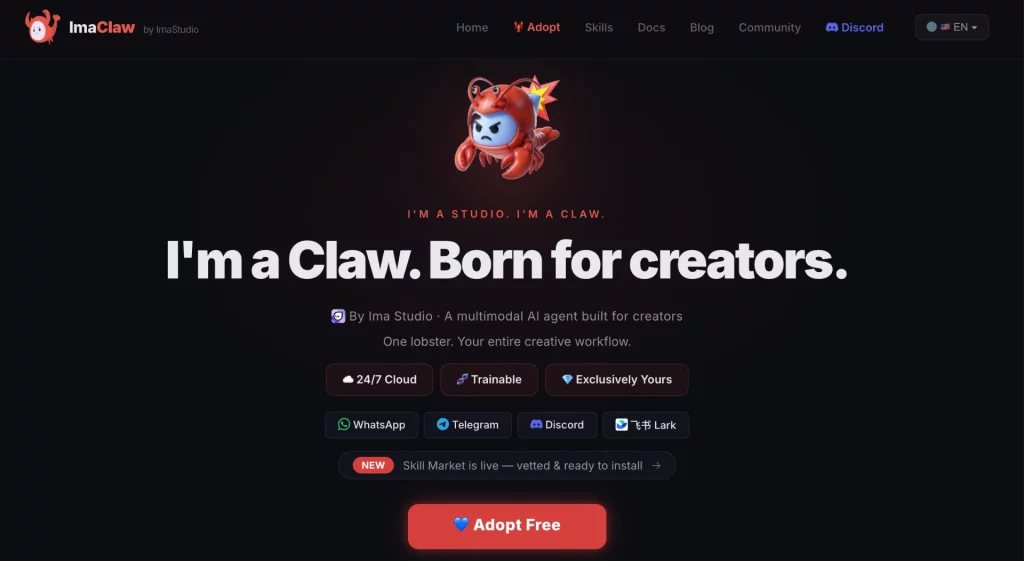
Here’s how the philosophy maps:
| OpenClaw | Ima Claw |
|---|---|
| Install a Skill (via npm + ClawHub) | Install a Skill (like adding an app) |
| Build workflows in config files | Build workflows like stacking Lego blocks |
| Memory via markdown files you maintain | Claw learns from you as you work |
| Developer-facing, self-managed | Creator-facing, opinionated defaults |
| You secure it | Security built in |
The core loop Ima Claw is designed around:
→ Install Skills like apps. No terminal required. Find a skill that fits your workflow — research, writing, scheduling, publishing — and it’s live.
→ Build workflows like Lego blocks. Snap together a research → draft → schedule pipeline in minutes. The building blocks are designed to fit.
→ Your Claw grows into you. The more you use it, the more it understands your rhythm, your voice, your creative patterns. It’s not a neutral tool — it becomes yours.
The difference in philosophy is subtle but important. OpenClaw asks: “How do you want to configure your agent?” Ima Claw asks: “What does your creative process look like, and how do we build a system around it?”
For creators, that’s not a minor distinction. It’s the difference between a bazooka and a precision instrument.
Who Should Use What
Use OpenClaw if:
- You’re a developer comfortable with Node.js, terminals, and security configuration
- You want maximum flexibility and don’t mind assembling things yourself
- You want to run everything locally and self-host completely
- You’re building something experimental and want low-level access
Use Ima Claw if:
- You’re a creator, writer, podcaster, indie hacker, or solopreneur
- You want a system, not a project
- You want AI that learns your creative rhythm over time
- You want Skills that install like apps and workflows that build like Lego
The Bottom Line
OpenClaw is a genuine breakthrough in what personal AI can look like. It proved that an agentic AI living on your machine — with persistent memory, installable skills, and autonomous background tasks — isn’t science fiction anymore. It’s real and it works.
But “it works” and “it works for you” are different things.
If you’ve been following the OpenClaw wave and thinking “I want what this promises, but I don’t want to spend three weekends configuring it” — that’s exactly what IMA Claw is designed for.
Your creative process deserves a system built around it, not a project you have to maintain on the side.
About The Author