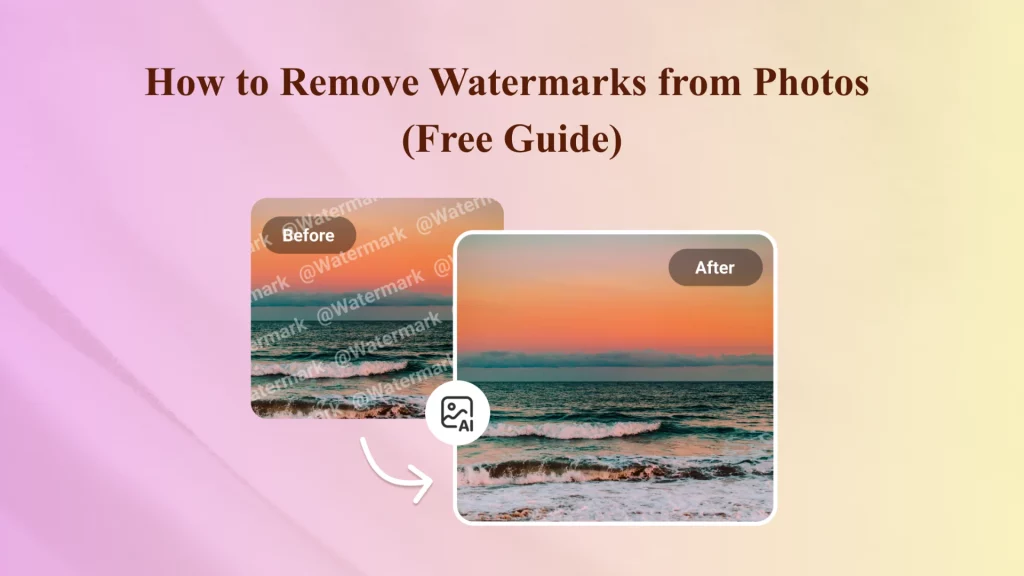
Why Is It So Hard to Remove a Watermark?
Ever found the perfect photo, only to have a big, distracting watermark right across it?
You crop it — the layout’s ruined. 😡
You blur it — now it looks worse. 😭
You try Photoshop — too complicated, too expensive. 😫
And you start wondering:
“How do others make their photos look so clean?”
“Is there a faster way to do this in seconds?”
⚡The Smartest Way to Remove Watermarks from Photos in 2025
Forget the old methods.
AI can now identify, reconstruct, and restore the areas covered by watermarks — all in just seconds. No manual cloning, no messy blur tools, and no Photoshop subscription needed.
That’s where Ima Studio comes in — an Intelligent Media Agent Studio powered by advanced AI models that automatically assigns the best model for your creative task.
You don’t have to choose a model or setting — just upload your image, and Ima Studio’s AI agent automatically routes your task through the most suitable foundation model to deliver seamless, natural results.
✨ Why users love it:
- 100% browser-based, no installation required
- Detects complex watermark patterns with precision
- Free to start, fast to finish
- Works smoothly across desktop and mobile
With Ima Studio, you can finally enjoy clean, watermark-free images without losing quality or time — powered by intelligent AI automation.
3 Steps to Remove Watermarks from Photos with Ima Studio
🪄 Step 1: Input
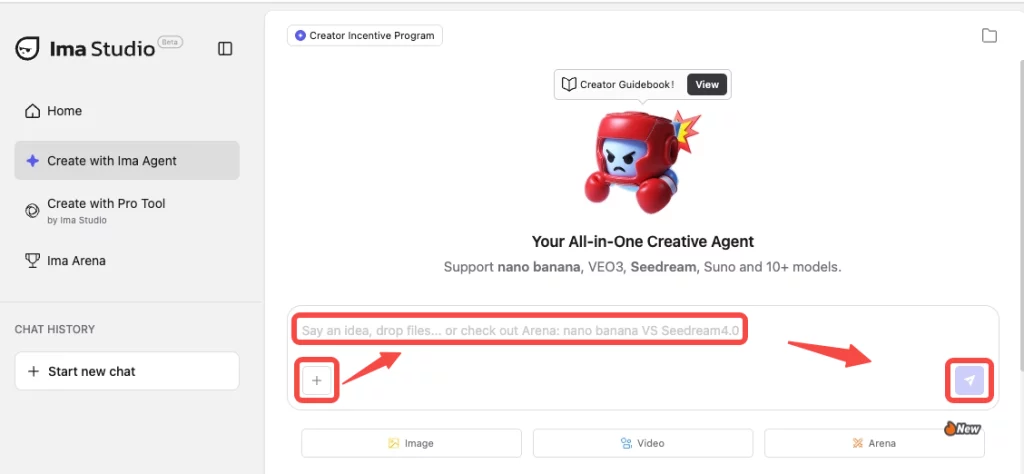
Visit Ima Studio’s creation page and click “➕” to upload your images. You can type a quick prompt, such as remove watermark from the image.
💡Batch processing is supported.
🪄 Step 2: Generate
Just click the send button, and the AI watermark remover, powered by multiple advanced models, will instantly detect watermark areas — even complex patterns or text overlays — and rebuild them without affecting the background.
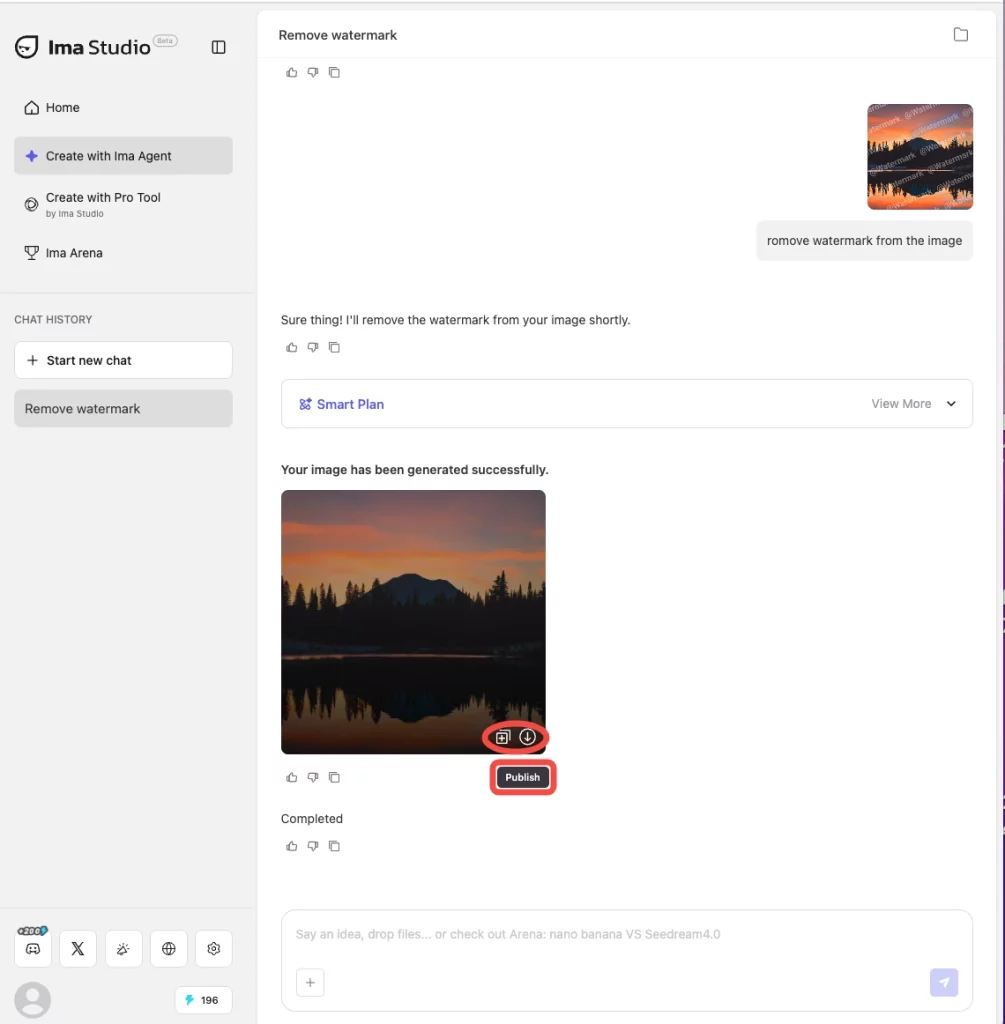
🪄 Step 3: Download
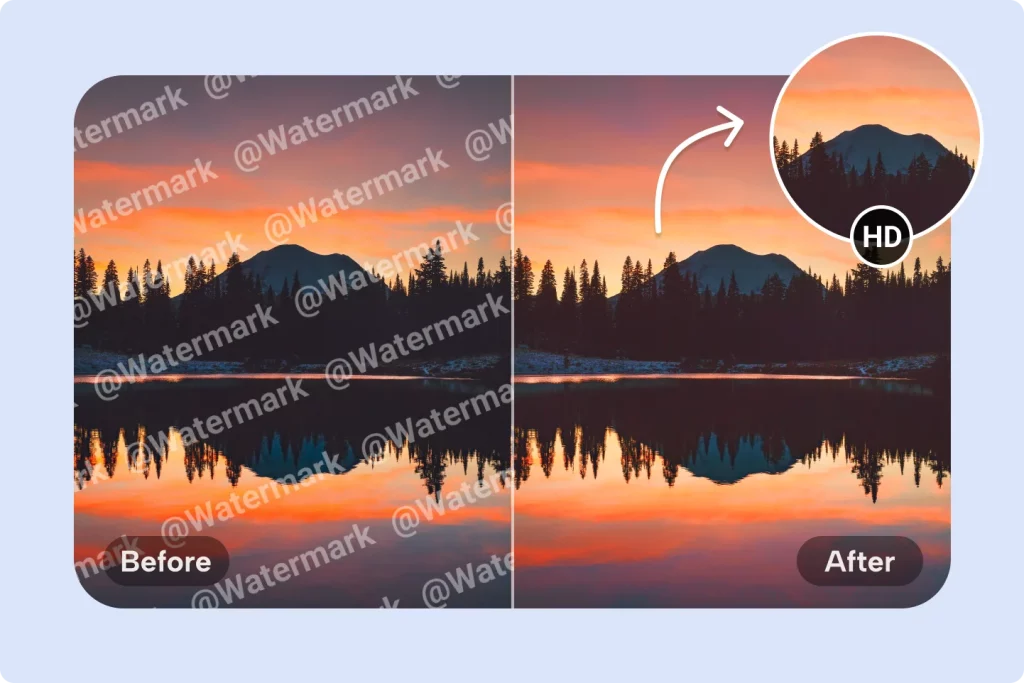
Once done, you can click the “download” icon to get your HD, watermark-free Image instantly. Or choose “publish” to share with the Ima Studio creative community.
Beyond Watermark Removal: What Else You Can Do with Ima Studio
Wait! After you’ve removed the watermark, you may notice the “copy” button. With curiosity, you click it.
Congratulations! 🎉 You’ll find:
Ima Studio isn’t just a watermark remover — It’s a complete AI creation hub for both beginners and professionals.
✨ Here’s what else you can do:
📷 Background Removal & Image Enhancement
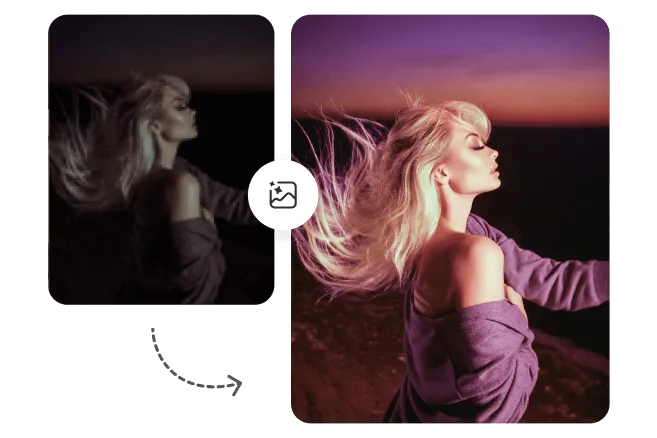
Automatically remove background to create transparent images, or enhance clarity, correct color for older or blurry photos. Perfect for: Product photos, profile pictures, and posters.
🎬 AI Image & Video Generation

Use Ima Studio’s 10+ creative models to turn your watermark-free photos into stunning visuals, videos, or audio. Try Arena Mode to start a “model battle“, compare styles, and pick the best result for ads, reels, or campaigns.
🧩 Template-Based Creative Workflow
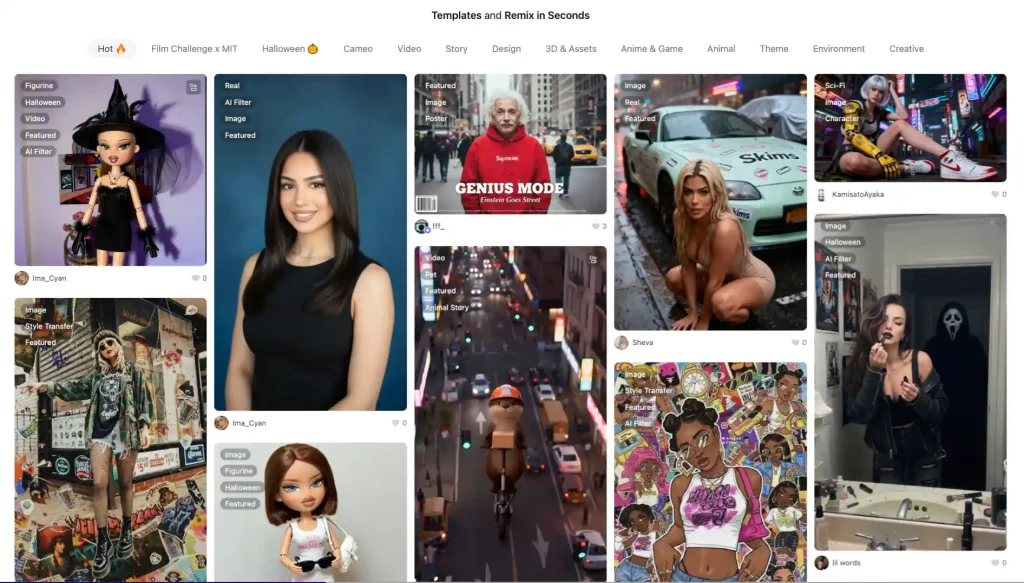
Use Ima Studio’s template library to instantly design social covers, product visuals, or marketing banners. Or publish your own templates to build your personal creative brand.
Key Takeaways
- 🚀 Instant results: Remove watermarks in seconds with Ima Studio — no Photoshop or plugins needed.
- 🎨 Quality preserved: Get HD or 4K, watermark-free images that look clean and natural.
- 🧠 AI precision: Powered by advanced multi-model intelligence for accurate reconstruction.
- 🌍 Beyond editing: Create, enhance, and generate AI visuals, videos, and audio — all in one place.
- 💡 Free to start: Enjoy 200 free credits to try batch watermark removal and other creative functions.
💬 Final Thought: Redefine “Clean” with AI Freedom
Removing watermarks is just the first step — what follows is creative freedom.
Ima Studio helps you move beyond fixing images to building ideas, powered by intelligent AI models that understand your intent. No downloads, no learning curve — just creation made simple.
✨ Try Ima Studio today — upload, type, and let your AI agent handle the rest.
FAQs
How does Ima Studio’s AI watermark remover work?
Ima Studio’s watermark remover utilizes advanced models to identify and remove the covered areas of a photo. It studies the shape, color, and texture beneath the watermark, then fills in the area naturally. Unlike manual editing, it does the work for you and delivers a clean, natural-looking photo — no blur, no loss of detail, just one click.
Can I remove watermarks from images on Ima Studio for free ?
Yes. Ima Studio offers a free plan — 200 free credits for you to instantly experience batch watermark removal and other image editing functions. You can also explore AI-powered image, video, and audio generation — all in one creative platform. When you’re ready to do more, you can upgrade anytime with flexible credit plans for unlimited use.
Can I use Ima Studio to remove watermarks from photos on my phone?
Absolutely. Ima Studio works smoothly on mobile, just like on desktop. Open it on your iPhone or Android browser, upload a photo, and remove the watermark in seconds — no app required. It’s perfect for quick edits before posting on Instagram, TikTok, or your online shop.
Will my photo lose quality after removing the watermark with Ima Studio?
No. Ima Studio’s AI watermark remover keeps your photo’s original clarity, lighting, and color while restoring the covered area. Even small details like shadows and textures stay natural. You can save the final image in HD or 4K without losing quality.
Is it safe to use Ima Studio?
Yes, Ima Studio is safe to use. All image processing happens securely in your browser session, and uploaded files are automatically deleted after editing. The platform does not sell or store personal data, following strict privacy and encryption standards. Thousands of creators trust Ima Studio daily — a browser-based, privacy-first platform designed for AI creation.
About The Author