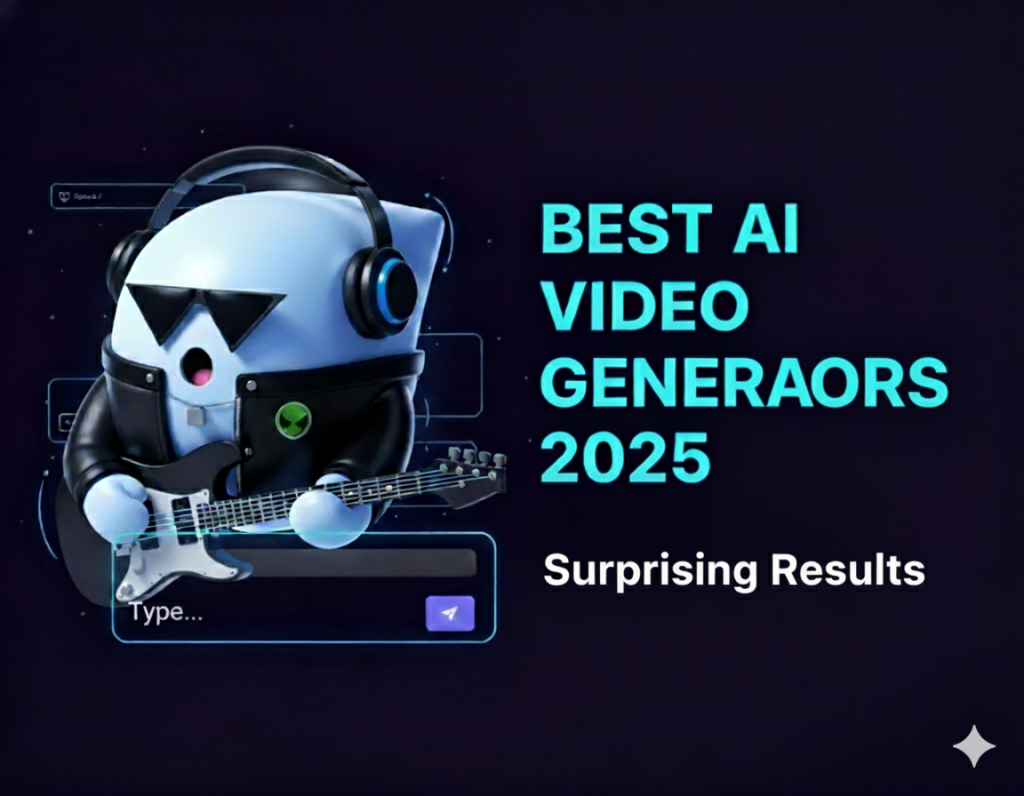
AI video generators are everywhere now. Some of them can create stunning Hollywood-grade scenes, while others still struggle with simple motion.
If you’ve ever tried one, you probably know the frustration: flickering faces, distorted hands, and lighting that just feels off.
So which model actually delivers?
To find out, I tested five of the most talked-about AI video generators inside Ima Studio, an Intelligent Media Agent that connects 10+ top AI models and helps creators generate, compare, and refine their work in one space — just by chatting.
Here’s what we discovered about their performance in realism, consistency, motion, and prompt comprehension.
Quick Overview — 5 Best AI Video Generators Tested
Here’s a quick overview of the five AI video generators tested inside Ima Studio.
| Model | Developer | Generation Mode | Highlight |
| Sora 2 Pro | OpenAI | Text-to-Video | Cinematic realism with synchronized audio |
| Seedance 1.0 Pro | ByteDance | Text-to-Video / Image-to-Video | Natural human motion and smooth lighting |
| Veo 3.1 | Google DeepMind | Text-to-Video | Advanced storytelling and color grading |
| Wanx 2.5 | Alibaba Cloud AI Lab | Text-to-Video / Image-to-Video | Fast generation with dynamic rhythm and music |
| Vidu Q2 | ShengShu Technology | Text-to-Video | Stable motion and realistic reflections |
How I Tested the Best Free AI Video Generator Models
Our goal wasn’t to measure technical parameters, but to focus on what users truly care about —
“Which model helps me create natural, believable, and beautiful videos without hassle?”
All models were tested under identical conditions in Ima Studio using this prompt:
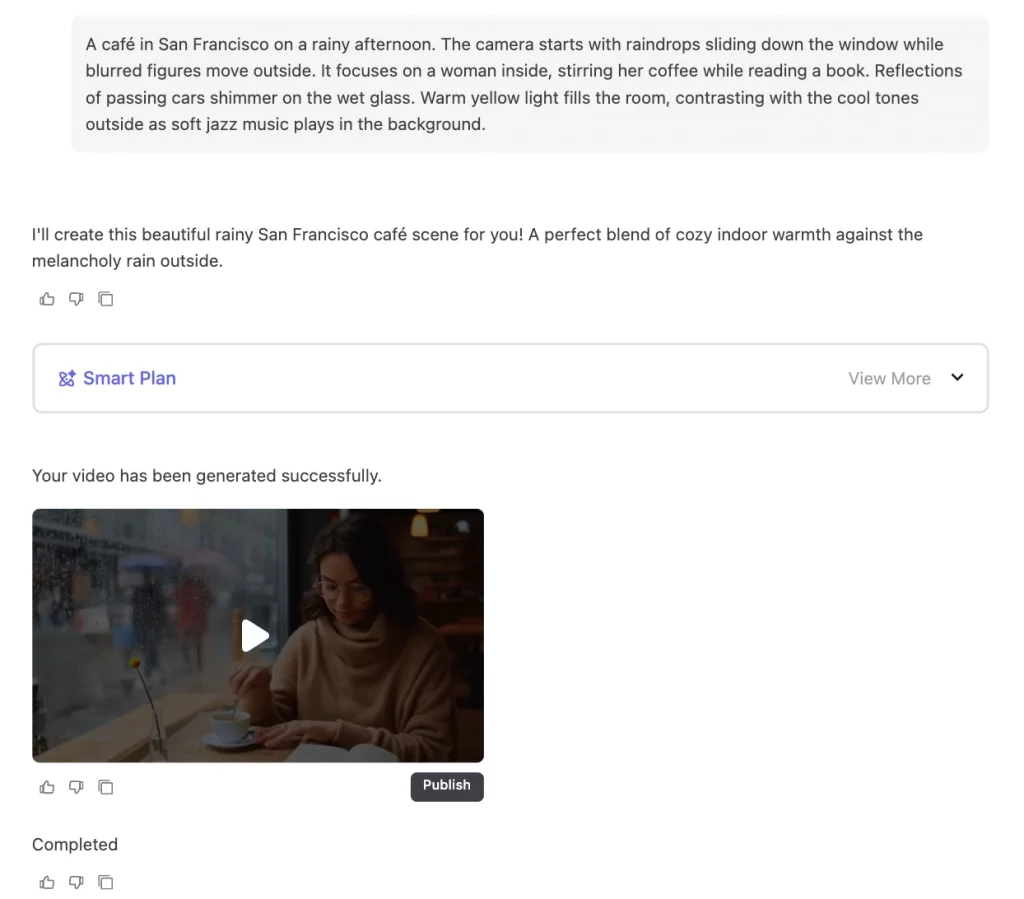
This scene offers a natural mix of movement, lighting, and atmosphere — exactly the kind of moment users often want to recreate when generating AI videos.
Since rendering time and hardware differences are normalized by Ima Studio’s system, we focused on what creators can actually perceive:
- Visual Realism: How natural the textures, reflections, and lighting appear in each scene.
- Scene Consistency: Whether characters, objects, and lighting remain stable and coherent across frames.
- Motion Coherence: The smoothness and credibility of movements, both human gestures and camera transitions.
- Prompt Comprehension — How accurately the model interprets descriptive prompts.
AI Video Generator Test Results
Sora 2 Pro
Sora 2 Pro delivers the most cinematic and natural result among all models.
Lighting, reflections, and motion fit professional film aesthetics perfectly. Backgrounds blur softly to keep focus on the subject.
A few frames have slight depth unevenness, but overall, it boosts lens realism.
Every action, from stirring coffee to reading, feels intentional and smooth.
It also handles ambient sound well, blending rain and café noise into a cohesive atmosphere.
Overall score: 9.6 / 10
Seedance 1.0 Pro
Seedance 1.0 Pro presents balanced lighting and smooth motion.
The scene’s realism is high — outdoor rain, street reflections, and indoor lighting are well layered, and the subject’s tone and shadow transitions are consistent.
The model accurately interprets the “rainy café” prompt, keeping composition stable and facial details clear.
There are minor visual flaws: the left cup reflection looks slightly floating, and the stirring spoon vanishes mid-scene.
Overall, the rendering stays coherent and visually stable.
Overall score: 8.9 / 10
Veo 3.1
Veo 3.1 captures cinematic lighting and realistic reflections, creating a cozy, believable rainy café atmosphere.
Motion stays smooth and coherent, but the model misinterprets the prompt slightly.
It generates two identical characters rather than one performing both actions. Despite this, its visual composition and film tone remain elegant and immersive.
Overall score: 8.7 / 10
Wanx 2.5
Wanx 2.5 stands out for its dynamic combination of visuals and music, creating a lively, cinematic mood.
Character motion, from blinking to subtle hand gestures, is impressively natural.
Some rain or light details have a slight polished look, yet the emotional tone and realism remain strong.
It’s a great option for creators seeking cinematic energy and rhythm.
Overall score: 9.4 / 10
Vidu Q2
Vidu Q2 boasts strong realism and cinematic stability.
Lighting and reflections are beautifully balanced, with character motion feeling grounded.
In some frames, reflections on the glass don’t perfectly align with outside movement.
This is a common limitation of multi-layer rendering, yet the result still boosts the sense of depth, as if viewed through an actual rain-streaked window.
Overall score: 9.0 / 10
Key Takeaways
Based on overall performance:
- 🥇 Sora 2 Pro leads with the highest realism and sound integration.
- 🥈 Wanx 2.5 follows closely with dynamic motion and strong cinematic rhythm.
- 🥉 Vidu Q2 maintains solid visual balance and depth.
- Seedance 1.0 Pro performs reliably in motion but shows minor detail issues.
- Veo 3.1 delivers good lighting yet needs improvement in character accuracy.
Each model shows distinct strengths — and within Ima Studio, you can test them all in one place.
💡 Bonus Tip — Add Music Instantly in Ima Studio
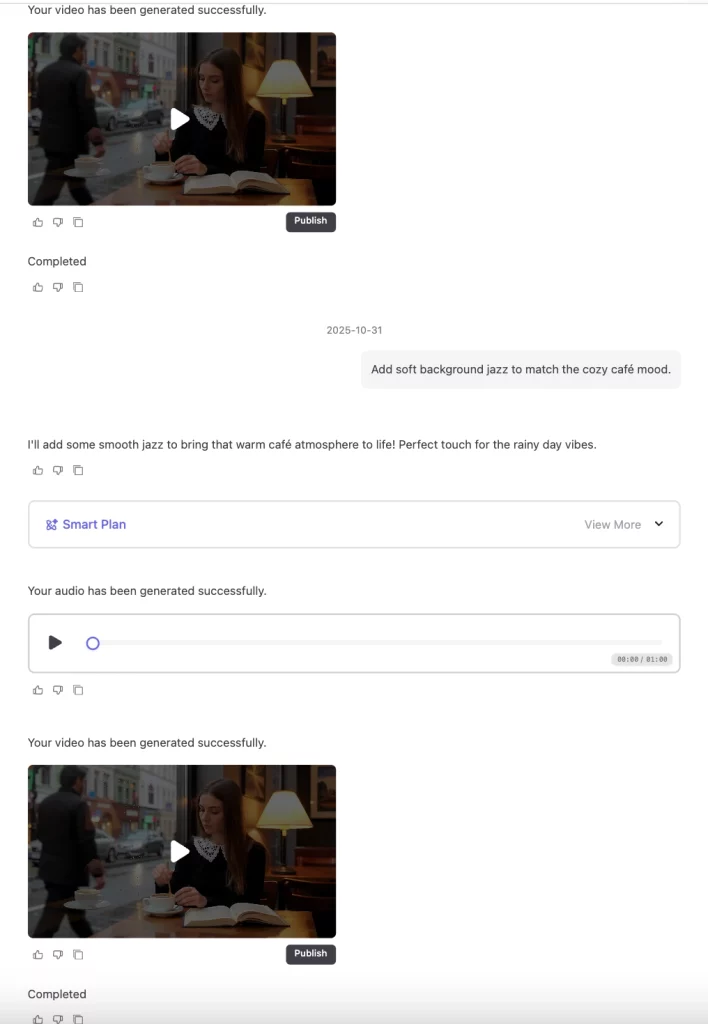
Some models, like Seedance or Vidu Q2, don’t generate background music by default.
Inside Ima Studio, you can simply ask your AI assistant to add matching music directly in the chat — no re-uploading or switching tools.
Your all-in-one multimodal assistant handles it automatically.
Explore More About Ima Studio — Beyond AI Video Generation
AI video generation is just the beginning.
Ima Studio goes far beyond that — connecting 10+ top AI tools for seamless video, image, and audio creation.
You can generate, refine, and remix your ideas effortlessly — just by chatting.
Discover what else you can do:
- 🎨 Ima Studio Arena: Compare the latest models side-by-side, vote for your favorites, and explore your creative style.
- 🦃 Thanksgiving AI Creation Challenge: Join the festive event to design AI “Thank You” templates full of warmth and gratitude, and win 5000 credits plus social media exposure.
- 🎥 Ima Studio × MIT AI Film Hack: A global challenge blending film, art, and AI — with prizes and exclusive memberships.
From idea to finished work, Ima Studio brings together everything you need to create with AI — all in one place.
Conclusion — Try It Yourself on Ima Studio
These reviews reflect my personal experience, but the best way to know which AI video generator fits you is to try it inside Ima Studio yourself.
Beyond these five models, Ima also integrates Midjourney and Kling, with more top-tier models continually being added.
You don’t need complex prompts — just describe your idea naturally, as if chatting with a friend.
A few simple words can turn your imagination into cinematic motion. 🪄
FAQs
Which AI video generator is best for beginners?
Ima Studio is perfect for beginners. Its chat-based workflow needs no technical setup — just describe your idea naturally. You can either pick a model like Wanx 2.5 or Sora 2, or simply let the Ima’s Agent choose one for you. Besides, try Ima Arena, where you can compare models side by side in a fun, interactive way.
Is Ima Studio free to use?
Yes. After signing up, you’ll receive 200 free credits to start creating. You can try text-to-image, image-to-image, and image-to-video generation using 10+ top models. Ima Studio runs smoothly in your browser on any device — no installation required.
What is Ima Studio and how does it work as an AI video generator?
Ima Studio is an intelligent media platform that connects 10+ leading AI models like Sora, Wanx, and Midjourney, allowing users to generate, compare, and refine videos directly in chat — no separate tools needed.
Do I need advanced prompting skills to use Ima Studio?
Not at all. Ima Studio is designed for natural chat-style input. Just describe your scene, and the AI agent interprets your intent. The more detailed your description, the better and more personalized the results.
Is it safe to use Ima Studio?
Absolutely. All video generation and editing happen securely within your browser session. Uploaded files are automatically deleted after processing, and Ima Studio does not store or sell personal data. It follows strict privacy and encryption standards to keep your creations secure.
Is it legal to use Ima Studio’s AI-generated videos commercially?
Yes! Videos from Ima Studio are completely legal for commercial use. You retain full rights to your creations and can use them for marketing, social media, or other professional purposes.
About The Author