Season One is live—and if you’re trying to submit a GAIC (GLOBAL AI CONTENT CHALLENGE) Season One Short Film, this guide is the fastest way to get from “ready to enter” to “Submission completed.”
What you’ll need before you click submit
- Video file: MP4 or MOV (up to 2GB)
- Pitch Deck / Process Note
- Your Ima Profile URL: must be yours (from Ima Studio Community)
- Student track only: school email + student ID photo (JPG/PNG/WebP)
Quick path (60 seconds)
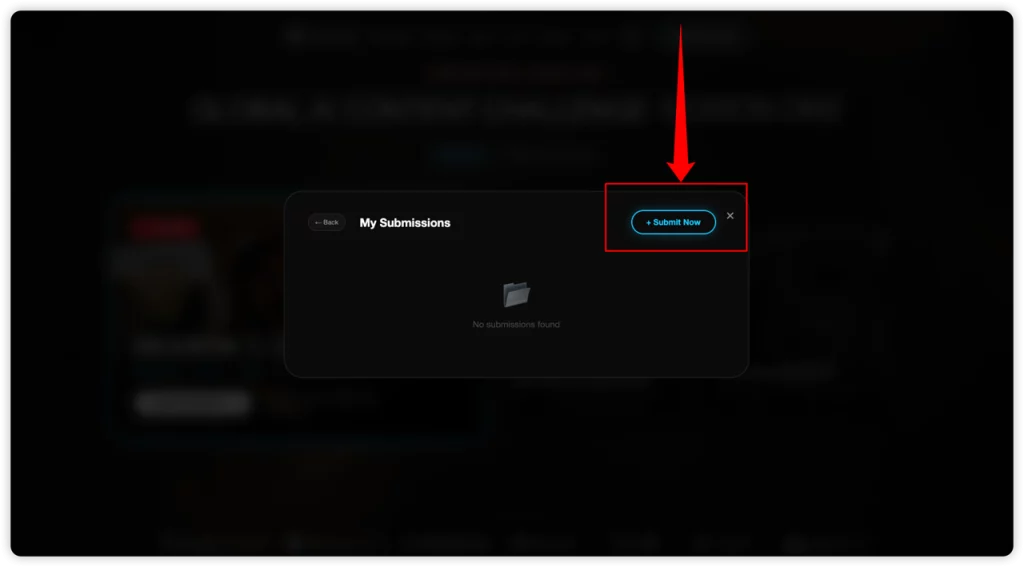
Sign in to Ima Studio → 2) Open GAIC and click Submit → Submit Now → 3) Choose Student/Pro → 4) Fill in project details + Ima Profile URL → 5) Upload files → 6) Complete submission.
If you’re stuck on a specific step (login, profile URL, or uploads), scroll to the matching section below—we’ll walk through exactly what to click and what to upload.
Step 1: Open Ima Studio and Sign In
The GAIC submission flow uses the Ima Studio account system, so you’ll need to have an account before you can upload and submit.
Before you start the GAIC submission flow, open Ima Studio and sign in (or create an account).
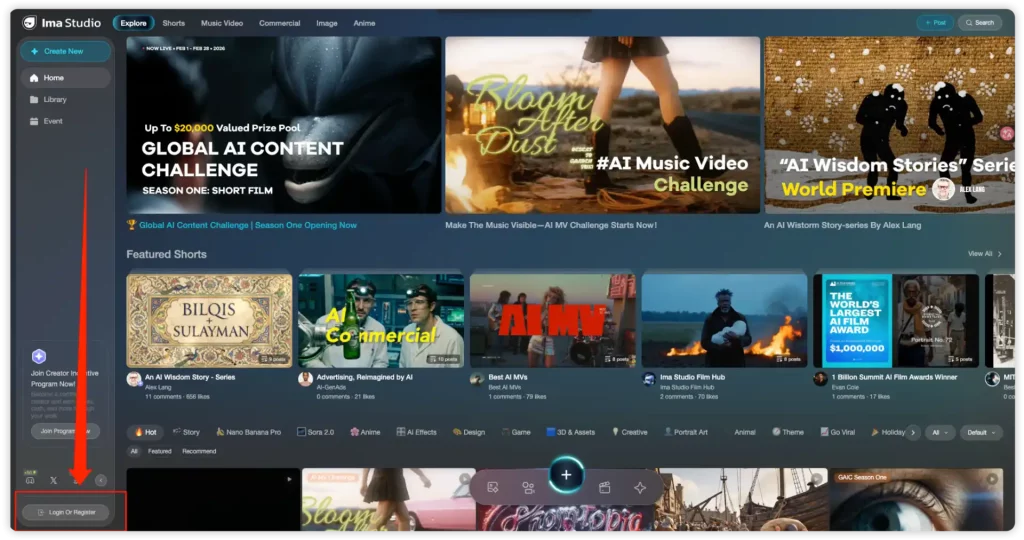
Option 1 (Fastest): Continue with Google
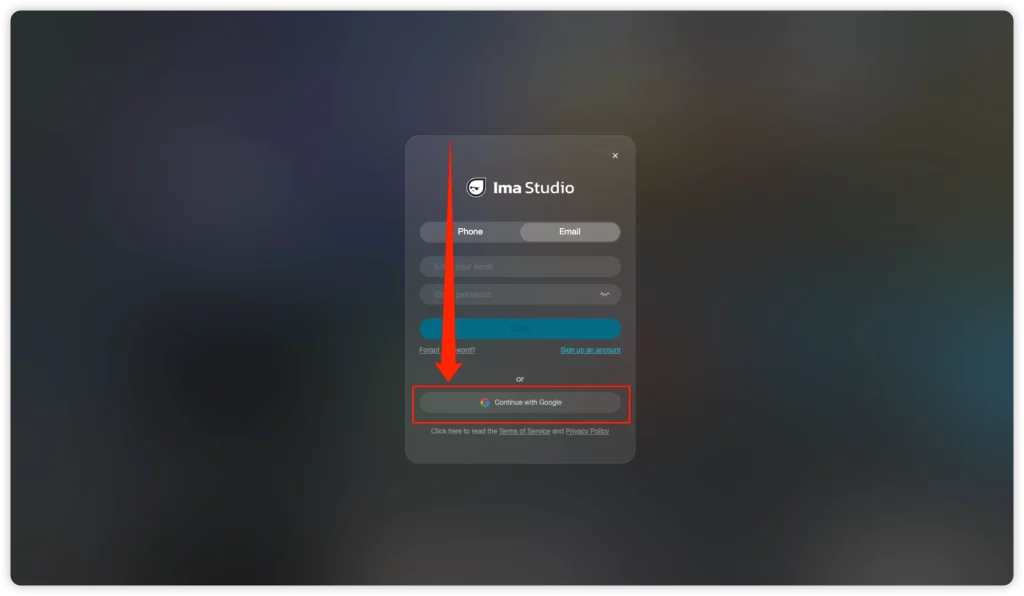
- Click Continue with Google.
- Choose your Google account and approve the sign-in.
- After logging in, return to the GAIC page and continue with Step 2.
Option 2: Register with Phone (SMS + Captcha)
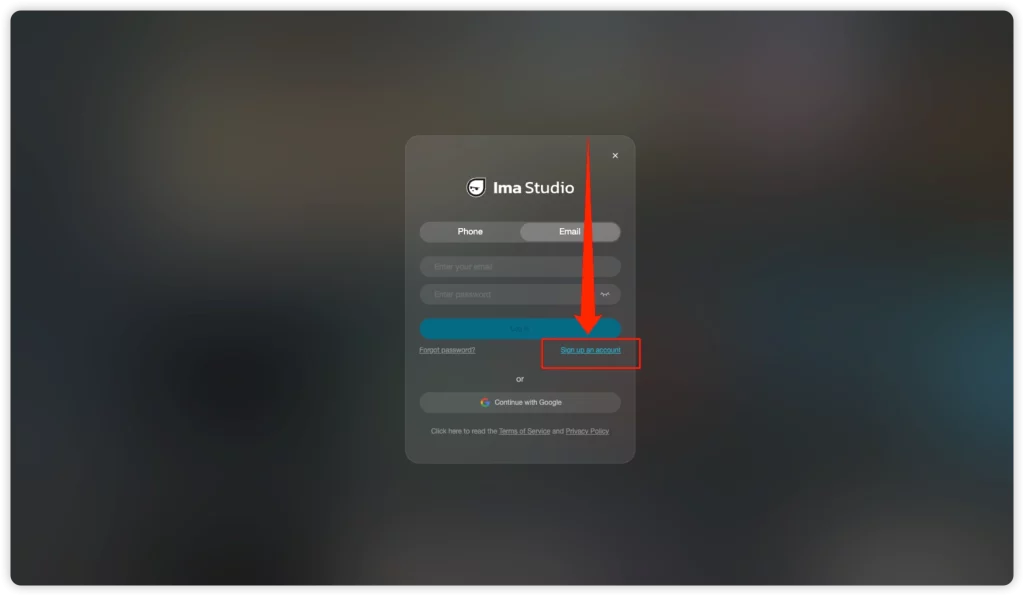
- In the login pop-up, select the Phone tab, then click Sign up an account.
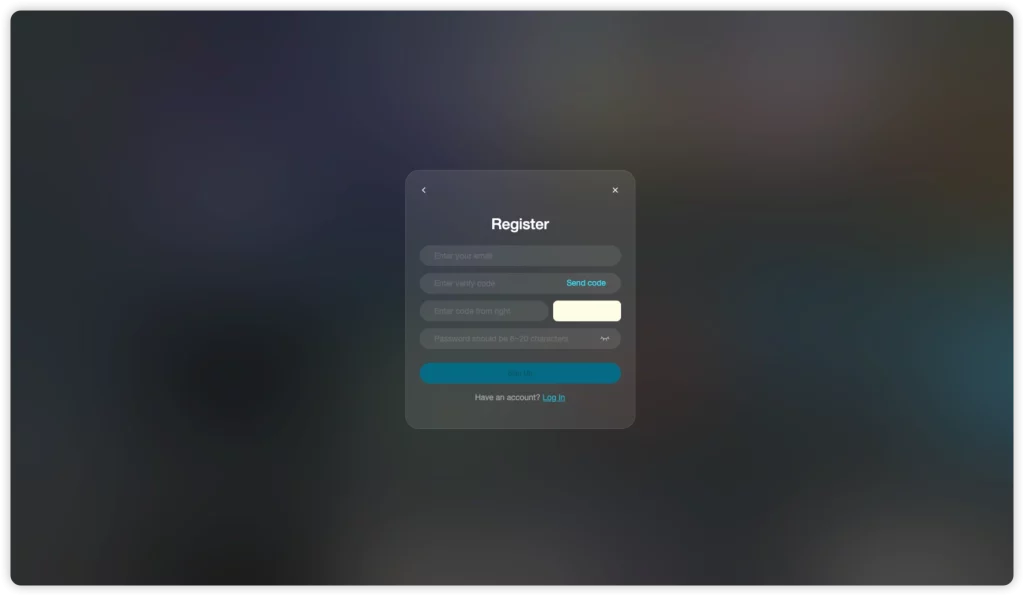
- Choose your country code (e.g., CN +86) and enter your phone number.
- Enter the captcha (the image code shown on the right).
- Click Send code, then enter the SMS verification code you receive.
- Create a password (6–20 characters), then click Sign Up.
- Once you’re signed in, go back to the GAIC page and continue the submission steps.
Option 3: Log In / Sign Up with Email
- Switch to the Email tab.
- Click Sign up an account to create a new account (or log in if you already have one).
- Enter your email + password and complete any prompts to finish.
Why this step matters: The submission form requires your own Ima Profile URL, and you can only get that after you sign in.
Step 2: Open GAIC and Click “Submit”
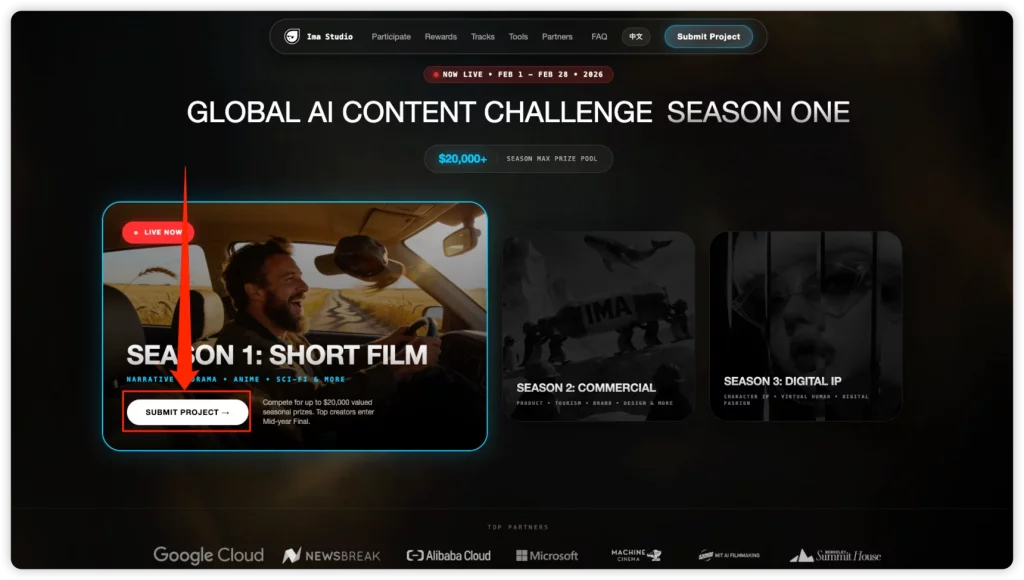
Go to the GAIC event page and click Submit Project.
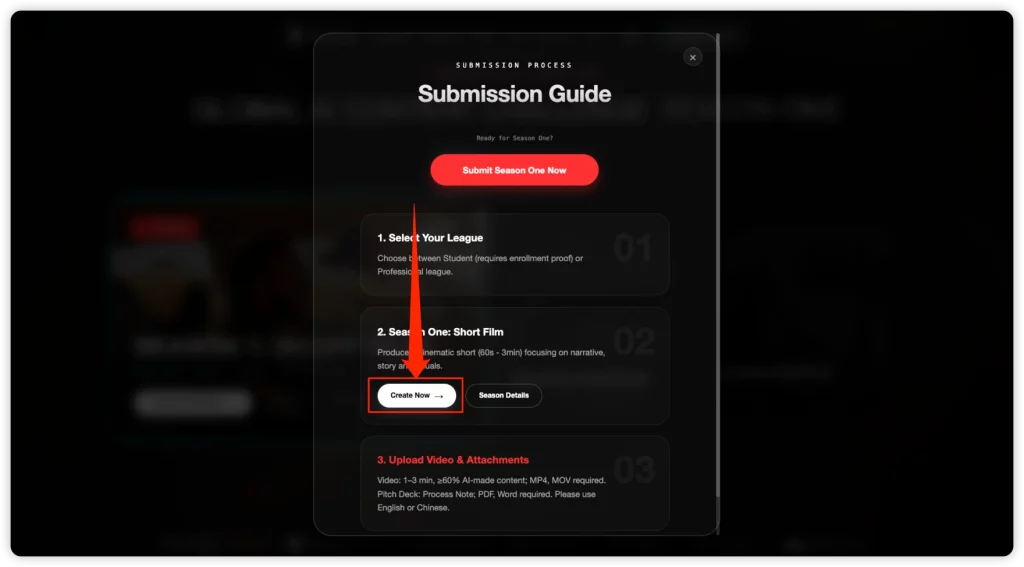
You’ll see a page with two main options:
- Create Now → Takes you to Ima Studio to create. This is optional.
- Submit Now → Takes you into the official submission flow. This is what you want if your goal is to enter the competition.
Before You Submit: 2-Minute Checklist
For everyone
- ✅ Video file: MP4 / MOV, up to 2GB
- ✅ Pitch Deck / Process Note: PDF only
- ✅ Your Ima Profile URL (must be yours)
Student track only
- ✅ School email
- ✅ Valid ID photo: JPG / PNG / WebP
If you have these ready, let’s move on to the next step.
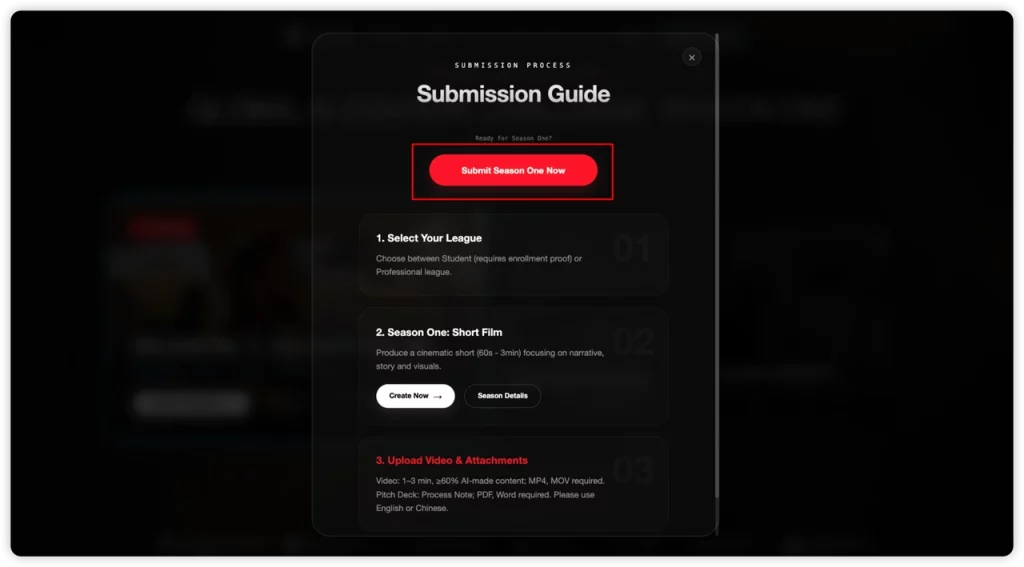
If your film was made with other tools, you can still submit—just click Submit Now.
Step 3: Choose Your Track (Student vs Professional)
Next, you’ll choose your competition track:
- Student
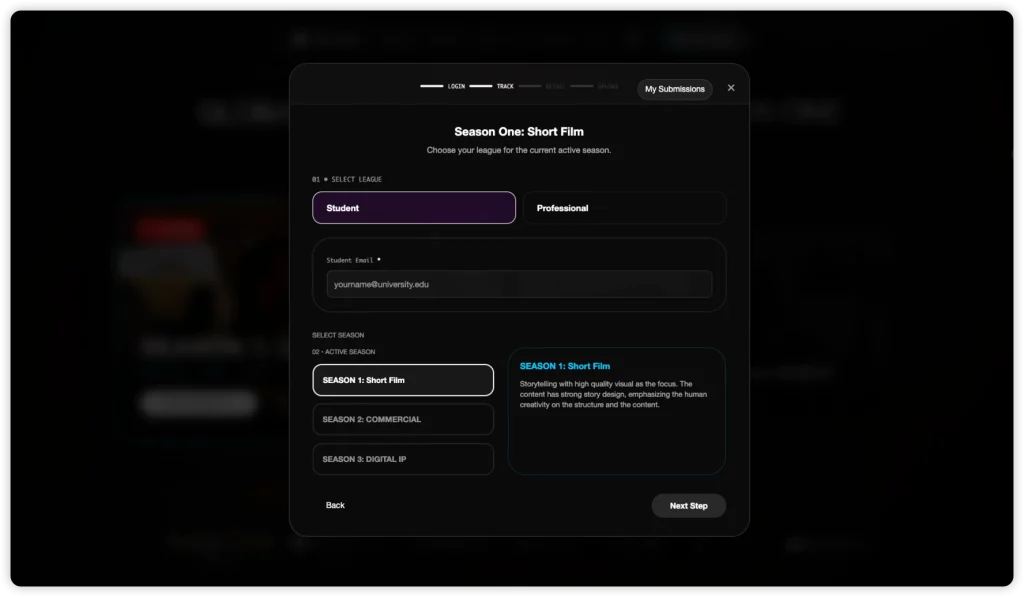
- Professional
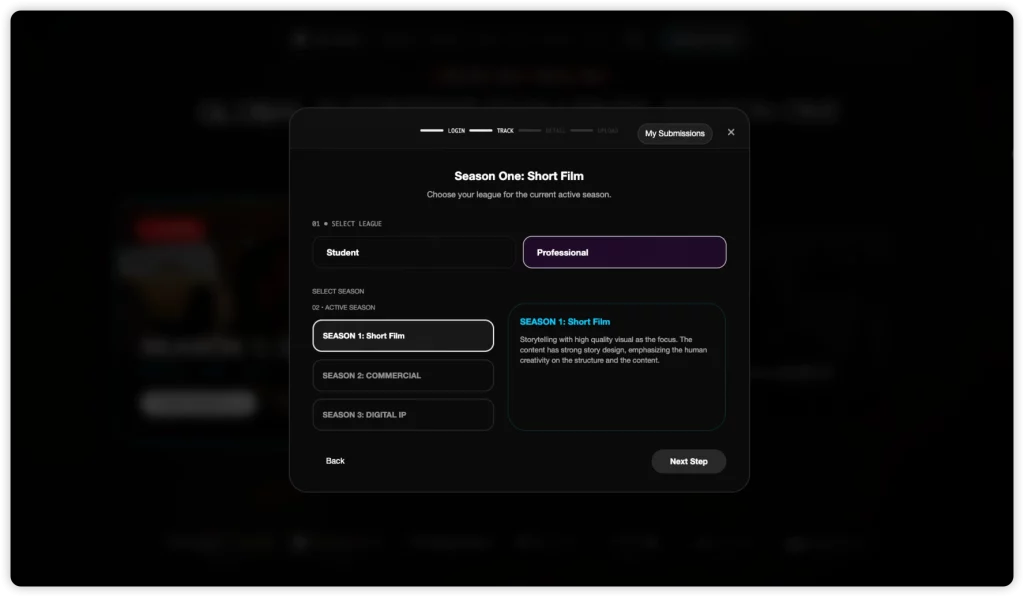
Choose carefully, because Student submissions require extra verification (school email + student ID photo). If you select Student, make sure you can provide both.
After you choose your track, you need tofill in your Project Details, add any team members (optional), and paste your own Ima Profile URL.
Step 4: Find Your Ima Profile URL (Required)
This is the #1 place people get stuck—so do it first.
How to get your Ima Profile URL
- Open Ima Studio Community.
- Click your profile (usually from your avatar/menu)
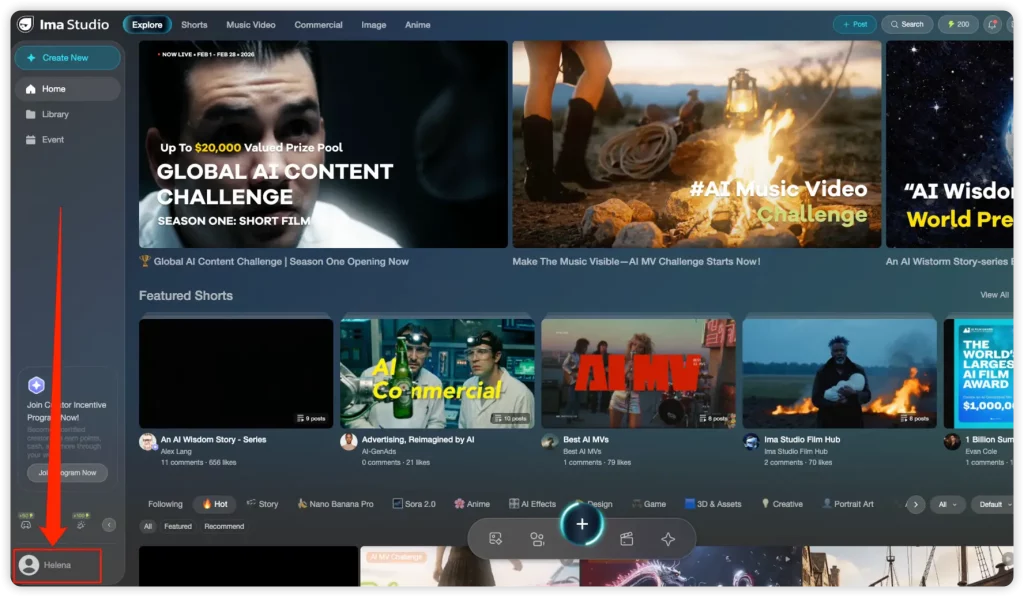
- Copy the full URL from your browser’s address bar (Example: your profile page link in the community)
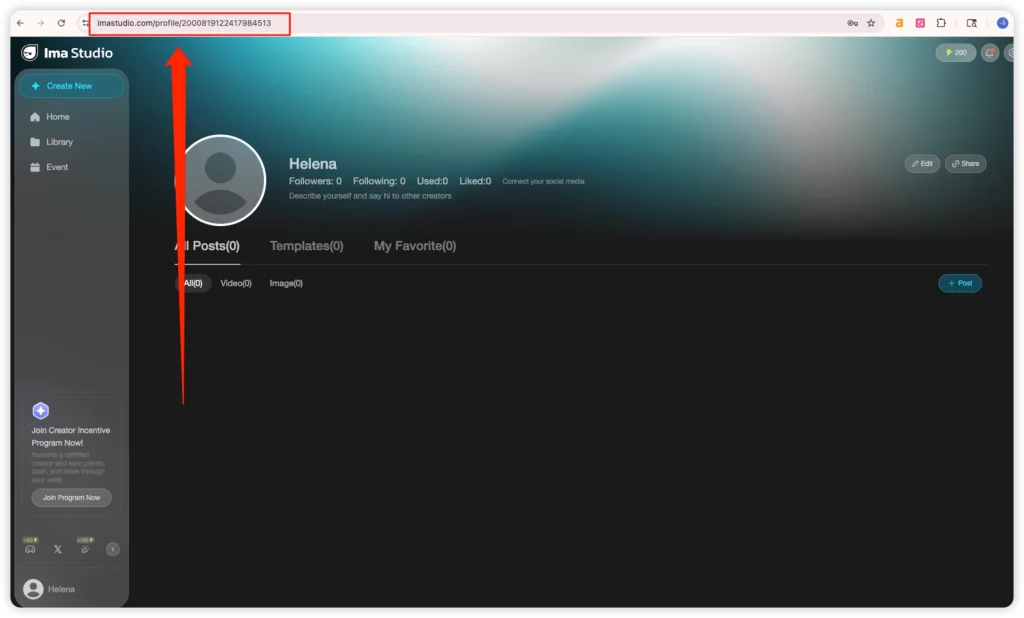
- Go back to the GAIC submission form and paste it into the field: “Ima Profile URL” (required)
Step 5: Fill In Project Details (What Each Field Means)
You’ll see a section for project details. Field names may vary slightly, but here’s how to handle them confidently:
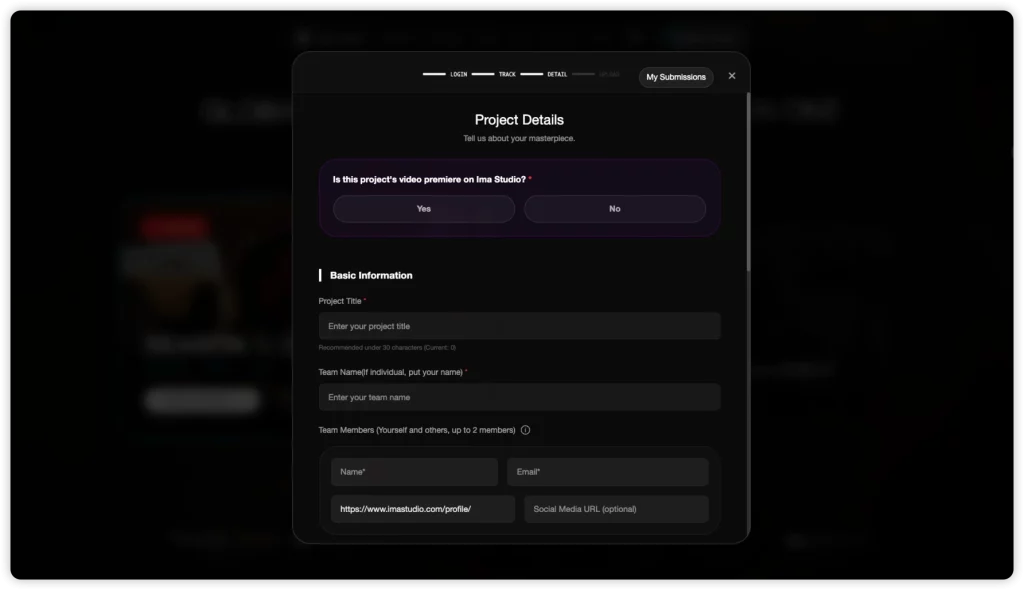
Step 6: Upload Your Files (Video + Pitch Deck PDF)
Upload the short film video
- Accepted: MP4 / MOV
- Limit: Up to 2GB
Tips before uploading:
- Rename your file clearly:
GAIC_S1_Title_Student.mp4orGAIC_S1_Title_Pro.mov - If your upload is slow, try a stable connection (and avoid mobile hotspots).
Upload the Pitch Deck / Process Note (PDF only)
- Format: PDF only
You’re not required to follow a strict template (since there’s no public scoring rubric), but a simple 2–3 page PDF can make your submission look more professional.
Recommended structure:
- Page 1: Logline + 8-beat story outline (setup → turn → payoff)
- Page 2: Visual references (mood, lighting, composition) + style notes
- Page 3 (optional): Workflow summary (tools used, key creative decisions)
Keep it readable. Judges skim.
Step 7: Student Track Extras (School Email + Student ID Photo)
If you selected Student, you’ll complete two extra items:
- School email
Enter your school email in the required field.
- Upload your Student ID photo
- Accepted formats: JPG / PNG / WebP
- Required: a clear photo of your student ID
Quick quality tips:
- Make sure text is readable (avoid glare/overexposure)
- Don’t crop too tightly—include the full card
- Use a sharp image (not a motion-blurred photo)
Troubleshooting: If Upload or Submit Fails
If something doesn’t work, try these quick fixes first:
- Refresh the page and retry upload
- Switch browsers (Chrome tends to be most stable)
- Check file size (video must be ≤2GB)
- Confirm file type (video MP4/MOV; pitch deck PDF only)
- Ensure you’re logged in to the correct Ima account (the one matching your profile URL)
FAQ
Do I have to make my film in Ima Studio to enter GAIC Season One?
No. You can create your short film with other tools. However, you must log in with an Ima Studio account and submit your own Ima Profile URL.
How do I find my Ima Profile URL?
Go to Ima Studio, open your profile page, and copy the full URL from your browser address bar. Paste it into the required field in the GAIC submission form.
What video formats are accepted? What’s the size limit?
You can upload MP4 or MOV files, up to 2GB.
Is the pitch deck required, and why is it PDF only?
A pitch deck/process note is part of the submission package, and the upload accepts PDF only. Keep it short and easy to skim.
What does “video premiere on Ima Studio” mean? Does it affect eligibility?
It’s a contextual question. Selecting No does not block your submission or review.
What extra items do students need?
Students must provide a school email and upload a clear student ID photo (JPG/PNG/WebP).
About The Author