ImagineArt is easy to outgrow in several different directions. Some creators want a wider multi-vendor model catalog. Others want editable vectors, a live canvas, lower-cost video, or a simpler free tier. Ima Studio is the closest broad alternative, while Leonardo, Krea, Recraft, Midjourney, and OpenArt each make a stronger case for one specific workflow.
ImagineArt itself remains a capable all-in-one suite. Its current plans combine daily free credits, image and video generation, premium models, team seats, higher-resolution exports, and unlimited generation on selected higher tiers. The right decision starts with the part you want to replace.
Compare Image and Video Workflows
Six ImagineArt alternatives at a glance
| Alternative | Best for | Starting paid plan* | What you give up |
|---|---|---|---|
| Ima Studio | Broad image/video model access and commerce workflows | $9.99/month | ImagineArt’s guided Film, Fashion, and Ad Studio experience |
| Leonardo AI | Daily free image generation and personal model training | $12/month | ImagineArt’s integrated audio and guided studio flows |
| Krea | Real-time creation and reusable node workflows | $9/month | Full video access requires a higher tier |
| Recraft | Editable vectors, logos, icons, and design assets | $12/month | Not a full image-video-audio replacement |
| Midjourney | Focused image exploration and relaxed generation | $10/month | No general free trial; privacy requires a higher plan |
| OpenArt | Character consistency, image editing, and story workflows | $14/month | Director and video tasks can consume credits quickly |
*Regular monthly individual price visible in the cited plan evidence. Annual discounts, taxes, model access, commercial rights, and promotional unlimited offers differ.
Why look for an ImagineArt alternative?
ImagineArt’s current plan documentation lists a Free tier with 100 daily credits, Basic at $13 per month with 3,000 monthly credits, Standard at $30 with 8,000, and Ultimate at $50 with 16,000. Standard unlocks private generations, 1080p exports, and Veo models. Ultimate adds 4K, more references, and unlimited image and video generation under the plan’s conditions.
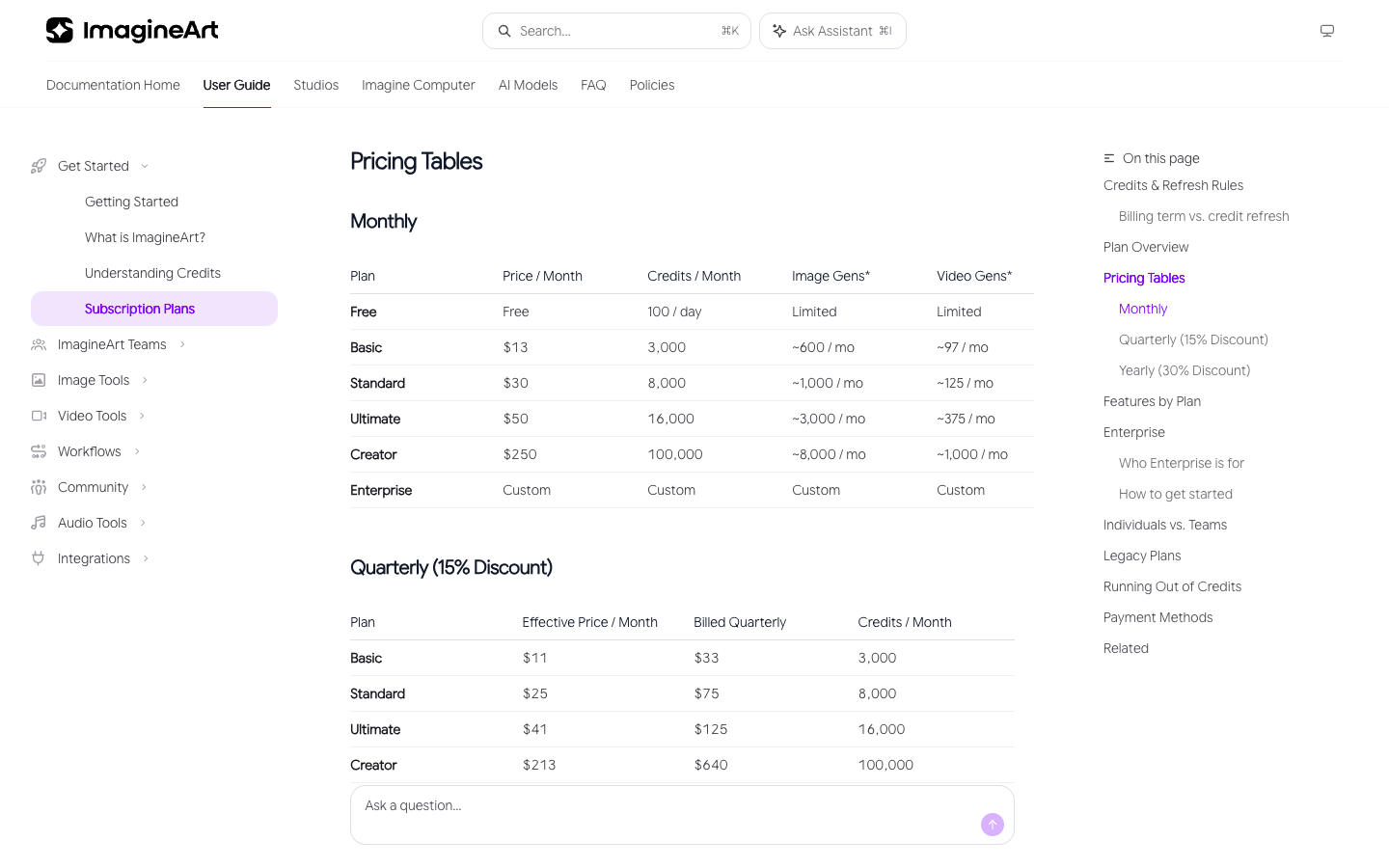
Unused subscription credits expire each month, even on quarterly or annual billing. Top-up credits do not expire. Generation cost changes with the tool, model, quality, duration, and output count.
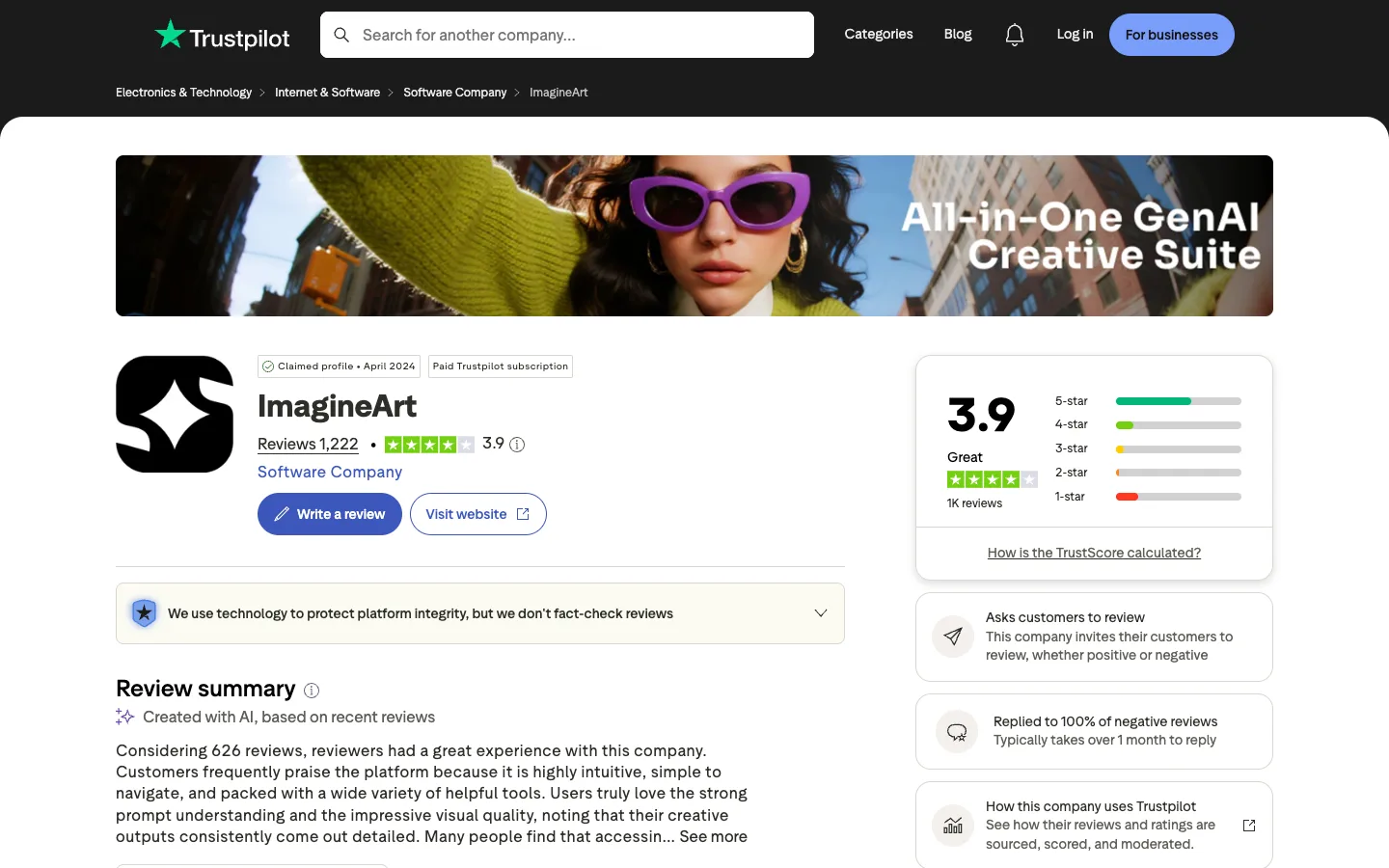
On September 11, 2026, Trustpilot showed ImagineArt at 3.9 out of 5 across 1,222 reviews. The overall summary was positive about usability, prompt understanding, visual detail, and access to several models. Lower-rated reviews raised concerns about billing, auto-renewal, credit clarity, content restrictions, support, and limited-time unlimited offers.
Those signals produce four sensible switching questions:
- Do you need more model vendors, or only one better image model?
- Do you need video, audio, editing, and generation in one account?
- Are editable vectors or production design files the actual output?
- Does the plan still look economical after model access and monthly credit expiry?
How we compared these alternatives
This is a plan-and-workflow comparison, not a hands-on quality ranking. We checked current public plan documentation, free-tier conditions, model access, creation surfaces, editing, export, and credit expiry. Prices are compared at the plan level because the available internal dataset does not include normalized ImagineArt task prices.
That limitation matters. A $9 plan is not automatically cheaper than another $9 plan. The number of credits, model cost, resolution, duration, privacy, and commercial rights determine the finished-output cost.
1. Ima Studio — closest broad ImagineArt alternative
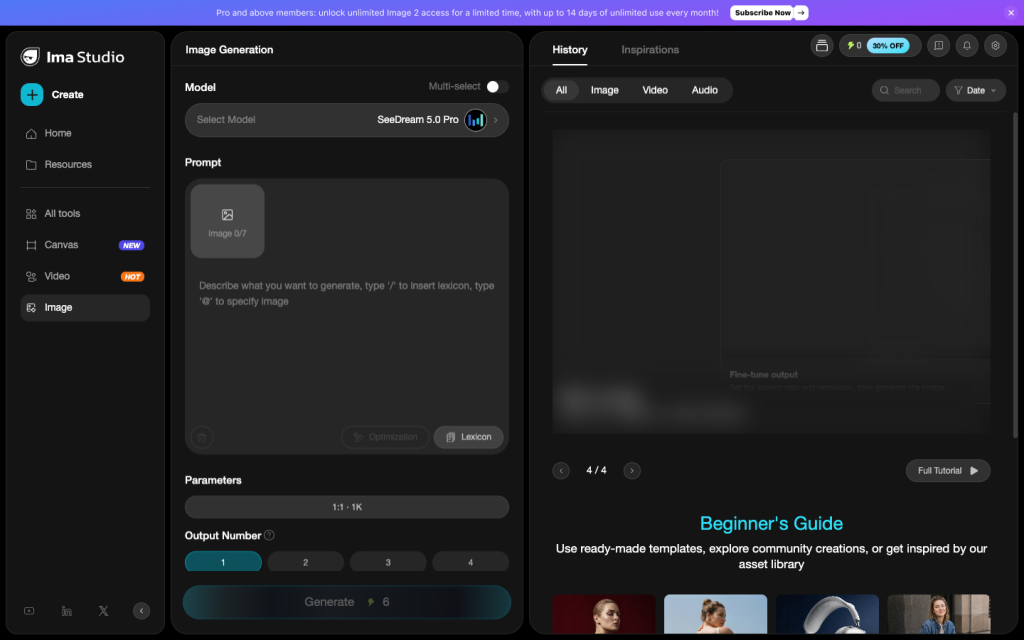
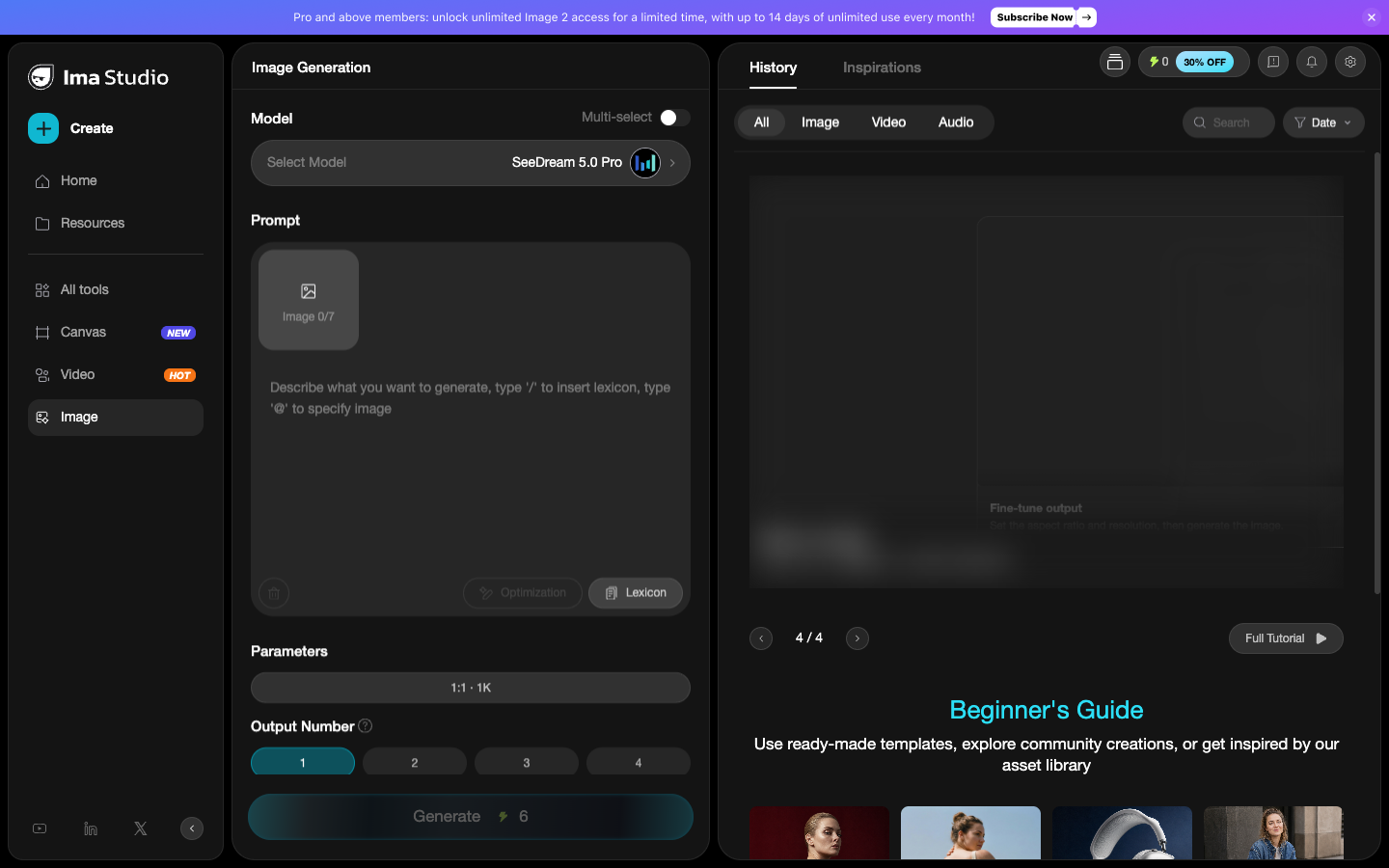
Ima Studio is the closest option when you want one place for image generation, image editing, video models, product visuals, ad workflows, and model-specific tools. Its Basic plan in the current pricing evidence is $9.99 per month with 900 credits.
The advantage is model and workflow breadth. You can move from an image model into video generation, compare different video families, or use a dedicated product and advertising workflow instead of treating every job as a blank prompt.
ImagineArt still has a clearer set of branded Studios for creators who want the platform to structure a Fashion, Film, or Ad workflow. If those guided surfaces are the reason you use it, compare the full process rather than the plan price.
Choose Ima Studio if: you want broader model access and direct image, video, and commerce workflows.
Stay with ImagineArt if: its guided Studios already match your production process.
Compare Image and Video Workflows
2. Leonardo AI — best for recurring free image creation
Leonardo’s current pricing lists 150 Fast Tokens per day on Free and an Essential plan at $12 per month with 8,500 monthly tokens. Paid plans include private generations, personal model training, token top-ups, and a rollover bank.
That recurring daily allowance makes Leonardo easier to evaluate over several sessions than a one-time trial. It also suits creators who want to train personal models and work inside a canvas without buying a large video-first plan.
Token cost changes with compute intensity, so dividing plan price by token count does not produce a reliable per-image comparison.
Choose Leonardo if: daily free use, personal models, and image-focused creation matter most.
Skip it if: ImagineArt’s video, audio, and guided Studio combination is the real requirement.
3. Krea — best for live creation and node workflows
Krea combines a real-time canvas with model generation, editing, upscale, LoRA training, video, and reusable node workflows. Its current Nodes page lists a free plan with 100 daily compute units, Basic at $9 per month, and Pro at $35.
Basic includes image, 3D, lip-sync, LoRA, upscaling, and selected video models. Pro unlocks all video models and Nodes automation. The price comparison therefore depends on whether you need the workflow builder or only the live canvas.
Choose Krea if: you want to see changes while you create or turn repeated steps into a reusable graph.
Skip it if: you expect full video-model access on the lowest plan.
4. Recraft — best for editable vector output
Recraft is the strongest specialist when the deliverable is an SVG, logo, icon, illustration, or design asset. It can generate editable vectors and export formats that fit a production design pipeline rather than stopping at a raster image.
The free plan provides 30 daily credits, but free generations are public. Paid plans start at $12 per month for 1,000 credits and provide private generations plus commercial rights. Top-up credits do not expire.
Choose Recraft if: editable vectors and design ownership matter more than an all-in-one media suite.
Skip it if: you need ImagineArt’s combined video, audio, and guided creative flows.
5. Midjourney — best focused image alternative
Midjourney is a narrower switch for creators who mainly use ImagineArt to explore visual directions. Its plan comparison lists monthly plans at $10, $30, $60, and $120. Standard and higher include unlimited image generation in Relax Mode.
There is no general free trial through the web app or Discord. Private Stealth Mode requires Pro or Mega, and unused Fast GPU time does not roll over.
Choose Midjourney if: image style and iteration are the primary job and you compose the finished asset elsewhere.
Skip it if: you need a broad free tier, private work on a low plan, or integrated editing and video workflows.
6. OpenArt — best for characters and image-first stories
OpenArt is a close alternative for creators building recurring characters, edited frames, and stories before moving into video. Its current pricing starts at $14 per month with 4,000 credits and lists Director, consistent characters, personalized models, story creation, image editing, and access to more than 100 image, video, and audio models.
OpenArt’s strongest case is continuity across image-first work. Its weakest point is cost predictability on long or agent-led video jobs; check the displayed task cost rather than relying on the plan’s “up to” estimates.
Choose OpenArt if: characters, image editing, and story assembly are central.
Skip it if: you are leaving ImagineArt because shared credits make video cost hard to predict.
See the detailed OpenArt alternatives price comparison.
Which ImagineArt alternative is cheapest?
Krea lists a $9 entry plan, Ima Studio starts at $9.99, Midjourney at $10, Leonardo and Recraft at $12, and ImagineArt Basic at $13. Those prices do not buy equivalent work.
Use this check:
- Record the models, resolution, duration, and number of outputs you used last month.
- Identify the lowest plan that unlocks those exact models and privacy rights.
- Check whether monthly credits expire or roll over.
- Add any second tool needed for editing, audio, vectors, or export.
Is there a free ImagineArt alternative?
Leonardo offers daily Fast Tokens, Krea offers daily compute units, and Recraft offers daily credits. Ima Studio lets visitors try selected creative tools after sign-up. Midjourney has no general web or Discord trial.
Free access comes with different limits. Check privacy, ownership, watermarks, commercial rights, resolution, and model availability before using free output for paid work.
Should you leave ImagineArt?
Switch if one specialist tool matches the final deliverable better, or if a broader model platform gives you the models and workflows you actually use. Stay if ImagineArt’s Studios, daily credits, audio, team seats, and integrated image-video workflow already remove enough handoff work.
Our recommendation: start with Ima Studio when you want the closest broad replacement, Leonardo for recurring free image work, Krea for live and reusable workflows, Recraft for vectors, Midjourney for focused image exploration, and OpenArt for character-led stories.
For model-specific decisions, compare the best platforms for Nano Banana Pro or browse the Ima Studio AI model guides.
Compare Image and Video Workflows
About The Author