For many fashion ecommerce sellers, product photography is still one of the most expensive and time-consuming parts of launching new products.
To produce a complete set of clothing product images, you usually need models, a studio, lighting, a photographer, styling, retouching, and scheduling. The cost is high, and the turnaround is slow. When your store has many SKUs, colors, or fast product updates, a traditional photoshoot can quickly become a bottleneck.
Flat lay photos, hanger shots, or simple white-background images are easier to produce, but they do not show how the garment actually looks on a real body. Customers cannot clearly judge the fit, drape, side silhouette, back details, or lifestyle context.
This is where AI product photography becomes useful. With the right workflow, you can start from a single clothing product image and generate a full set of ecommerce-ready visuals: AI model try-on images, Amazon-style white-background images, studio front views, side views, back views, and lifestyle fashion photos for ads and social media.
But anyone who has actually tried to generate realistic AI clothing photos knows the hard part: prompts are inconsistent, model identity changes easily, fabric details can drift, and results vary a lot. Our team tested thousands of generations and produced tens of thousands of ecommerce visuals. Based on that testing, we summarized a practical AI workflow for clothing product photography.
This article breaks down that workflow, shows the case examples, and compares a few related tools. If you do not have time to read the full article, you can also use the AI summary function on this page and save the workflow into your preferred AI tool.
Why Flat Lay Clothing Photos Are Not Enough
Many small fashion brands, Shopify sellers, Amazon sellers, and TikTok Shop operators start with flat lay photos or hanger shots.
They are easy to produce:
- No real model required
- No complex lighting setup
- No studio required
- Lower shooting cost
- Faster product launch speed
Here is a typical example of product-only clothing imagery:
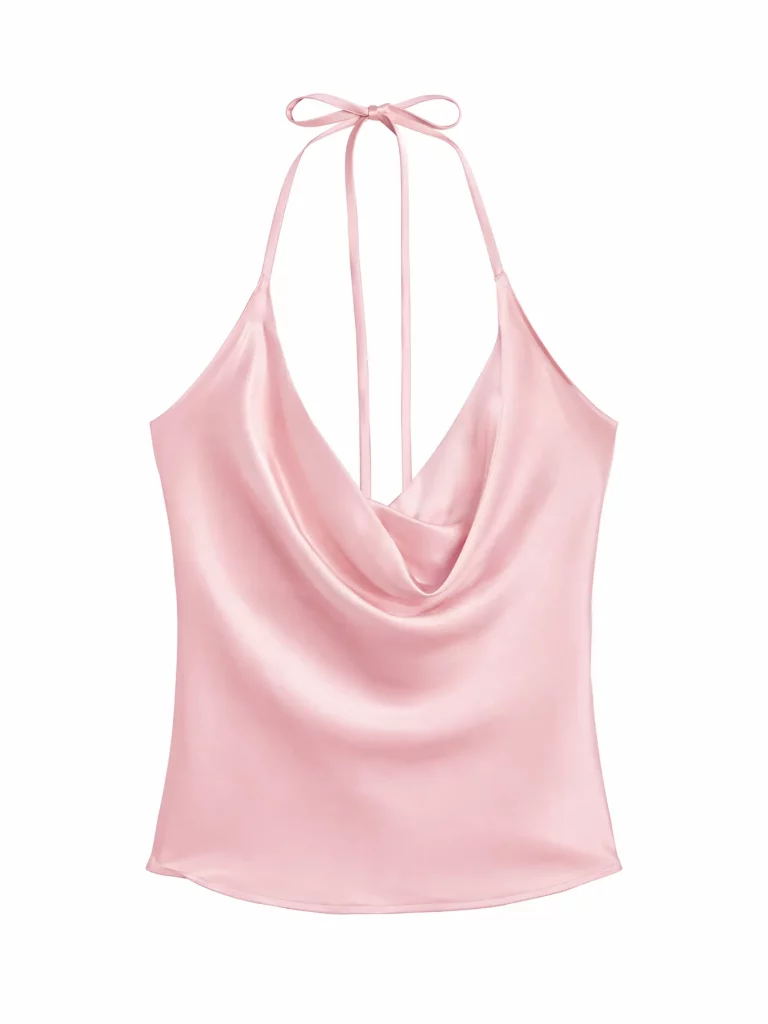
The problem is that flat lay images only show the garment itself. They do not fully communicate how the clothing looks when worn.
Customers still need to understand:
- How the garment fits on a body
- Whether the shoulder line, waistline, and sleeve length look natural
- How the fabric drapes
- What the front, side, and back silhouettes look like
- What style or lifestyle context the product belongs to
- Whether the clothing feels right for their own use case
For fashion ecommerce, product images do more than display the product. They help shoppers imagine what the clothing looks like on a real person.
Traditional Ways to Photograph Clothes Without a Model
1. Flat Lay Photography
Flat lay photos are useful for showing color, fabric, and structure. They are affordable and easy to scale.
However, flat lay photography cannot show real wearing effects, especially for dresses, coats, suits, pants, and other products where fit and silhouette matter.
2. Hanger Shots
Hanger shots show the overall outline of a garment and look more natural than flat lays in some cases.
But they still lack body structure. They cannot show how the shoulders, chest, waist, sleeves, or legs look when the clothing is worn.
3. Mannequin Photography
Mannequin photos can show the 3D structure of clothing. They work well for basics such as T-shirts, shirts, and innerwear.
But mannequin images often feel less realistic and may not match the brand tone of fashion products. Customers are still looking at clothing on a mannequin, not on a real person.
4. Ghost Mannequin Editing
Ghost mannequin images are common on fashion product detail pages. They help show garment structure without a visible model.
They are useful for catalog-style presentation, but they do not create lifestyle context, emotion, or brand atmosphere. For ads, social content, or campaign visuals, ghost mannequin images are usually not enough.
5. Hiring Real Models
Real model photography usually delivers the best result, but it is also the most expensive and least flexible option.
A standard shoot may require:
- Model fees
- Studio rental
- Photographer fees
- Makeup and styling
- Lighting equipment
- Retouching
- Scheduling and coordination
For small and mid-sized ecommerce brands, this process is difficult to repeat frequently. When you need to test many SKUs, colors, and ad creatives, traditional photography can slow down growth.
What AI Can Actually Help With
The value of AI clothing product photography is not simply “changing clothes” in a photo. The real value is turning one product image into a complete set of commercial visual assets.
A practical AI clothing workflow can generate:
- Amazon-style white-background product images
- On-model clothing photos
- Studio front-view photos
- Studio side-view photos
- Studio back-view photos
- Lifestyle fashion images
- Social media and ad creatives
- Multiple variations with different models, poses, and backgrounds
In other words, AI can compress what used to require a model, studio, photographer, and retouching team into a lighter and more repeatable production workflow.
Tools You Can Consider
There are already many AI product photography, AI clothes changer, and AI fashion model tools on the market. They are not all designed for the same use case.
1. Photoroom
Photoroom is strong in product image editing, background removal, product image enhancement, and virtual model-style visuals. It is useful for sellers who need quick ecommerce product image processing.
It is simple to use, but if you need deeper prompt control, multi-scene generation, and ad creative expansion, you may still need a more workflow-based solution.
2. WeShop AI
WeShop AI focuses more on ecommerce fashion model images and on-model product photos. It is relevant for clothing sellers who want to turn product images into model-wearing visuals.
3. Modelia
Modelia is positioned around AI fashion models and fashion brand visuals. It can generate model photos, pose variations, and some video content for fashion brands and creative teams.
4. FitRoom and AI Clothes Changer Tools
FitRoom and similar AI clothes changer tools are more focused on consumer virtual try-on. Users upload a personal photo and try different outfits.
These tools can work well for personal styling or virtual fitting, but they are not always designed for ecommerce teams that need product pages, ad creatives, and consistent multi-angle product visuals.
You can also compare similar tools in this review: best AI clothes changers.
5. Ima Studio
Ima Studio is better suited for a full clothing product photo workflow.
Instead of only generating one AI clothes-changing image, it can help a team build a set of commercial image assets around a product photo, including:
- White-background main images
- Realistic on-model images
- Studio photos
- Front-view images
- Side-view images
- Back-view images
- Lifestyle images
- Ad creatives
- Multiple creative variations
For fashion ecommerce, the key question is not whether you can generate one good-looking image. The real question is whether you can build a stable, repeatable, and scalable image production workflow.
Ima Studio Workflow: From Product Image to Complete Clothing Product Photos
Below is a practical case workflow for AI model try-on and fashion ecommerce product photography.
The core idea is simple: analyze the product first, then generate images for different ecommerce use cases.
Do not ask AI to randomly create “a person wearing clothes.” Start with the product, define the commercial purpose, and generate each visual type step by step.
Step 1: Upload the Clothing Product Image
The first step is to upload the original product image.
The source image can be:
- A flat lay image
- A white-background product photo
- A hanger shot
- A product detail image
- An existing model photo
- A simple product photo
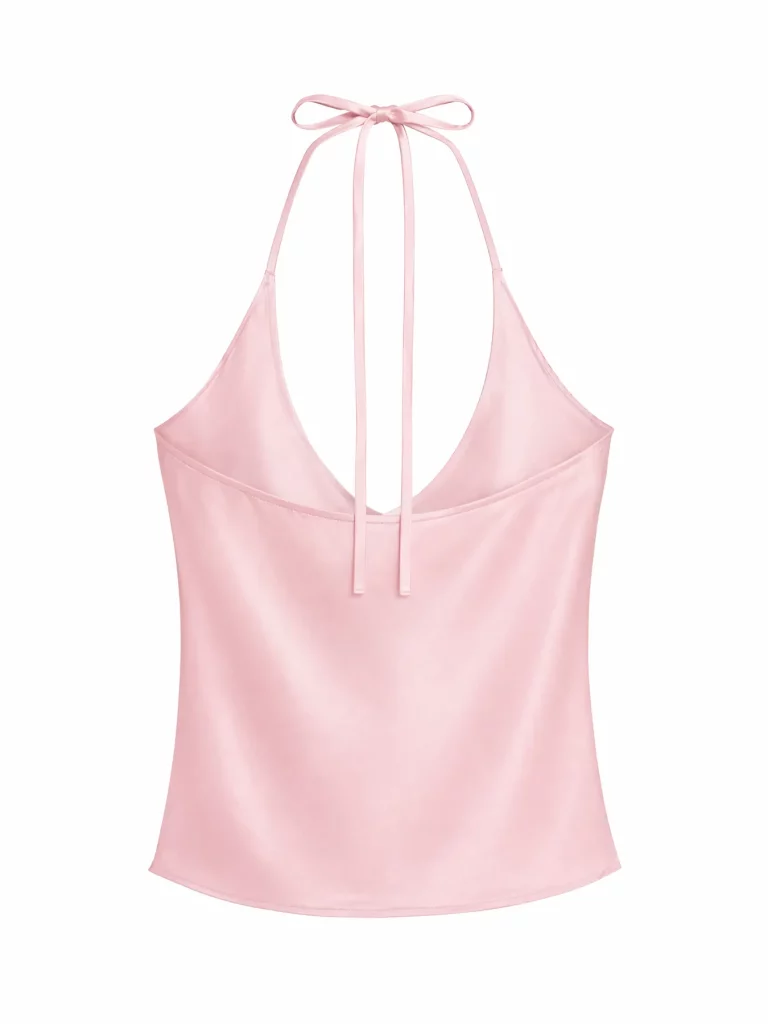
After uploading the image, the AI should identify the product before generating the final image.
For example:
- Is it a shirt, dress, jacket, pants, or set?
- Should the model presentation be male, female, or gender-neutral?
- Should the output be full-body, half-body, or close-up?
- Should the image be a white-background main image or a lifestyle scene?
- Should the image emphasize fit, fabric, color, cut, or styling?
This step matters because without product analysis, AI can easily create an attractive but inaccurate image that loses key garment details.
Step 2: Analyze the Product
In this case, the product analysis prompt can be:
Analyze the product image and determine product type, model gender presentation, and optimal composition (full-body, half-body, or close-up) for commercial e-commerce photography with a required model.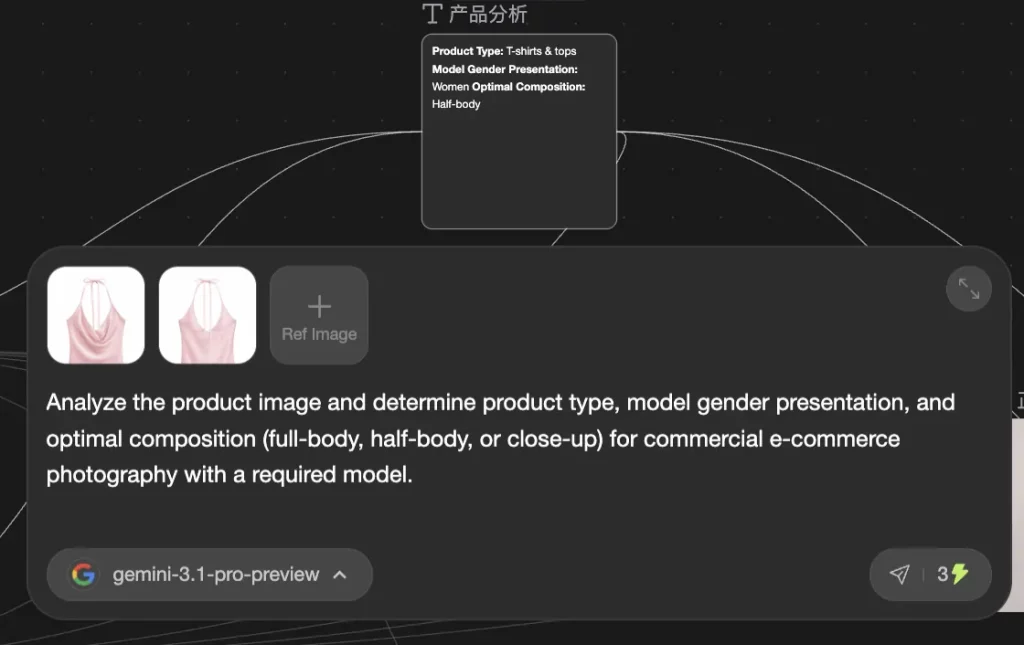
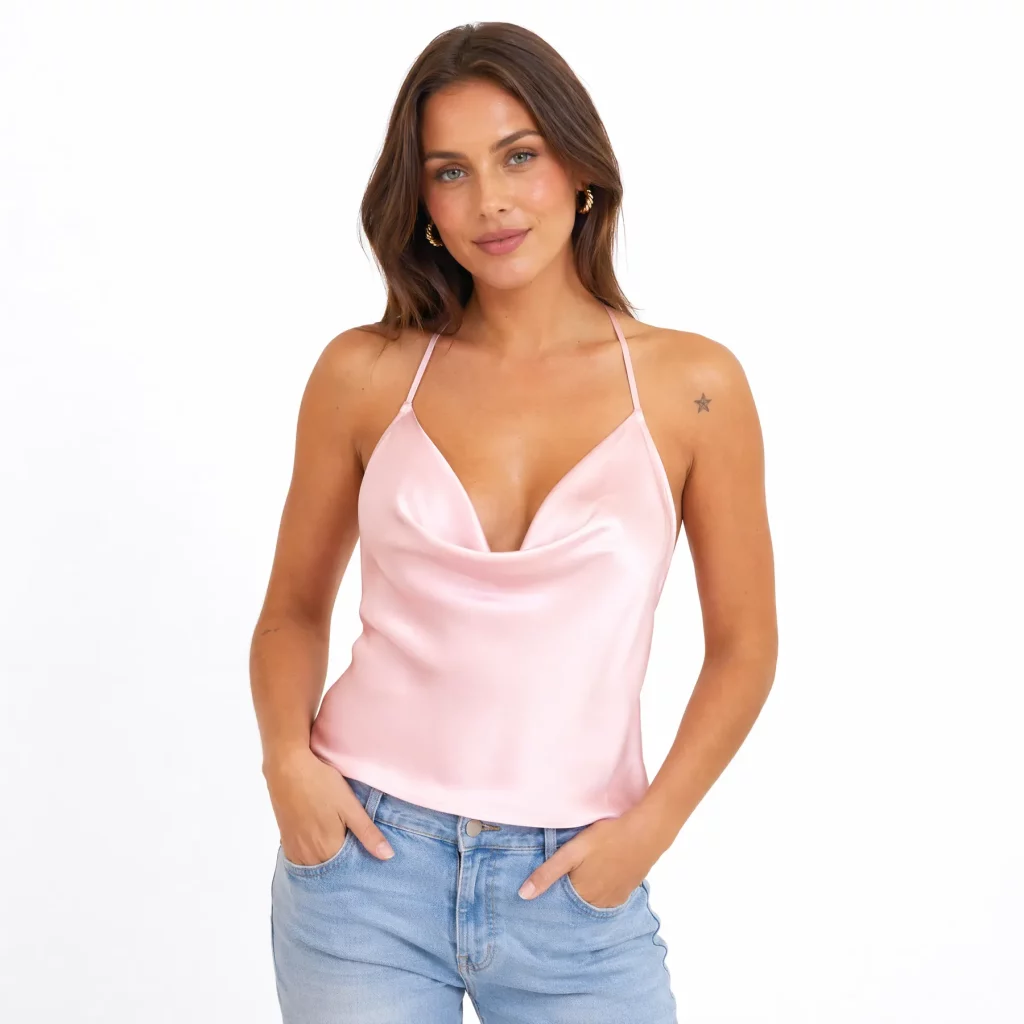
The goal of this step is not to generate the final image. The goal is to decide the right direction for the next images.
For example:
- A dress usually works best as a full-body image.
- A top can work as a half-body or full-body image.
- A jacket needs to show structure, shoulders, and sleeve length.
- Pants need to show leg shape and side silhouette.
- Accessories or small garments may need a closer crop.
Step 3: Generate an Amazon-Style White-Background Main Image
Many ecommerce platforms, especially Amazon, require clean and product-focused images. A white-background main image is still one of the most important asset types.
Prompt template:
Amazon main product image.
Pure white seamless background (#FFFFFF).
Commercial apparel catalog photography of a real model wearing [PRODUCT DESCRIPTION].
Retail fashion catalog style.
Garment-focused presentation.
Model poses naturally with relaxed posture, including subtle body movement and natural hand placement.
Soft even studio lighting.
Full-frame DSLR photography.
85mm lens.
RAW photo aesthetic.
Real-world commercial apparel photoshoot.
This prompt is designed to produce:
- A pure white background
- A retail catalog look
- A real model wearing the product
- A natural pose
- Soft and even lighting
- Garment-focused composition
- A realistic photography style
Use this image for:
- Amazon listing main images
- Shopify product page hero images
- DTC product pages
- Ecommerce catalog images
- SKU display images
Step 4: Create a Front-View Studio Model Photo
The white-background image solves clarity and platform requirements. The next image should show the real wearing effect.
A front-view studio image helps customers evaluate the fit, cut, color, and overall styling.
For a worked example of this step on a real product, see how to create AI model try-on images from clothing photos.
Prompt example:
Keep the same model identity and body proportions.
Create a completely different front-facing fashion pose from the reference image. The pose must not resemble the reference image in any limb position, torso angle, or stance.
Commercial studio fashion photography.
Clean seamless backdrop (white / soft gray) with a very subtle hint of color tone.
Professional studio lighting: soft key light + fill light + gentle rim light, even exposure, realistic shadows.
Natural grounding shadow under the subject.
Pose must be structurally different while remaining natural, realistic, and wearable-focused.
Natural skin texture with visible pores, fine facial details, subtle real skin imperfections. No over-smoothing.
Realistic fabric drape and true-to-life photographic detail.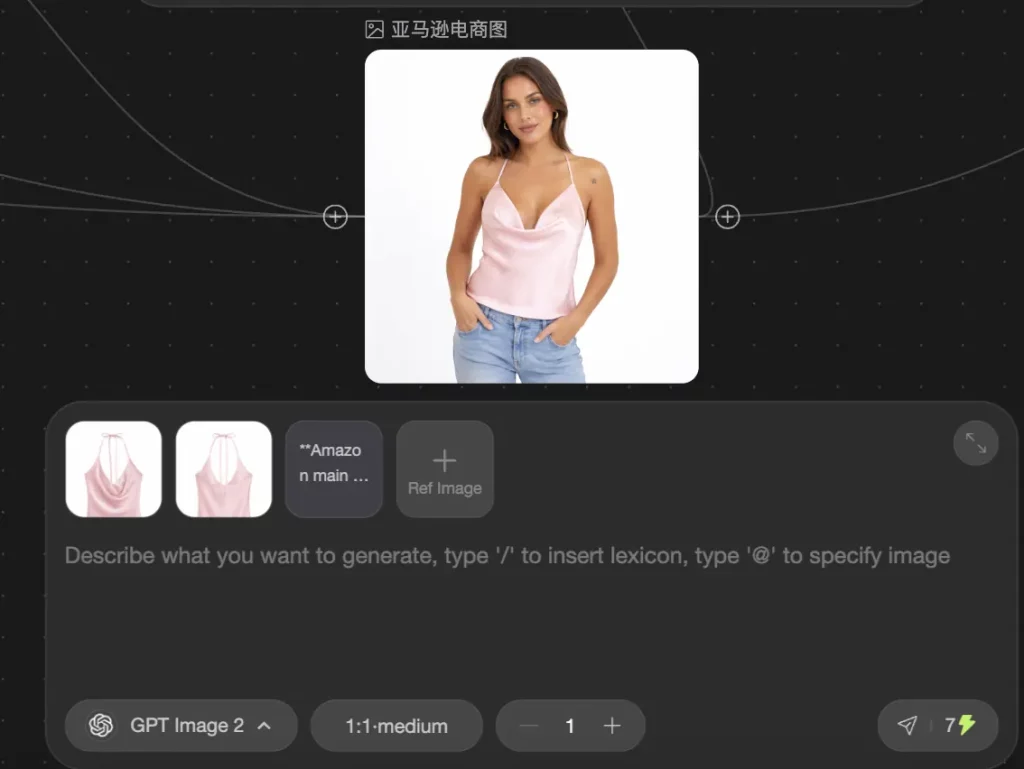
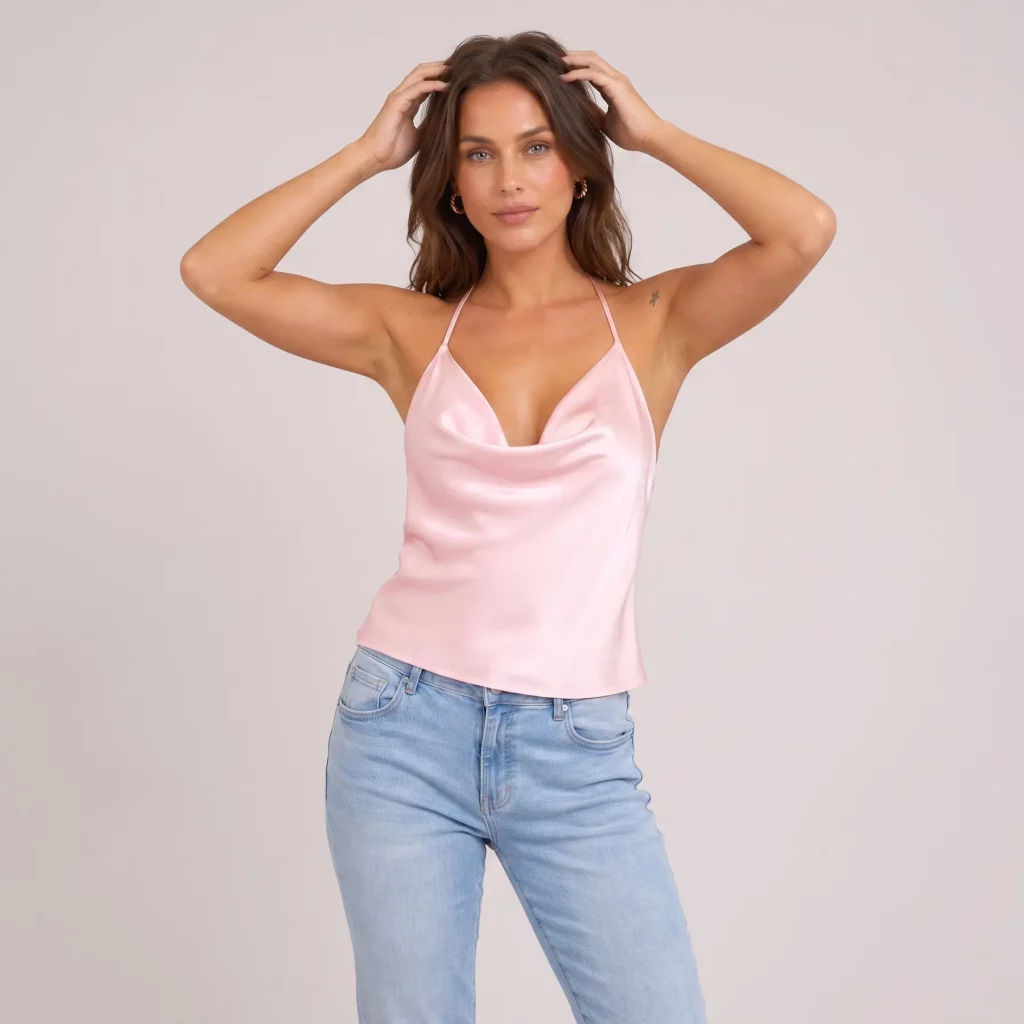
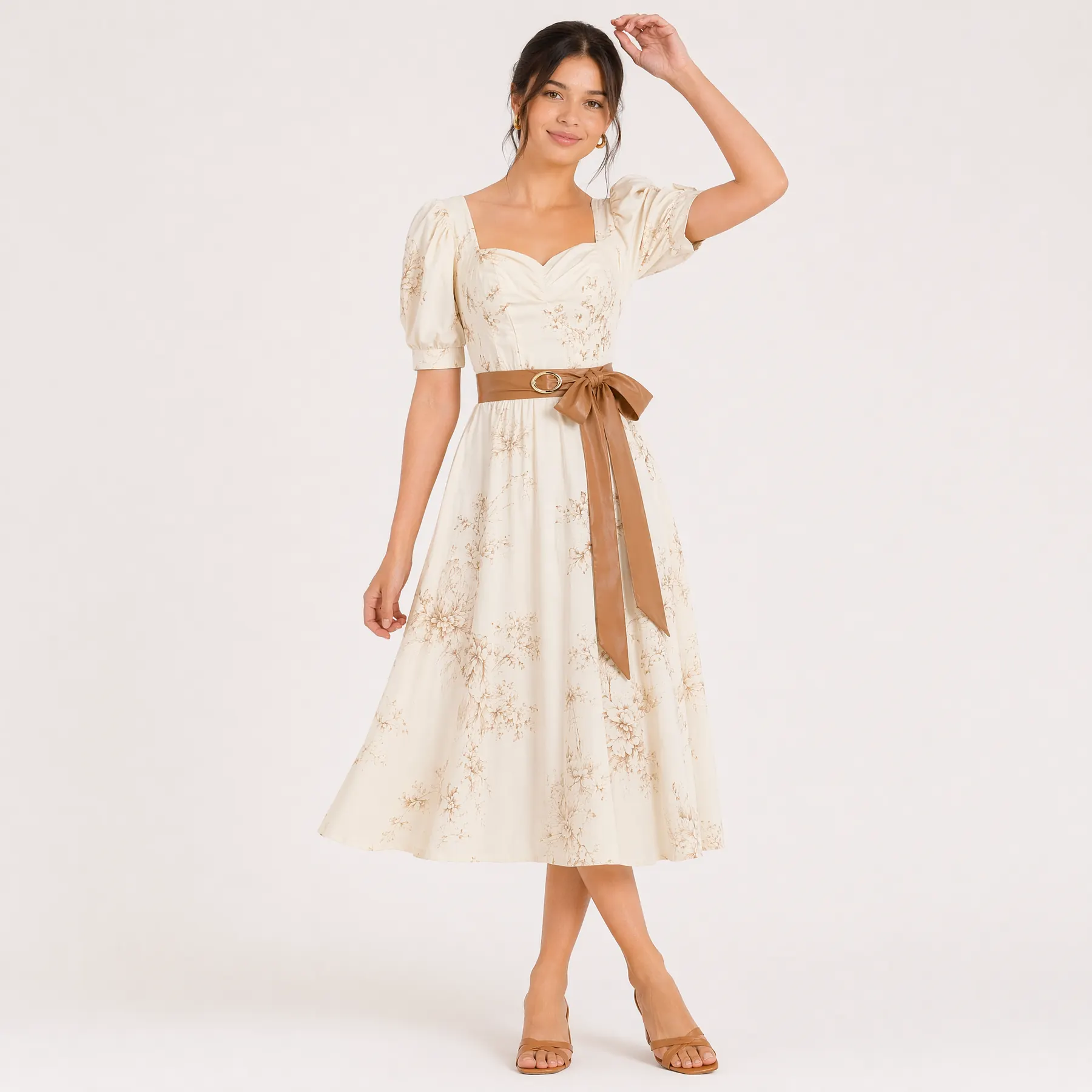
This image should show:
- The overall front fit
- Front cut and structure
- Collar, shoulders, sleeves, waistline, and hem
- Main color and patterns
- How the garment looks when worn
A front-view model image is almost always necessary for fashion product detail pages.
Step 5: Generate a Side View to Show Silhouette and Drape
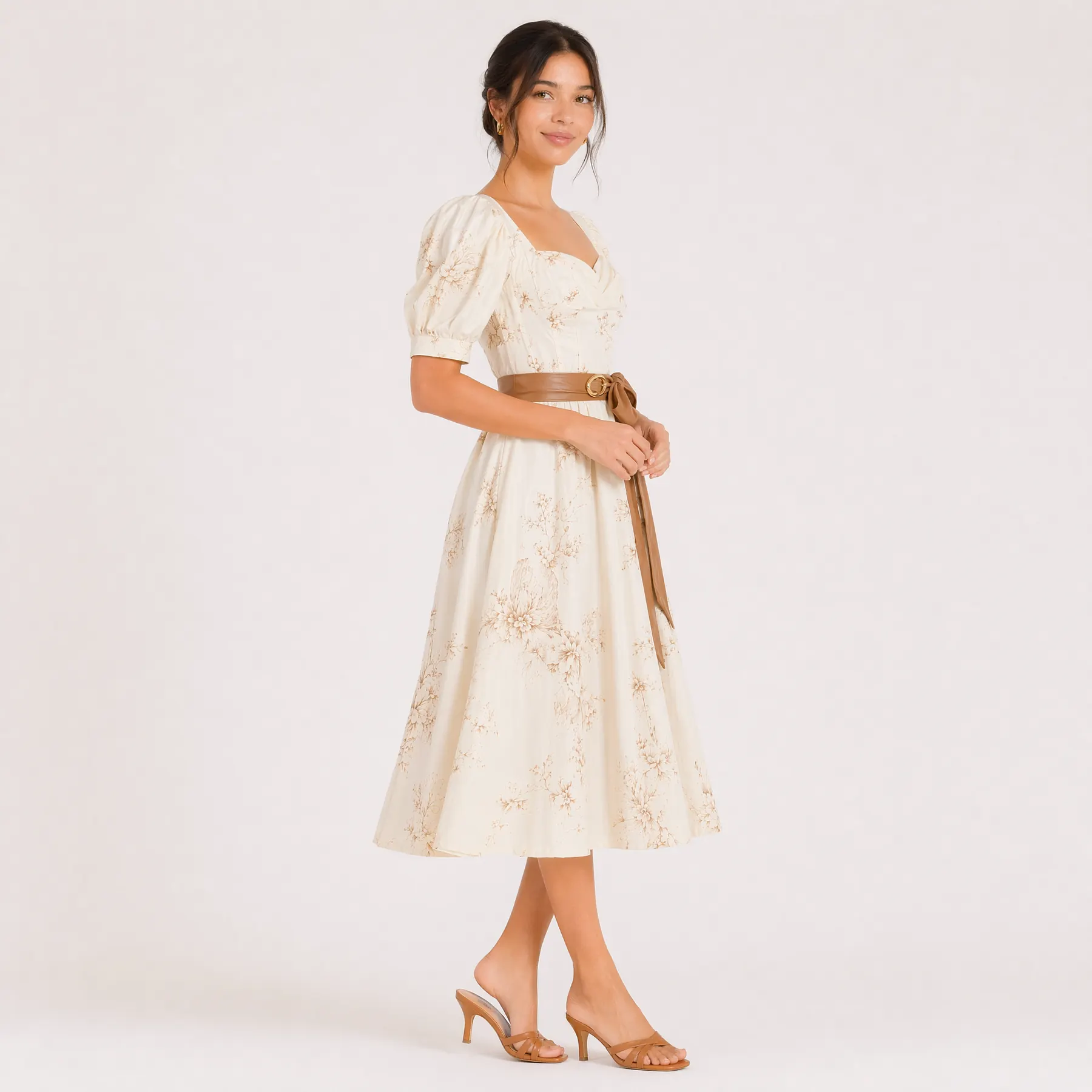
A front view is not enough for many garments. A side view helps show thickness, silhouette, waistline, hem, and fabric drape.
Prompt example:
Keep the same model, outfit, and studio setting.
Generate a natural side-facing fashion pose (approximately 60–90 degrees angle) different from the reference image.
Commercial studio shoot with consistent background and lighting.
The model is positioned in a clear side orientation, naturally showing the garment silhouette, structure, and drape from the side view.
Soft studio lighting with realistic shadows.
Natural skin texture, visible pores, realistic fabric drape, true-to-life photographic detail.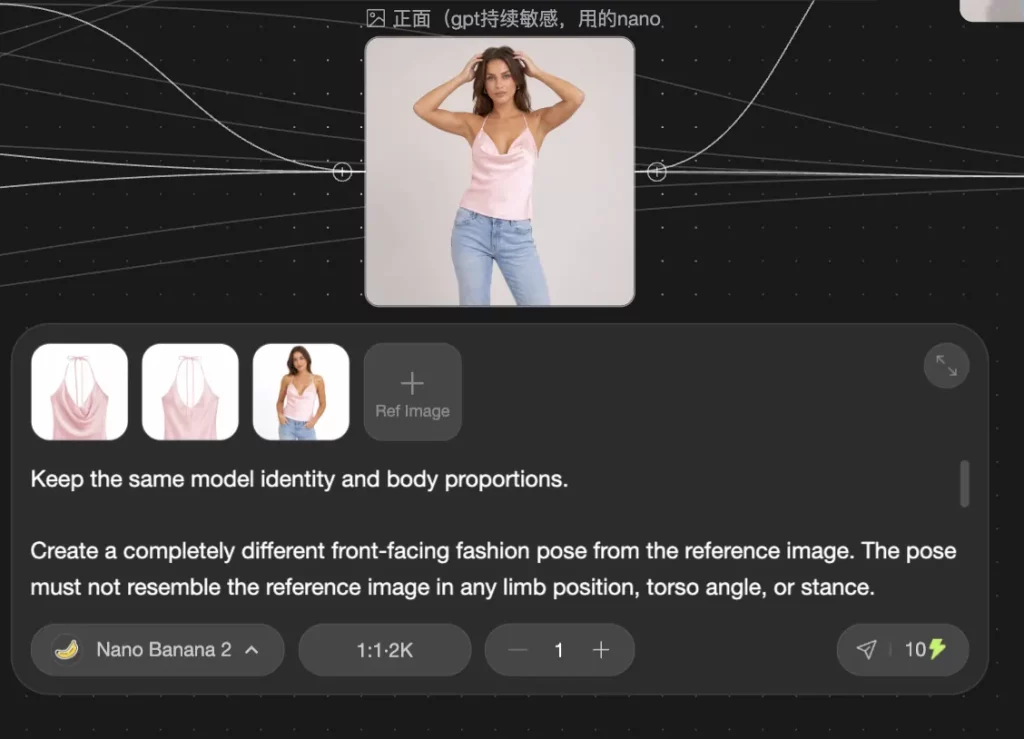
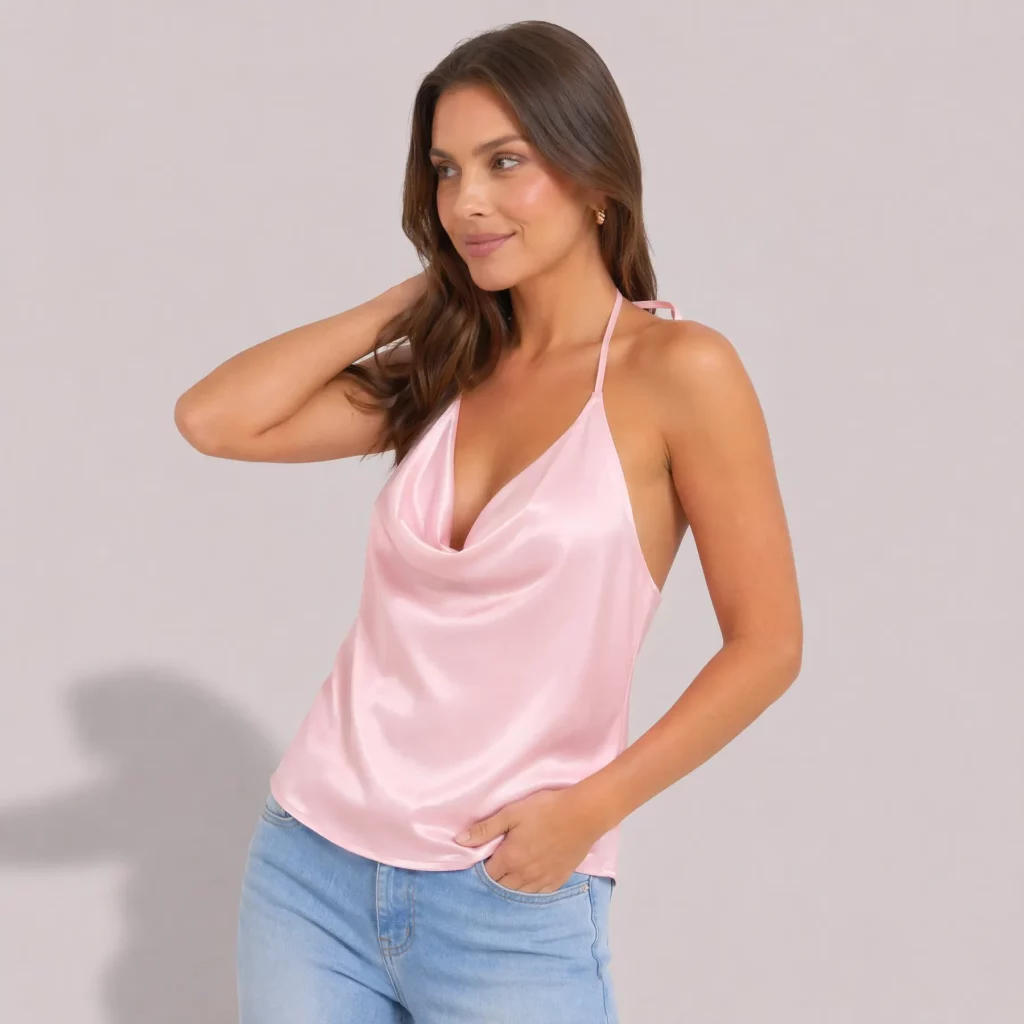
Side-view images are especially useful for:
- Dresses
- Coats
- Suits
- Pants
- Skirts
- Oversized tops
- Structured garments
Check these details carefully:
- Is the model still consistent?
- Is the outfit still the same?
- Is the side angle clear?
- Does the fabric drape naturally?
- Are the waist and hem distorted?
Step 6: Generate a Back View to Complete Product Information
Back-view images are often overlooked, but they are important for fashion ecommerce.
They help show back design, rear pockets, back neckline, hem structure, and garment construction.
Prompt example:
Keep the same model, outfit, and studio setting.
Generate a natural back-facing fashion pose different from the reference image.
Commercial studio shoot with consistent background and lighting.
The model is positioned with her back fully facing the camera, in a natural and relaxed standing posture suitable for garment presentation.
The pose should clearly emphasize the back structure, fabric drape, and silhouette of the outfit.
Soft studio lighting with realistic shadows.
Natural skin texture, visible pores, realistic fabric drape, true-to-life photographic detail.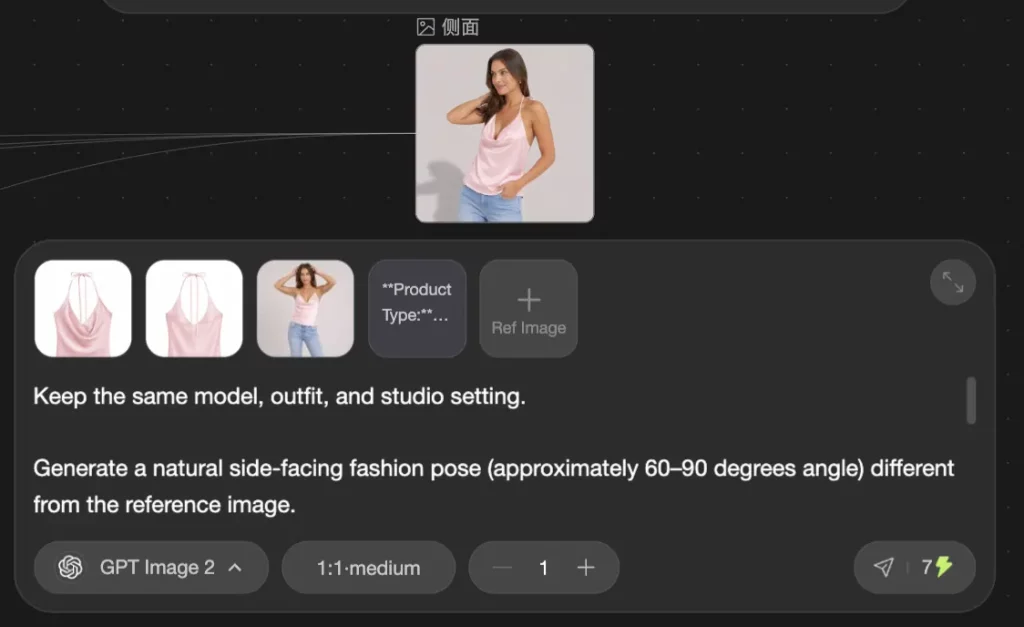
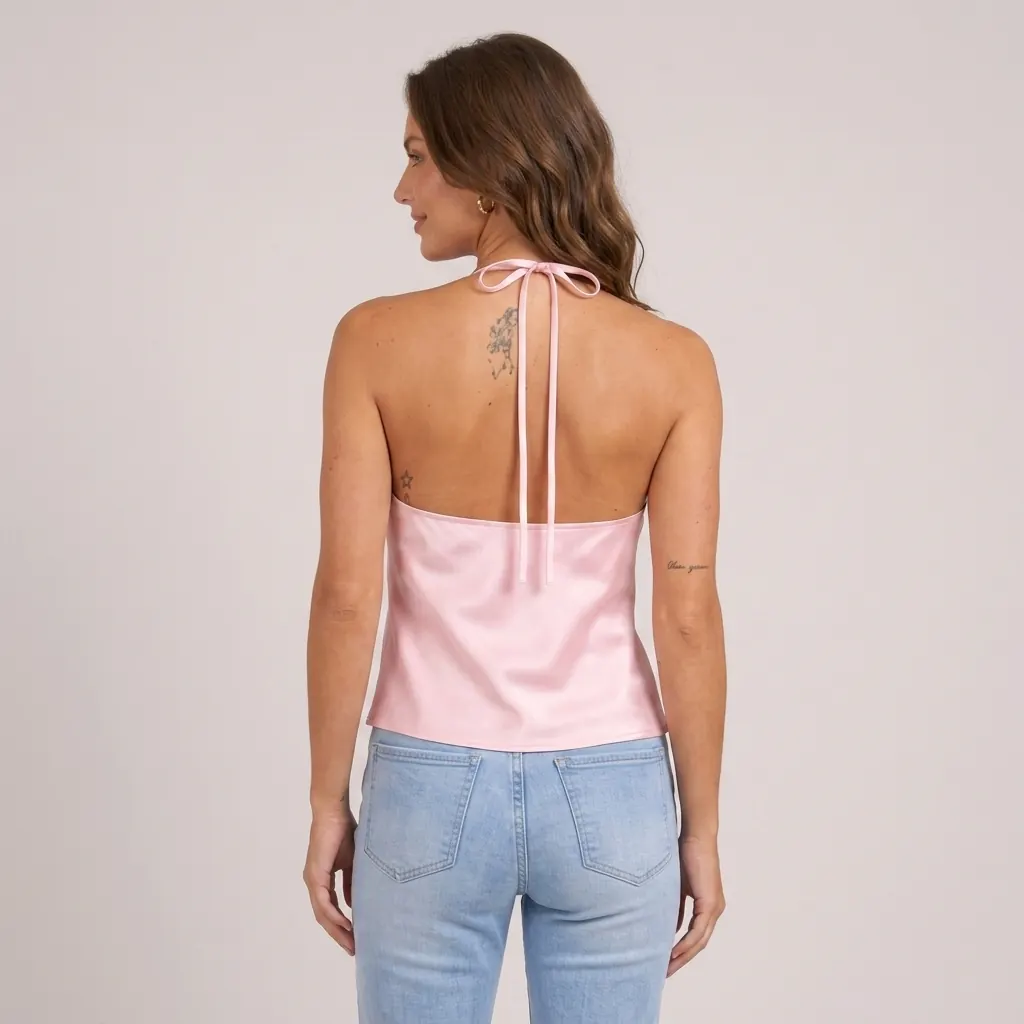
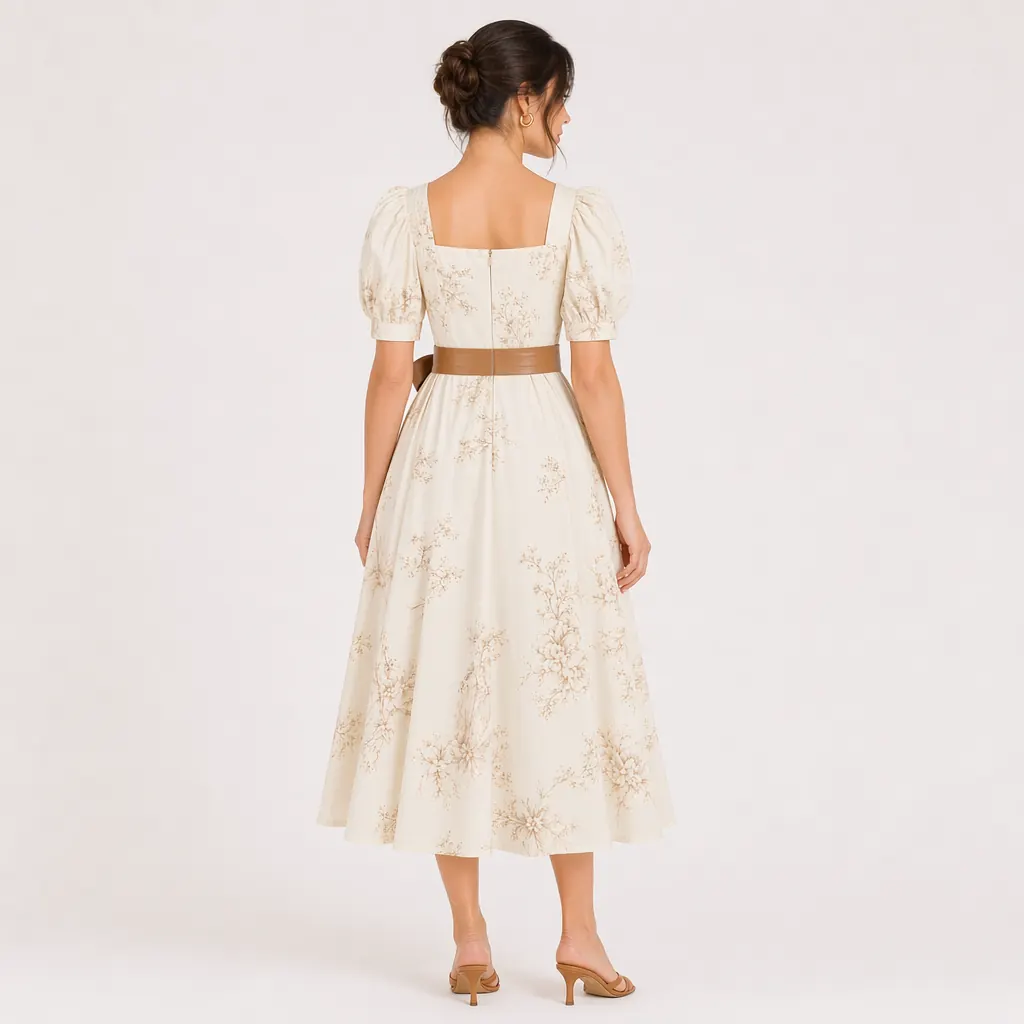
Use back-view images to show:
- Back cut
- Back neckline
- Rear pockets
- Back silhouette
- Hem length
- Back patterns or design details
Back-view images help customers understand the product more completely and can reduce mismatch between expectation and delivery.
Step 7: Generate Lifestyle Fashion Images
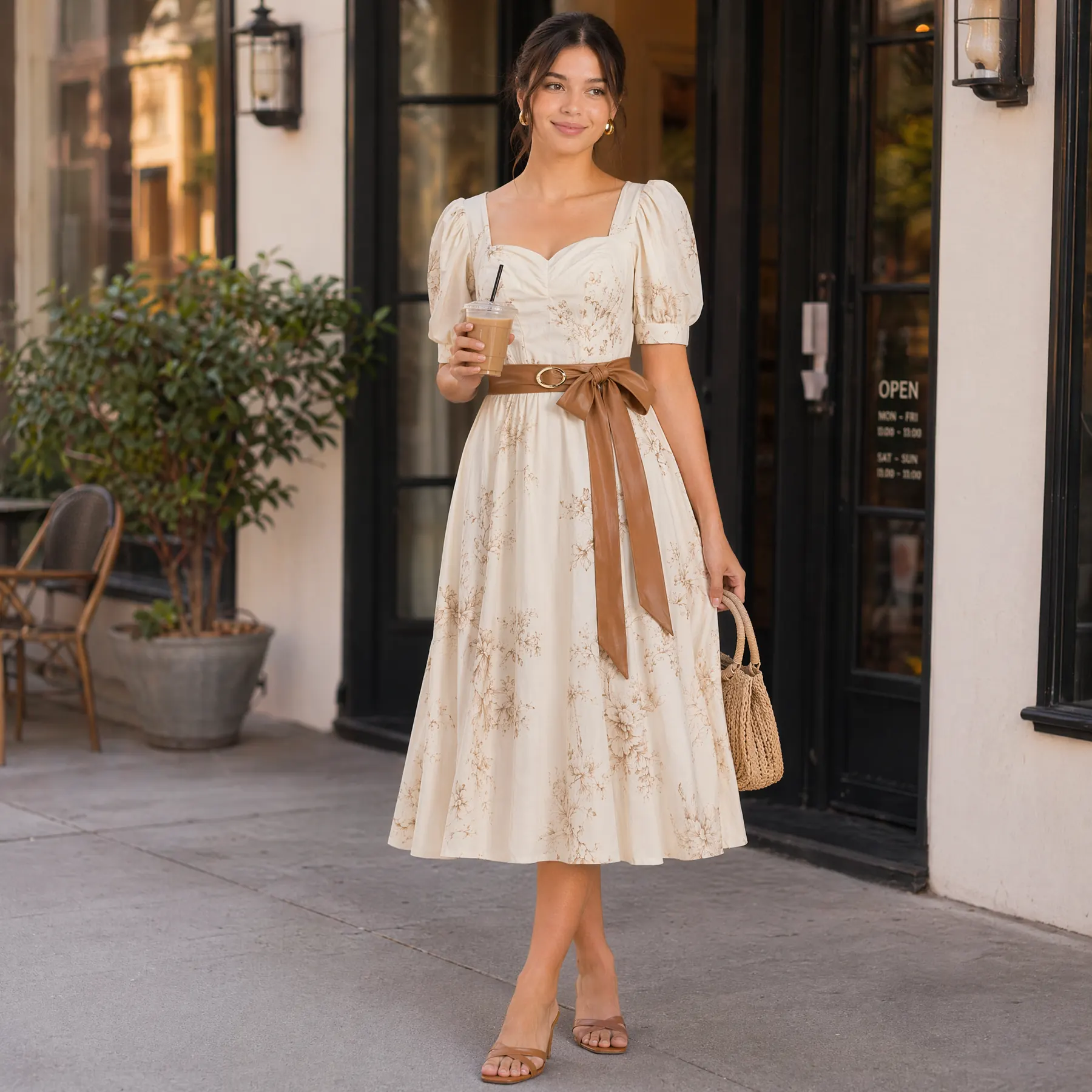
Product pages need standard images. Ads and social media need lifestyle images.
Lifestyle photos show the environment, mood, and use case of the clothing.
Prompt example:
Reference image identity.
Keep same model and main clothing item.
Generate a natural lifestyle fashion scene in a realistic environment suitable for the outfit. The AI can freely select the most appropriate setting, including outdoor environments (street, grass field, park, garden, seaside) or indoor environments (café, apartment, hotel, corridor).
The model’s pose, framing, and viewing direction should be naturally determined by the scene, outfit, and composition balance.
Optionally add styling-compatible accessories (hat, shoes, bag) that match the outfit and remain coherent in style.
Candid, unposed lifestyle photography.
Soft natural daylight with realistic shadows and depth.
Natural skin texture, visible pores, realistic fabric drape, true-to-life photographic detail.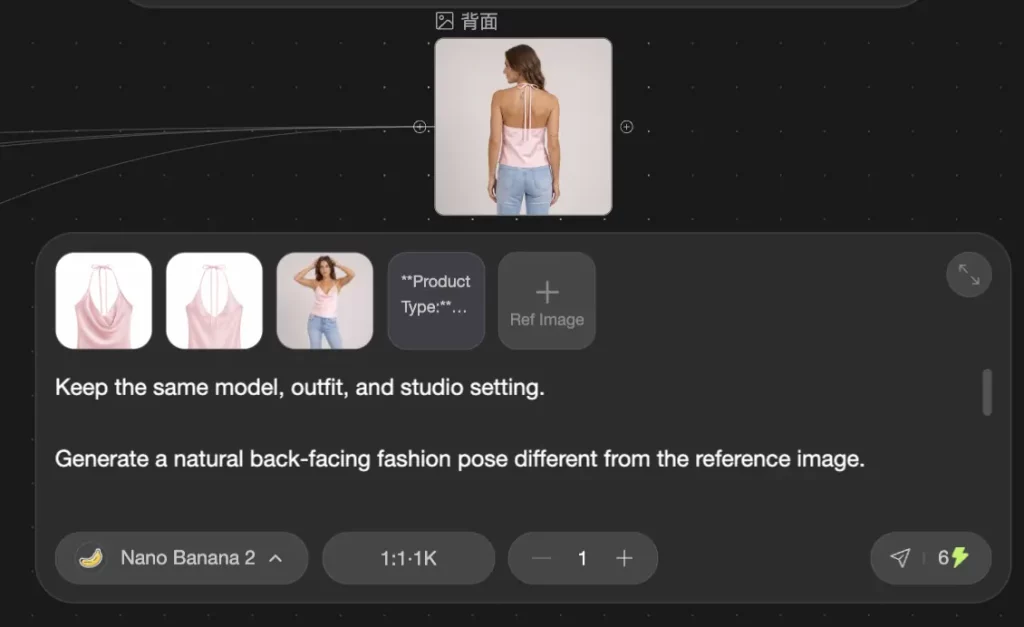
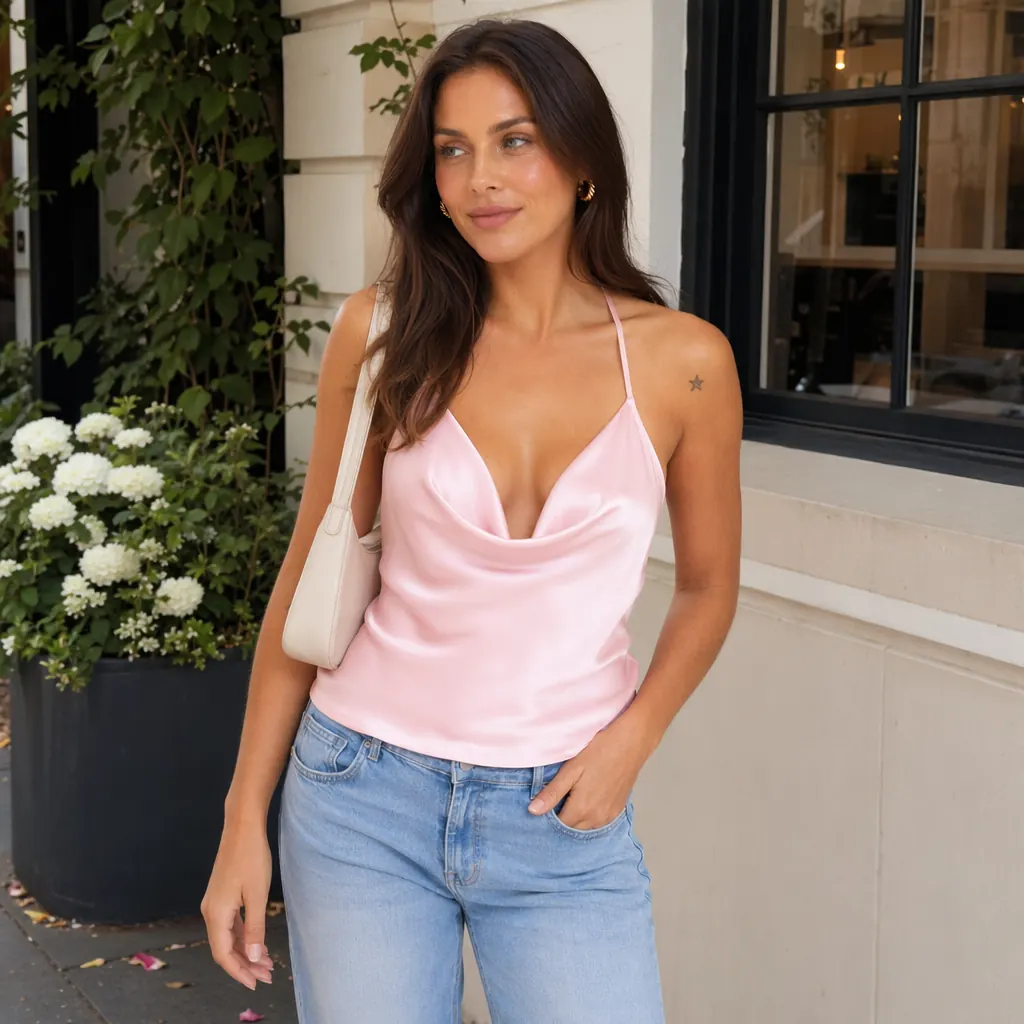
Lifestyle images can be used for:
- Instagram posts
- TikTok Shop product visuals
- Pinterest images
- Facebook ads
- TikTok ads
- DTC website banners
- Email campaigns
- Lookbooks
These images do not need to look as strict as listing images, but they must feel natural, realistic, and aligned with the clothing style.
What the Final AI Clothing Photo Set Looks Like
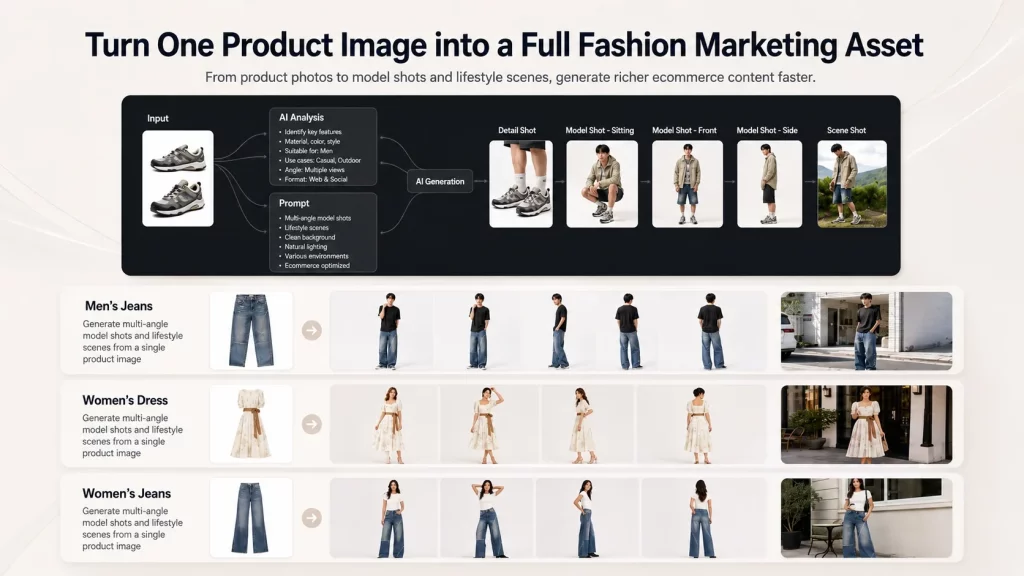
After the workflow, one product image can become a full visual asset set.
| Image Type | Main Use Case |
|---|---|
| White-background main image | Amazon, Shopify, DTC listing |
| Front-view model photo | Product page main visual |
| Side-view model photo | Show silhouette, structure, and drape |
| Back-view model photo | Show back details and construction |
| Lifestyle image | Ads, social media, brand content |
| Creative variations | A/B testing and ad refresh |
This is the difference between a basic AI clothes changer and a workflow-driven ecommerce image production system.
A basic tool changes one image. Ima Studio’s workflow helps turn one product image into a complete set of ecommerce product photography assets.
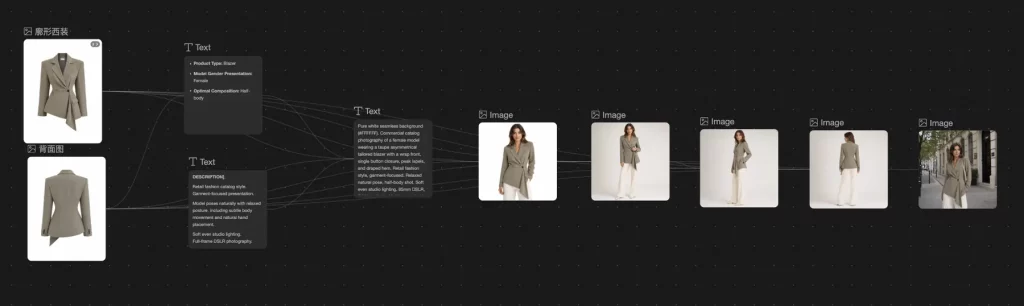
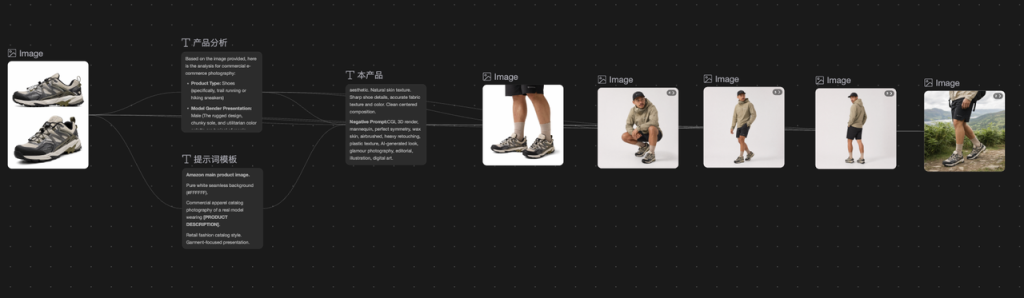
More Case Examples
The same workflow can be applied to different clothing categories and product styles.
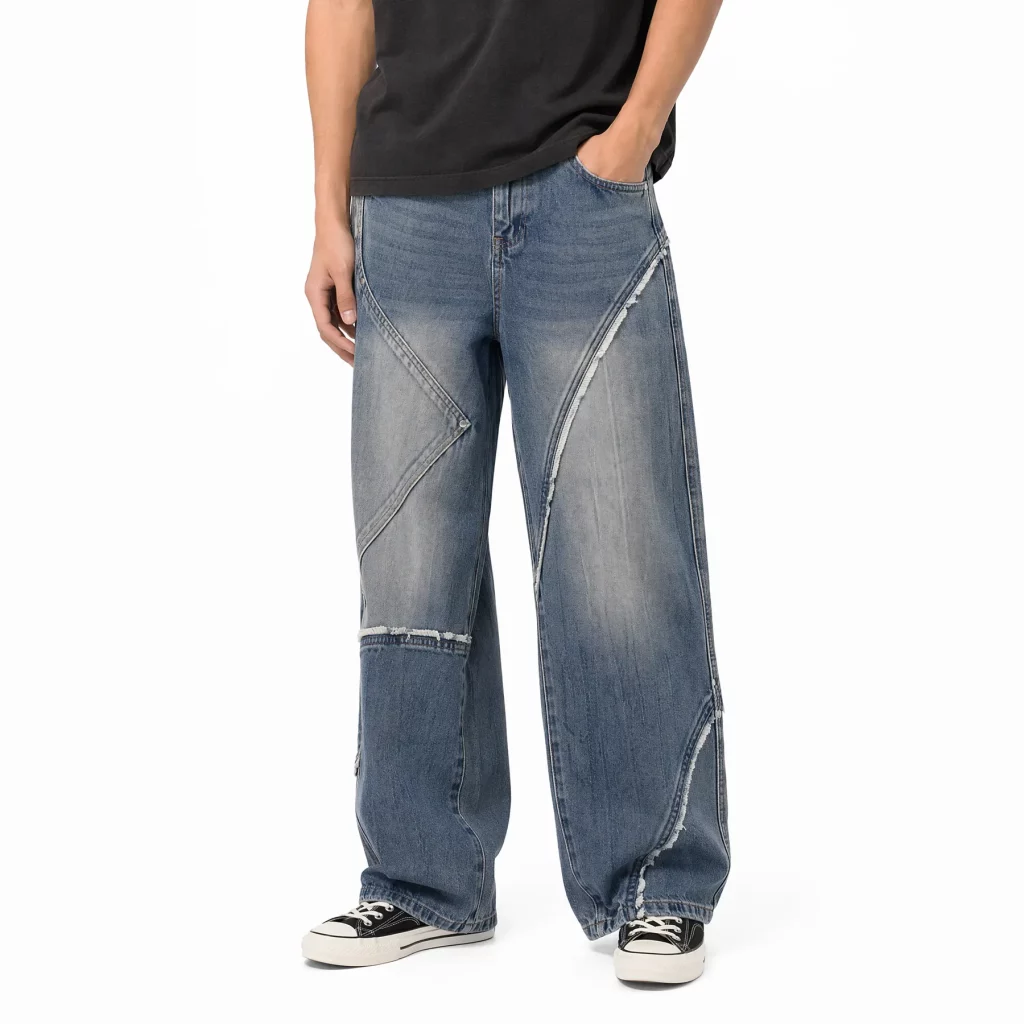
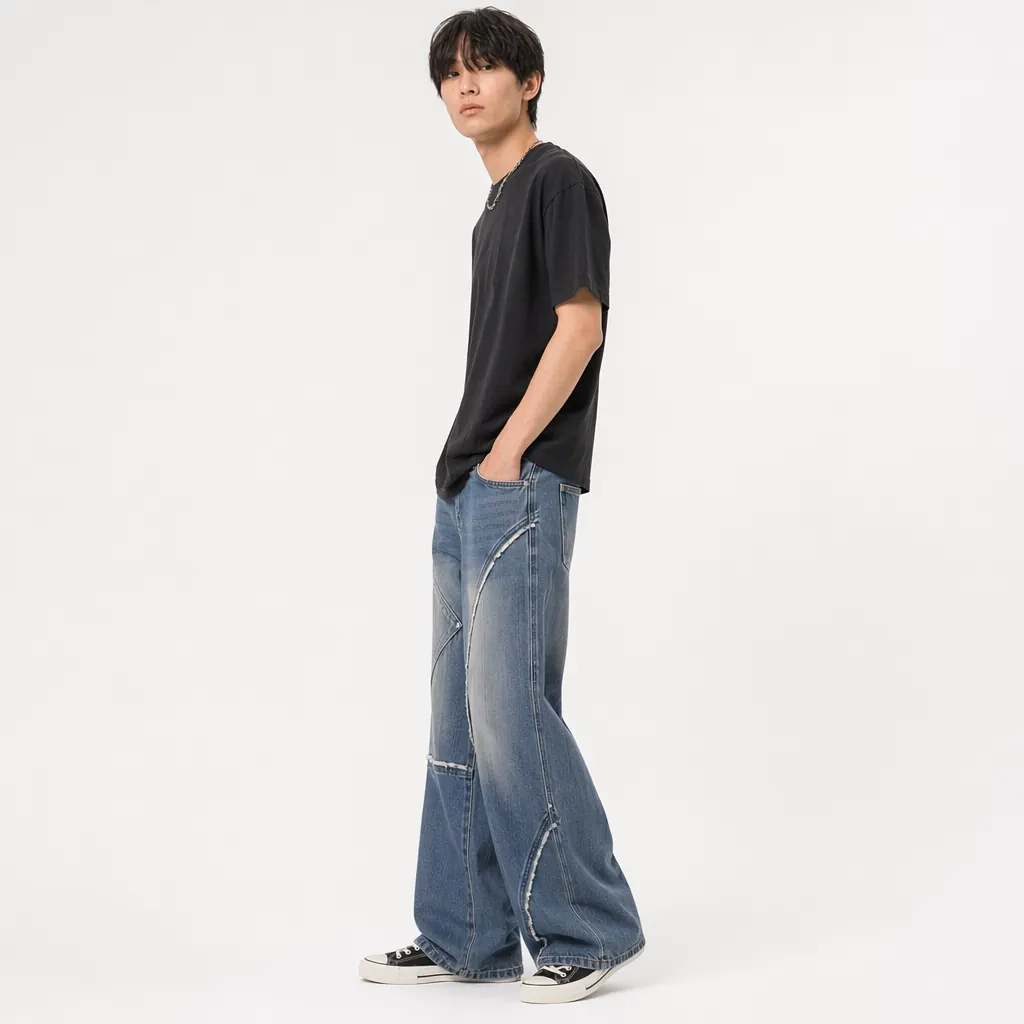
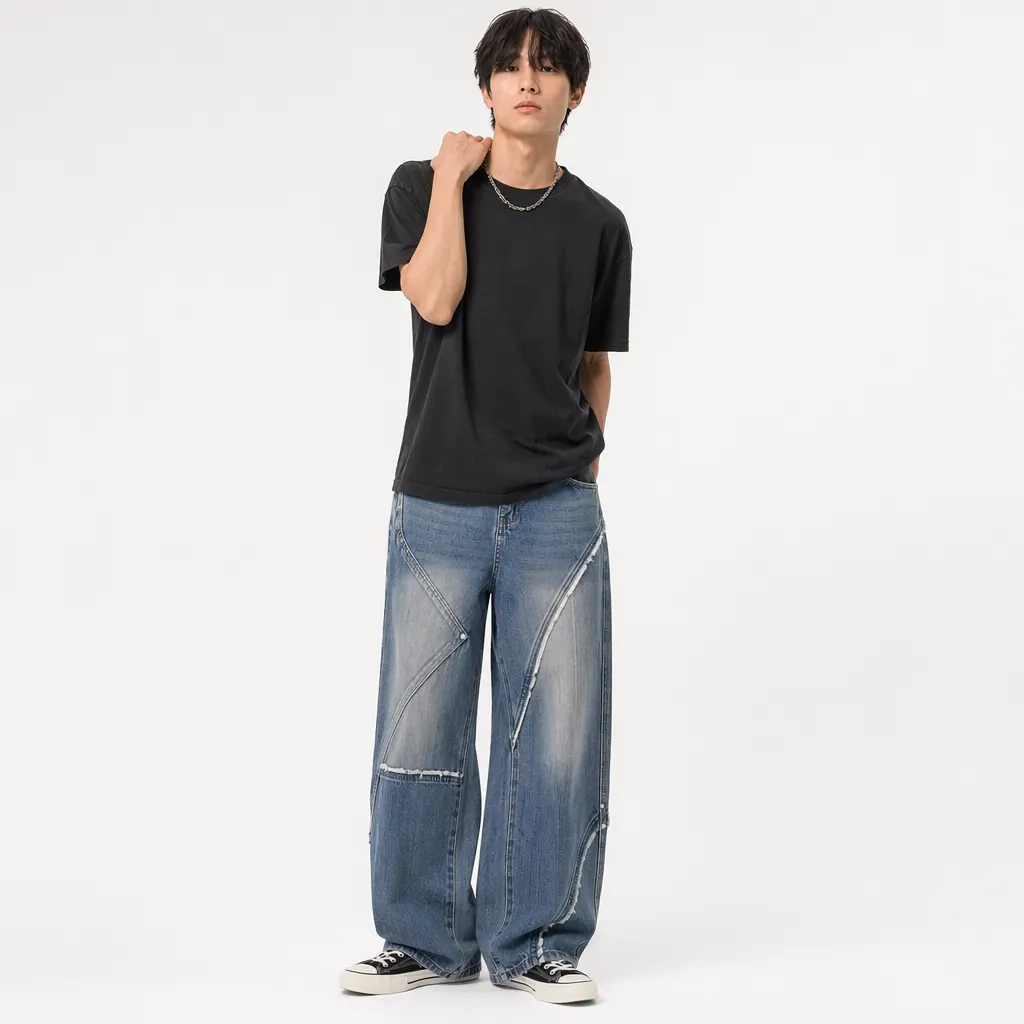
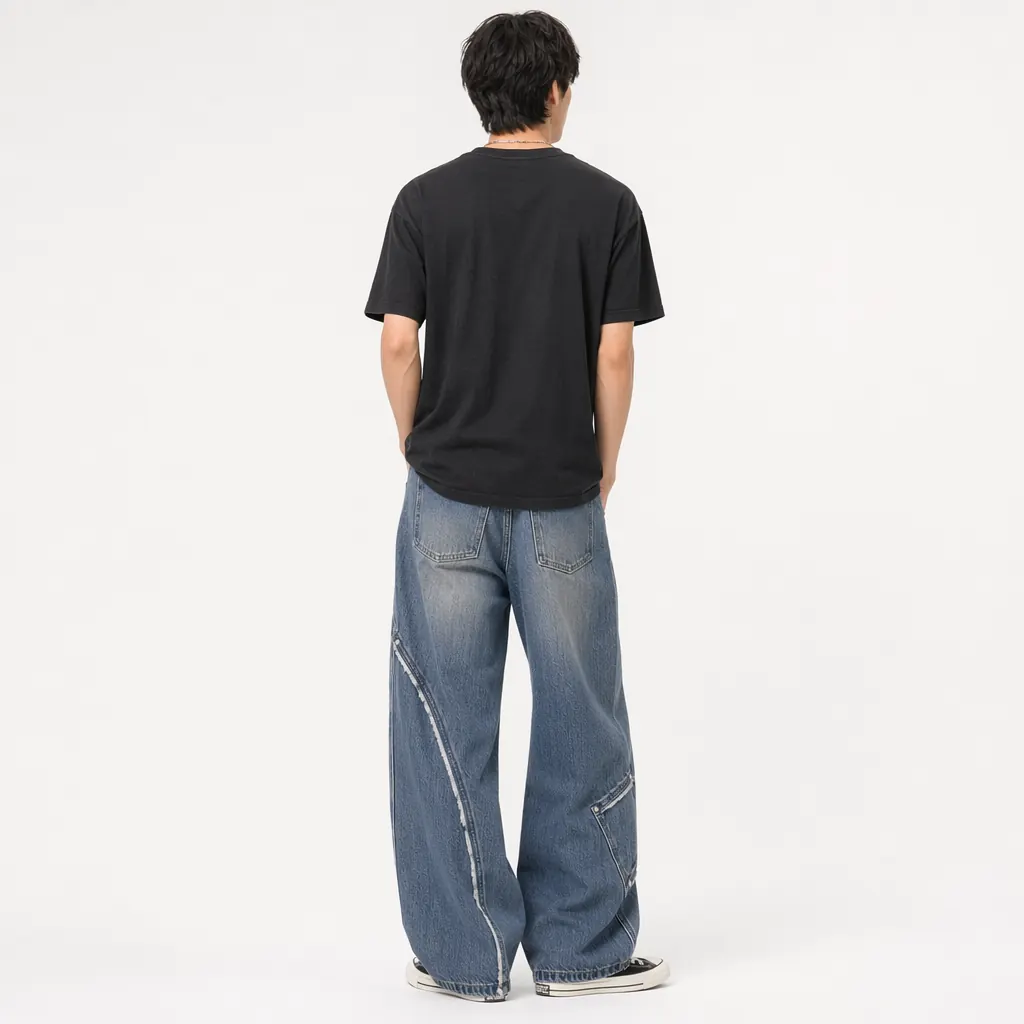
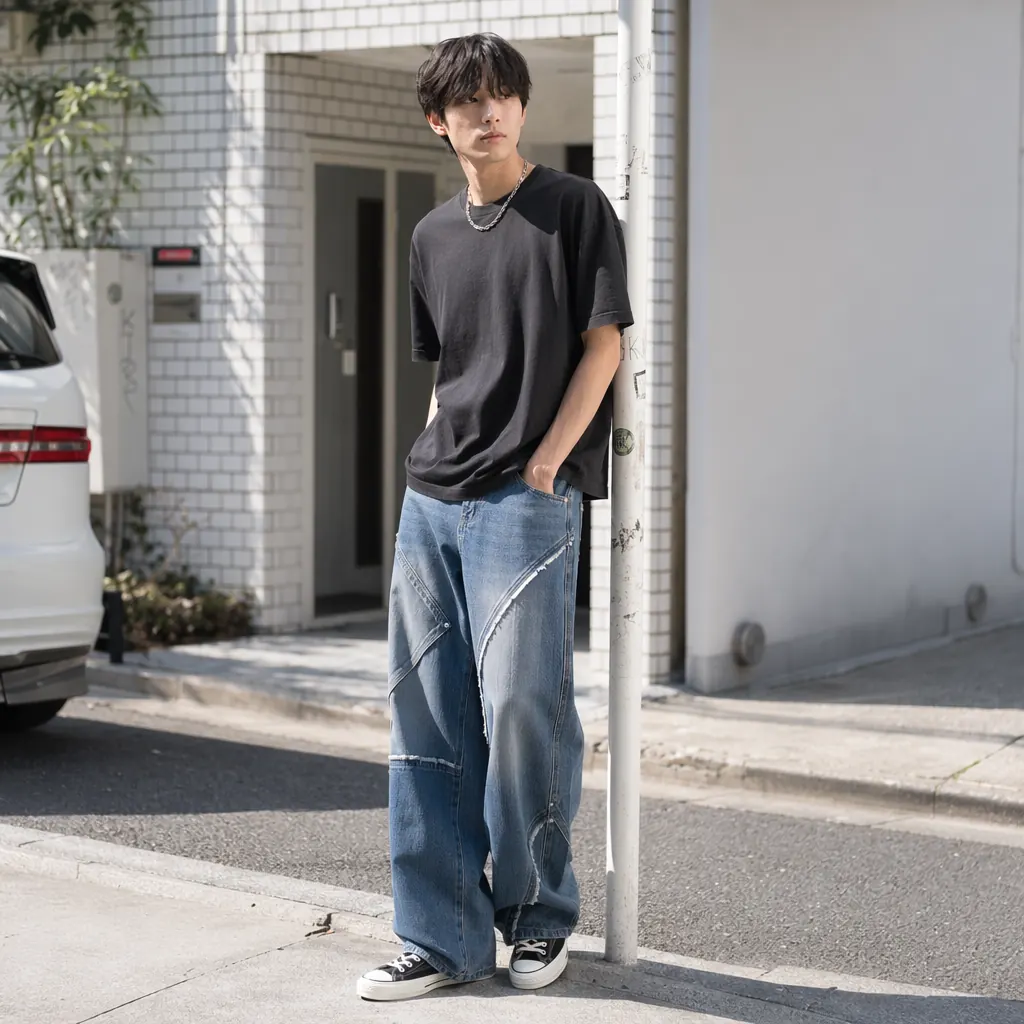
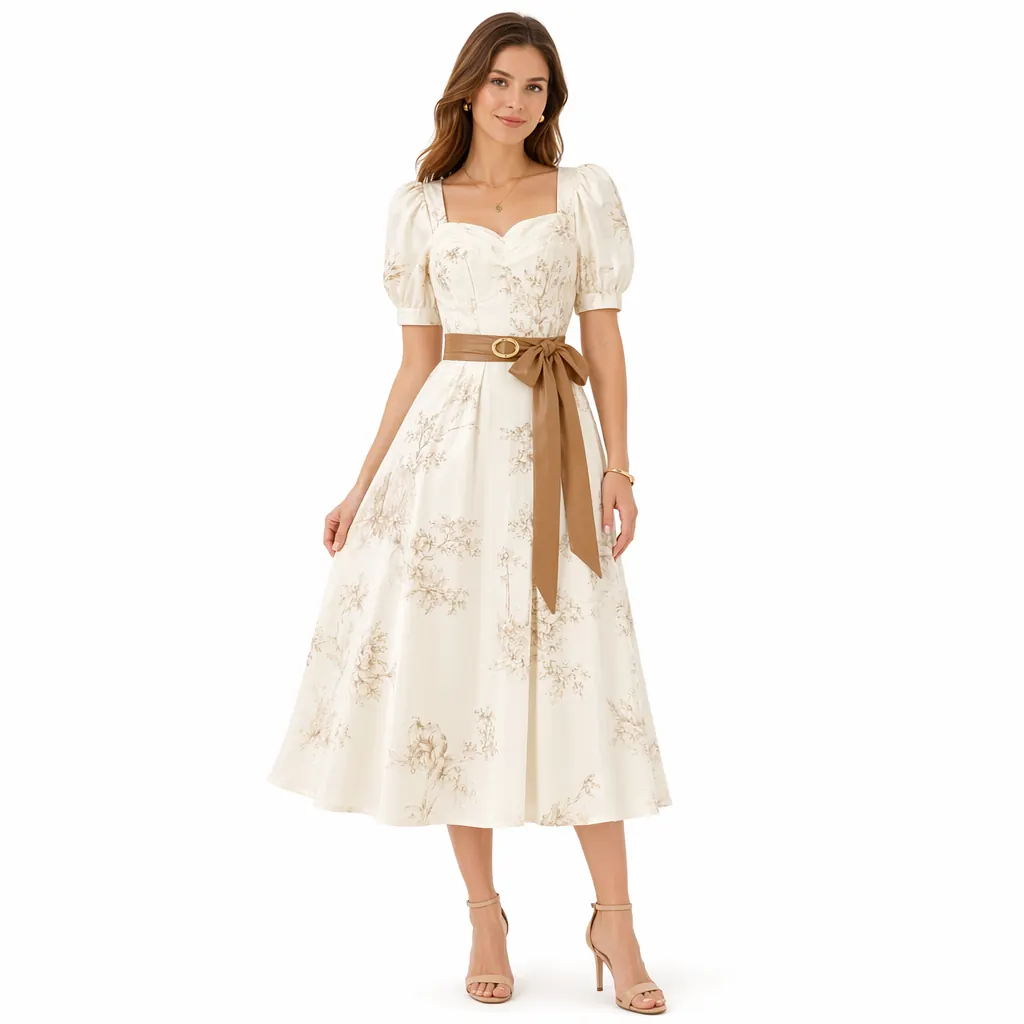
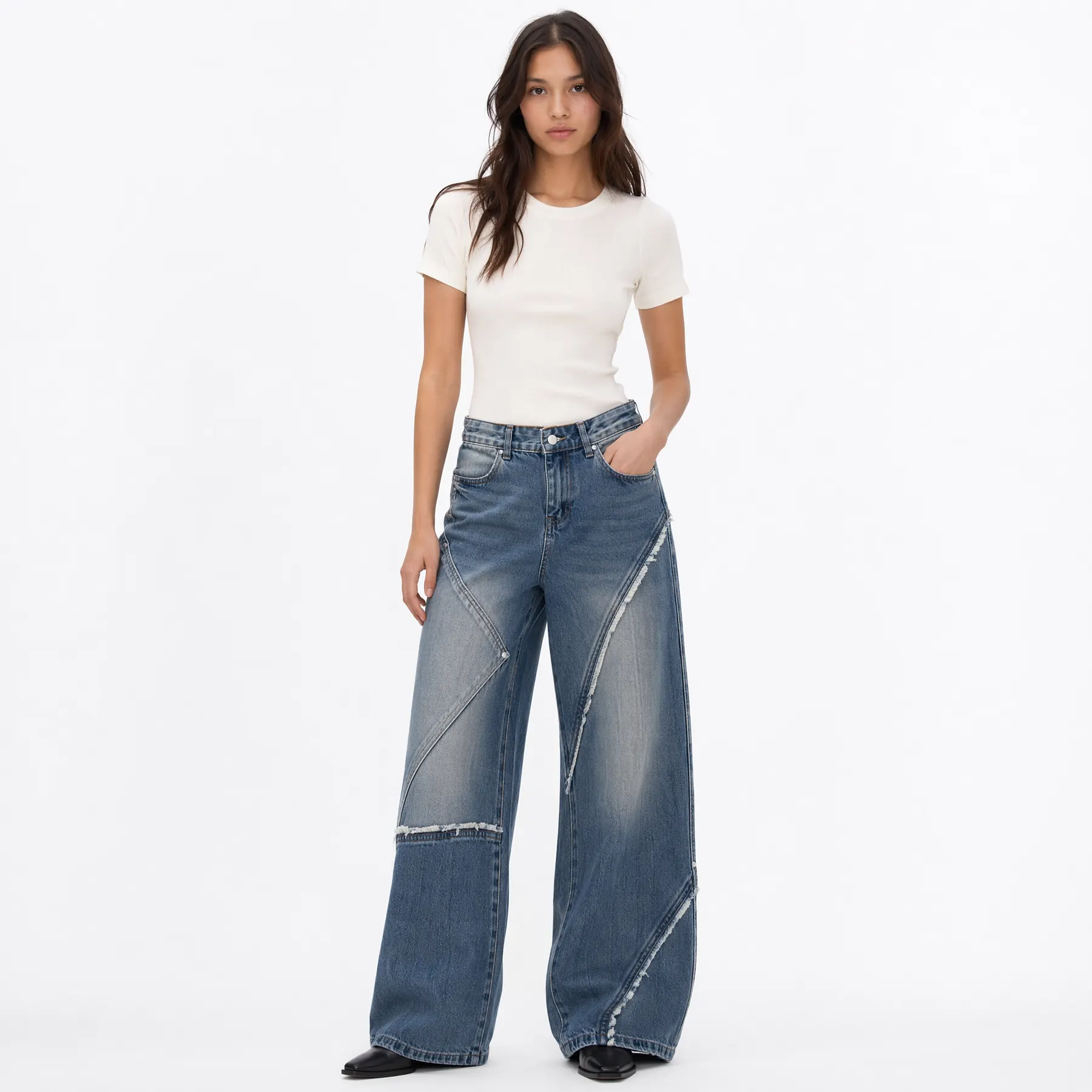
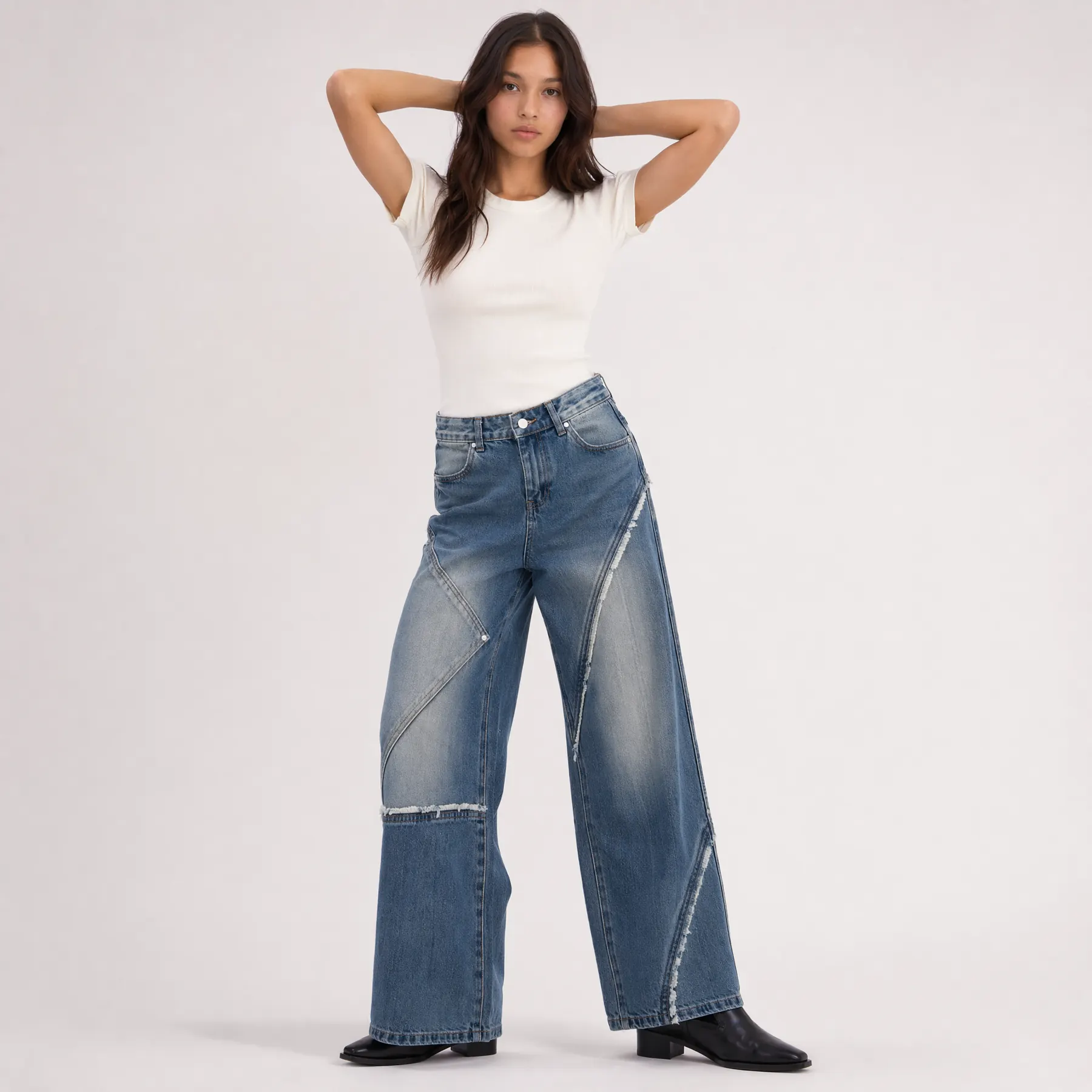
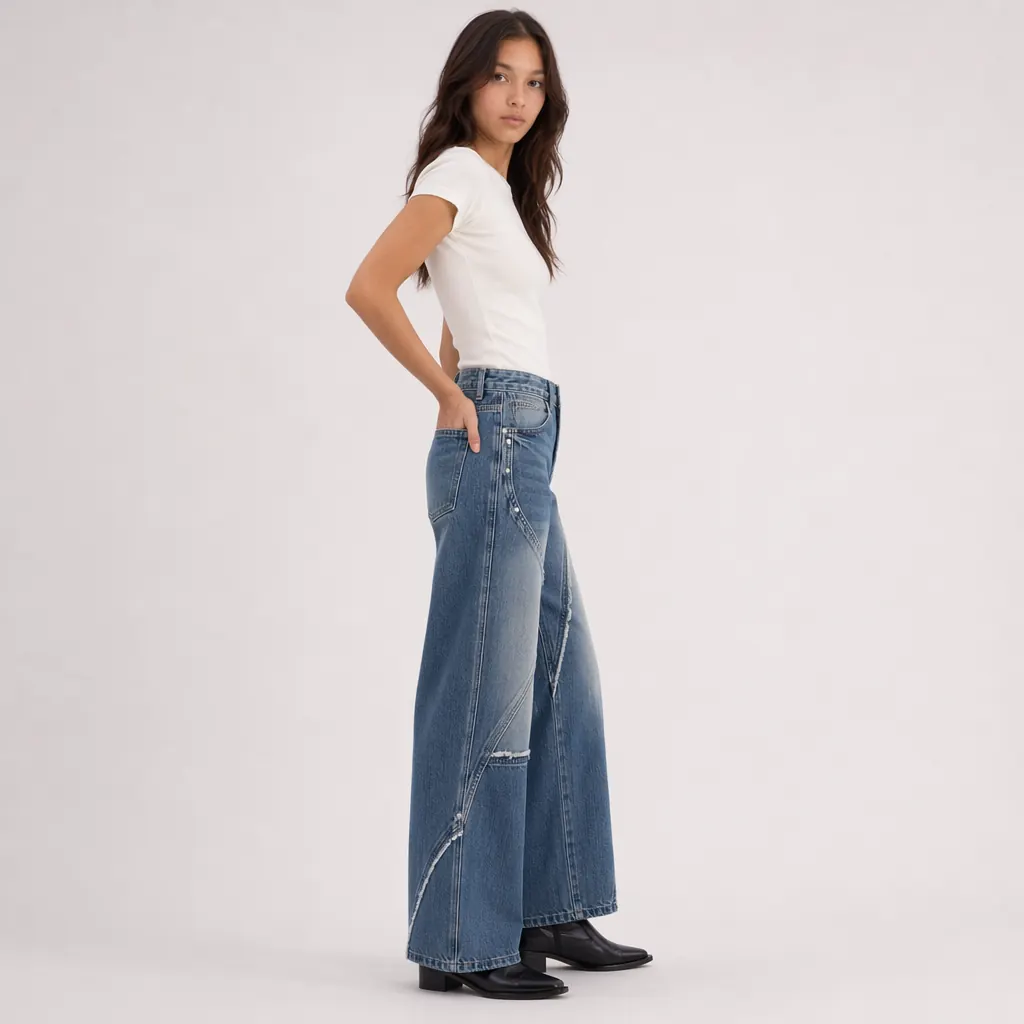
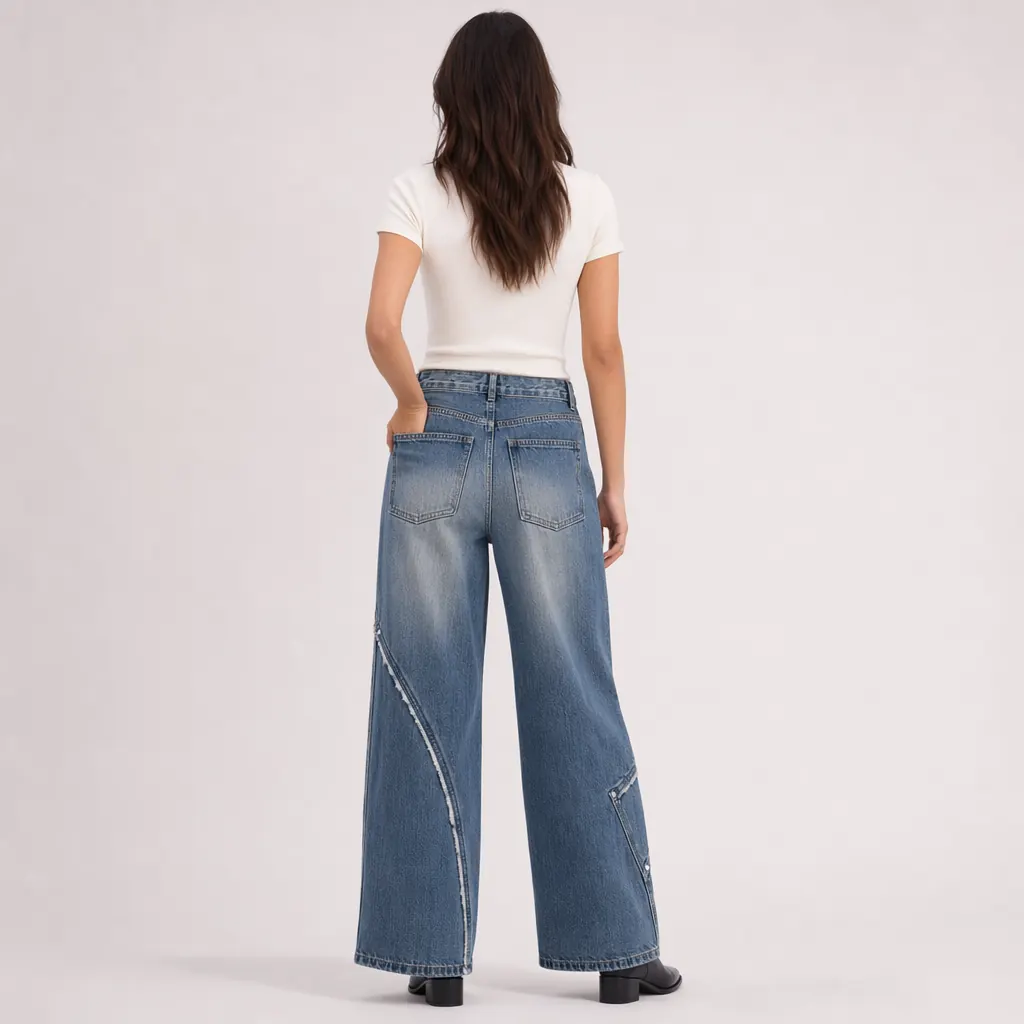
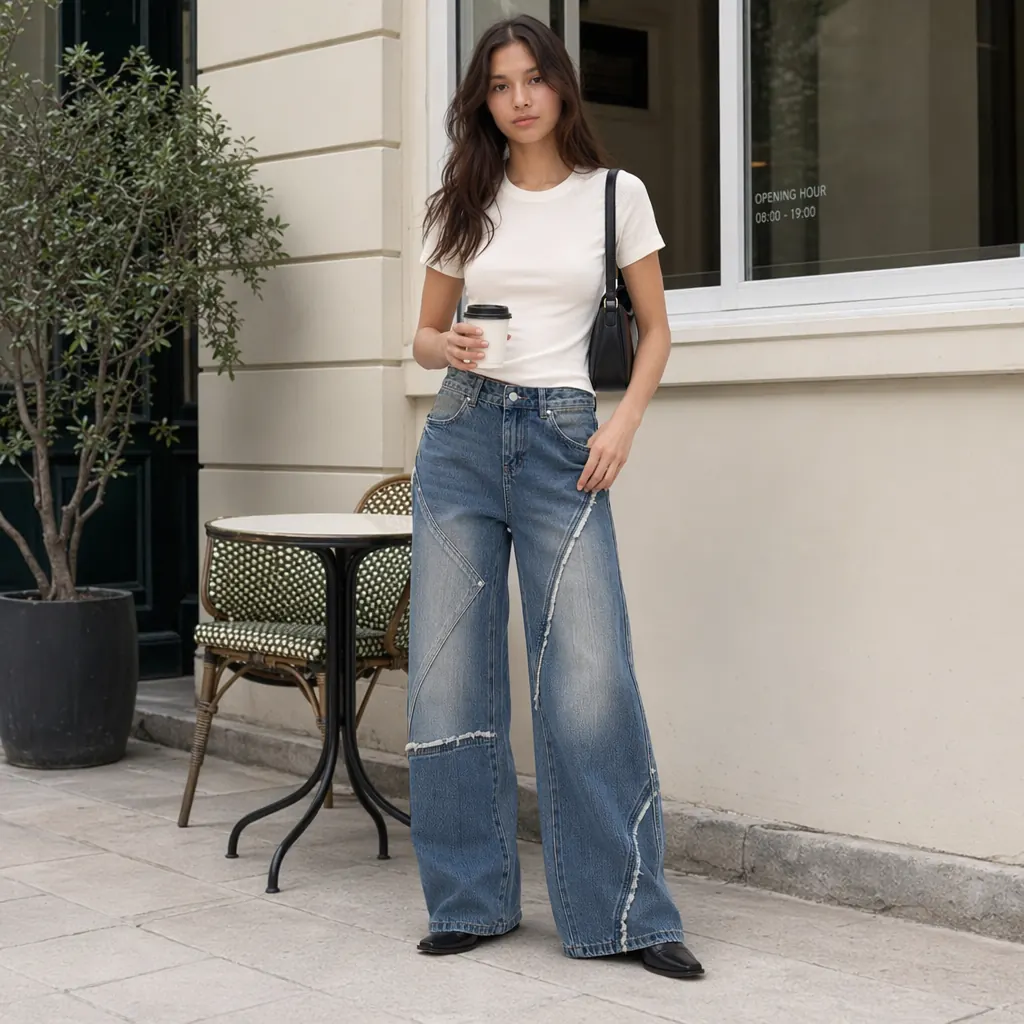
Why We Recommend the Ima Studio Workflow
Ecommerce teams do not need just one image. A clothing SKU usually needs:
- One main image
- Two to three studio images
- One to two detail or multi-angle images
- Two to five lifestyle images
- Multiple ad testing assets
Ima Studio is useful because the process can be broken into clear steps:
- Product analysis
- White-background main image generation
- Studio model photo generation
- Front, side, and back-view expansion
- Lifestyle image expansion
- Multi-channel asset reuse
This makes the workflow more suitable for Shopify, Amazon, TikTok Shop, and DTC fashion stores.
Recommended Image Set for Each Clothing SKU
For fashion ecommerce, each SKU should ideally have at least these six image types:
- White-background main image
- Front-view model image
- Side-view model image
- Back-view model image
- Lifestyle image
- Ad testing image
If the product has multiple colors or variants, you can reuse the same workflow and update the product description and reference image.
This makes the image production process more stable, repeatable, and scalable.
What to Check Before Using AI Clothing Images
AI-generated product photos should still be reviewed before publishing.
Check the following:
- Is the clothing color accurate?
- Are patterns, buttons, pockets, and sleeves preserved?
- Are hands and body proportions natural?
- Does the fabric drape realistically?
- Do the front, side, and back views look like the same garment?
- Does the image meet platform requirements?
- Does the image have an obvious AI-generated look?
For ecommerce product photography, accuracy matters more than simply making the image look beautiful.
FAQ
Can I create clothing product photos without hiring a model?
Yes. With an AI workflow, you can generate on-model photos, studio images, and lifestyle images from a clothing product photo. The final result should still be reviewed to ensure product accuracy.
Can AI clothing images be used for Amazon?
AI can help create Amazon-style listing images, but Amazon has platform-specific image rules. Always check the background, composition, and product presentation before using the image as a main listing image.
What is the difference between an AI clothes changer and this workflow?
An AI clothes changer usually focuses on replacing clothing in one image. This workflow focuses on producing a complete ecommerce image asset set, including main images, model photos, multi-angle images, lifestyle photos, and ad creatives.
Can a flat lay clothing photo be turned into a model image?
Yes, if the flat lay image is clear, complete, and not heavily obstructed. The better the source image, the more accurate the AI output will be.
Can these images be used for ads?
They can be used as ad creative candidates, but they should be reviewed against platform policies and brand standards before launch.
Conclusion
If you do not have a model, you do not necessarily need to schedule a full photoshoot.
A more efficient approach is to start from your existing product image and use AI to generate a complete set of clothing product photos.
The recommended workflow is:
- Upload the product image
- Analyze the product type and composition
- Generate a white-background main image
- Generate a front-view model photo
- Generate side and back views
- Generate lifestyle images
- Review and reuse the assets across product pages, ads, and social media
The key takeaway is simple:
Do not treat AI only as a clothes-changing tool. Treat it as a clothing ecommerce image production workflow.
For ecommerce brands that need faster launches, lower photoshoot costs, and more ad creative variations, this is the more practical way to use AI fashion photography.
Create a Full Fashion Marketing Asset Set from One Product Image
Related read: For furniture and home-décor catalogs, see AI Product Photography for Furniture & Home Decor Brands — one approved room, category-aware SKU rules.
Use Ima Studio to generate white-background product images, on-model shots, multi-angle views, lifestyle scenes, and ad creatives for ecommerce.
About The Author