Free Online AI Character Generator from Text or Photo

Create AI characters from text or turn a photo into a character online for free. Generate anime, realistic, cartoon, 3D, and game-style character images in seconds. Sign up to get 200 free credits and download watermark-free results.

Type your idea safely — Ima Studio never stores your photos or prompts.

How to Use Ima Studio's AI Character Generator for Free

Step 1: Input

Describe your character in simple, natural language. You can also upload a reference photo if you want to turn an image into a character, or add references for outfit, vibe, or background.
Step 2: Generate

Ima Studio's AI Agent automatically selects the most suitable models and does the heavy lifting for you. Click once, and you'll get high-quality character images in seconds. Want variations? Just ask in the same chat.
Step 3: Download & Share

Download your character images in high resolution (up to 4K), watermark-free. Use them instantly, or publish your result as a reusable template for others.
Chat to Generate Consistent Characters Across Multiple Images

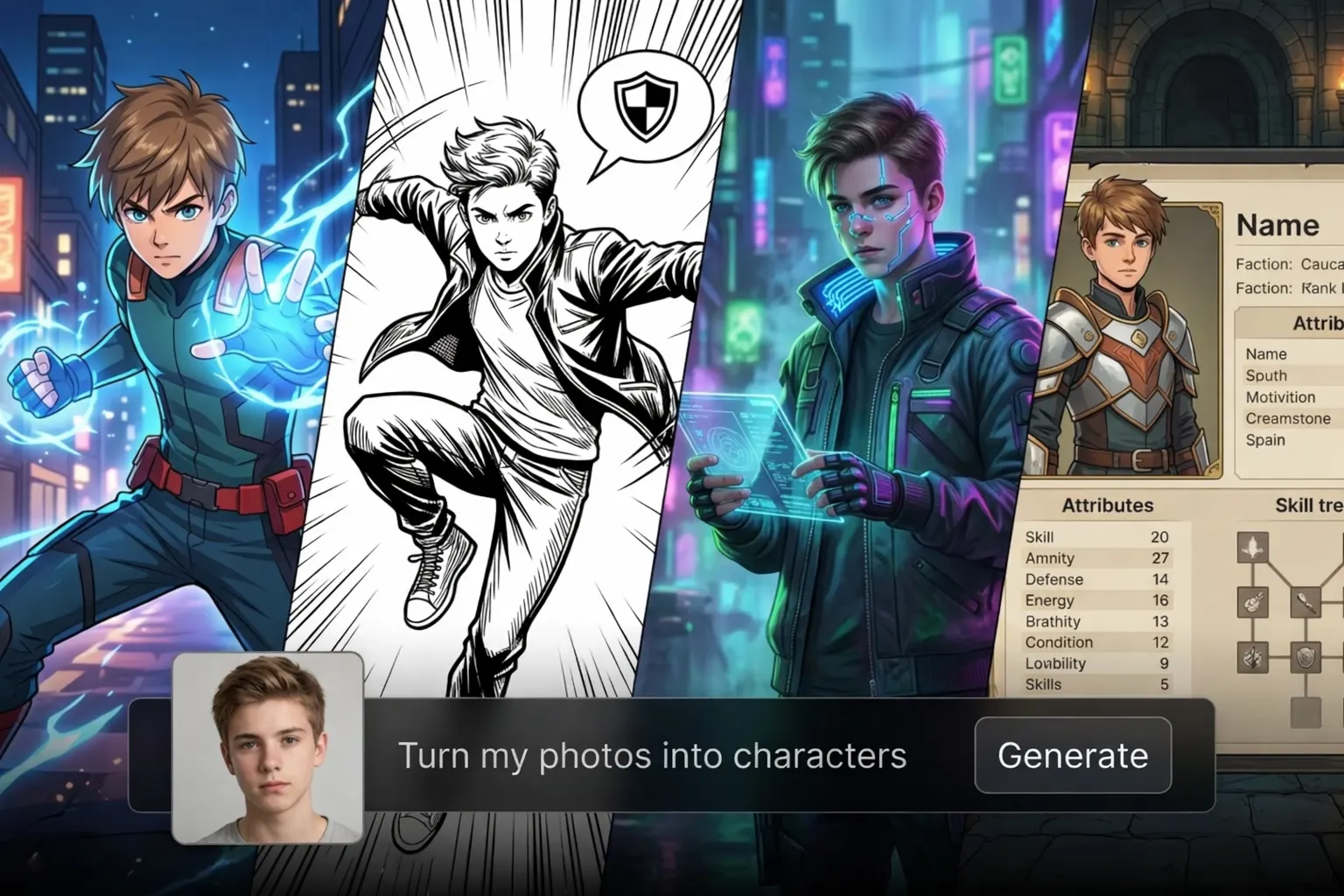
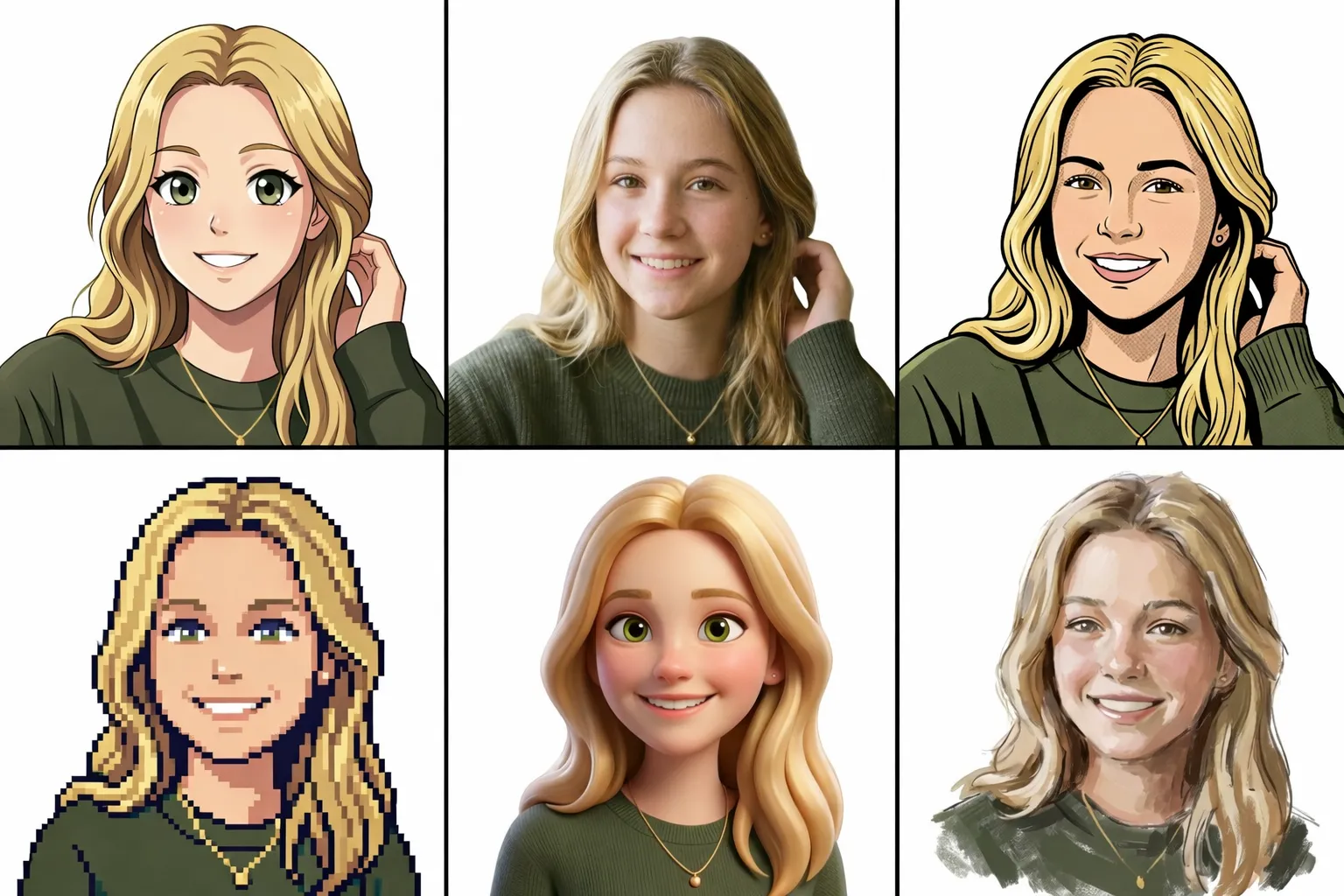
Switch styles without restarting — try anime, realistic, comic, pixel, 3D, or concept looks in the same chat. Just type something like: “same character, new style.” Then keep refining with quick follow-ups — hair, outfit, expression, pose, background, and mood — while maintaining the same character identity across multiple images. Behind the scenes, Ima Studio’s multi-model Agent automatically picks the best-fit model for each request, so everything stays fast and effortless.
AI character generator from photo with one portrait turned into anime, comic, pixel art, 3D, and painted character styles
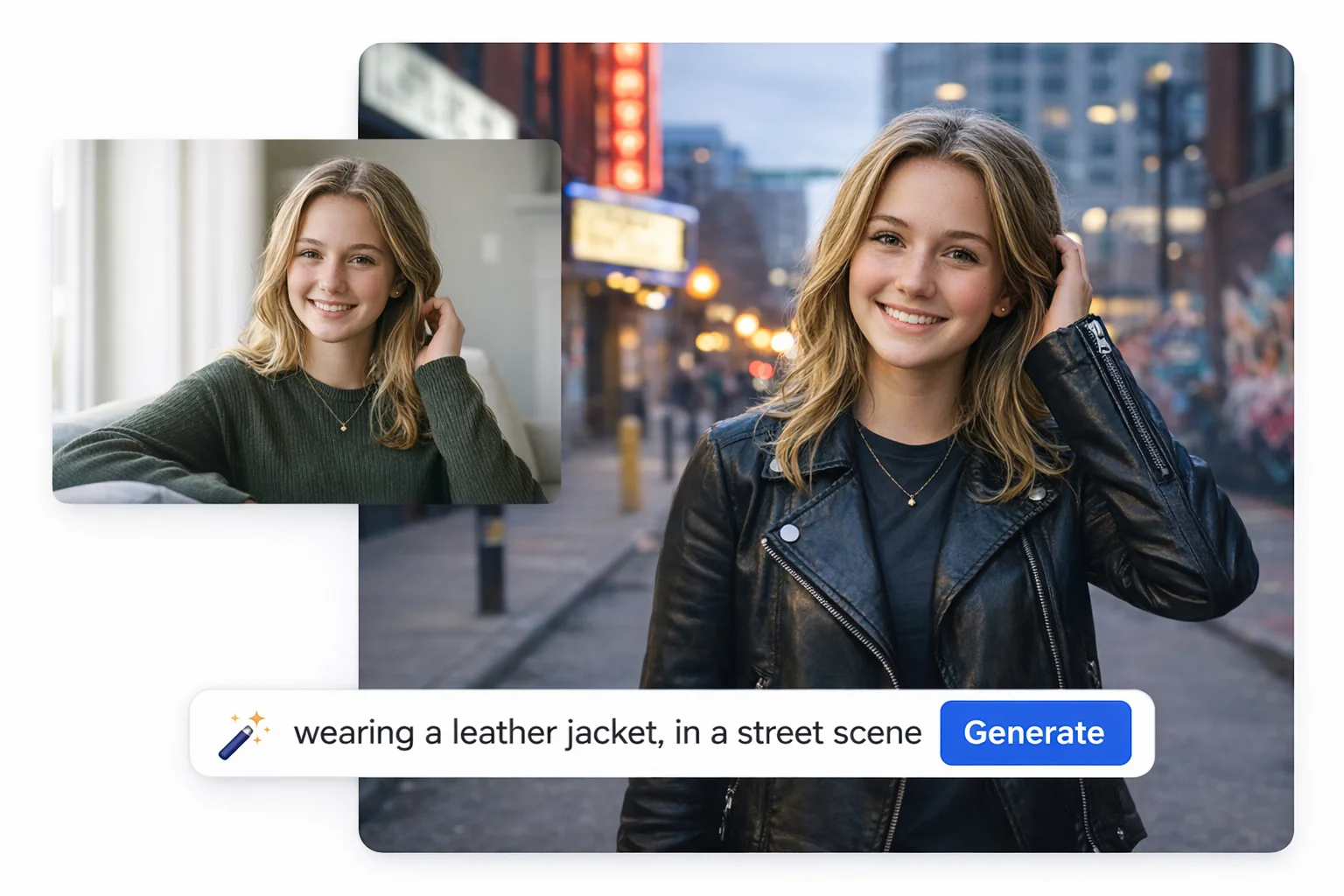
AI photo to character and portrait generator example showing a casual indoor photo transformed into a leather jacket street scene portrait

One-Click HD Character Images with Rich Visual Details

Get a polished HD character image with one click. The face stays clear, hair looks natural, outfits keep their texture, and the background lighting feels purposeful — not messy or random. Want a different vibe? Just tell Ima what to adjust — like “make the jacket leather,” “add freckles,” or “switch to soft studio lighting” — and you’ll have a more detailed option in seconds, without touching any complicated settings.

Multi-Modal Character Creation: From Image to Video and Beyond

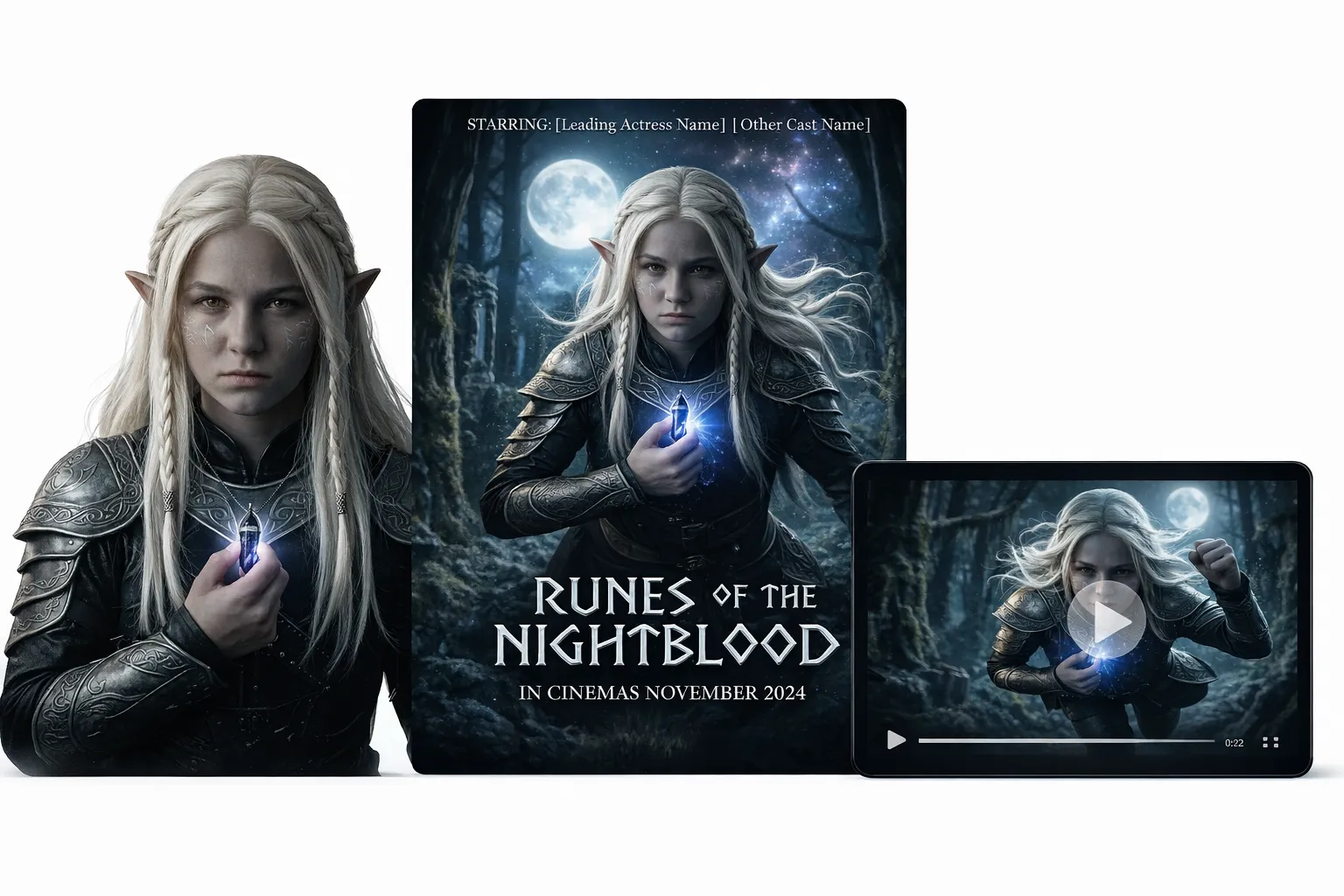
Once satisfied with your character, you can take it further on Ima Studio — without switching tools or breaking your creative flow. Turn your character image into a short video in one click, add fitting music, and showcase the concept in a more complete, dynamic way. You can also generate a matching concept poster or key visual on the side. That way, your idea doesn’t stop at a single image — it becomes a set of production-ready character assets you can use for presentations, project planning, and marketing materials.
AI character creator workflow turning one fantasy character portrait into a movie poster and cinematic video scene

Get Inspired: You Can Use Ima Studio's Character Generator AI For

Design Game Characters

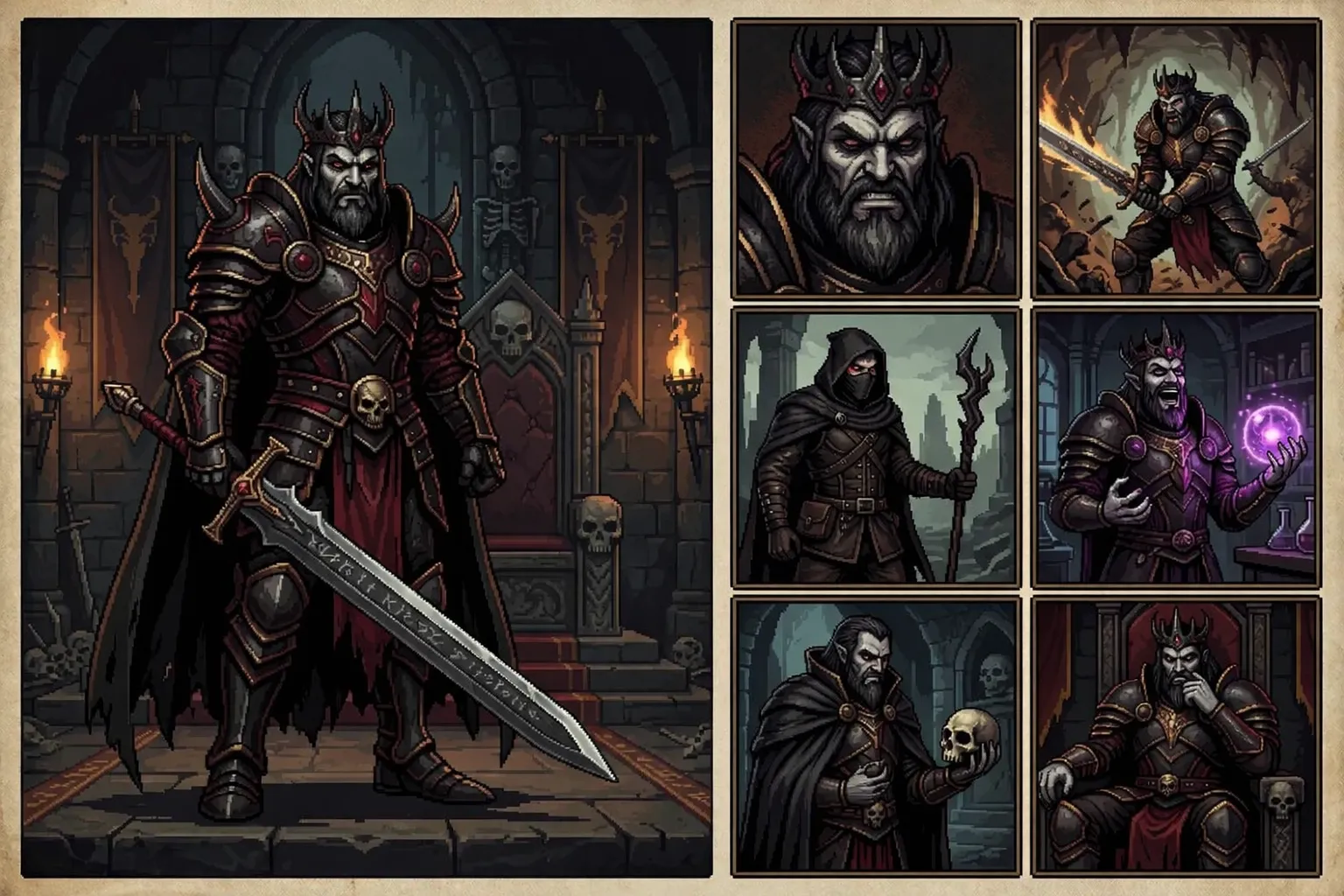
Need a main character, villain, NPC, or mascot that fits your game world? Use Ima Studio to lock the character’s look fast, then generate practical variations — expressions, outfits, poses, angles, and scene moods. It’s great for quick character sheets and pitch visuals, and you can also generate short character notes for faster team alignment.
AI game character generator example showing a dark fantasy warrior with multiple portraits, poses, and scene variations

Turn Your Photos into Characters

Want something more personal? Upload your photo and let Ima analyze your key features. Then turn you into a standout AI character in different styles — anime hero, comic look, cyberpunk vibe, fantasy adventurer, or even a game NPC profile. You can share it right away as an avatar, cover, or post to surprise your followers.

Build a Mascot Character

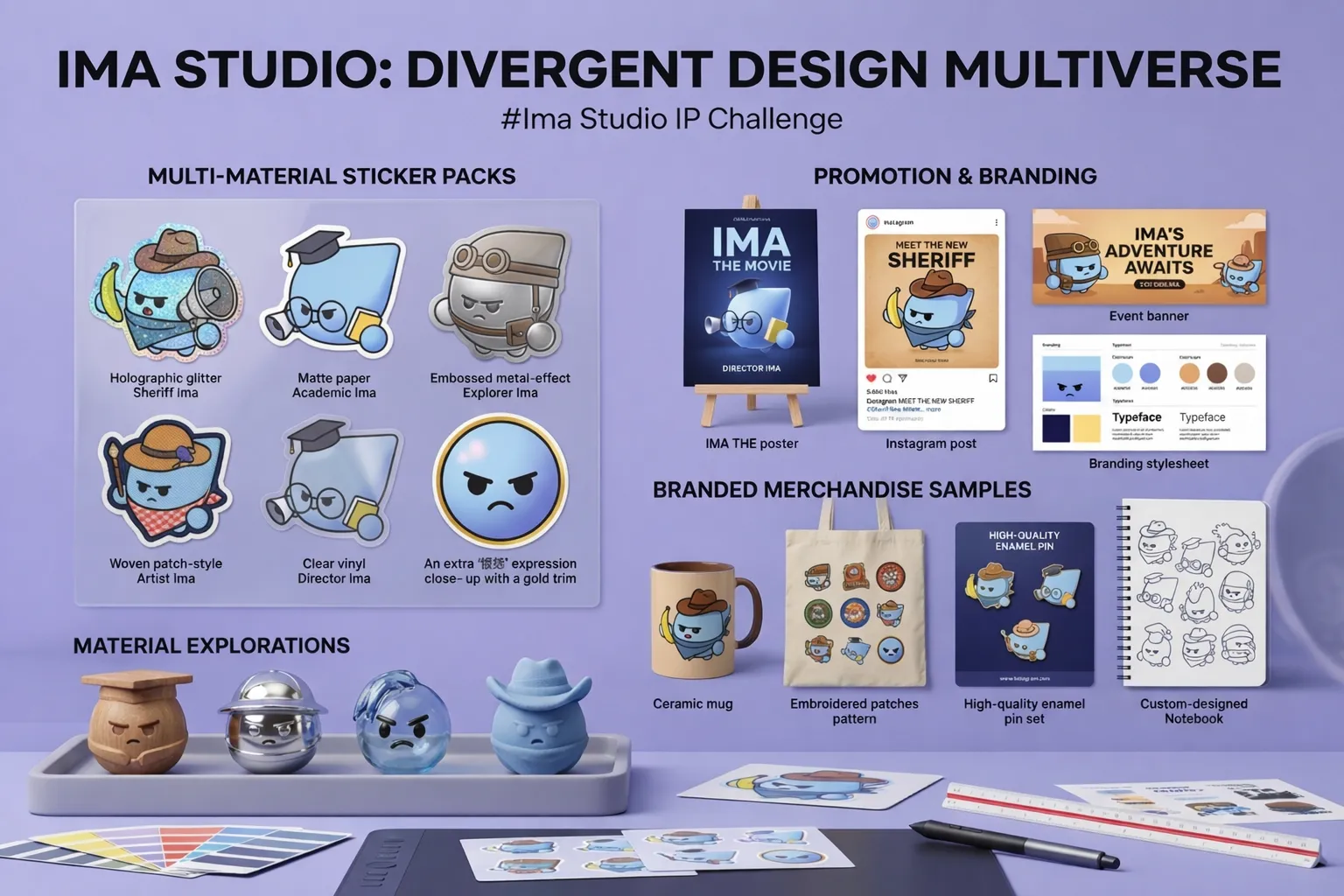
A consistent mascot makes your brand easier to recognize. Create one character style, then keep generating the assets you need — banners, cover images, post graphics, stickers, and seasonal versions for campaigns. Over time, the character becomes a familiar signature across your content.
AI character design showcase with sticker packs, branded merchandise, promotional materials, and style exploration for one character IP

Why Choose Ima Studio's AI Character Generator

High-Res, Clean Downloads

Export up to 4K and download clean, watermark-free files. Use them instantly for avatars, covers, decks, posters, or merch mockups.

People

Active Community for Creation

Explore Ima Community for character styles, prompts, and ready-made templates. Reuse other creators' templates — or publish your own idea as a reusable template.

Multi-Model Control

Agent mode auto-matches the best model for your request — no model hunting. Or pick a model yourself, or use Arena to compare two models side by side.

FAQs About Ima Studio's AI Character Generator

Yes. Once you register, you’ll receive 200 free credits to get started. All results you download are watermark-free, and you can also explore other tools inside Ima Studio, including AI Image Expander, AI Christmas Video Generator, and more.
In many cases, yes — especially when you use your own photos. For commercial or large-scale use (ads, brand campaigns, game publishing), please check Ima Studio’s latest Terms and Conditions to make sure your use case is fully compliant.
Be specific about the character’s key identity traits (age range, facial features, hairstyle), style (anime, realistic, comic, pixel, 3D), outfit, mood, and setting. If you’re using a photo, choose a clear image with good lighting and minimal heavy filters. That’s usually enough — Ima Studio’s Agent mode will match a suitable model and help produce a clean, high-quality result.
Yes. Upload a selfie or reference image and describe the style you want. Ima Studio will use your photo as a reference and generate a character-style version. You can then refine details in the same chat.
Just start by typing a short description or uploading a photo, like chatting with friends. Ima Studio’s Agent mode reads your text and image, picks a suitable AI model, and then handles the hard part, so it’s genuinely friendly for everyone. If you want to tweak the result, you just edit a few words in your prompt, generate new versions in one chat, and download the one you like best.