Earlier this year, a creator friend of mine got caught up in the OpenClaw hype — and honestly, same.
She signed up for a hosting plan, got her agent running on Telegram, and spent a weekend customizing her bot’s personality.
Then month two arrived. She’d racked up $40 in API costs on top of her $39 hosting fee — and her agent still couldn’t generate a single image for her content.
“I thought I was paying for an AI,” she told me. “Turns out I was just paying for a server.”
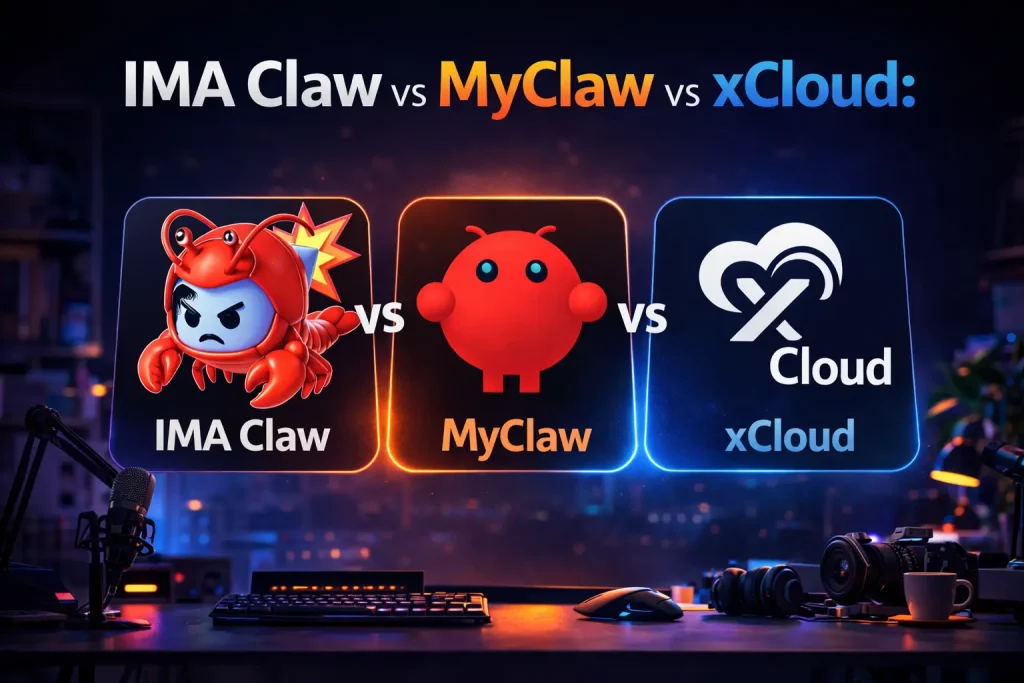
That conversation sent me down a rabbit hole. I spent the last few weeks actually comparing the three most popular OpenClaw hosting platforms in 2026 — MyClaw, xCloud, and Ima Claw — specifically through the eyes of someone who wants their agent to create things, not just answer questions.
Here’s what I found.
First: What “OpenClaw Hosting” Actually Includes
This is the part nobody explains clearly upfront.
OpenClaw is open-source software. Hosting it means running it on a server 24/7 so your agent is always online. That’s what you’re paying for with most hosting plans — the server, and nothing else.
The AI model your agent uses to think? That’s a separate API. Images, video, audio generation? More separate APIs. Each one billed independently, each one requiring its own account and key.
Some platforms bundle all of this together. Most don’t. That distinction is everything for content creators.
Side-by-Side: The Three Main OpenClaw Hosting Options
| Ima Claw | MyClaw | xCloud | |
|---|---|---|---|
| Starting price | $29.99/mo | $19/mo | $24/mo |
| LLM tokens included | ✅ Bundled | ❌ Pay separately | ❌ Pay separately |
| Image generation | ✅ ~249/mo (Plus) | ❌ Not available | ❌ Not available |
| Video generation | ✅ Yes | ❌ No | ❌ No |
| Cloud server included | ✅ Yes | ✅ Yes | ✅ Yes |
| Channels supported | Telegram, WhatsApp, Discord, Feishu | Telegram mainly | Telegram mainly |
| AI models available | 40+ bundled | None — bring your own | None — bring your own |
MyClaw: The Easiest On-Ramp, With a Catch
Price: $19–$119/month | myclaw.ai
MyClaw is where most people start, and for good reason. The onboarding is smooth, the interface is clean, and the community over at r/myclaw is genuinely helpful when things break.
If you want a text-based agent running on Telegram with minimal setup, MyClaw gets you there faster than anything else.
The catch shows up once you want your agent to actually do something creative.
There’s no image generation. No video. No bundled AI model — you bring your own API keys from Claude, GPT-4, or Gemini, and pay those bills separately. For a creator wanting to automate content output, you’re essentially building a fragmented stack on top of your hosting plan.
The real monthly cost for active creators on MyClaw:
| Item | Estimated Cost |
|---|---|
| MyClaw Pro plan | $39/mo |
| Claude Sonnet API (moderate use) | $15–30/mo |
| Image generation (~50 images) | $10–25/mo |
| Actual total | $64–$94/month |
Not a dealbreaker if you’re technical and budget-conscious. But worth knowing before you sign up.
Best for: Developers and early experimenters who want maximum flexibility and are comfortable managing APIs themselves.
xCloud: Reliable Infrastructure, Creator Limitations
Price: $24/month+ | xcloud.ai
xCloud does the infrastructure piece very well. Auto-updates, security patches, solid uptime, and global server locations. Their 280+ Trustpilot reviews reflect genuine satisfaction from users who care about reliability above all else.
What xCloud is, fundamentally, is a managed VPS company that added OpenClaw support. That’s useful — but it also means creative functionality isn’t really on their roadmap. No multimedia generation, no bundled models, no creative tooling. You’re configuring and paying for all of that yourself.
Best for: Teams and technically experienced users where server uptime is the top priority and creative output is handled elsewhere.
Ima Claw: What an All-In-One Actually Looks Like
Price: $9.99–$199.99/month | imaclaw.ai
Ima Claw takes a different approach entirely. Instead of selling you a server and letting you figure out the rest, every plan bundles three things together: the cloud server, the LLM tokens your agent needs to reason, and creative credits for generating images, video, and audio.
One subscription. One bill. No API wrangling.
For a content creator, this changes what your agent can actually do. Instead of a text-only bot, you get something closer to a creative assistant — one that can write a script, generate a thumbnail image, produce a short video clip, and compose background music, all from a single conversation.
The models aren’t limited either. Ima Claw gives access to 40+ AI models including Midjourney, Wan 2.6, Kling, and Suno — all accessible through your agent without touching a single API dashboard.
Ima Claw Plans
Basic — $9.99/month Good for testing and light personal use. Includes 888 credits/month (~220 images or videos), 40+ AI models, and commercial use rights.
Plus — $29.99/month The sweet spot for individual creators. Comes with a 2-core 4GB cloud server, 999 credits (~249 images/videos), and multi-channel support across Telegram, WhatsApp, Discord, and Feishu. Automated task workflows included.
Pro — $49.99/month (Most popular) For creators scaling their output. 4-core 8GB server, 1,999 credits (~499 images/videos), priority queue, personal webpage auto-deployed, and access to the Pro Discord community. Data retained for 90 days after expiry.
Ultra — $199.99/month Built for agencies and power users. 8-core 16GB server, 13,999 credits (~3,499 images/videos), access to the latest Claude models, and permanent data retention.
What the Numbers Actually Look Like Side by Side
For a creator generating around 50 images a month and using their agent regularly for writing tasks:
| Platform | Hosting | AI Tokens | Image Gen | Real Monthly Total |
|---|---|---|---|---|
| MyClaw Pro | $39 | ~$20 | ~$15 | ~$74 |
| xCloud | $24 | ~$20 | ~$15 | ~$59 |
| Ima Claw Plus | $29.99 | ✅ Included | ✅ Included | $29.99 |
| Ima Claw Pro | $49.99 | ✅ Included | ✅ Included | $49.99 |
The bundled approach isn’t just more convenient — for most active creators, it’s cheaper.
So Which One Is Actually Right for You?
Go with MyClaw if you want the fastest setup for a text-only agent, you’re already comfortable with API billing, and flexibility matters more than simplicity.
Go with xCloud if server reliability and uptime are your primary concern and you have a technical background to handle the creative stack yourself.
Go with Ima Claw if you want an agent that can genuinely help with content creation — writing, images, video, audio — without building or paying for a separate tech stack. Especially worth it if you’re automating social media, YouTube workflows, or any creative process that benefits from multimedia output.
You can explore Ima Claw’s plans and try it out at imaclaw.ai.
About The Author