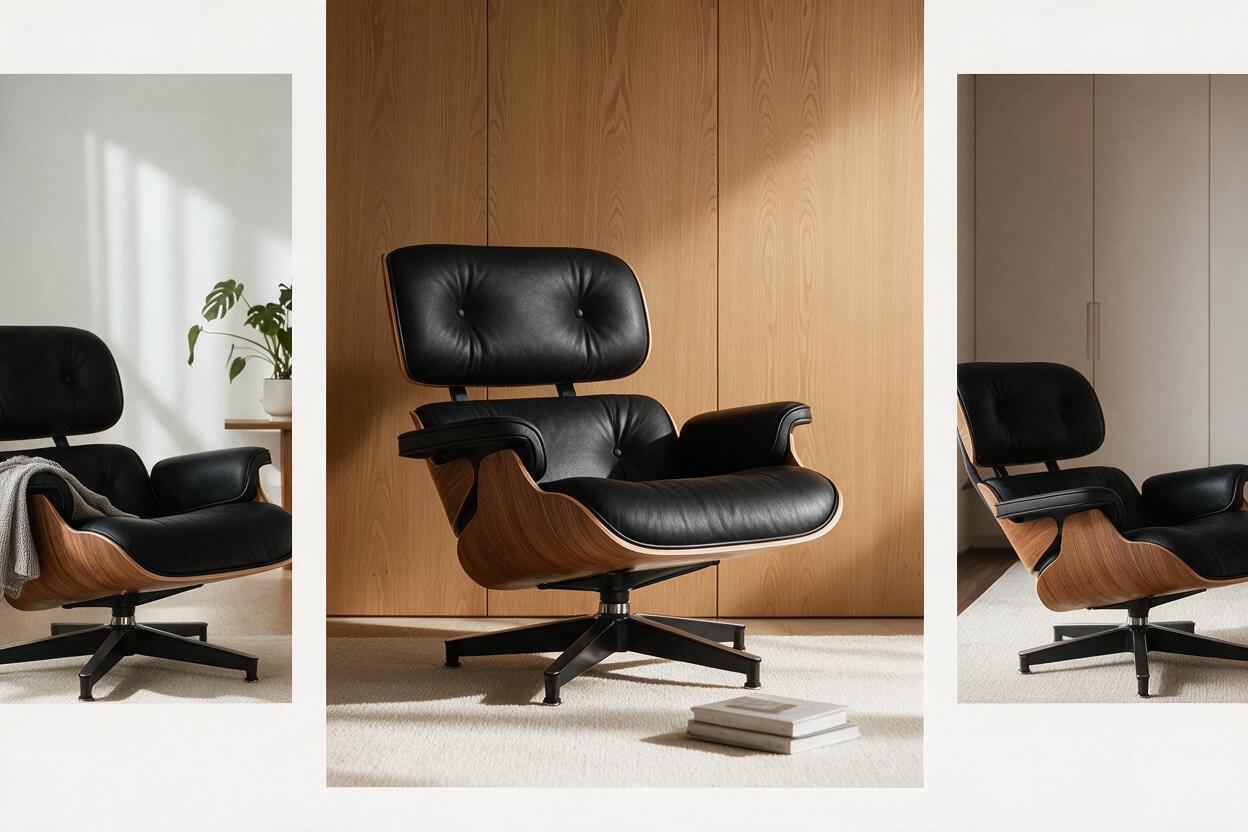
Freepik looks perfect on paper for the job most marketing teams actually have. One subscription, a hundred-million-asset stock library, a menu of image models in a single tab, and credit pricing that reads cheaper than a Midjourney plan plus a separate stock plan.
The paper case holds right up until the deliverable stops being “make an image” and becomes “ship a coherent campaign.” That is the fault line this review is built around, and it is not a hypothetical one. It is the single most consistent finding across every published hands-on test of the suite: the frames are good, and the set does not hold together.
One thing to clear up before anything else. If you searched for Freepik AI and landed on a checkout page reading Magnific, you are in the right place — Freepik moved its AI suite and subscriptions to the Magnific brand, freepik.com/pricing now redirects to magnific.com/pricing, and that page carries the line “Magnific (formerly Freepik)” in its header. Most reviews still quoting €10 per month predate that move. Their numbers are dead.
Who this Freepik AI review is for
Read this if:
- You are comparing Freepik / Magnific-era AI pricing against Midjourney, Canva, or a multi-model platform
- Your team already lives in Freepik for vectors and stock and wants to know whether the AI tab removes the need for a second tool
- You want a workflow answer rather than a feature checklist with every model name in bold
You can skim if you only ever want one hero aesthetic and never leave Midjourney. Freepik is a different bet: library plus router, not one signature look.
What Freepik AI actually is in 2026
Freepik began as a stock marketplace, and the AI layer sits on top of that identity rather than replacing it. What people now search as “Freepik AI” is less a single generator than a creative suite — multi-model image generation, editing and upscaling helpers, and the same licensed library teams already trust for icons, vectors, and photos.
That architecture matters more than any individual model release.
Midjourney optimises for a recognisable aesthetic. A task-specific platform optimises for brief → finished multi-asset set. Freepik optimises for access: many models, many asset types, one login. If your day starts with “I need something close to this stock style, fast,” Freepik feels natural. If it starts with “keep this product and palette identical across thirty deliverables,” you will find the ceiling quickly.
The stock library is still the unfair advantage
Review sites consistently underweight this. Freepik’s AI is interesting; Freepik’s library is why teams stay.
When the brief says “flat vector icons matching the line weight of our existing set,” browsing a licensed library beats prompting from zero. When legal wants a clean commercial-rights trail for a background photo, stock paperwork is far clearer than “the model invented a café.” Freepik’s AI works best as a booster on a stock-native workflow, not as a replacement for a production system.
That is also why treating this as Freepik-or-nothing is a false binary. Plenty of teams keep Freepik for licensed stock and early exploration, then move the winners somewhere else for campaign assembly. Stock browsing and production assembly solve different jobs.
Multi-model access without a house style
Freepik routes you across a wide and rotating model menu — in-house options plus third-party families. A reviewer at Photutorial confirmed the current catalogue spans Flux (including Flux.2 and Flux 1.1), Google Imagen, Nano Banana, GPT Image, Seedream, Krea, Recraft, Grok, Luma, Ideogram, and Freepik’s own Mystic and Classic models, plus video models including Veo 3.1, Runway Gen 4.5, Kling, Seedance, and PixVerse 6.
That breadth is excellent while you are exploring. It is rough when you need sameness.
Every model switch reopens the consistency problem. Flux-looking product shots and Imagen-looking lifestyle frames do not automatically share a brand world. Without a layer that pins the product, the palette, and the face, you become the glue — manually restating the same constraints in every prompt.
A useful mental model: Freepik is a model router with a warehouse attached. Routers win on optionality. Warehouses win on licensed inventory. Neither one automatically becomes a production system. If your team chat is full of “use the other model, this one feels off,” you are paying router tax — interesting during discovery, brutal on a locked campaign.
What “good” looks like on a Freepik Monday
A healthy Freepik morning for a content lead looks like this:
- Search stock for three icon sets that already match last quarter’s line weight
- Generate eight AI concepts for a product angle the library does not cover
- Upscale the winner, clean the background, export
- Hand the file to design for layout in the usual tool
That loop is fast and honest. The unhealthy version is different:
- Generate thirty variants because stakeholders cannot decide
- Switch models mid-thread and lose the product geometry
- Discover none of the product pages match the paid social ads
- Buy a higher tier because “we ran out of credits,” when the real leak was retries
If your Mondays look like the second list, more credits will not fix it. The operating model is the problem.
Pricing and credits: the part people get wrong
Here is the current structure, checked on the official Magnific pricing page on September 20, 2026: the individual tiers are Premium, Premium+, and Pro Starter, billed monthly or annually with a 25% annual discount. Prices exclude VAT and local taxes, and the page advertises a 30-day refund guarantee. Prices display in local currency; this check returned INR.
| Plan | Monthly | Annual (per month) | Credits |
|---|---|---|---|
| Premium | ₹1,340 | ₹910 | 240,000/year |
| Premium+ | ₹3,000 | ₹2,250 | 600,000/year + unlimited generations |
| Pro Starter | ₹7,350 | ₹5,512.50 | 1.5M–4M/year |
Treat any currency figure as a dated, region-sensitive snapshot, and check the official page before you pay. What stays stable enough to review is the shape of the system:
- Credits are the unit. Image, video, upscale, and premium models do not cost the same. Published costs include Flux.2 Pro at 50 credits per image, Nano Banana 2 at 75, and GPT Image 2.0 Mid at 400.
- Annual pools look enormous until video enters. Veo 3.1 at 4K is reported at 2,080 credits for a four-second clip. A pool that feels endless for stills empties fast once motion arrives.
- “Unlimited” carries footnotes. The current page lists unlimited access on a subset of models, including Nano Banana 2, Nano Banana Pro, and Kling 2.5. Unlimited on a subset is not unlimited on the suite.
How the credit math actually breaks
Think in workload shapes rather than headline numbers:
- Social pack — 20 stills, light edits, no video. This is where Freepik feels generous.
- Product page set — 40 product angles plus lifestyle, with heavy regeneration for consistency. This is where burn hides inside retries: not the first generation, but the fifth attempt to match the hero product’s colour.
- Motion spike — 8 short clips plus stills for one campaign. This is where teams suddenly “need the next tier” despite buying what looked like plenty.
Run the arithmetic on your own mix. The official page shows 240,000 annual credits on Premium and 75 credits for a 1K Nano Banana 2 image, but the money denominator changes by region. Calculate \your annual plan price ÷ 240,000\, then multiply by the task’s credit cost. The same page estimates roughly 1,600 images or 255 videos for Premium, depending on the model and settings.
The practical rule: price Freepik on retry rate, not first-pass success. If nothing in your workflow pins identity, you pay for exploration twice — once in credits, once in designer hours.
Commercial license reality check
Stock licensing and AI-output licensing are different conversations. Freepik is clearer than most pure generators on stock rights, because the marketplace DNA is old and the paperwork exists. The current official page lists a commercial AI license on Premium, and commercial AI plus music rights on Premium+ and Pro Starter; it also lists a merchandise license among the higher-tier benefits. Confirm the terms that apply to your plan, your output, and any reference images you uploaded before shipping client work, merchandise, or paid ads. Do not assume a plan badge clears every pixel for every use.
How to evaluate Freepik (criteria, not vibes)
We did not run a blind bake-off, and we are not going to pretend otherwise. What follows are the criteria that decide this purchase, and what the published hands-on testing reports against each.
| Criterion | What to check | Why it matters |
|---|---|---|
| First-pass quality | Usable without heavy retouch | Speed for social |
| Consistency across a set | Same product, person, and palette over 8–20 assets | Campaign safety |
| Edit loop | Fix one object without a full regeneration | Production time |
| Stock + AI handoff | Mixing a library asset with an AI variant | Freepik’s unique path |
| Credit predictability | Cost surprise after a normal week | Budget trust |
| Team handoff | Whether a second person can continue cleanly | Agency reality |
The test that separates a router from a system is not “prettiest single image” — plenty of tools win that on a good day. It is whether a marketer finishes the week without opening four other apps and a panic spreadsheet.
Scorecard from published testing
| Area | Freepik AI | Basis |
|---|---|---|
| Exploration speed | Strong | Model menu and stock search in one place |
| Single-asset polish | Strong | Upscale, remove, expand cover many social needs |
| Multi-asset identity | Weak to mixed | Reported anatomy drift and cross-model inconsistency |
| Edit without full regen | Mixed | Suite editors help; Characters reportedly degraded quality |
| Credit predictability | Mixed | Stills fine; video and retries surprise budgets |
| Team continuity | Mixed | Files share easily; brand memory does not |
This is a qualitative summary of published findings, not a scored benchmark we ran. If a vendor demo only shows the top two rows, ask them to generate the twelfth asset in the same set, live. That request separates routers from systems.
Red flags that you have outgrown Freepik-only AI
- Designers paste the same 80-word brand paragraph into every prompt
- Stakeholders approve frame 1 and reject frame 7 for “looking like another brand”
- Someone keeps a private doc of working seeds because the tool will not remember
- Credit usage spikes in weeks with no extra publishing — only extra regeneration
- Legal asks which model produced which asset and nobody can answer cleanly
None of these mean Freepik is a bad product. They mean the job changed from discovery to industrial delivery.
Where Freepik AI is genuinely strong
Fast exploration across styles
If you need ten directions before a stakeholder meeting, the model menu is a gift. Photoreal, illustration, product-clean, poster-loud — you can sample across all of it without juggling five subscriptions. For moodboarding, it is one of the better values available in 2026.
Stock-native creative ops
Teams already downloading Freepik vectors every week get compounding value. AI becomes “fill the gaps the library does not cover” rather than “rebuild the universe from prompts.” That is a sane operating story, and it is the one Freepik is actually designed for.
Editing helpers for single-asset polish
Background removal, generative expand, upscaling, and variation tools genuinely help when the deliverable is one hero frame. For a thumbnail, a blog header, or a one-off ad, Freepik takes you from blank canvas to shippable quickly.
If image enlargement is the main decision, compare the best free and paid AI image upscalers by photos, AI art, print, product work, and workflow before committing more credits.
Lower switching cost for existing users
Underrated. Tool reviews pretend teams choose on features alone, but habit decides more purchases than feature tables do. If your designers already search Freepik daily, the AI tab wins on proximity before it wins on anything else.
Where Freepik AI stops being enough
Consistency is still your job
Freepik generates excellent individual frames. It does not reliably hold a product, a face, or a palette across a campaign. The published complaints converge here: anatomy on people is unreliable, with hands, faces, and proportions frequently needing correction, and output quality varies by which model you picked — so getting a usable result often means paying to experiment.
When the same product has to survive twelve ads, a generation-only loop turns you into a prompt librarian.
Edits often restart the dice roll
“Change the bottle label, keep the hand, keep the lighting” is easy to say and expensive to execute when the fix is a fresh generation. Freepik’s editors help, but the centre of gravity is still generate-plus-suite-tools. Photutorial found that enabling custom characters made “the entire image seemed to lose quality”, and that 16× upscaling “often introduced some artificial-looking details in photographs, like blotches and vertical bands.”
Campaign memory does not persist
The brief, the references, and the iterations do not stay attached to the work. Suite canvases help collaboration, but the export-and-re-import tax reappears the moment you move from exploration to a full multi-format pack.
Video makes the economics emotional
Still-image value can look excellent right up to the point motion enters. If video is core to your calendar, model Freepik as a video budget rather than an image budget with a bonus tab. The Veo figure above is the whole argument.
Freepik AI vs Midjourney vs Ima Studio: pick by job
| Job to be done | Better default in 2026 |
|---|---|
| One gorgeous hero aesthetic | Midjourney, usually |
| Stock plus multi-model browsing | Freepik |
| Repeatable multi-asset commerce output | Ima Studio task workflows |
| Hybrid: stock plus campaigns | Explore in Freepik, finish elsewhere |
Hard rules worth applying:
- If the brief is “make something stunning for a pitch,” Midjourney or Freepik exploration both work. Pick on whether you also need stock.
- If the brief is “keep this SKU honest across Amazon, paid social, and email,” start in a tool built around that repeated task, not a general generator.
- If the brief is “we already pay for Freepik stock,” keep Freepik — then decide separately whether its AI is enough, or whether something else should own the production layer.
For model-level pricing detail, see our Nano Banana Pro platform comparison and the Ima Studio AI model guides. The pattern repeats: single-model beauty and multi-asset systems are different sports.
The failure pattern that changes the recommendation
Reviews without scars are ads, so here is the concrete shape of the miss — the pattern every hands-on account describes, in the order it happens.
A brand needs twelve social ads and six product pages: same bottle, same condensation, two flavour variants.
- Day 1. Great hero frame. The team celebrates.
- Day 3. The second flavour drifts the bottle geometry.
- Day 5. Someone tries a different model “just for lifestyle.” The lighting language changes. The feed now looks like two brands.
- Day 8. Designer hours exceed the subscription savings, and the set gets rebuilt in something that treats the product reference as a constraint rather than a suggestion.
Freepik did not fail to generate. It failed to finish the system. That distinction is the entire review.
When we still tell teams to buy Freepik AI
Buy it when most of these are true:
- You already use Freepik stock weekly
- Your outputs are mostly single assets or loose social batches
- You want model variety more than one locked house style
- A designer can babysit consistency manually without killing margins
- Video volume is low, or budgeted separately
Skip it or pair it when:
- Product or character identity has to survive dozens of assets
- You need targeted edits without a full regeneration
- Several teammates must continue the same brand memory
- You are paying for retries more than for first generations
How to pair Freepik with Ima Studio without waste
This is the split that survives contact with a deadline:
- Explore in Freepik — stock search plus multi-model drafts to find a direction
- Lock the winners — download the licensed stock, pick the one or two AI directions stakeholders actually approved
- Produce in Ima Studio — move the repeated job into a workflow built for it, using the product reference as the anchor rather than re-describing it every prompt
- Price the repeat task — check the per-task cost of the model you will run fifty times, not the headline plan price
- Export the pack — channel formats and sizes without restarting from a blank prompt
This is not “switch because Freepik is bad.” It is assigning Freepik the job it wins — licensed library plus exploration — and giving the repeated, consistency-bound production job to something priced and built for repetition. Freepik’s official pricing page remains the source of truth for Freepik credits.
Derivative scenarios: same tool, different verdict
Solo creator shipping thumbnails and blog headers
Freepik AI is usually enough. Stock, a few generations, and a light edit cover the week. Look elsewhere only when you start a series with a recurring character or mascot.
Ecommerce team with 50 SKUs
Freepik exploration helps for lifestyle concepts. Production should move once SKU geometry and label text have to stay honest across marketplaces. Anchoring on the physical product reference pays for itself in avoided reshoots.
Agency running three brands in one workspace
Freepik’s breadth helps moodboards. What it does not give you is separation — shared seats without brand memory is exactly how agencies produce accidental twins across two clients.
Performance pod testing hooks daily
Generate hooks fast in Freepik when you want model variety. The moment a winning hook needs twenty size variants with the same product and face, finish somewhere built for variants. Hook discovery and variant industrialisation are different phases.
Brand with heavy vector and presentation work
Stay Freepik-weighted. The library and template-adjacent assets still matter more than anything else on this list. Add a second tool only when campaign photography and motion need the same rules as the deck.
FAQ
Is Freepik AI worth it in 2026?
Yes for stock-heavy teams that want multi-model generation inside one subscription. No as a complete campaign system when consistency and edit loops are the bottleneck. Worth it is a workflow question, not a feature-count question.
How does Freepik AI pricing work?
Credits power most AI actions, and different models and media types burn different amounts. Free-access limits and attribution terms are region- and product-dependent, so verify them on the official page before relying on a free tier. Paid tiers add larger pools, and the current page lists unlimited generation on a subset of models. Public blog tables lag, and this one rebranded.
Why does the pricing page say Magnific?
Freepik moved its AI suite and subscriptions to the Magnific brand. freepik.com/pricing redirects there and the page reads “Magnific (formerly Freepik).” Your account and subscription are the same product.
What models does the Freepik AI image generator include?
A rotating menu of in-house and third-party image models plus suite tools for editing and upscaling. Do not buy Freepik for one permanent model name; buy it for access and the library wrapped around that access.
Freepik AI vs Midjourney — which should I pick?
Midjourney when you want a strong signature look. Freepik when stock plus many models plus suite tools matter more than one aesthetic. Something task-specific when the deliverable is a system rather than a single frame.
Can Freepik AI replace Photoshop?
For many social crops, background cleanups, and generative expands, often enough. For precise brand production with layered control and repeated identity constraints, you still want a real editing workflow — usually both.
Does Freepik AI work for print and packaging?
For concepting and mock-style exploration, yes. For final packaging with locked dielines, regulated claims, and printer-proof colour, treat the outputs as drafts. Compliance, dieline accuracy, and print engineering still need a careful human last mile before anything goes to press.
Verdict
Freepik AI in 2026 is a strong creative access layer: stock library gravity, multi-model generation, and enough editing to ship single assets fast. It is not, by itself, a production system.
If your pain is “I need options today,” it deserves a serious trial, and the Premium+ unlimited list makes it hard to beat when your production model is on it. If your pain is “every asset looks like it came from a different freelancer,” do not buy more credits hoping the next model fixes memory. Fix the workflow.
Buy Freepik when access and library density are the bottleneck. Move production elsewhere when continuity is the bottleneck. Most serious teams eventually need both sentences to be true at once — just not in the same tab, and not measured by the same metric.
The line worth remembering from this review: credits buy attempts; systems buy coherence.
Compare Image Models in Ima Studio
About The Author