Start with GPT Image 2.5 Sunburst if you want the brighter cobalt-blue finish shown in our recoloring example. Start with Seedream 5.5 if keeping the notebook’s original outline and closure position is your priority in our material-replacement example. Both removed the wooden spoon cleanly. These are observations from one controlled still life, not an overall ranking of the models.
For this Seedream 5.5 vs GPT Image 2.5 comparison, we gave both models the same photograph and the same local-edit instructions. We checked two things separately: did the requested change happen, and what else changed with it?
That second question matters when your product image is already approved. You want a different color or one prop removed, rather than another round of composition fixes. The paired outputs below show what we saw, including the repeat runs.
The result at a glance
| Task | Seedream 5.5 | GPT Image 2.5 Sunburst | Our practical take |
|---|---|---|---|
| Red mug to cobalt blue | Darker, more muted blue; mug shape and surrounding objects visually retained | Brighter, more saturated blue; surrounding layout visually retained | Sunburst was closer to the bright cobalt finish we had in mind. This is a visual preference, not a measured color-match score. |
| Remove the wooden spoon | Spoon and its obvious shadow removed; tabletop filled in | Spoon and its obvious shadow removed; tabletop filled in | No clear winner in this pair at normal viewing size. |
| Replace the green notebook with kraft paper | Brown paper cover, with the outline and closure close to the input | Brown paper cover, with more noticeable changes around the lower edge and elastic closure | Seedream stayed closer to the original notebook footprint in this example. |
| Repeat the mug recoloring | Another dark-blue result | Another brighter-blue result | The same broad color difference appeared twice. Two runs per model do not establish a general consistency rate. |
What changed with GPT Image 2.6?
We added a second comparison pass with GPT Image 2.6 Sunburst so the earlier GPT Image 2.5 results remain visible instead of being relabeled. The 2.6 pass used the same source image, prompts, 1024 × 1024 output size and medium quality setting in IMA Studio’s Test environment.
| Task | GPT Image 2.6 result | Evidence status |
|---|---|---|
| Recolor the mug | The red mug became a saturated deep cobalt blue while the notebook, spoon and cube remained recognizable. | Completed |
| Remove the wooden spoon | The spoon remained visible, so the requested removal was not completed. | Failed sample retained |
| Replace the notebook | The notebook changed to kraft paper while its footprint, strap and overall composition stayed close to the input. | Completed |
| Repeat the mug recolor | The repeat again produced a saturated deep cobalt blue mug. | Completed |
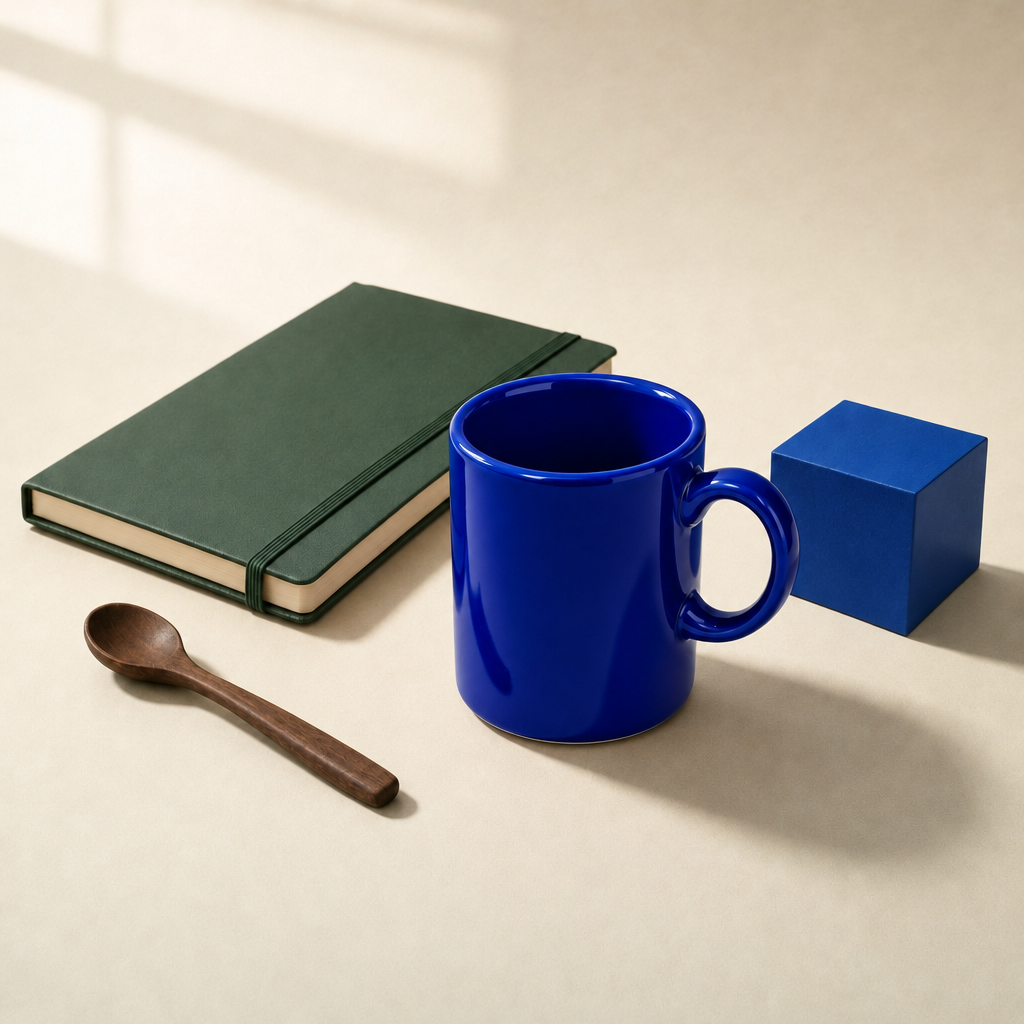
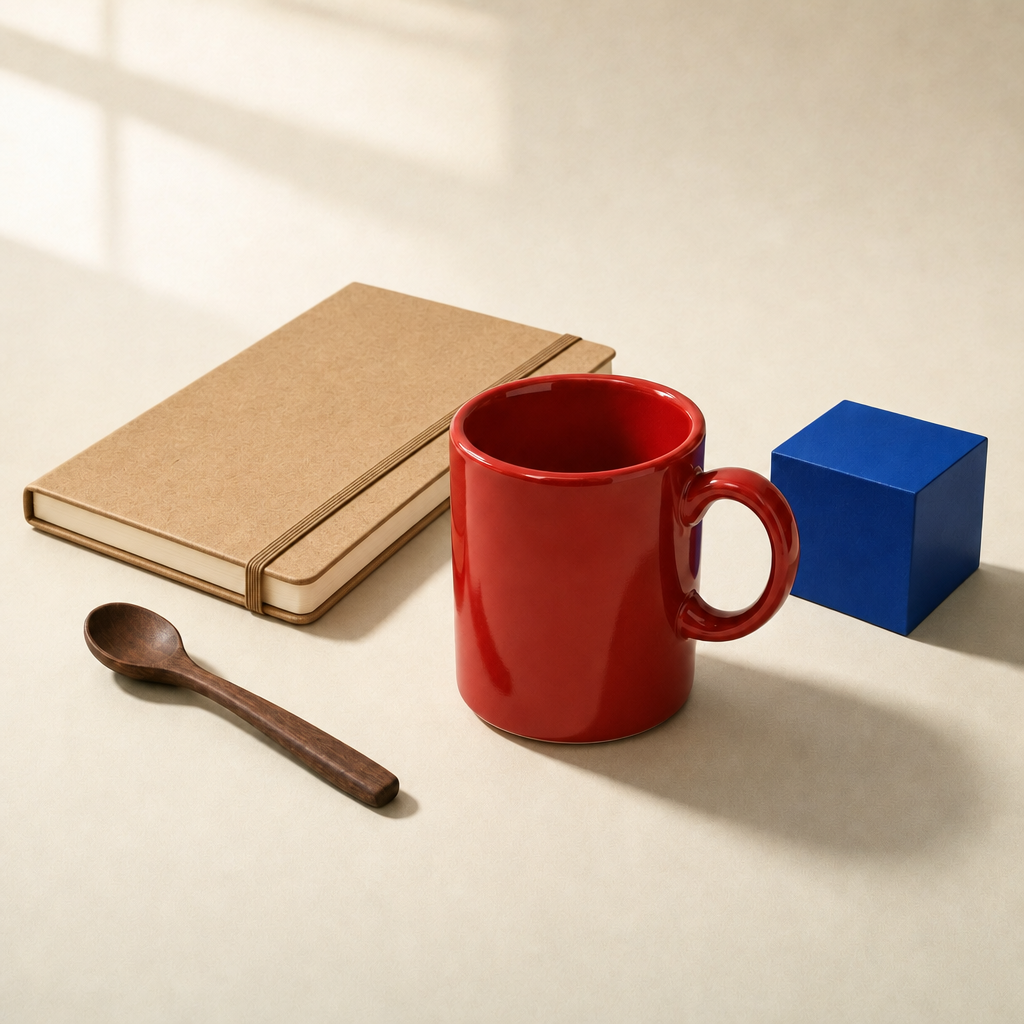
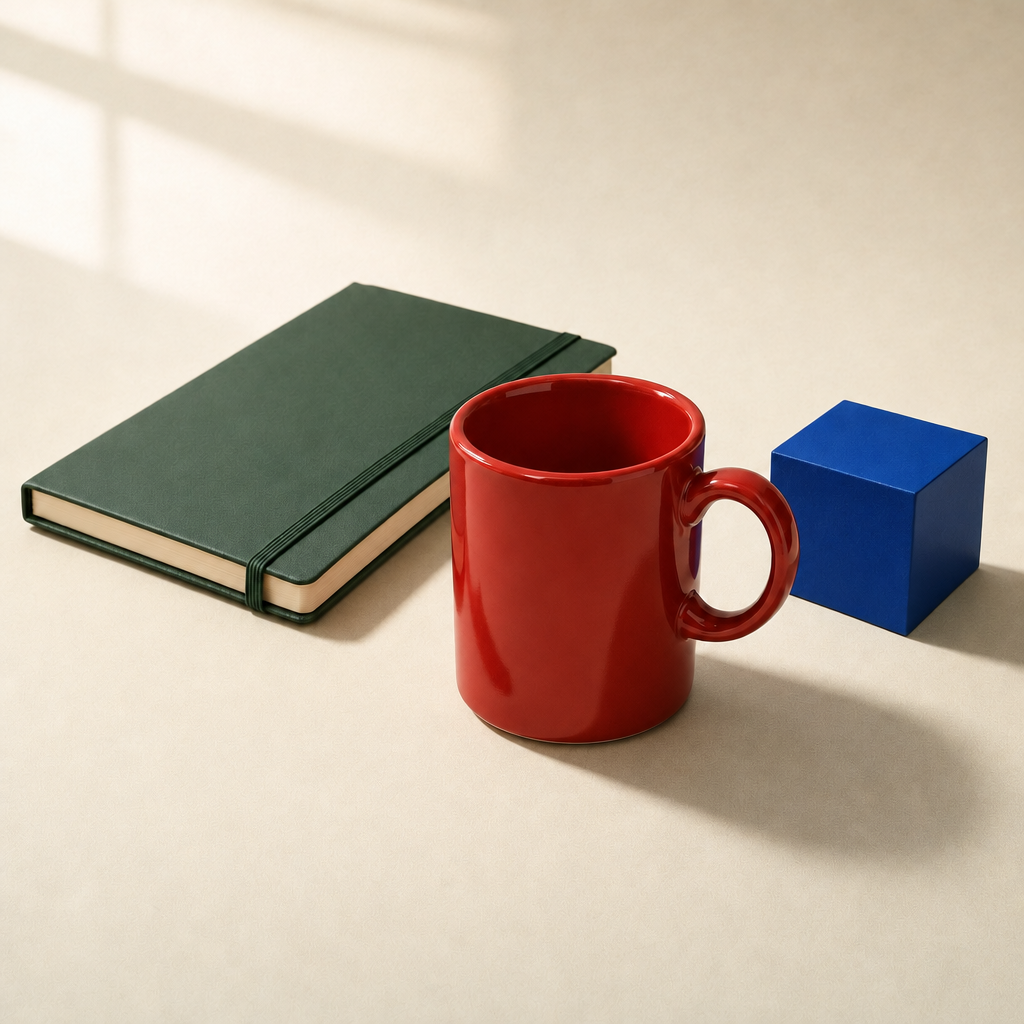
These 2.6 observations are scoped to four runs on one constructed still life. They do not establish an overall ranking, a general success rate, production latency or cost advantage. The 2.5 and 2.6 results should be read as separate model-specific evidence.
How we compared local image editing
We ran this experiment on November 13, 2026 in IMA Studio’s test environment. Production catalogue checks separately confirmed that the same registered model versions were available in the live model picker; we also checked that each model link selected the intended model. The experiment is evidence about these test runs, not a production latency, billing or reliability benchmark.
The common input was a newly generated, unbranded still life: a red ceramic mug, a green notebook, a wooden spoon and a blue cube. GPT Image 2 generated the source image, so neither compared model produced its own starting material. There are no people, logos or customer photographs in the test.
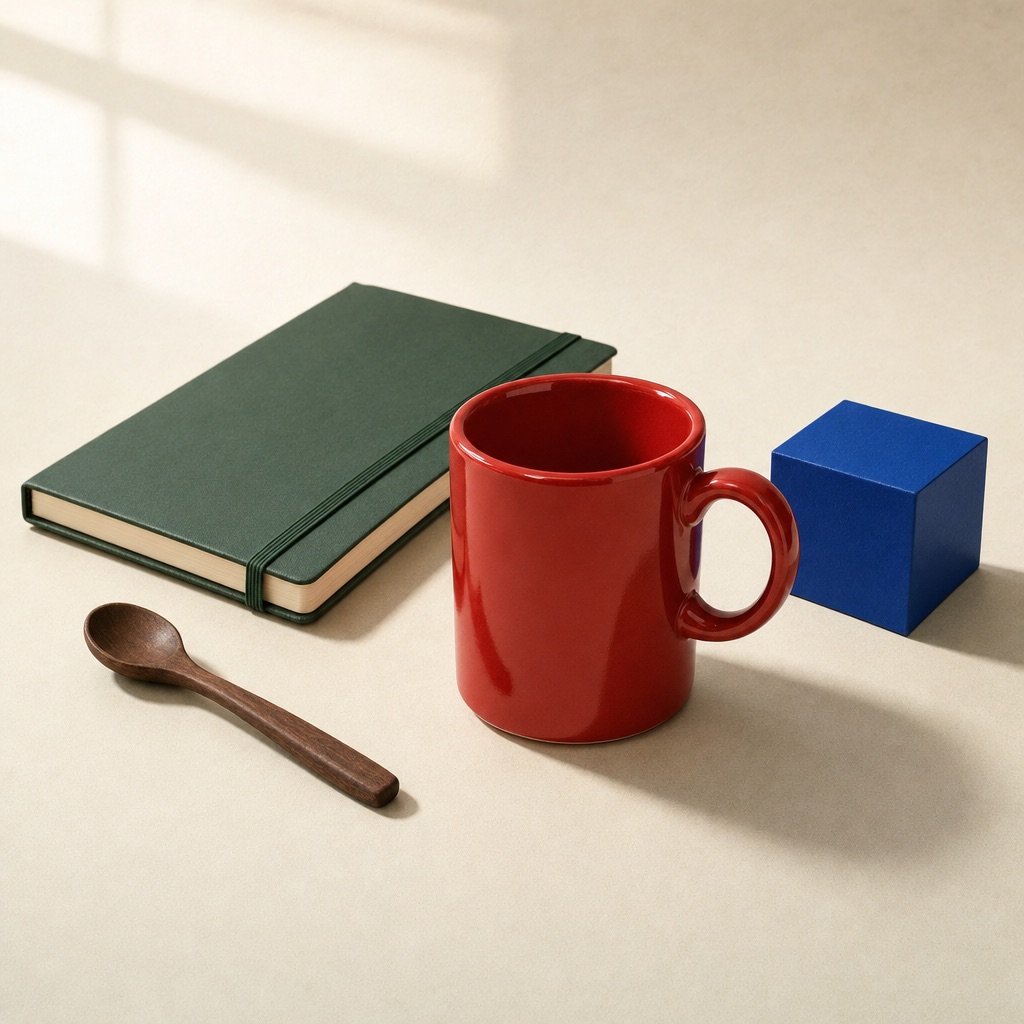
| Setting | Seedream 5.5 | GPT Image 2.5 Sunburst |
|---|---|---|
| Registered model | doubao-seedream-5.5 | gpt-image-2.5-sunburst |
| Registered version | dola-seedream-5-5-261028 | gpt-image-2.5-sunburst |
| Output size | 1024 × 1024 | 1024 × 1024 |
| Quality setting | Native size-based setting | Medium |
| Background setting | Opaque | Existing background retained through the edit prompt |
| Supplied mask | None | None |
| Completed editing outputs | Four | Four |
Each independent task started from the original file. We did not feed one model’s result into the other, rewrite the prompt for one model, or choose a more flattering rerun. Three tasks plus one repeated recoloring request produced eight distinct image files. Requests rejected by the account’s four-task concurrency limit were resubmitted after the accepted tasks finished; they did not produce images and are not counted as editing failures.
The controls are not identical computing budgets: Sunburst exposes a quality option, while Seedream uses its own size-based settings. Seedream’s default export also added the visible “AI generated” badge. We retained it and did not count that configured label as model drift. The article’s web copies use the same JPEG export setting without cropping or resizing; the original PNG files remain in the test evidence.
Test 1: changing the mug color
Sunburst produced the brighter blue; Seedream produced the more muted blue. Both completed the requested color change while keeping the notebook, spoon and cube in their familiar positions.
The instruction was identical:
Change only the red ceramic mug to cobalt blue. Keep its shape, handle, position, reflections and shadow; do not change the notebook, spoon, cube, table, lighting or framing.
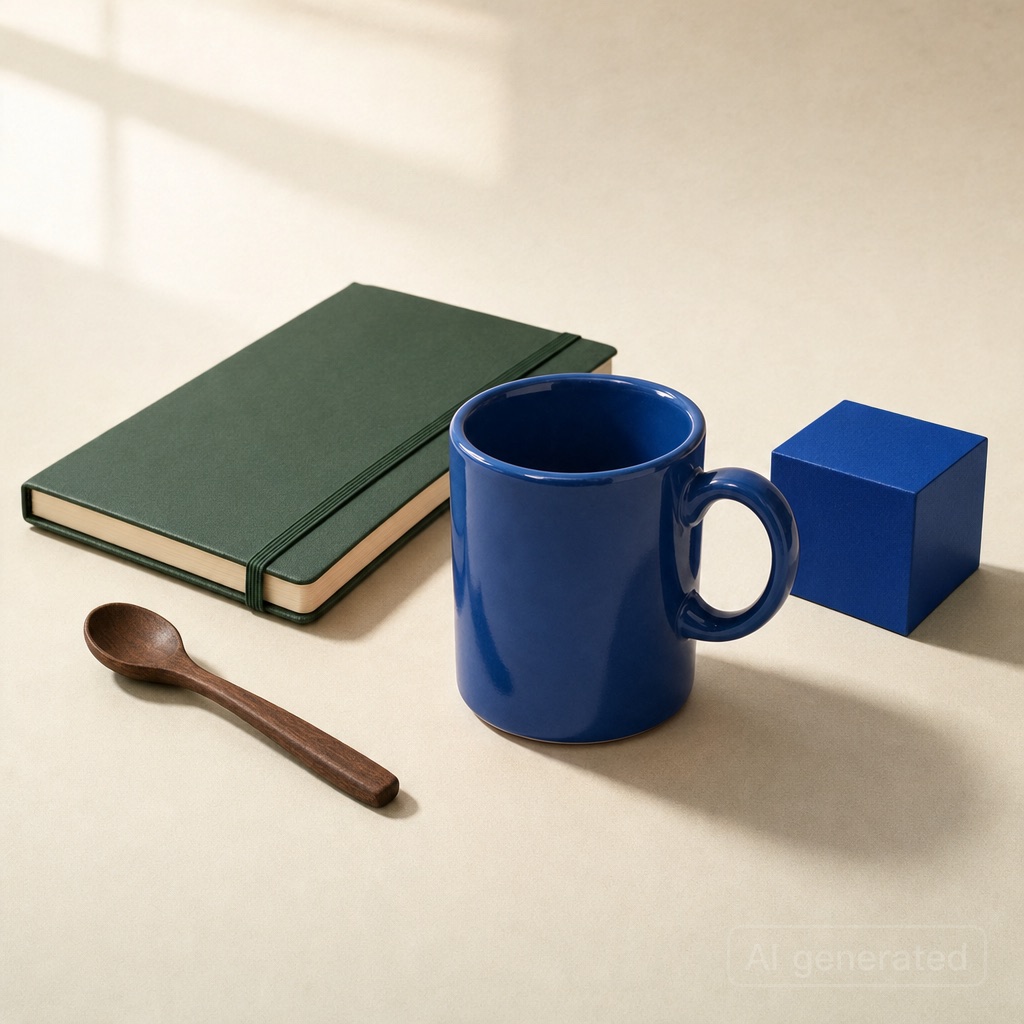
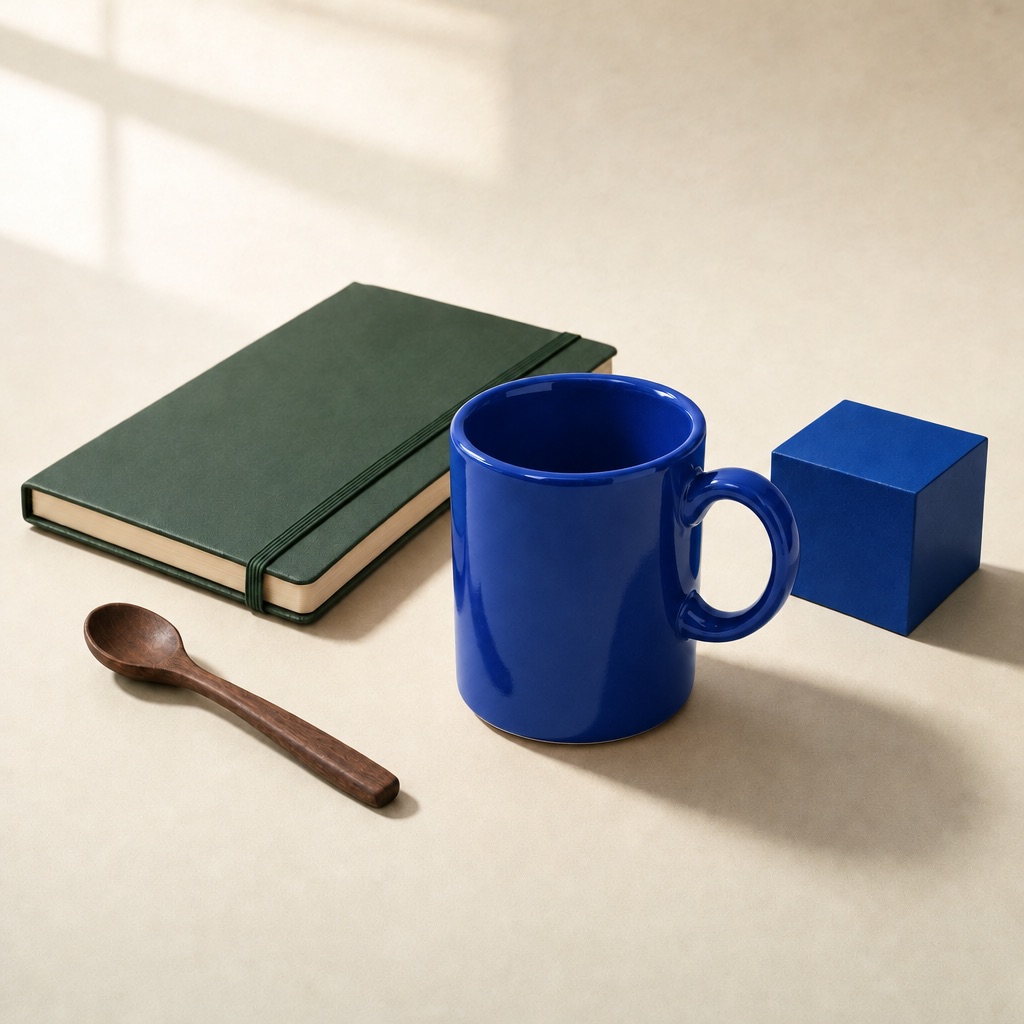
Look at the mug’s front surface and inner rim before deciding which finish suits your image. Sunburst’s stronger saturation was closer to our intended cobalt look. Seedream’s quieter blue may suit a different visual brief, but it should not be presented as an exact match for a physical product color.
Then check the protected objects. At normal viewing size, both outputs retain the notebook’s diagonal placement, the spoon on the left and the blue cube on the right. We did not measure pixel identity, so “visually retained” does not mean that every pixel outside the mug is unchanged.
For an actual SKU color variant, use your approved product reference and review the result against it. A model interpreting the word “cobalt” is not a color-managed product proof.
Test 2: removing the wooden spoon
This pair did not give us a clear reason to prefer one model. Both removed the spoon and filled its former area with tabletop texture. We did not see an obvious spoon-shaped remnant or a conspicuous repair seam at normal viewing size.
Remove only the small walnut spoon on the left and reconstruct the tabletop where it was. Keep the mug, notebook, cube, their shadows, lighting and framing unchanged.
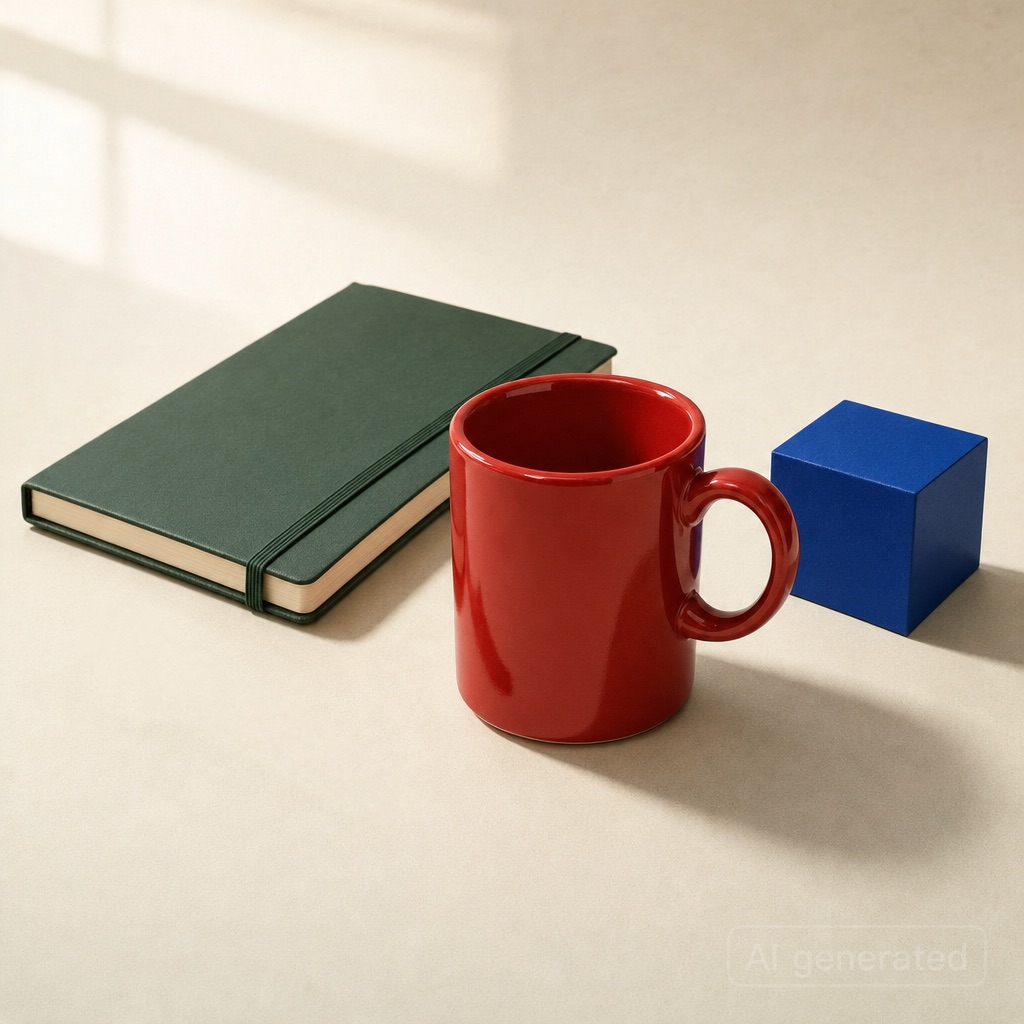
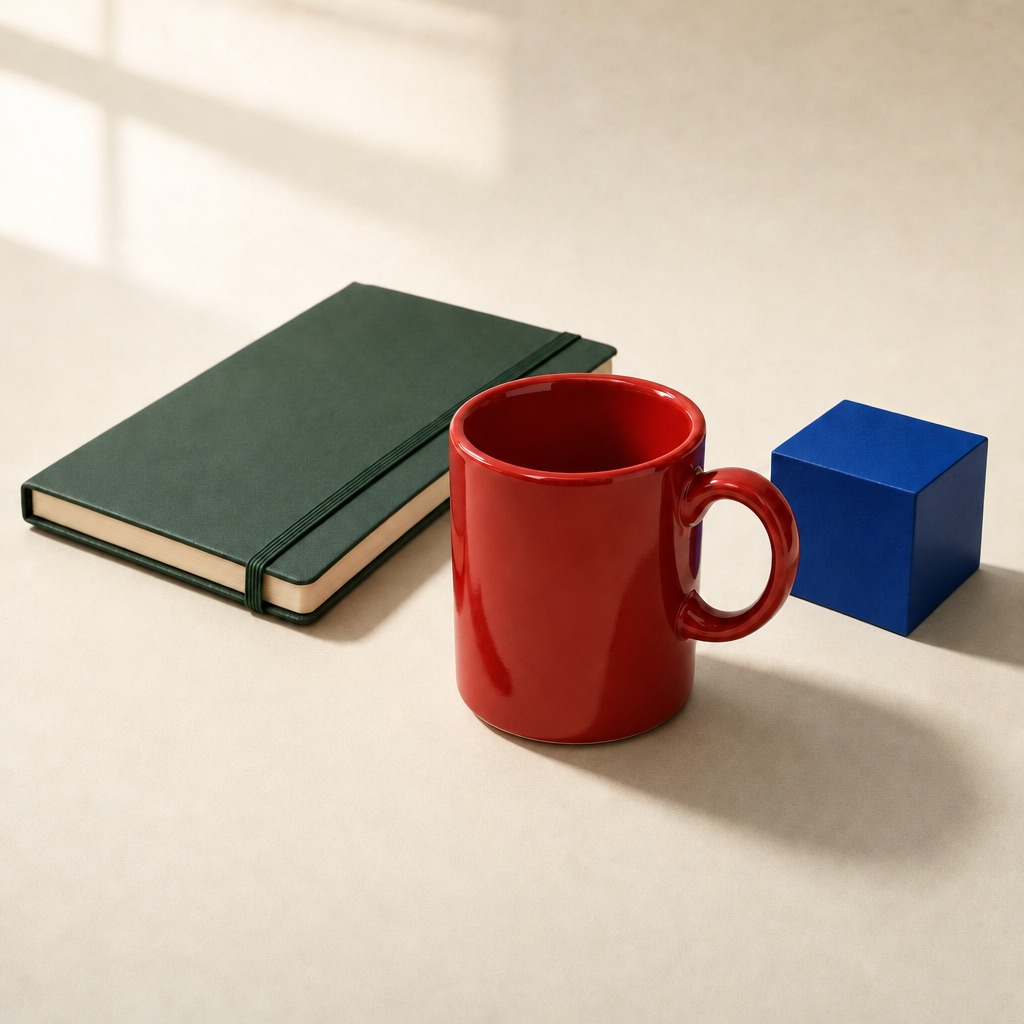
The task tests more than whether an object disappears. A removal can leave a shadow behind or blur the surface where the object used to be. In these two outputs, the empty area reads as part of the surrounding tabletop, while the red mug and other objects remain visually close to the source.
That is a useful outcome for this small prop. It does not tell us how either model handles removing a large object, reconstructing a face, or filling a background that was mostly hidden.
Test 3: replacing the notebook
Seedream stayed closer to the source notebook’s outline in our visual review. Both changed the green cover to a kraft-paper appearance. Sunburst altered the lower edge and elastic-closure detail more noticeably.
Replace only the forest-green notebook with a kraft-paper notebook of the same dimensions, orientation and position. Keep the mug, spoon, cube, table, lighting and framing unchanged.
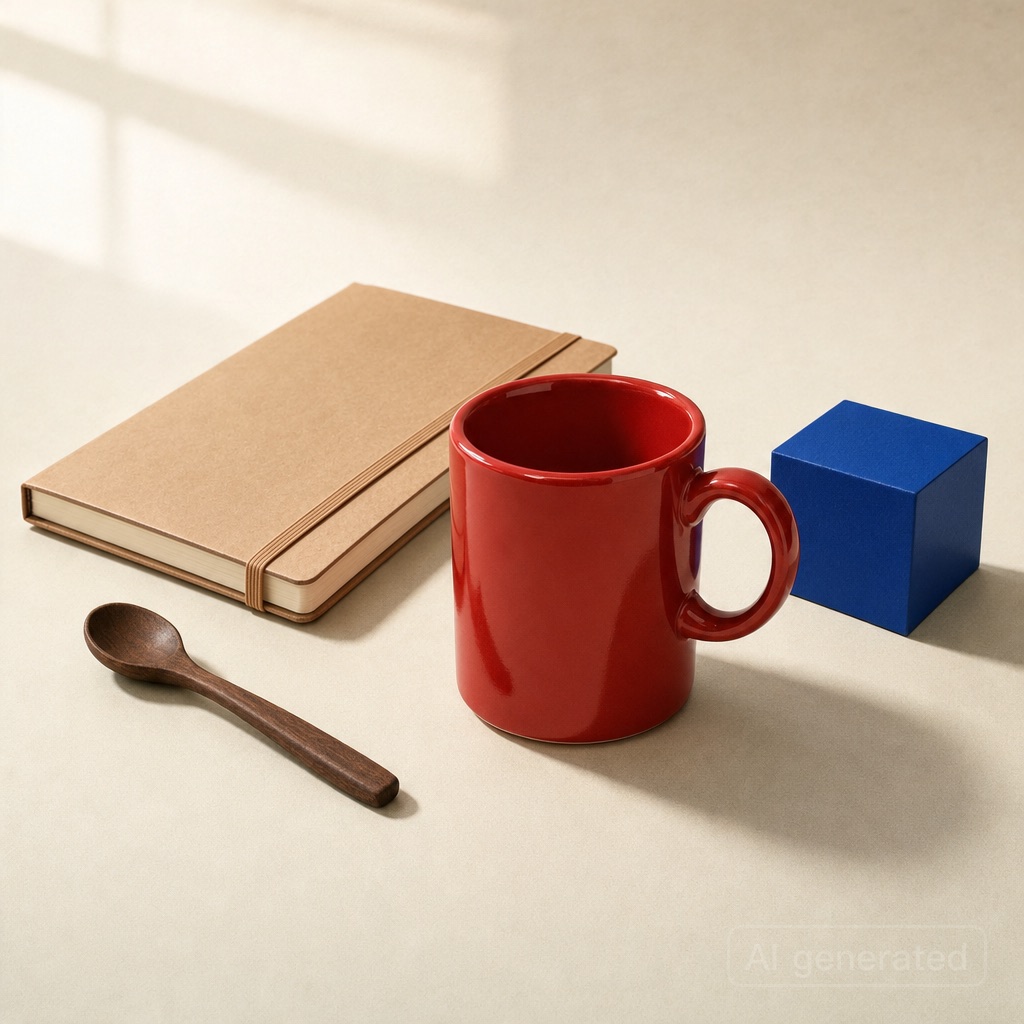
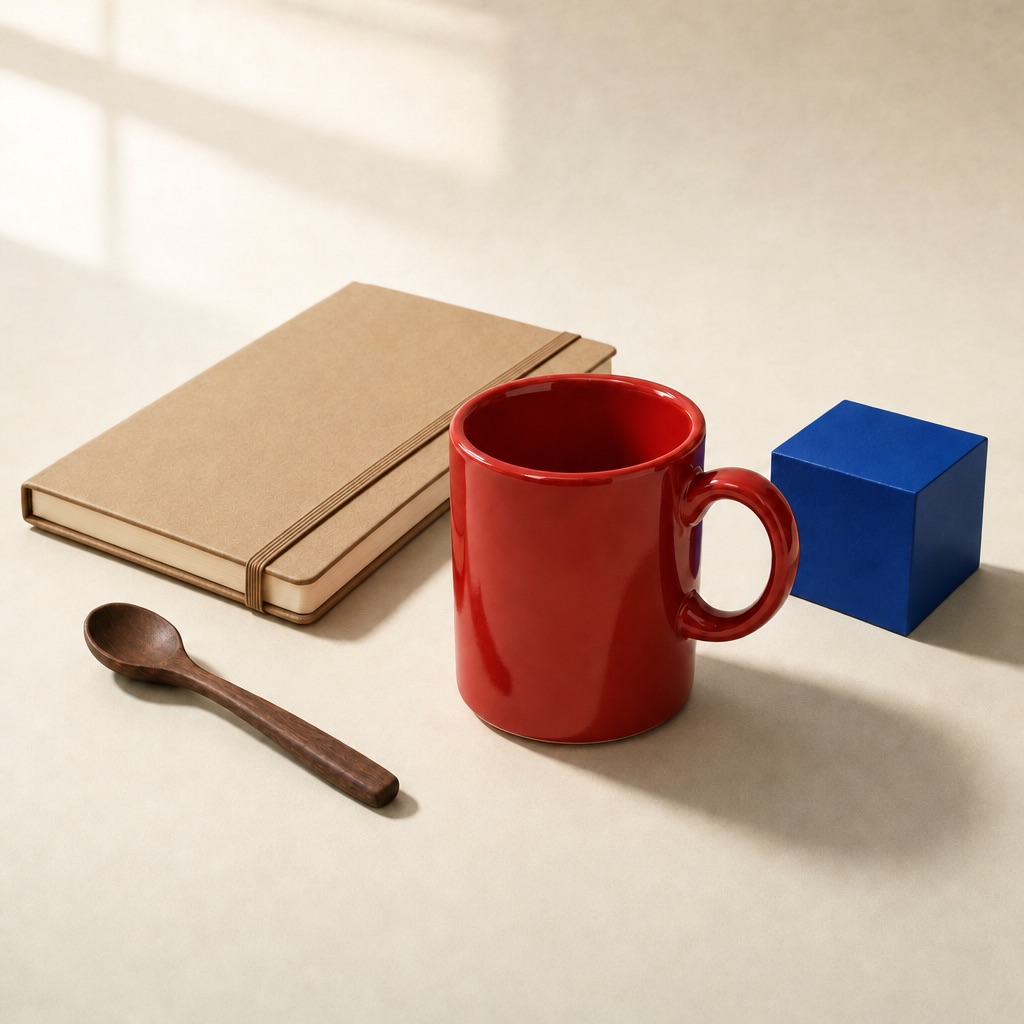
Compare the notebook’s lower corner and closure, rather than judging only whether the cover became brown. Seedream’s result follows the original footprint more closely. Sunburst’s result still reads as a notebook in the right place, but those edge details are less faithful to the source.
For a loose concept image, that difference may not matter. For a composition you need to preserve through revisions, it is exactly the kind of detail worth checking. This is an operator judgment about one pair, not a geometry benchmark.
Did the recoloring repeat?
The second accepted recoloring request used the same original image, instruction and settings as the first. Seedream again gave us a darker blue, while Sunburst again gave us the brighter blue finish.
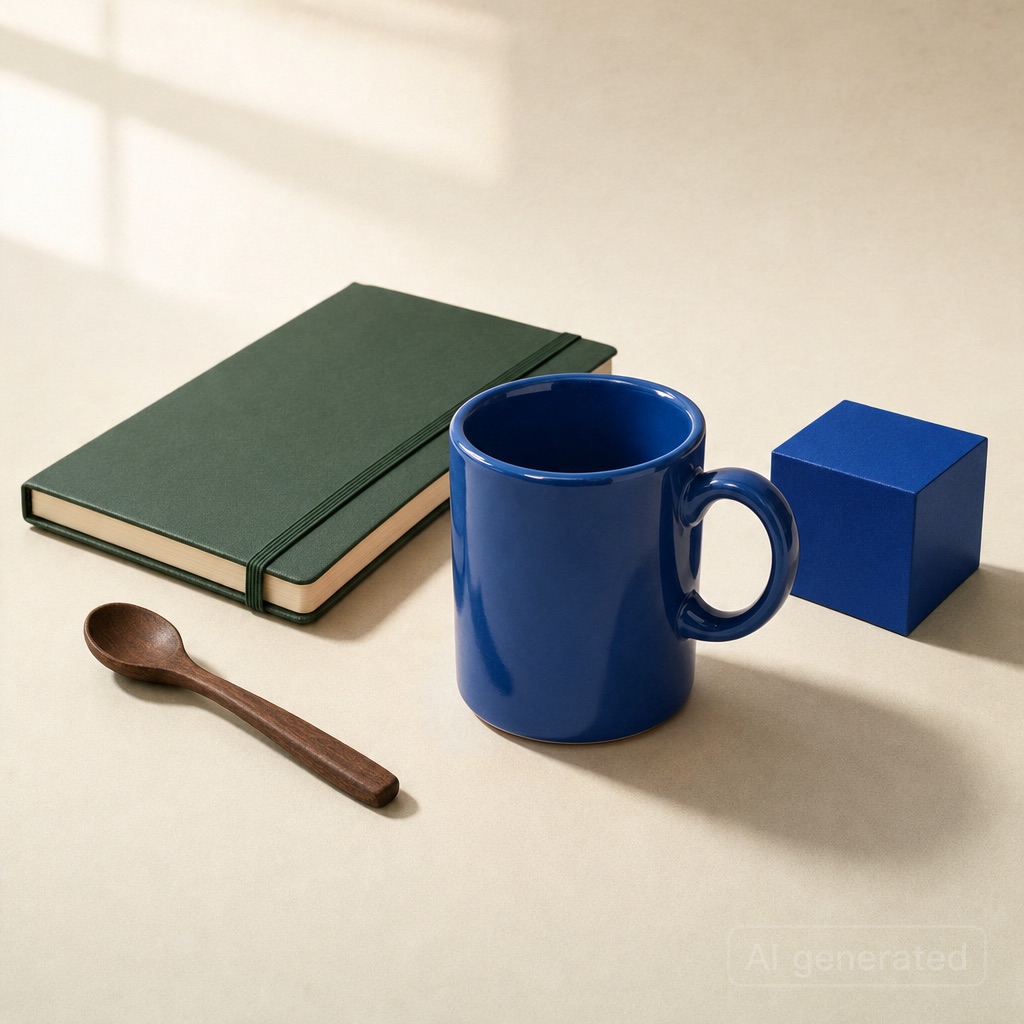
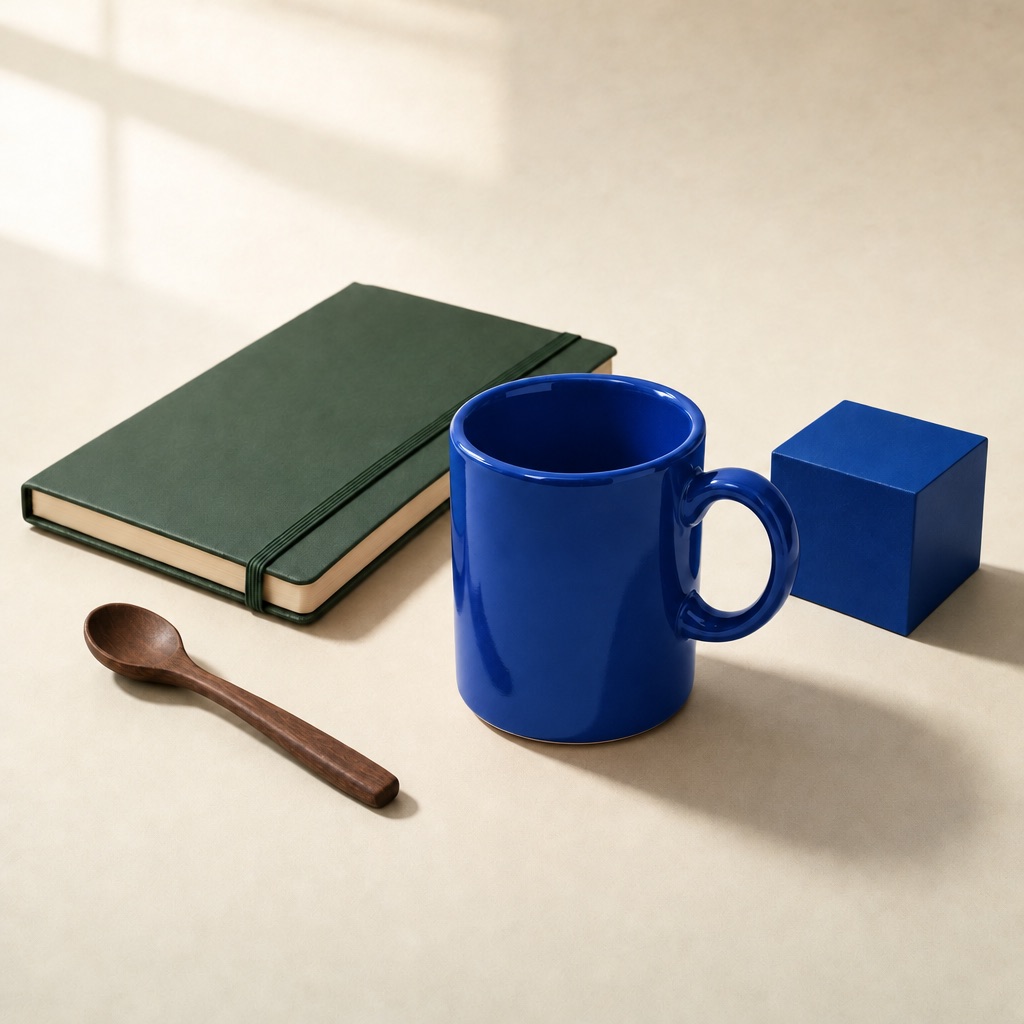
That repeat makes the first color difference less dependent on a single output. It is still only two recoloring outputs per model, with no fixed random seed supplied. It cannot establish a success rate or tell you how consistently the models will behave across different subjects.
Which model should you use for your next edit?
Use the task you actually need to finish as the deciding test. Our recoloring example favors Sunburst for the particular bright-blue appearance we wanted. Our notebook example favors Seedream for keeping the existing footprint. Our removal pair offers no clear winner.
If keeping the rest of the image stable is your main concern, inspect protected areas deliberately. Check object boundaries, repeated details, contact shadows and framing after reviewing the requested edit. An attractive new target can distract you from an unwanted change elsewhere.
For multi-round work, test the sequence you plan to use. This article compares independent edits from one source; it does not test long editing chains, a “100-round” claim or masked inpainting. ByteDance’s Seedream 5.5 description and OpenAI’s Sunburst model page provide the providers’ positioning. Our recommendations above come from the displayed outputs.
Try the same editing decision in IMA Studio
Choose a model in image-to-image, upload your source, and ask for one change. Name the parts you want preserved. Then repeat the task from the same original file with the other model.
You can start with Seedream 5.5 in IMA Studio or use the Sunburst button below. Both links were checked against the live model selector. Credits and available settings should be checked in the product before generating; this comparison makes no free-use or commercial-rights promise.
For help wording the request, read our image-prompt guide. For more context on the GPT model, see ChatGPT Images 2.5 editing changes.
FAQ
Is GPT Image 2.5 the same as Sunburst?
This article specifically compares GPT Image 2.5 Sunburst. Flare is a separate variant. A result obtained with Sunburst should not be attributed to every model carrying the GPT Image 2.5 name.
Does “change only this object” guarantee unchanged pixels elsewhere?
No such guarantee is established here. These were prompt-guided edits without a supplied mask. We inspected visible preservation, not pixel identity. Always review the areas you asked the model to leave alone.
Is Seedream 5.5 better than GPT Image 2.5 for every image edit?
Our results do not support that claim. They support task-specific observations on recoloring, small-prop removal and notebook replacement in one scene. Portrait identity, dense text, large background changes and long edit chains need separate tests.
Did you compare production speed or prices?
No. The images were generated in IMA’s test environment. Account concurrency affected submission, quality controls differ, and catalogue credit ranges are not fixed quotes for every setting. We did not turn those conditions into a speed or cost ranking.
About The Author