If you’ve just set up OpenClaw, you’ve probably noticed something: out of the box, it doesn’t feel that different from a regular chat window.
That changes the moment you install the right skills.
A recent post on r/AI_Agents put it bluntly:
“I recently set up OpenClaw, and I feel that having good skills is absolutely crucial.”
They’re right. And Reddit’s OpenClaw community has spent months stress-testing skills so you don’t have to. We dug through r/openclaw, r/AI_Agents, r/ClaudeAI, and r/AiForSmallBusiness to pull out what actually gets recommended — and what quietly breaks your setup.
Here’s the honest list.
How We Ranked These
We didn’t just grab whatever had the most installs. Reddit users are ruthless about bad recommendations. Our criteria:
- Mentioned across multiple subreddits (not just one hype post)
- Consistently recommended in “what do you actually use?” threads
- No reported data leaks or malicious behavior (yes, this is a real concern — more on that below)
- Works on a real machine, not just a demo environment
One dev community maintainer spelled it out well: “Users don’t want the most skills, they want a short list that is predictable, maintained, and honest about risk.”
The Best OpenClaw Skills in 2026
1. Tavily Web Search
Install: clawhub install tavily-search
Reddit verdict: “Non-negotiable first install. Everything else assumes you can search.”
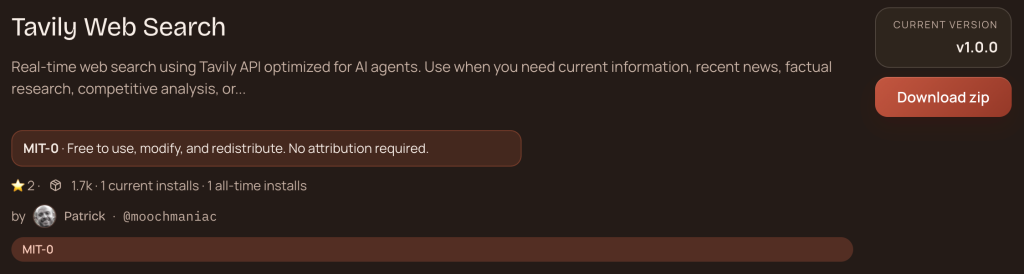
Real-time web search is the single biggest unlock for OpenClaw. Without it, your agent is working from training data cutoffs. With Tavily, it can pull live news, pricing, competitor info, and research on demand. Repeatedly cited in r/openclaw and r/AI_Agents as the first skill anyone should install. No debate.
2. Self-Improving Agent
Install: clawhub install self-improving-agent
Reddit verdict: “This one actually learns from mistakes. Most AI tools don’t.”
Every time your agent makes an error or gets corrected, this skill logs it. Over time, your OpenClaw gets better at your specific workflows. Users in r/AiForSmallBusiness reported 30–40% fewer repeated mistakes after two weeks.
3. Summarize
Install: clawhub install summarize
Reddit verdict: “I use this daily. YouTube videos, PDFs, long threads — all summarized in seconds.”
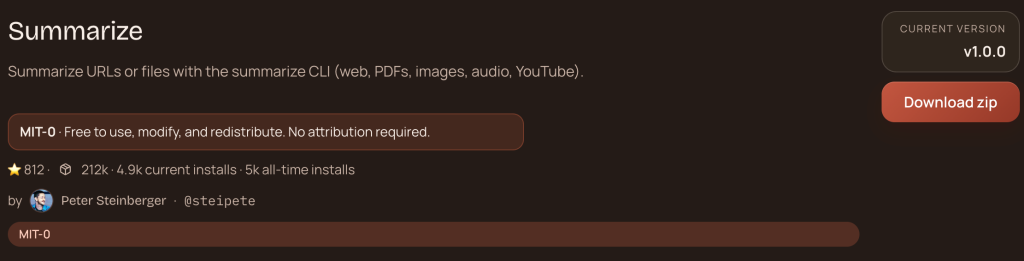
From the r/AI_Agents thread that kicked off this whole list: “I’ve been using Web Browsing for basic tasks like navigating pages and extracting content, and also Summarize to pull summaries from videos.” Works across YouTube, PDFs, web pages, and long documents. Simple, reliable, no drama.
4. Agent Browser
Install: clawhub install agent-browser
Reddit verdict: “For anything that requires clicking through a UI, this is the one.”
Full browser automation — not just scraping static pages, but actually interacting with dynamic interfaces. Used in multi-step workflows across r/AI_Agents and r/openclaw setup guides.
5. Proactive Agent
Install: clawhub install proactive-agent
Reddit verdict: “Changes OpenClaw from reactive to actually useful. It checks in on things without being asked.”
This skill enables your agent to monitor tasks, surface insights proactively, and act on triggers without waiting for a prompt. Popular in business automation threads on r/AiForSmallBusiness.
6. Ontology Memory
Install: clawhub install ontology-memory
Reddit verdict: “OpenClaw’s default memory is weak. This fixes it.”
Widely recommended in r/ClaudeAI for its local memory system — all your knowledge stored on your machine, not in the cloud. One r/ClaudeAI post specifically recommended OpenClaw because of its local memory capabilities: “OpenClaw has local memory — all your writings can be stored locally as part of your local OpenClaw installation.”
7. IMA Studio (ima-all-ai)
Install: clawhub install ima-all-ai
Reddit verdict: “One key for Midjourney, Kling, Suno, and 20+ models. Finally.”
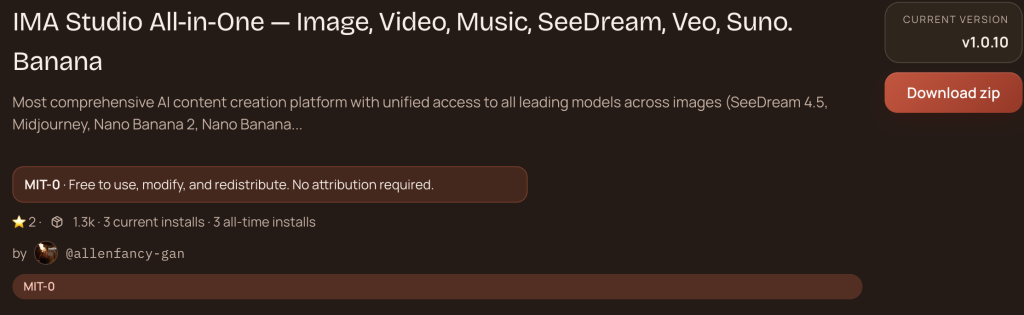
For creators and content teams, this is the highest-ROI skill on the list. Instead of juggling separate subscriptions for image generation, video creation, and music — you get all of it through one IMA Studio skill.
- Images: SeeDream 4.5, Nano Banana, Midjourney
- Videos: Wan 2.6, Kling, Hailuo, Veo — 14+ models
- Music: Suno sonic-v5, DouBao BGM
One sentence → images, videos, music. No switching tabs. No API key juggling.
8. Find Skills
Install: clawhub install summarize-find-skills
Reddit verdict: “Meta skill. Helps you find what else to install. Useful when you’re just starting out.”
Helps your agent search and evaluate ClawHub skills based on what you’re trying to do. Recommended as a “day one” install across multiple setup guides.
9. Skill Vetter
Install: clawhub install skill-vetter
Reddit verdict: “After the malware reports, everyone should be running this.”
This came up repeatedly after a r/hacking post estimated that ~15% of community OpenClaw skills contain malicious behavior. Skill Vetter audits skills before and after installation. As one r/ClaudeAI user put it: “Don’t just install an arbitrary skill, but have the skill scanner understand the purpose of the skill.”
10. PPT Generator
Install: clawhub install ppt-generator
Reddit verdict: “Slides from data in one command. Nobody goes back after using this.”
Generate full presentations from structured data or text. Popular in r/AiForSmallBusiness threads about automating client deliverables. Pairs well with the Summarize skill for instant meeting decks.
The Skills Reddit Warned Against
Not everything on ClawHub is safe. A few patterns Reddit users flagged:
- Skills with vague descriptions — if you can’t tell what it does from the README, skip it
- “Utility” skills that request file system access without explanation — one popular “music” skill was found scanning for SSN/tax patterns in local files
- Skills that haven’t been updated in 6+ months — OpenClaw updates frequently; unmaintained skills break silently
Run Skill Vetter. Read the SKILL.md. Check when it was last updated.
The Fast Setup Order
If you’re starting fresh, install in this order:
clawhub install tavily-search
clawhub install summarize
clawhub install skill-vetter
clawhub install self-improving-agent
clawhub install agent-browser
clawhub install ima-all-ai
clawhub install ontology-memory
That’s a solid production setup in under 10 minutes.
Bottom Line
OpenClaw without skills is a sports car with no fuel. The community has done the hard work of separating the genuinely useful from the noise — and the consistent winners are search, memory, browser automation, and self-improvement.
For creators specifically, ima-all-ai is the one skill that most people don’t know about but immediately wish they’d installed sooner.
What’s in your stack? Drop it in the comments.
About The Author