











 Ima Studio
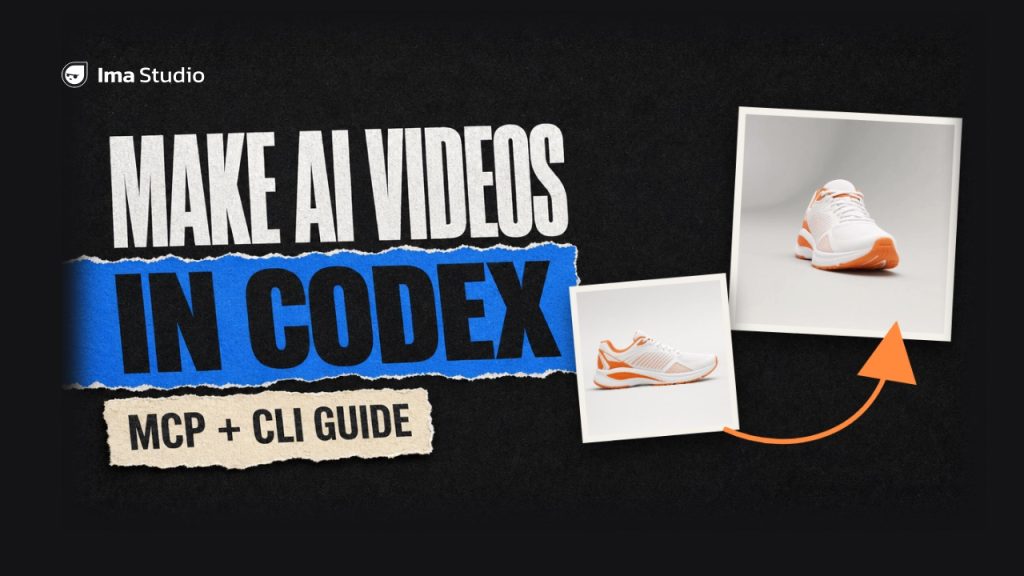
You can generate AI videos in Codex in two ways: connect ImaStudio over MCP and ask for a clip in conversation, or install the ImaStudio CLI and turn a local image into a video file in your project folder. This guide covers both and ends with a real run: one product image in, one 5-second video out.
Codex doesn’t render video itself. It calls a service that does, and ImaStudio runs video models such as Seedance 2.5 on your credits.
What you need
- An ImaStudio account with credits. Every video run costs credits, and the CLI tells you the price before it starts.
- Codex CLI. We used version 0.166.0.
- For the CLI route, Python 3.10 or newer built with OpenSSL 1.1.1 or newer. The installer refuses LibreSSL builds. The system Python 3.9 on our Mac is one, so the installer used a Python 3.11 it found elsewhere.
- ffmpeg and ffprobe. The CLI’s own notes say image-based Seedance runs use them to read your input.
- A browser on the same computer, because both routes sign you in there.
MCP or CLI: which one do you need?
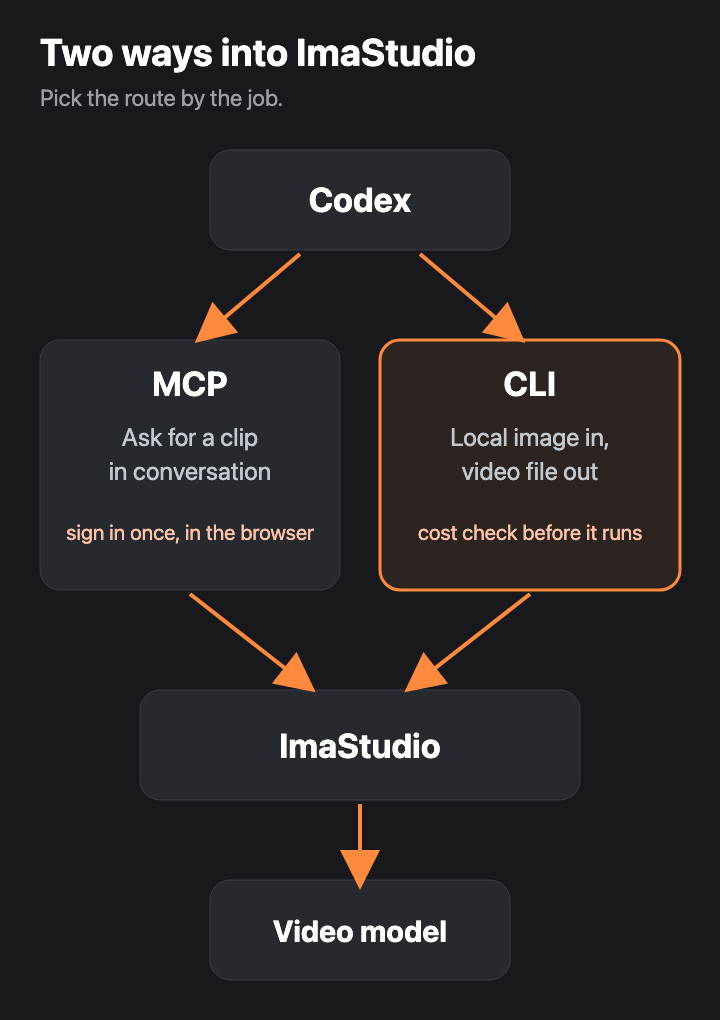
They overlap, but they’re good at different jobs.
| MCP | CLI | |
|---|---|---|
| Best for | Asking for a clip in plain language | Using a file from your project and saving the result back into it |
| Local image upload | Possible in two steps: get a one-time upload link, then send the file yourself. Read from the tool descriptions, not run here | Run end to end here: pass a path with --input-images |
| Download into a folder | The result comes back as a link, so saving it to a folder is a separate step | Run end to end here: --save-to ./out |
| Setup | One command, then a browser sign-in | Download, unzip, run the installer, then sign in |
| Cost control | Put a points limit in your request (max_points) | Stops and asks before any run over 100 points |
This guide uses the CLI for anything that touches local files, because that’s the route we ran from start to finish.
Route 1: connect Codex over MCP
Add the server with one command:
codex mcp add ima --url https://api.imastudio.com/mcp --oauth-client-id codex-imaOn Codex CLI 0.166.0 that registered the server, noticed it needs a sign-in, and printed a link to open:
Added global MCP server 'ima'.
OAuth callback URL: http://127.0.0.1/callback/<random>
Detected OAuth support. Starting OAuth flow…
Authorize `ima` by opening this URL in your browser:
https://api.imastudio.com/api/v3/oauth/authorize?response_type=code&client_id=codex-ima&…
Open the link, sign in to ImaStudio and approve the connection. Until you do, codex mcp list shows the server as enabled with Not logged in in the Auth column.
If your Codex version doesn’t start the sign-in on its own, run codex mcp login ima. On a machine without a browser, add --no-browser, open the printed link elsewhere and paste the full redirect URL back into the terminal. Both steps are described in OpenAI’s page on MCP in Codex. The server is saved in ~/.codex/config.toml:
[mcp_servers.ima]
url = "https://api.imastudio.com/mcp"

[mcp_servers.ima.oauth]
client_id = "codex-ima"
callback_url = "http://127.0.0.1/callback/<random>"
In a Codex session, type /mcp to see the active servers. Then ask a question before you ask for a video:
Which video models can you use through ImaStudio? For each one, tell me the durations and aspect ratios it supports.A list of models means the connection works.
What a real session looks like
We approved the connection and ran a real request through Codex. Afterwards codex mcp list showed the server with OAuth in the Auth column, and Codex could see 28 tools from ImaStudio, in four groups: media, canvas, templates and asset packs.
We asked for one 5-second 16:9 text-to-video clip with Seedance 2.5, with a 300-point limit. Codex worked out the steps on its own:
media_models_listread the model’s settings before anything was generated.canvas_createmade a canvas, because every generated video is placed on one.media_generatestarted the task, with the 300-point limit passed asmax_points.media_task_statuschecked the task three times until it returned the link to the MP4.
From request to link took about four minutes. Two details matter for your own prompts. Codex turned sound off on its own, so say so if you want sound. And every video lives on a canvas in your ImaStudio account, so you’ll find the result there as well as in the link. The full run, with the settings and the clip, is in our guide to using Seedance 2.5 with ImaStudio.
Local files and MCP
The server’s tool descriptions say how files get in. One tool gives you a one-time upload link for a file on your computer, and you send the file to it yourself, for example with curl. Another imports a public HTTPS link, up to 50 MB. Either way you get an ImaStudio media link that you can pass to a generation as a starting image or a reference. We read this from the tool descriptions and didn’t run the upload ourselves, so the CLI below stays the route we tested for local files.
Route 2: the ImaStudio CLI
Install it
Copy the install commands from ImaStudio’s connection page: open the Codex tab and switch from MCP to CLI. Don’t copy a download link out of an article, because the page reads the current link for you. The commands have this shape:
curl -fL -o ima-studio-cli-skill.zip <download link from the page>
unzip -o ima-studio-cli-skill.zip
cd ima-studio-cli-skill && bash install.sh
imacli login
Read install.sh before you run it. It’s a plain shell script, and its header says what it changes:
- It installs the skill under
~/.agents/skillsand links it into~/.claude/skills,~/.codex/skillsand~/.openclaw/skillswhen those folders exist. - It creates a private Python environment and an
imaclicommand in~/.local/bin. - It adds a PATH block to your shell startup files, so restart the terminal afterwards.
To try it without touching your real setup, point the installer at a temporary home. The folders and the shell are settings the installer reads:
HOME=/tmp/imacli-home SHELL=/bin/sh \
  IMA_SKILLS_ROOT=/tmp/imacli-home/skills IMA_BIN_DIR=/tmp/imacli-home/bin \
  bash install.sh
That’s how we ran it. It finished with Installed and listed imacli login as the next step.
Sign in and look around
imacli login opens your browser and stores a token in your system keyring, or in an owner-only file if the keyring isn’t available. Then check three things:
imacli status
imacli --points
imacli --task-type image_to_video --list-models
The model list is read live, so prices and model names are current. Seedance 2.5 showed up as dreamina-seedance-2-5, with the price for the default settings in the same list.
Turn a local image into a video
Set up a project folder with an input image and an empty output folder:
my-project/
  assets/sneaker.png
  out/
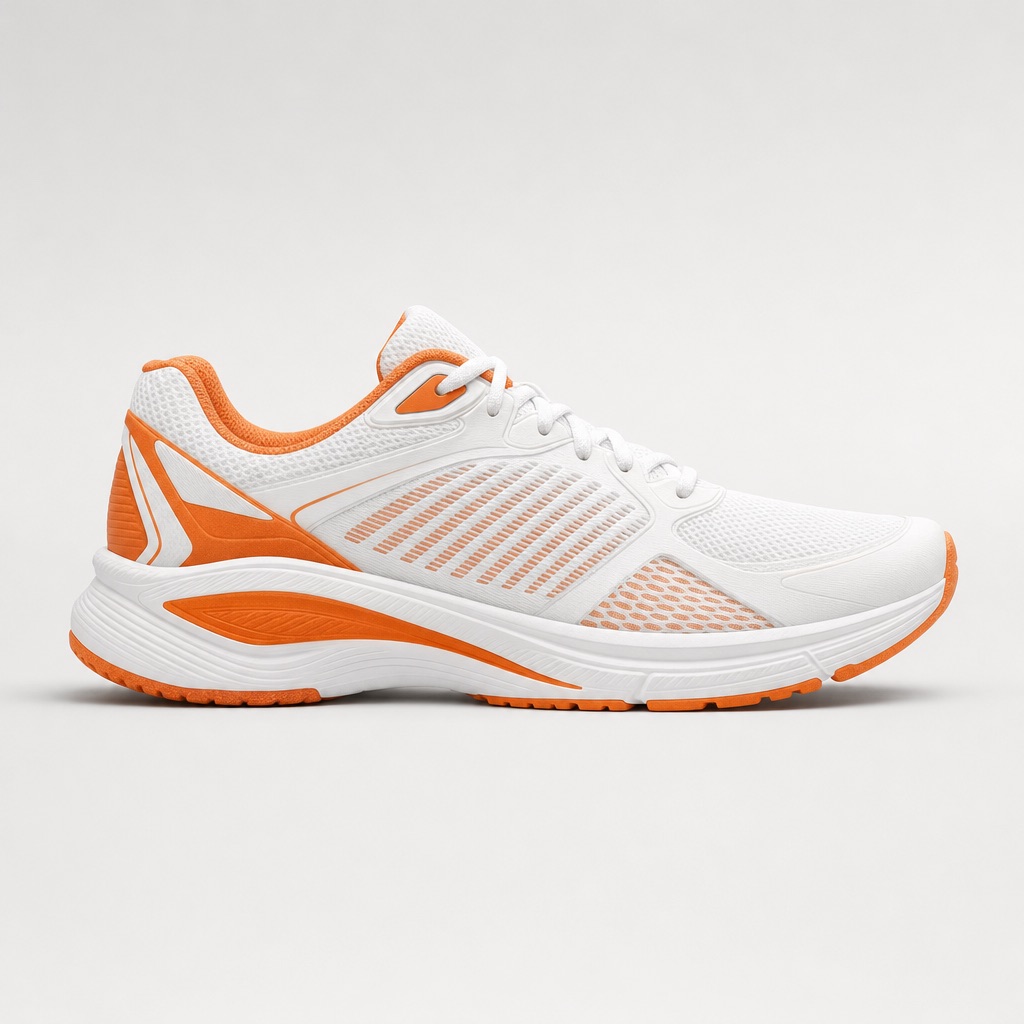
No product image yet? We made ours with the CLI. Give it an aspect ratio and a resolution together:
imacli --task-type text_to_image --model-id gpt-image-2 \
  --prompt "A single white and orange running sneaker, side view, centered on a plain light-grey studio background, soft product lighting, clean commercial product photo, no text, no logo" \
  --extra-params '{"quality":"high","output_format":"png","aspect_ratio":"1:1","resolution":"1k"}' \
  --save-to ./assets
That took about 100 seconds. It saves the file as assets/<task id>-1-<result id>.png, so we renamed ours to sneaker.png.
Now the video. Here is the whole command:
imacli --task-type image_to_video \
  --model-id dreamina-seedance-2-5 \
  --prompt "The camera makes a slow smooth orbit around the sneaker on the plain light-grey studio background. Keep the sneaker's shape, white and orange colors and sole pattern exactly as in the image. Soft studio lighting, no text." \
  --input-images ./assets/sneaker.png \
  --extra-params '{"duration":5,"aspect_ratio":"adaptive","resolution":"720p"}' \
  --max-points 250 \
--save-to ./out--input-imagestakes a local path. The CLI uploads the file for you.--extra-paramssets the length, the resolution and the aspect ratio. For image-to-video with Seedance 2.5, the only aspect ratio the CLI accepted wasadaptive, which follows your input image.--max-pointsis the most you allow this run to cost. The default is 100. A 5-second 720p Seedance 2.5 clip costs more than that, so we set 250, comfortably above the 204 points the live price list showed on November 19, 2026.--save-tois the folder the finished file lands in.
Trimmed output, with the IDs and the price replaced (the price you see comes from the live price list):
✅ Model found:
   name          = Seedance 2.5
   model_id      = dreamina-seedance-2-5
   catalog_credit = <points> pts (before request overrides)
🚀 Creating task…
✅ Task created: <task id>; observing this task without resubmission.
🧾 Task record: <task id> (success)
   Submitted quote: <points> points (<points> × 1).
✅ Generation complete!
   Saved: out/<task id>-1-<result id>.mp4
It took about two minutes. Then check that the file is a real video:
ffprobe -v error -show_entries stream=codec_name,width,height,duration -of compact out/*.mp4stream|codec_name=h264|width=960|height=960|duration=5.041667
stream|codec_name=aac|duration=5.056000That’s H.264 video at 960 × 960 for just over 5 seconds, plus an audio track. The video came out square because the input image was square.
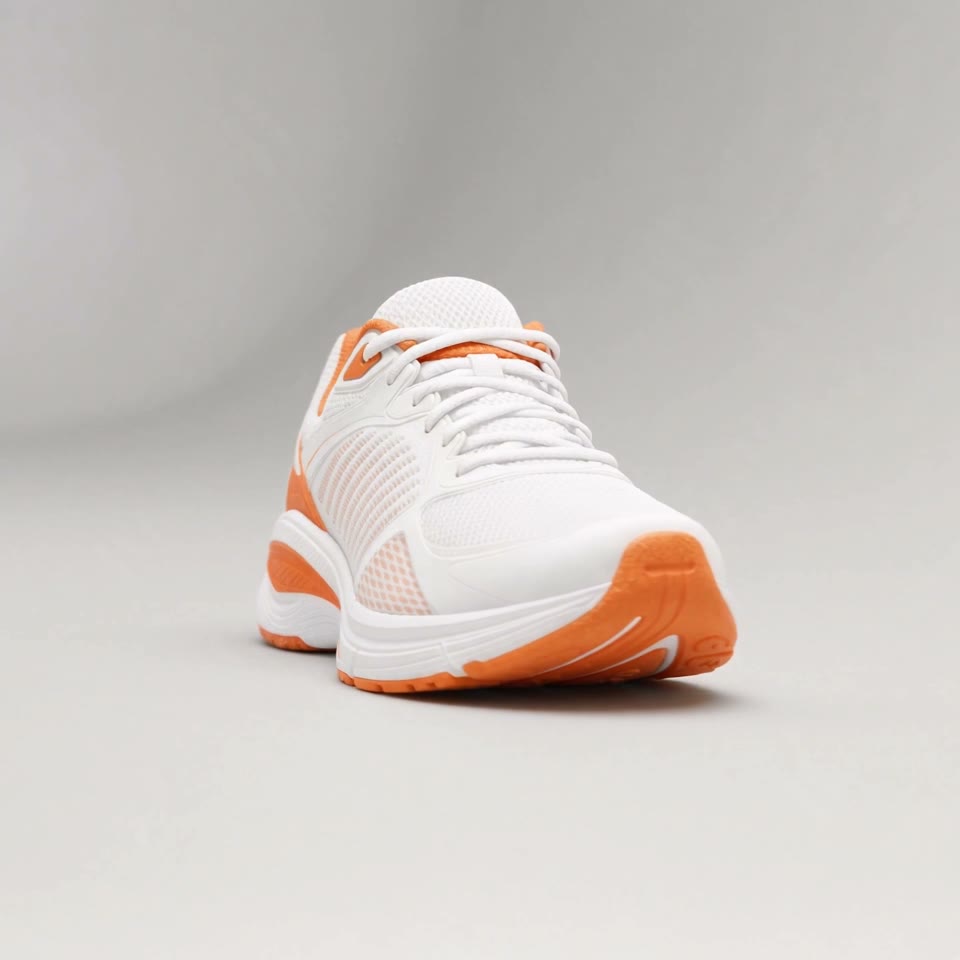
In the frames we checked, mid-clip and at the end, the shoe kept its shape, its white-and-orange colors and its sole pattern while the camera moved around it. Do the same check on your own product before you use a clip: pause on the logo, the stitching and the sole.
The errors we hit, and the fix
Three messages stopped us on the way. They’re worth knowing before you hit them.
| What the CLI said | What it means | What to do |
|---|---|---|
Incomplete virtual field group 'size': provided aspect_ratio=1:1; missing resolution. | For GPT Image 2 the size comes from an aspect ratio and a resolution together. | Pass both, for example "aspect_ratio":"1:1","resolution":"1k". |
Unsupported aspect ratio '9:16' for 'aspect_ratio'. Valid options: adaptive. | Image-to-video with Seedance 2.5 follows the shape of your input image. | Use adaptive. For a vertical video, start from a vertical image. |
Awaiting cost confirmation: this request costs <points> points (allowed limit: 100). | The CLI stops before spending more than the limit. | Decide the cost is fine, then run it again with a higher --max-points, at least the quoted number. |
We ran these on November 18, 2026, with CLI version 1.1.9. Models and rules change, so if a message differs, trust the CLI.
Before you run a batch
We ran one image, not a batch. Repeating the same command for every file in a folder is the obvious next step, but each run is billed and takes a couple of minutes. Get one clip you’re happy with first, then decide how many more to make.
FAQ
Do I need both MCP and the CLI?
No. Use MCP when you want to ask for a clip in conversation. Use the CLI when a file from your project goes in or a video file has to come back out.
Does the CLI need an API key?
It signs you in through the browser and keeps a token in your system keyring, or in an owner-only file when the keyring isn’t available, according to its README. You still need an ImaStudio account with credits.
Can I make a vertical video from a local image?
With Seedance 2.5 the aspect ratio follows the input image, so start from a vertical image. We haven’t run that case ourselves.
How much does it cost?
The CLI quotes the price before it runs. On November 19, 2026 the live price list showed 204 points for a 5-second 720p Seedance 2.5 clip, and 96 points at 480p. Prices and models change, so read them from --list-models instead of this page.
Where to go next
If you’d rather work in a chat app, see how to generate AI videos in Claude with ImaStudio. For turning product photos into ad-ready clips, see how to turn product photos into AI video ads, or how to build video ads with Seedance 2.5.
How this guide was put together: we installed the ImaStudio CLI (version 1.1.9) and ran every CLI command above on November 18, 2026, signing in with a session token instead of the browser login. The MCP route was run end to end on Codex CLI 0.166.0 against ImaStudio’s MCP server. The cover and the example clip were made in ImaStudio. Our own runs went through ImaStudio’s test site, which has its own prices, so the numbers in our output differ from the live price list quoted above.
About The Author


 Will Your Amazon Listing Video Be Live Before Black Friday 2026?
 How to Use Seedance 2.5 in Claude with ImaStudio
 Seedance 2.5 Flash vs Seedance 2.5: How Fast Can You Get a Usable Product Video?
