Dress a Dog or Cat in Your Product
No pet on set? Upload a phone snapshot or product photo of a pet garment, describe a dog or cat breed or add your own pet’s photo, and get a white-background on-pet image for your listing.
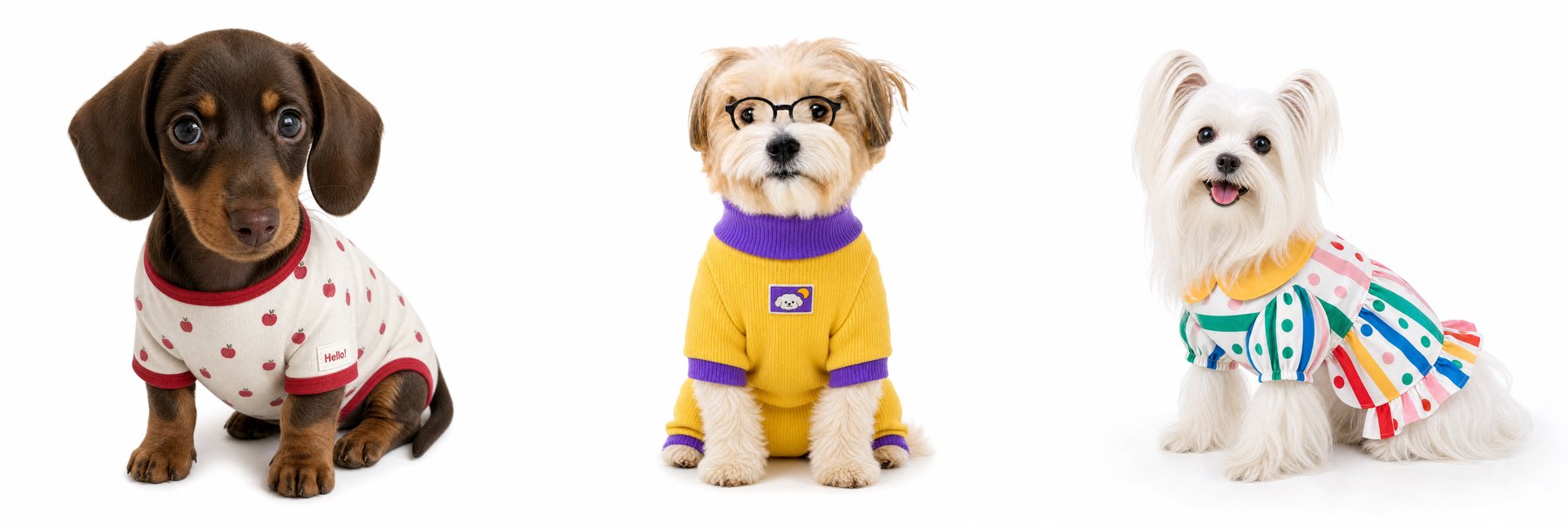
Below are six real examples from the model try-on tool: five garments shot casually on a sofa, a rug, a floor, or a hanger, and one product photo. Each came back on a dog or cat.
Six real examples
1. Snapshot on a sofa → French Bulldog, described in text
The input was a cream vest with a café print, photographed flat on a gray sofa. The instruction was: “Cute French Bulldog in this outfit, white background studio photo.”
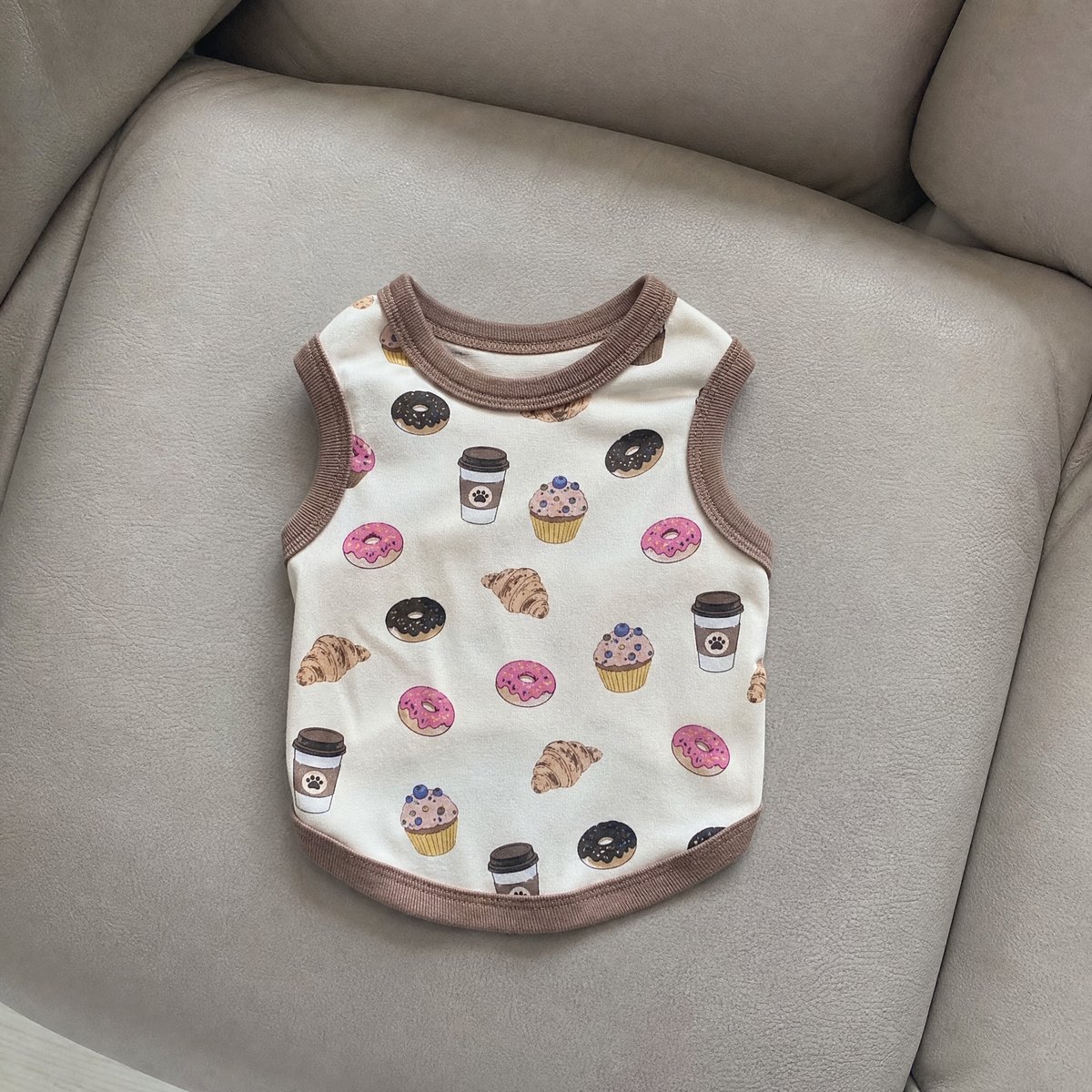
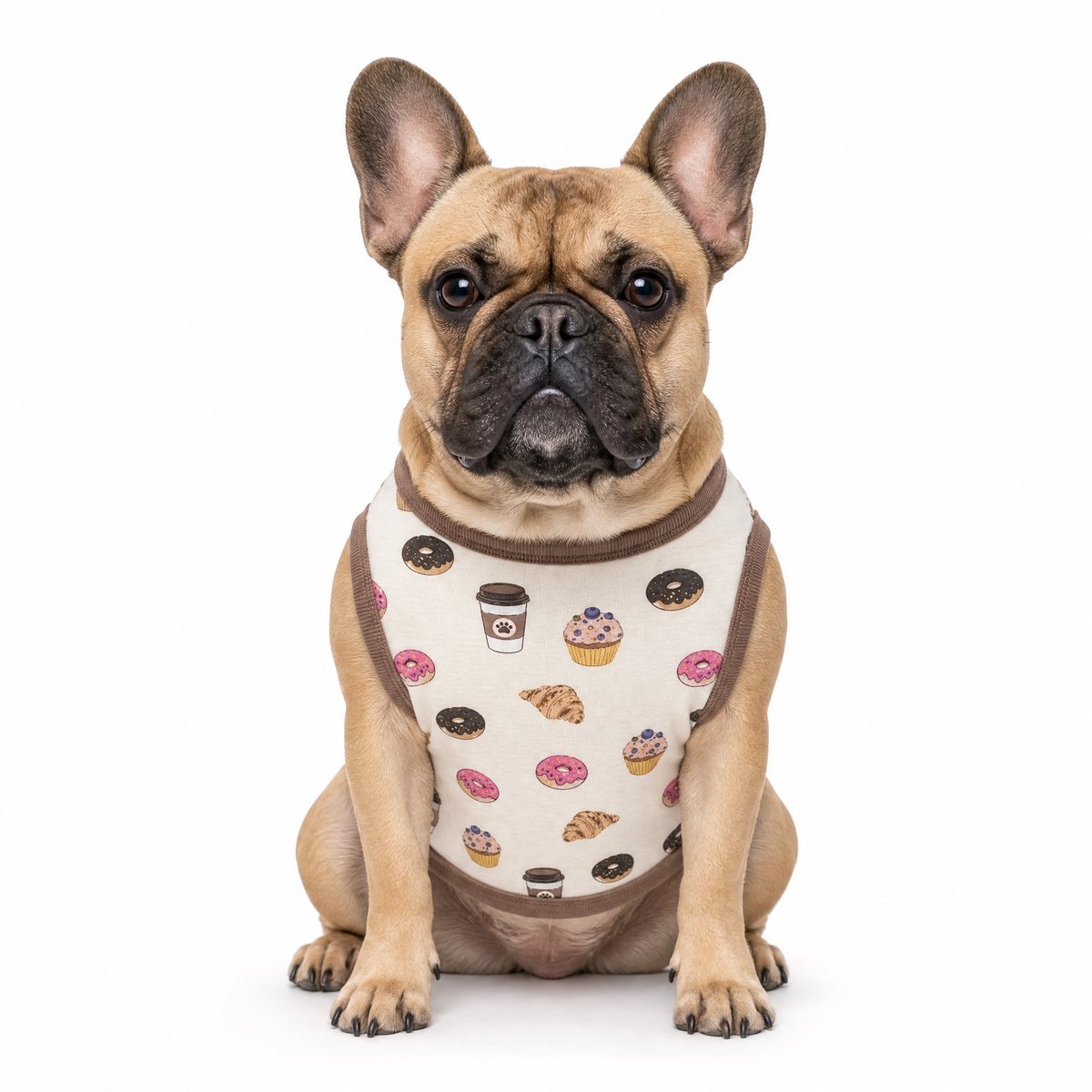
The coffee cups, donuts, croissants, and muffins all carried over, along with the brown ribbed neckline and armholes. The sofa did not.
2. A rug snapshot + a studio photo of one dog → that same dog, dressed
This is the case for sellers who want a consistent “house model” across listings. The inputs were a yellow ribbed onesie on a shaggy rug and a photo of one small dog wearing round glasses. The instruction was: “Let this dog wear this outfit, white background studio shot.”
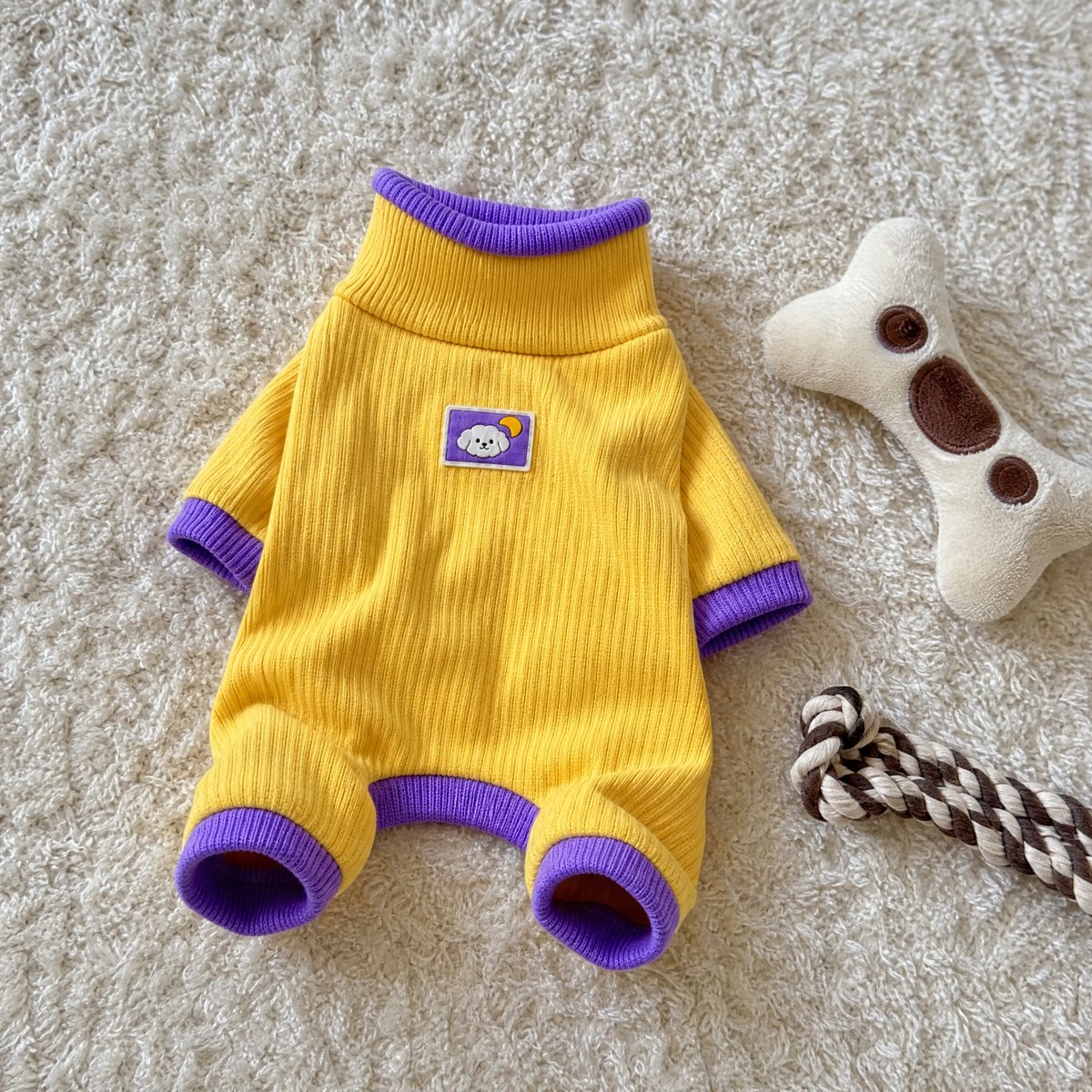
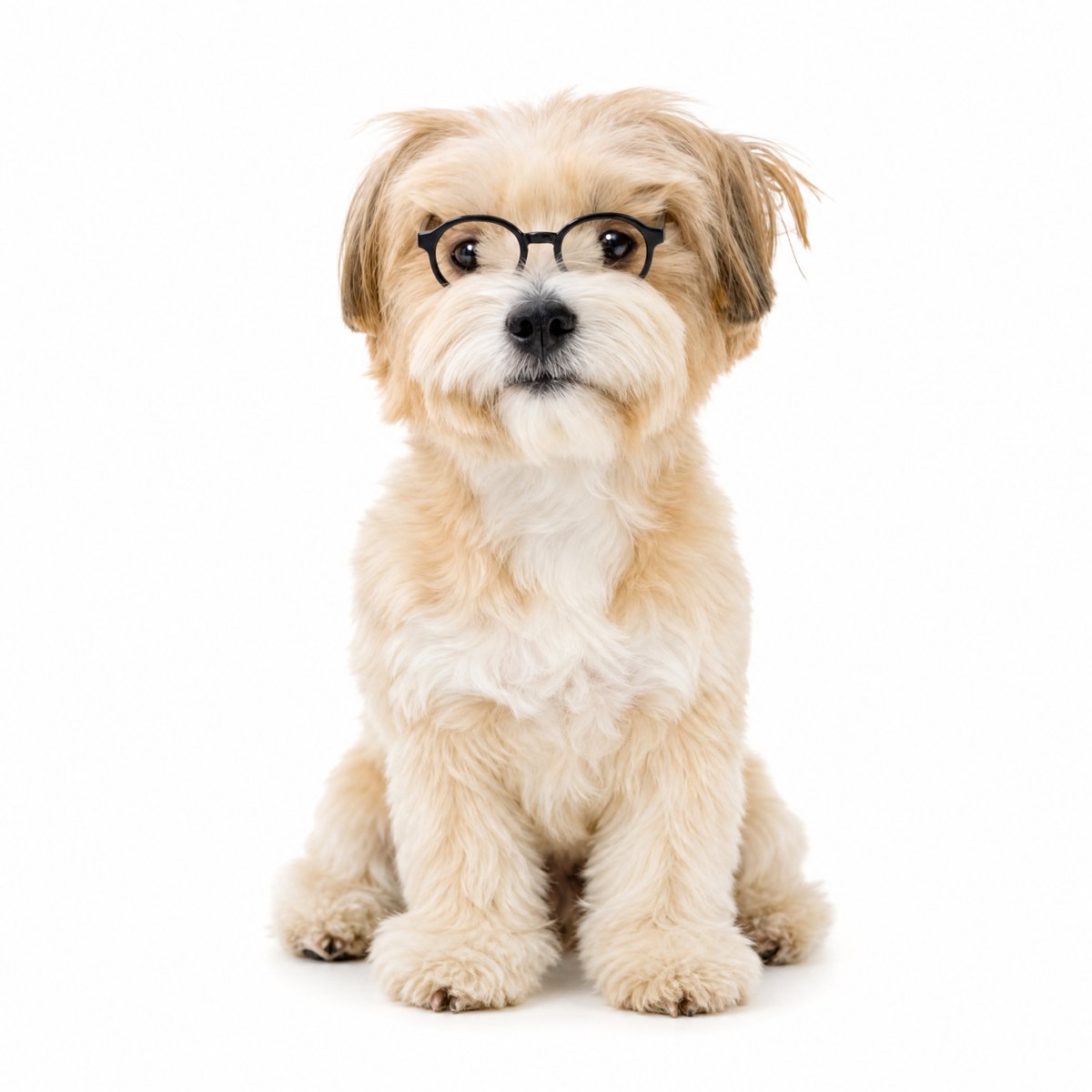
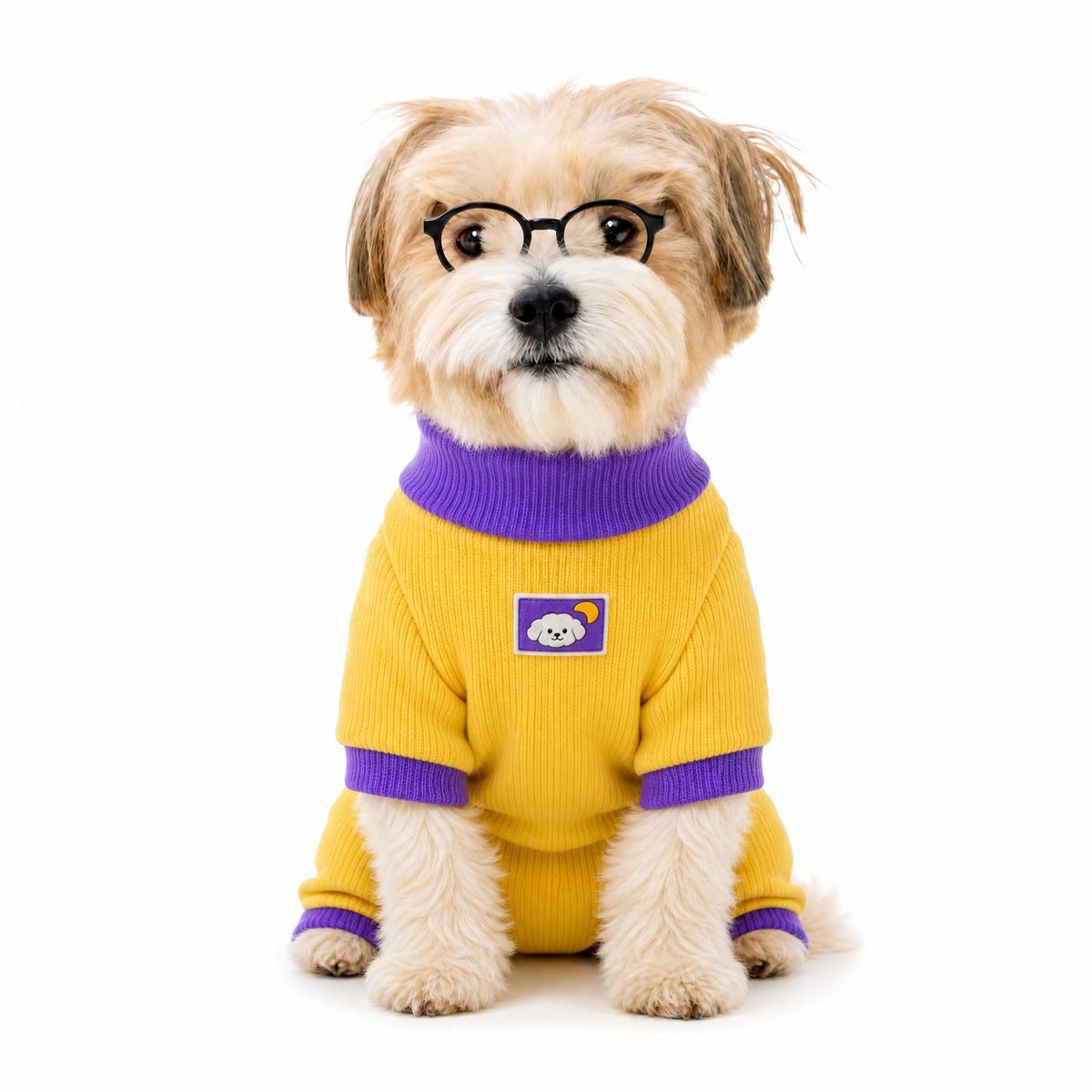
The dog stayed recognizable: coat color, ear shape, the fringe over the eyes, and the glasses. The garment kept its purple turtleneck, purple cuffs on all four legs, and the small chest patch. The toys on the rug were left out.
3. A clean product photo → Yorkie, described in text
Not every input has to be a snapshot. Here the input was a studio product photo of a striped, polka-dot dress with a yellow Peter Pan collar and a ruffled skirt. The instruction asked for a cute white long-haired Yorkie in a white studio, square format.
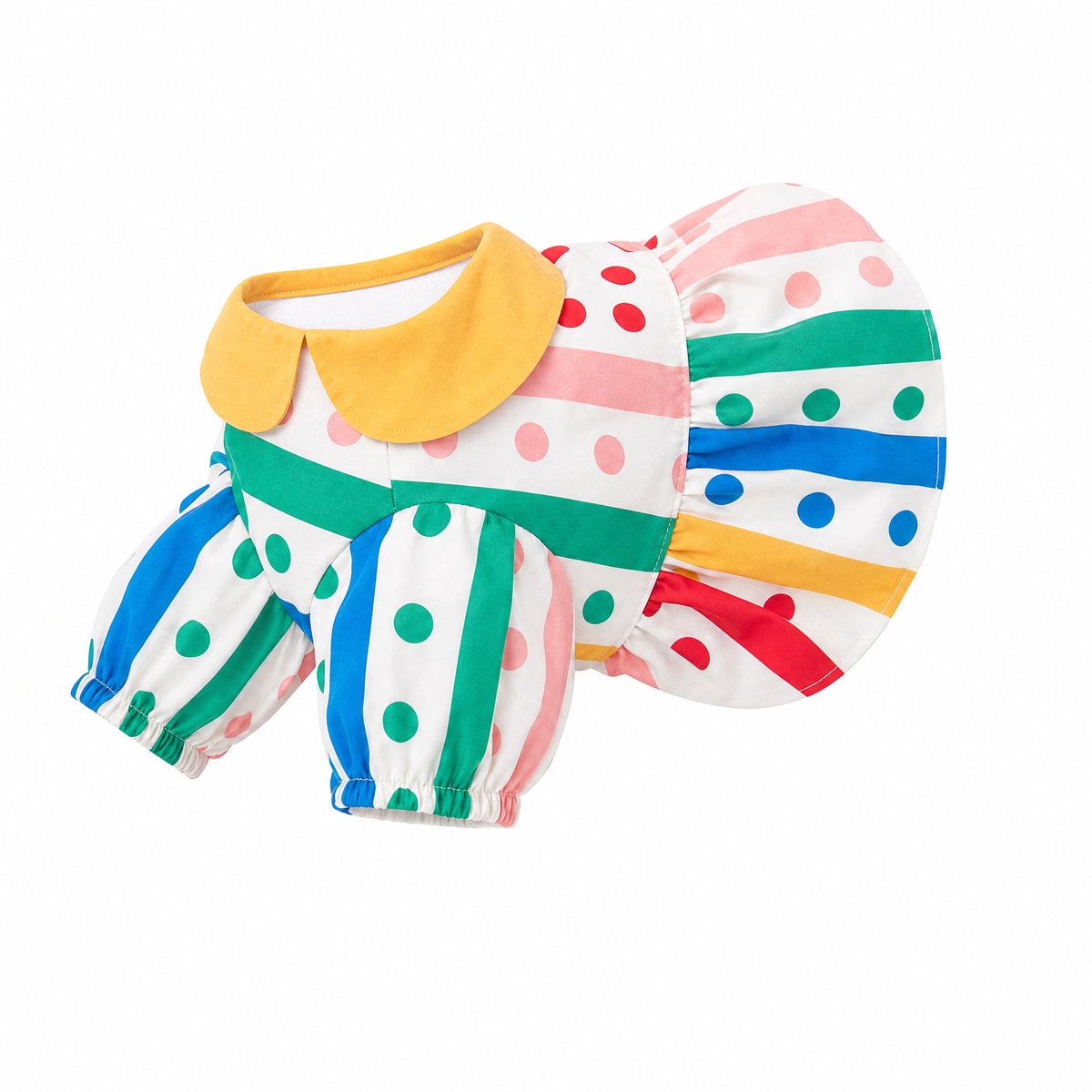
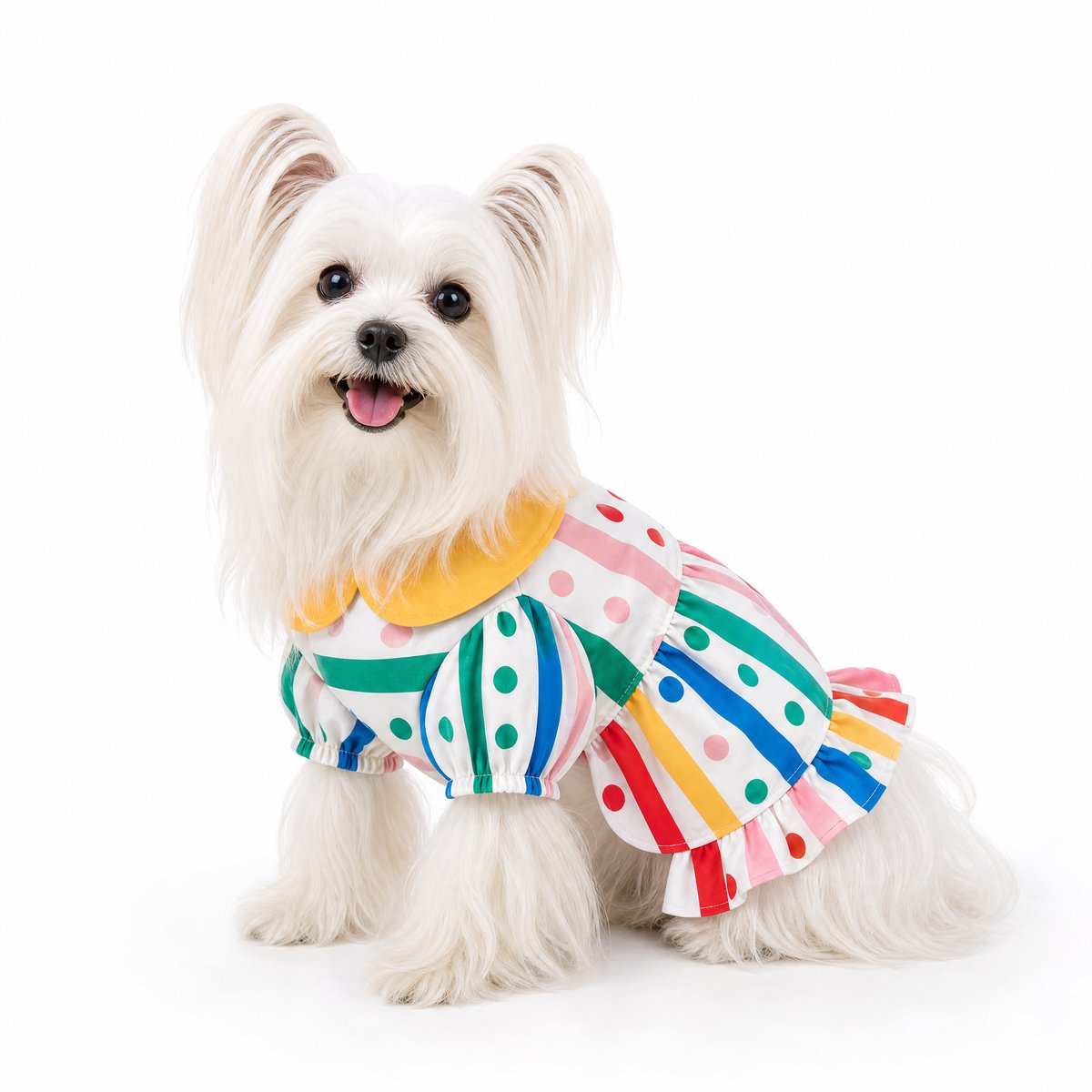
The collar, puffed sleeves with elastic cuffs, and ruffled hem are all there. A side-on seated pose was chosen, which shows the skirt length better than a straight front view would.
4. A hanger shot outdoors → golden retriever puppy, studio and lifestyle
The hardest input was a fleece vest hanging on a balcony rail, with sunlight, palm leaves, and a teddy bear in frame. The first request asked for a cute golden retriever on a white background. Then the white-background result went back in with one more line: “This dog is playing on the grass.”
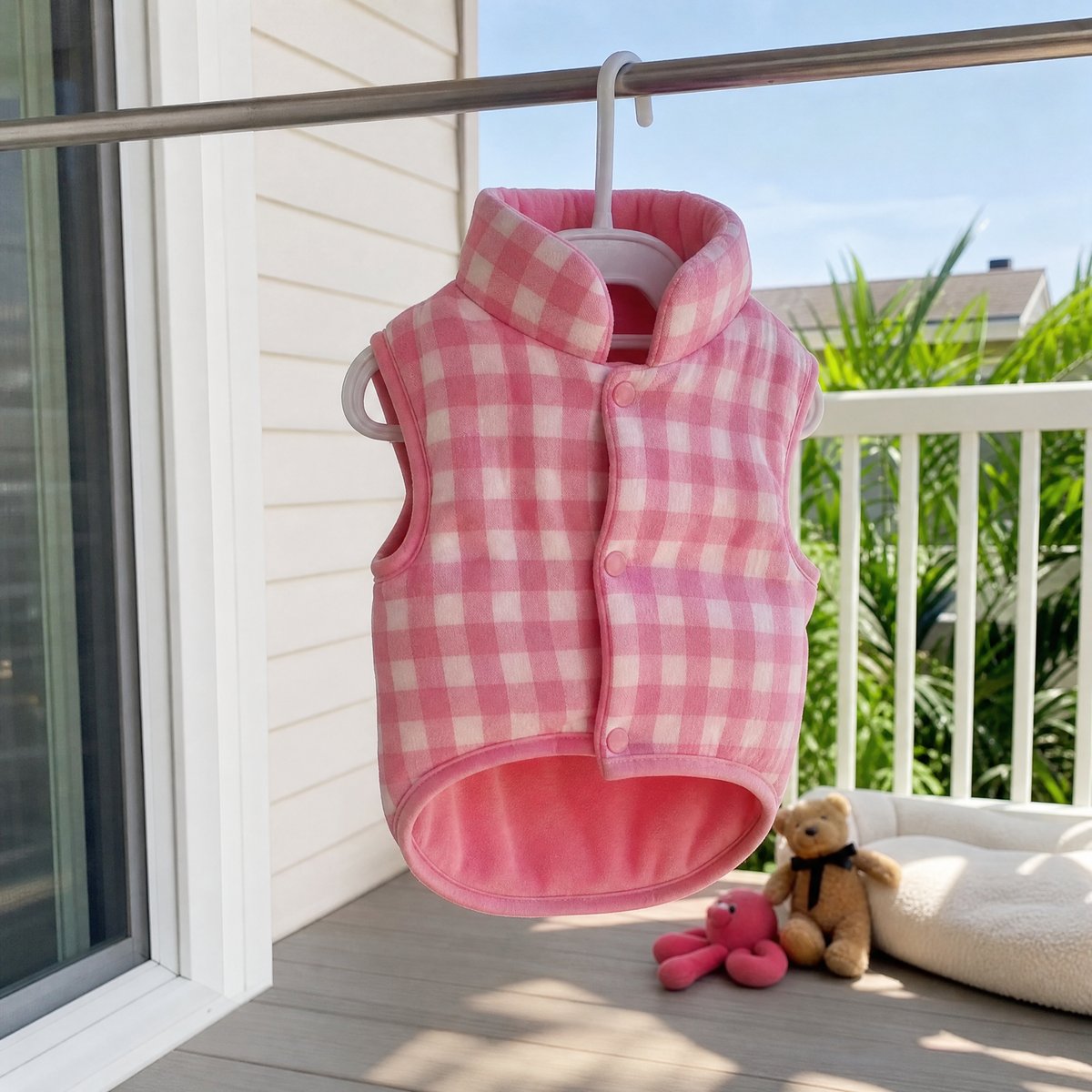
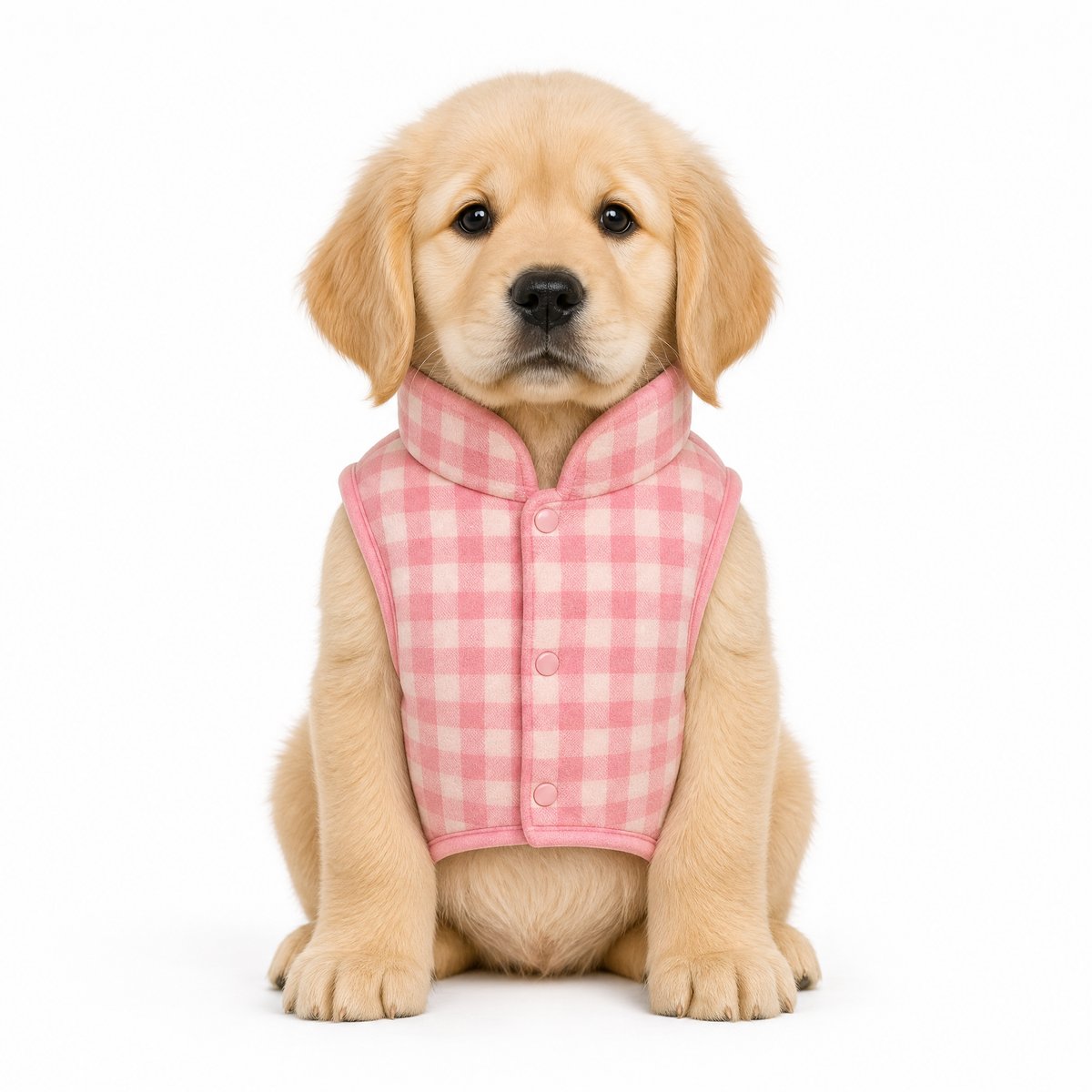
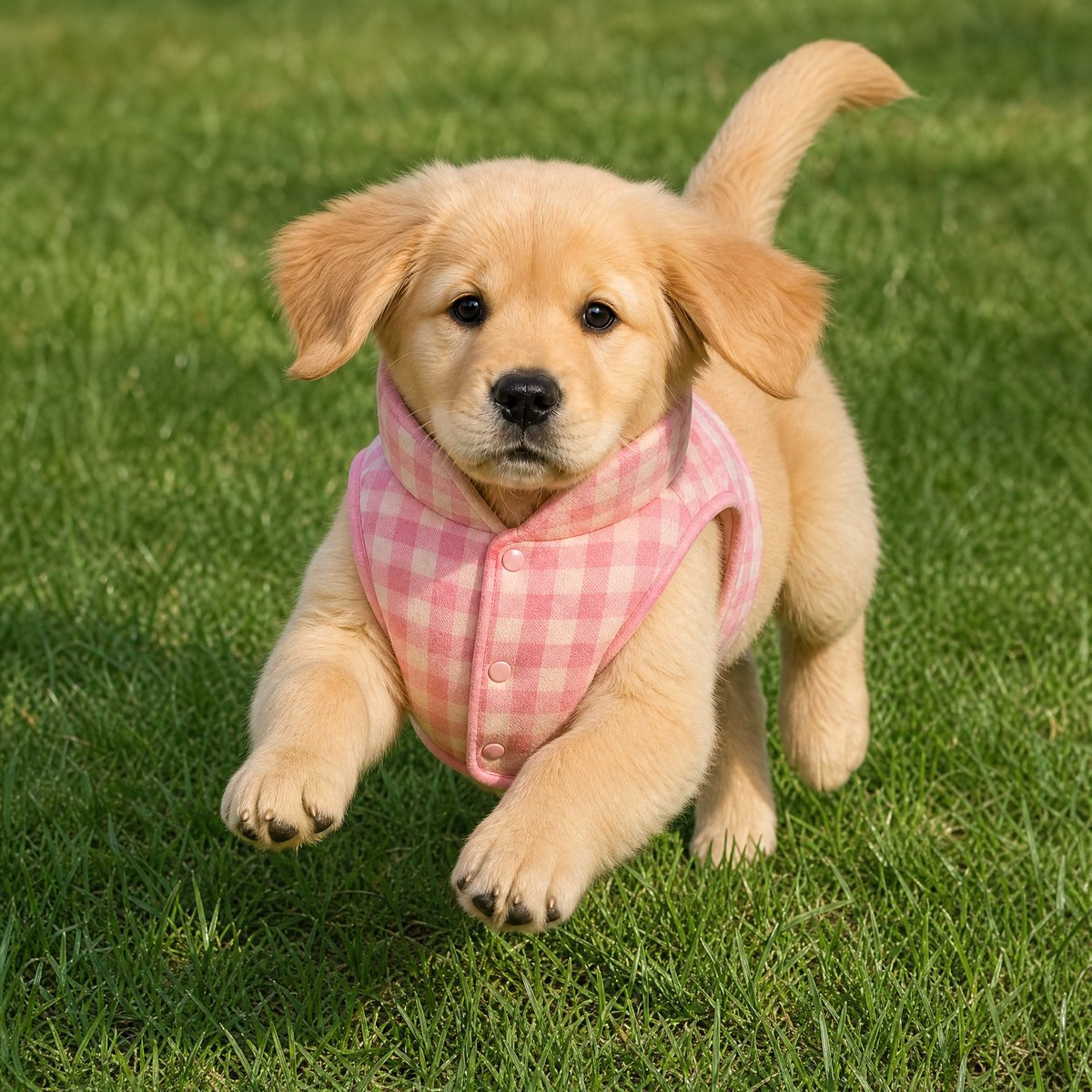
In both, the gingham, the stand collar, and all three snaps down the front came through, and the balcony was left behind. Because the second image started from the first, the puppy stayed the same: same coat, same face, same build. One garment photo and two short requests gave a clean product shot for the main image and a lifestyle shot for the rest of the gallery.
5. A casual photo of your own dog works too
Your pet photo does not need to be a studio shot. Both inputs here were casual phone photos: a cream onesie with an apple print, lying on a wooden floor among plush toys, and a dachshund puppy sitting on an unmade bed. The instruction was: “Dachshund wearing this outfit, white background.”
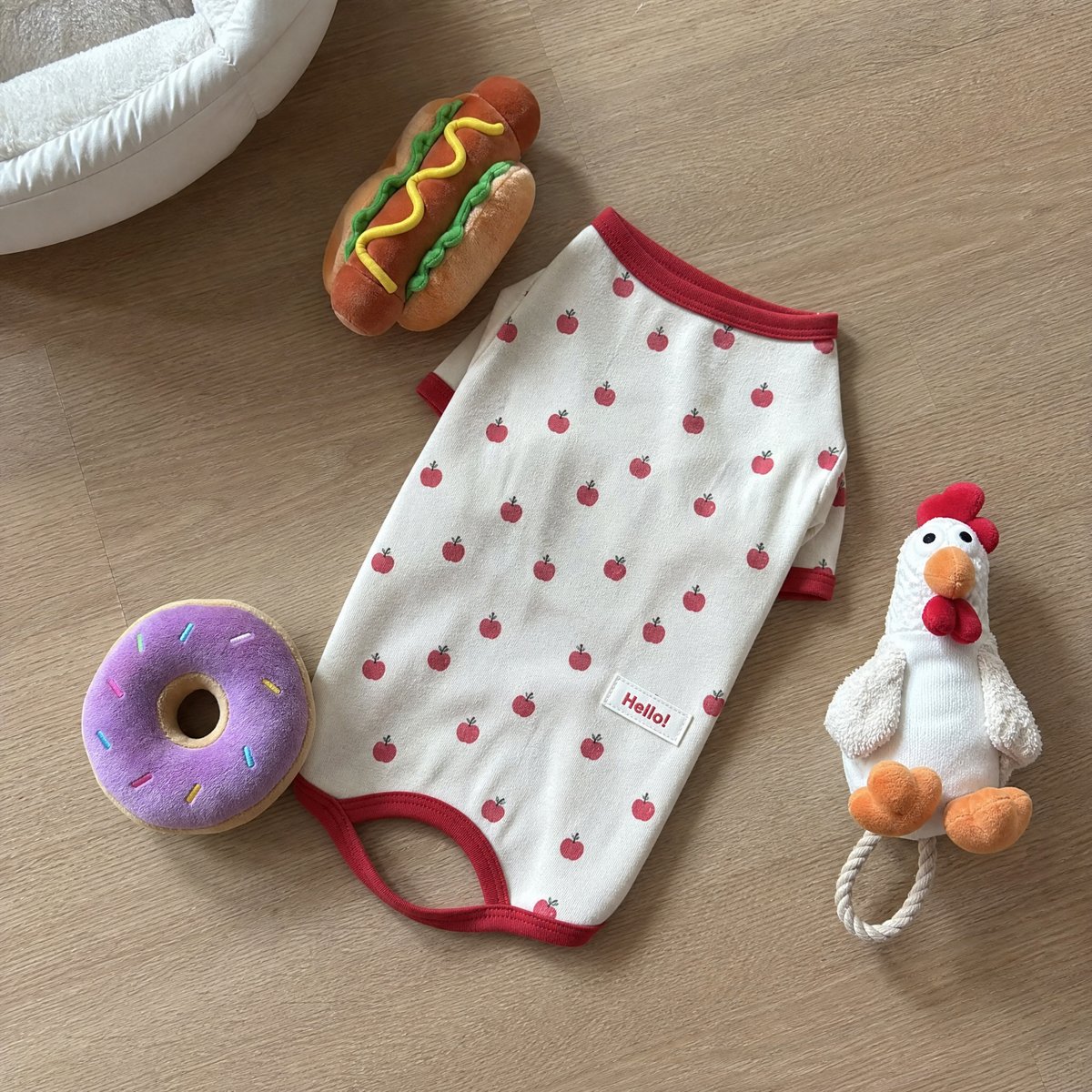
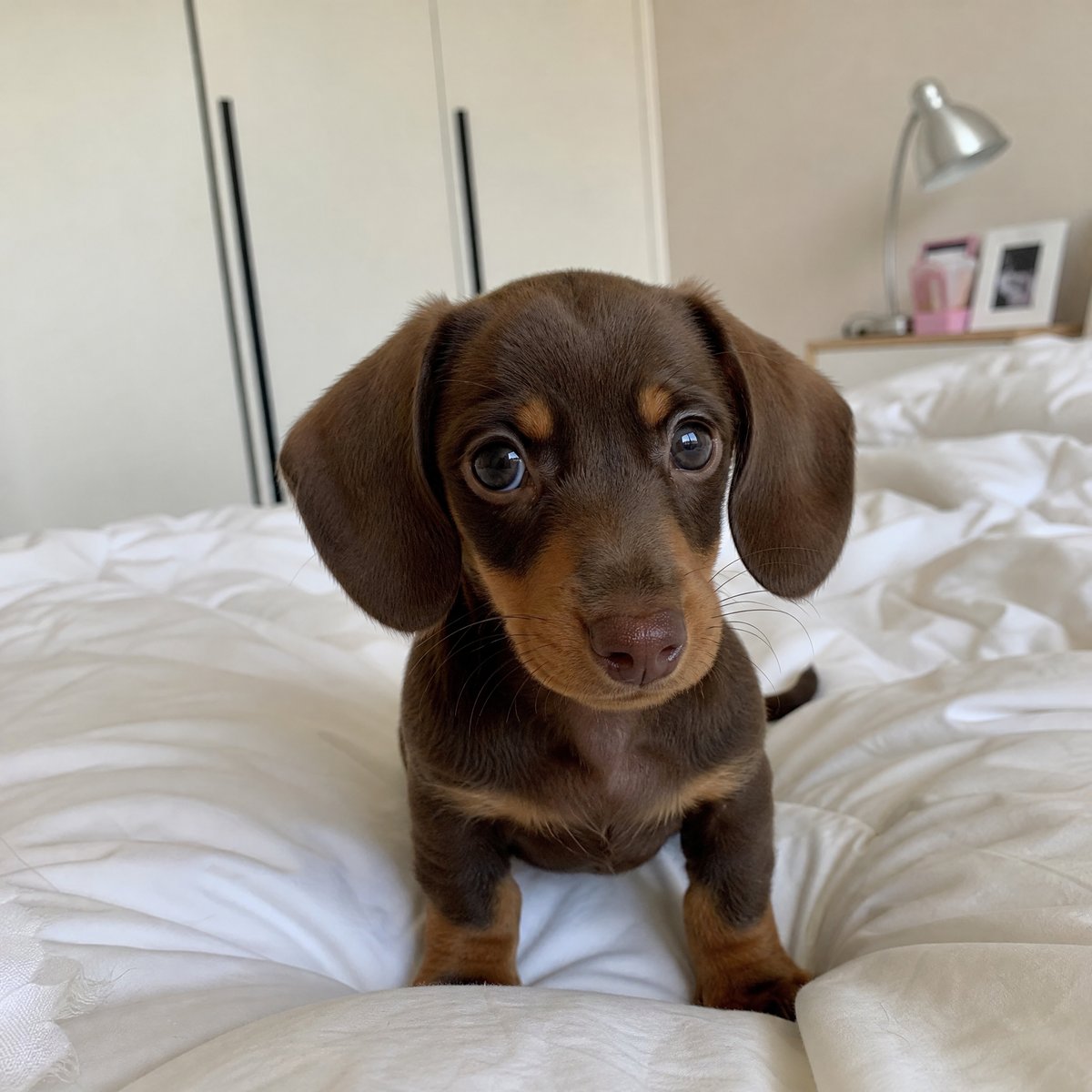
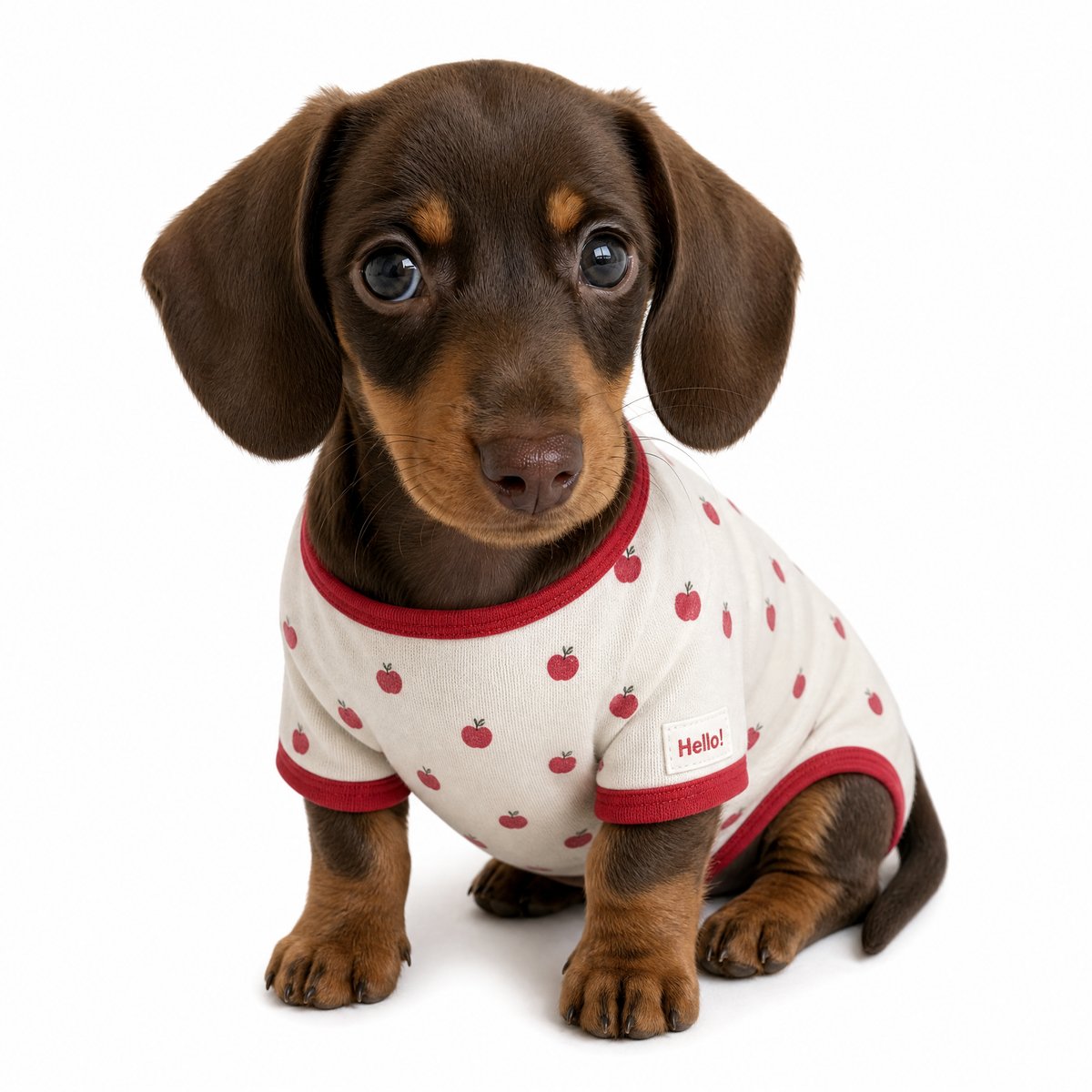
The puppy kept its chocolate-and-tan markings, long ears, and face. The onesie kept its apple print and red ribbed trim, and the bedroom, the toys, and the floor were all dropped.
6. A floor snapshot → Ragdoll cat, two angles
Cats work the same way. The input was a blue sailor-style cat dress with a plaid pleated skirt, photographed on a wooden floor next to cat toys. The instruction was: “Cute Ragdoll in this outfit, white background.”
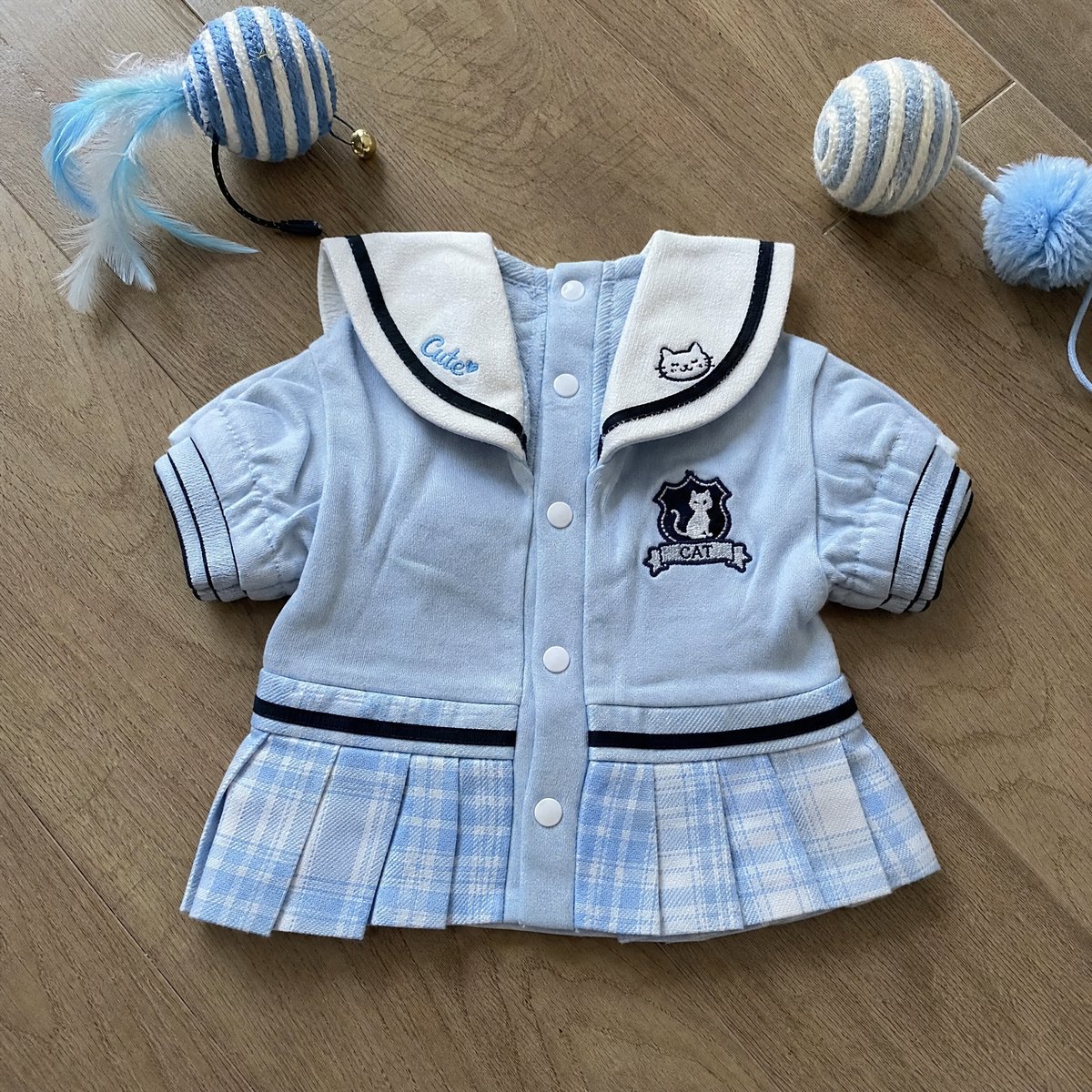
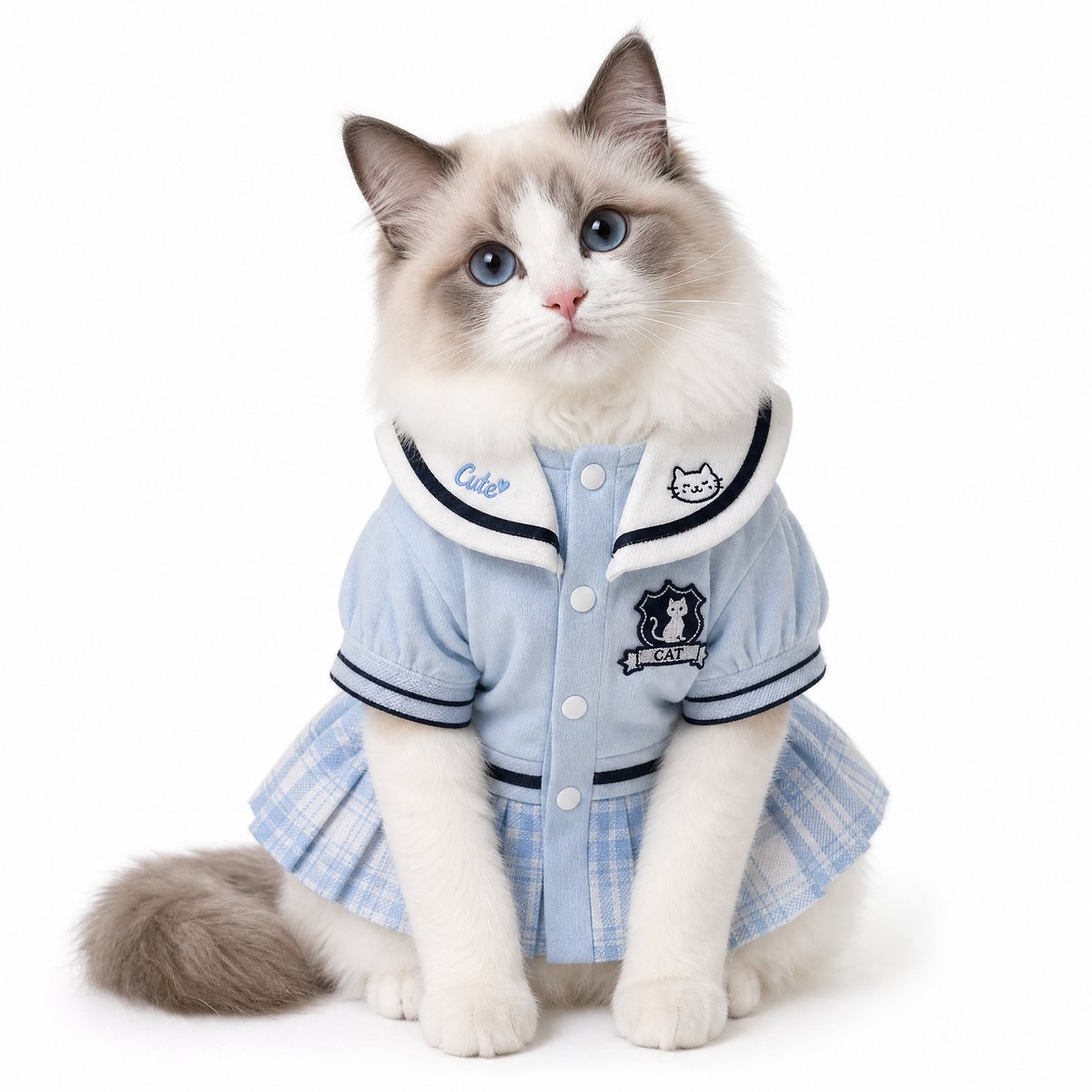
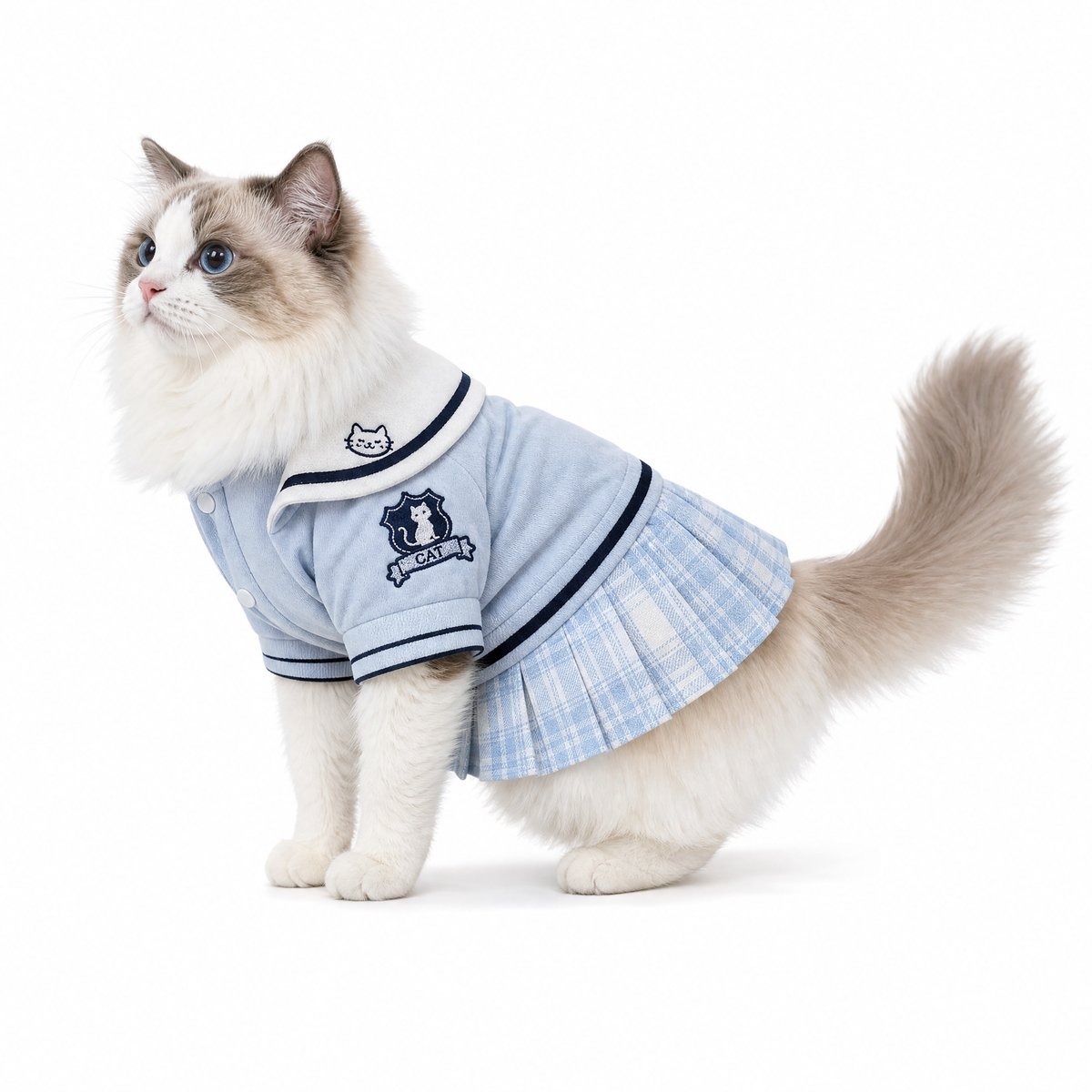
The front view carries the details a shopper checks first: the sailor collar with its “Cute” embroidery and cat face, the snap front, the striped cuffs, and the emblem. The side view shows how far the pleated skirt reaches along the body. Together they cover two of the angles a listing usually needs.
How to do it with your own photos
Most advice on pet clothing product photography assumes you have a dog or cat on set, holding still through every outfit and colorway. Here you only need three things:
- One clear photo of the garment. A phone snapshot is fine, as long as the collar, armholes or sleeves, closures, and hem are all visible. If the photo is dark or creased, our guide on how to photograph clothes without a model covers the basics.
- A pet, in one of two forms. A short breed description, or a photo of your own dog or cat. A casual phone photo works if the face and body are visible.
- A one-line instruction. Name the pet, the background, and the format. Leave the garment to the tool: it reads collar type, trims, and print from the photo itself.
Every white-background example above used a variation of these two patterns. For a lifestyle image, send the white-background result back in with a scene, as in example 4.
Cute [breed + one trait] wearing this outfit, white background studio photo, square 1:1.

Let this dog wear this outfit, white background studio shot, square 1:1.
If you need tighter control over which items transfer from a busy reference, the four-layer method in how to control what transfers in AI try-on images applies here too. If you also sell human apparel, see our guide to creating AI model try-on images from clothing photos.
Frequently asked questions
Does it work with a messy phone photo?
Five of our six garment inputs were casual phone photos with a sofa, rug, floor, toys, or balcony in frame, and in the fifth example the dog photo was a bedroom snapshot too. None of that clutter appeared in the outputs. What matters more is that the whole garment is visible and in focus.
Can I keep the same pet across my whole catalog?
Upload the same pet photo with each garment. In our second example, the dog’s face, coat, and even its glasses carried over; in the fifth, the dachshund’s markings and long ears carried over from a casual bedroom photo. We tested one garment per dog, so line up the results side by side before you publish a full set.
Does it work for cats?
Yes. Example 6 used a Ragdoll described in text, and the cat dress came through with its collar, buttons, and pleated skirt intact.
Is there anything to watch out for?
Three things. Check each image against the real garment before you publish, as you would with any product photo. An AI image shows how the garment looks, not whether it fits, so keep your size chart next to it. And a pet generated from a breed name is not a real animal, so never present it as a customer photo.
How long does one image take?
In our runs, individual images came back in roughly one to eleven minutes. It varied from run to run.
Start with the photo you already have
Every example above started with a garment photo the seller already had: sofa, rug, and floor snapshots, a hanger shot, and one product photo. You only need to add one sentence about the dog or cat and then check the details.
Dress a Dog or Cat in Your Product
About The Author